
Descrizione
ConveyThis Translate is the most accurate, fastest and easiest language plugin to translate your WordPress website into over 120 languages!
Installing ConveyThis Translate consists of just a few simple steps and takes no more than 2 minutes.
To translate your website with this plugin you don’t need to have any background in web development or deal with .PO files. ConveyThis Translate automatically detects the content of your website and provides instant and accurate machine translation. All while optimizing all of the translated pages according to Google’s best practices in point of multilingual websites. Also you will be able to view and edit all the performed translations through one simple interface or hire a professional translator to do this for you. As a result you will get a fully SEO optimized multilingual website.
Caratteristiche:
• fast and accurate automatic machine translation
• 100+ languages of the most popular world languages
• no redirections to third-party sites as with Google translate
• translate attributes, alt text, meta text, page URLs
• no credit card required for registration and money back guarantee for all paid plans
• easy to use (just a few simple steps from registration to translation)
• no need to deal with .PO files and no coding required
• 100% compatibility with all themes and plugins (including WooCommerce)
• SEO-optimized (all translated pages will be indexed by Google, Bing, Yahoo, etc.)
• one simple interface to manage all your translated content
• professional translators from a translation agency with over 15 years of experience
• customizable design and position of language switcher button
• compatible with SEO plugins: Rank Math, Yoast, SEOPress
ConveyThis Translate è gratuito?
ConveyThis Translate provides Free plan with 2,500 words and 1 language.
More features are available on our advanced plans.
Ognuno dei nostri piani ha le sue caratteristiche e i suoi vantaggi. Tuttavia, anche il piano gratuito è abbastanza buono per iniziare il tuo viaggio multilingue e usufruire di numerosi vantaggi, come la traduzione automatica gratuita, l’ottimizzazione SEO, la traduzione degli URL, il pannello di analisi, l’interfaccia di traduzione e modifica. Per semplici siti bilingui sarà sufficiente il piano più semplice. Non appena otterrai più visitatori, è segno che ti servirà un piano più grande. Ma fino a quel momento il plugin ti aiuterà ad ottenerli senza tagliare alcun vantaggio.
Perché l’ottimizzazione SEO è così significativa?
I tuoi contenuti multilingue saranno adeguatamente indicizzati da tutti i motori di ricerca, così otterrai un ulteriore incremento SEO (fino al 50%).
La maggior parte dei plugin tradizionali ti dà la possibilità di tradurre gratuitamente il tuo sito web e ti chiede di acquistare i loro add-on premium per tradurre gli URL delle pagine, i tag alt per le immagini, per aggiungere gli attributi hreflang, ecc. ConveyThis Translate funziona così com’è e ti dà tutti i vantaggi di un sito multilingue sin dall’inizio.
ConveyThis Translate fornisce supporto?
ConveyThis Translate fornisce supporto immediato a tutti.
Puoi porre le tue domande tramite chat online sul sito web ConveyThis.com o inviarci un’email direttamente a support@conveythis.com
Il nostro orario di lavoro è Eastern Standard Time (EST) o (GMT-4).
Ma rispondiamo a tutti entro e non oltre 10 ore nei giorni feriali.
Does ConveyThis load content remotely?
ConveyThis securely loads JavaScripts and images from CDN
ConveyThis privacy policy
Please find our privacy policy here
Istruzioni
- Scarica ConveyThis Translate qui o installalo dal pannello dei plugin WP
- Iscriviti su https://app.conveythis.com/account/register/ per configurare il tuo account
- After confirming your account go to the “Dashboard” in your account
- Copia la tua chiave API unica (è simile a “pub_xxxxxxxxxx”)
- Vai alla pagina di configurazione del plugin nel tuo pannello di amministrazione WP
- Paste this API key into the appropriate section
- Seleziona la lingua di partenza e le lingue di destinazione
- Customize language switcher as you want (you have the convenient “preview” mode)
- Salva le modifiche
- Il pulsante della lingua viene visualizzato sul tuo sito web.
- Ora puoi fare clic su di esso e tradurre la tua prima pagina
- Se vuoi modificare le tue traduzioni vai a “La mia traduzione” nel tuo account
* Se desideri effettuare tutte le personalizzazioni in un secondo momento, incolla la chiave API, salva le modifiche e il pulsante verrà visualizzato sul tuo sito web immediatamente. Puoi tradurre la tua prima pagina.
ConveyThis Translate plugin supports all these languages:
Azerbaijan, Albanian, Amharic, English, Arabic, Armenian, Afrikaans, Basque, Bashkir, Belarusian, Bengali, Burmese, Bulgarian, Bosnian, Welsh, Hungarian, Vietnamese, Haitian (Creole), Galician, Dutch, Hill Mari, Greek, Georgian, Gujarati, Danish, Hebrew, Yiddish, Indonesian, Irish, Italian, Icelandic, Spanish, Kazakh, Kannada, Catalan, Kyrgyz, Chinese, Korean, Xhosa, Khmer, Laotian, Latin, Latvian, Lithuanian, Luxembourgish, Malagasy, Malay, Malayalam, Maltese, Macedonian, Maori, Marathi, Mari, Mongolian, German, Nepali, Norwegian, Punjabi, Papiamento, Persian, Polish, Portuguese, Romanian, Russian, Cebuano, Serbian, Sinhala, Slovakian, Slovenian, Swahili, Sundanese, Tajik, Thai, Tagalog, Tamil, Tatar, Telugu, Turkish, Udmurt, Uzbek, Ukrainian, Urdu, Finnish, French, Hindi, Croatian, Czech, Swedish, Scottish, Estonian, Esperanto, Javanese, Japanese.
Link utili
Traduzione in altre lingue.
ConveyThis Translate è stato finora tradotto in spagnolo e russo. Aiuta a tradurlo in altre lingue. Vai a translate.wordpress.org
Screenshot
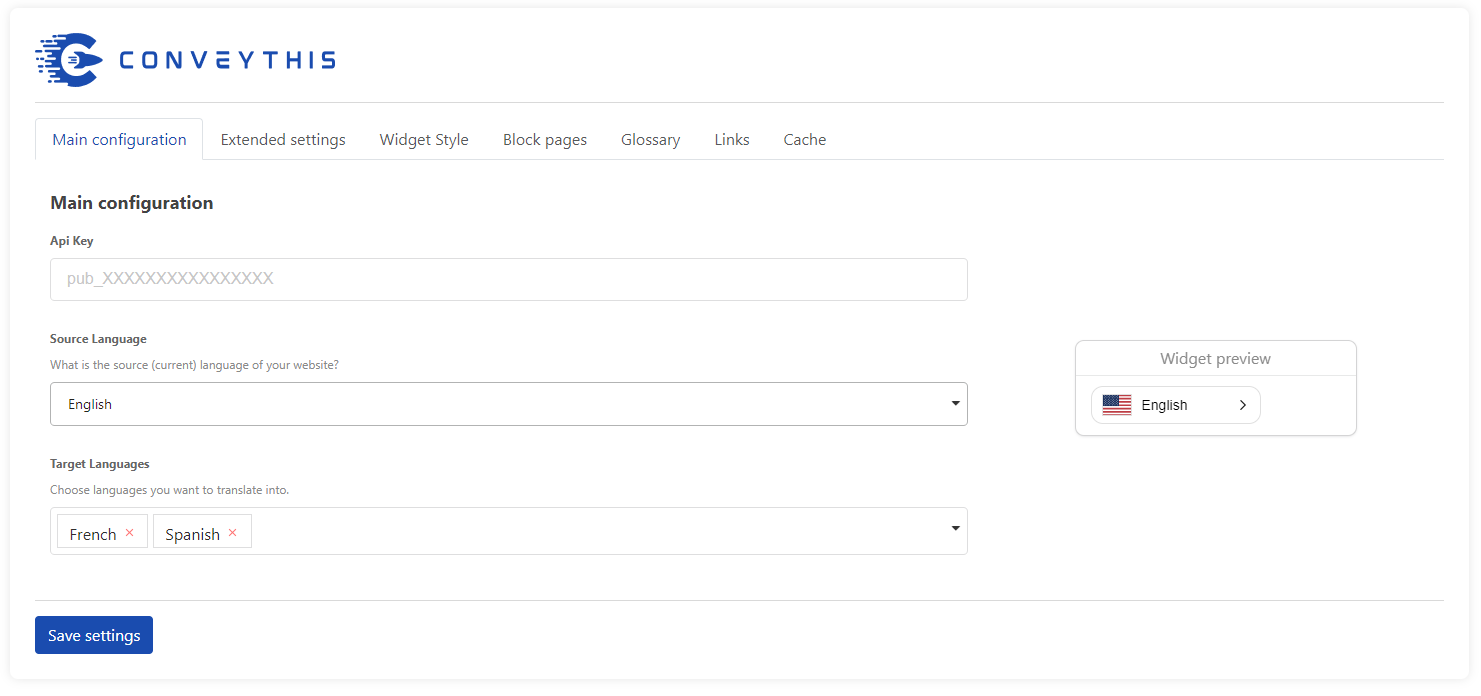
Overview of how the language switcher will transform you current website into multilingual one. 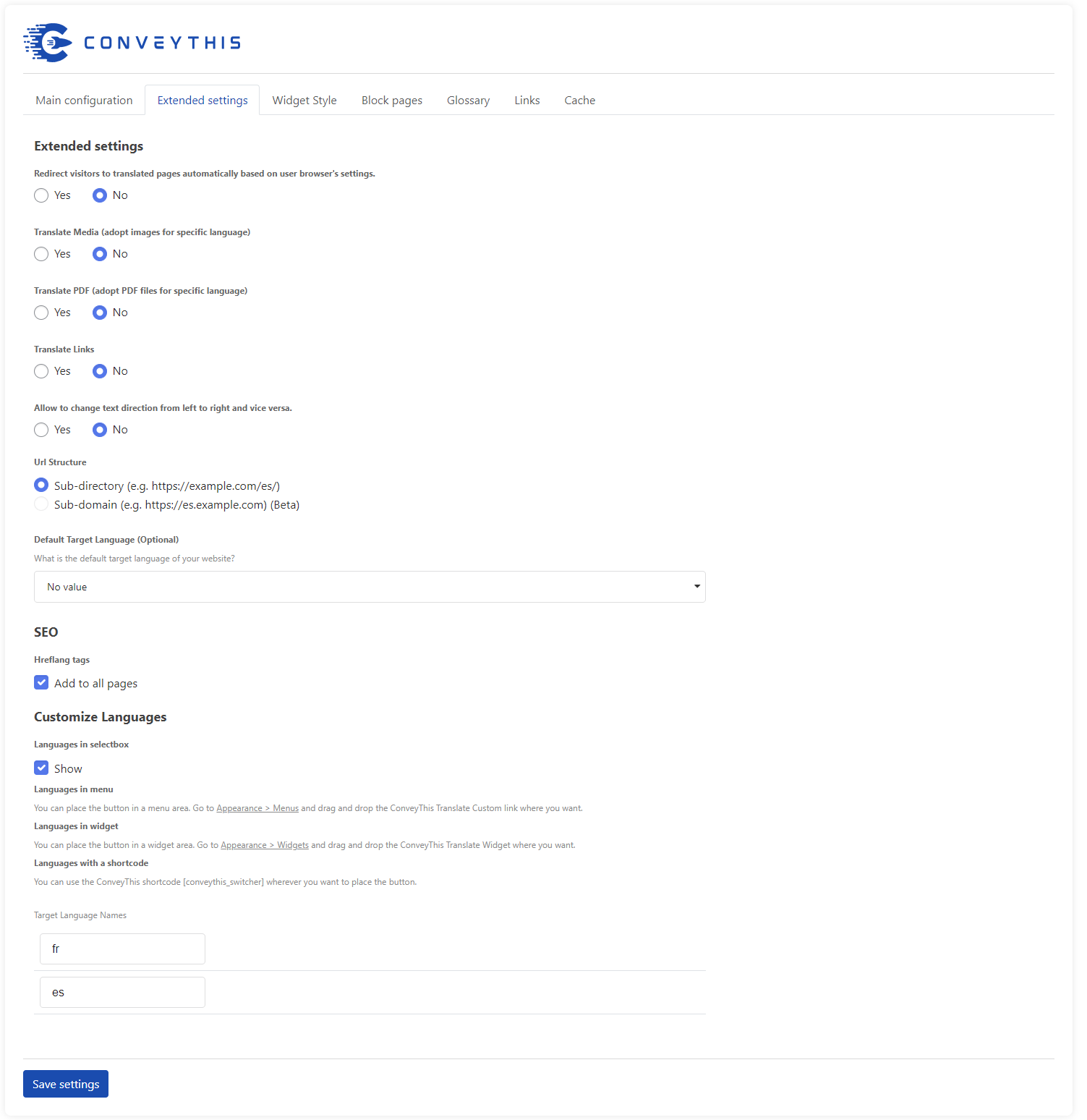
Plugin's simple configuration page. 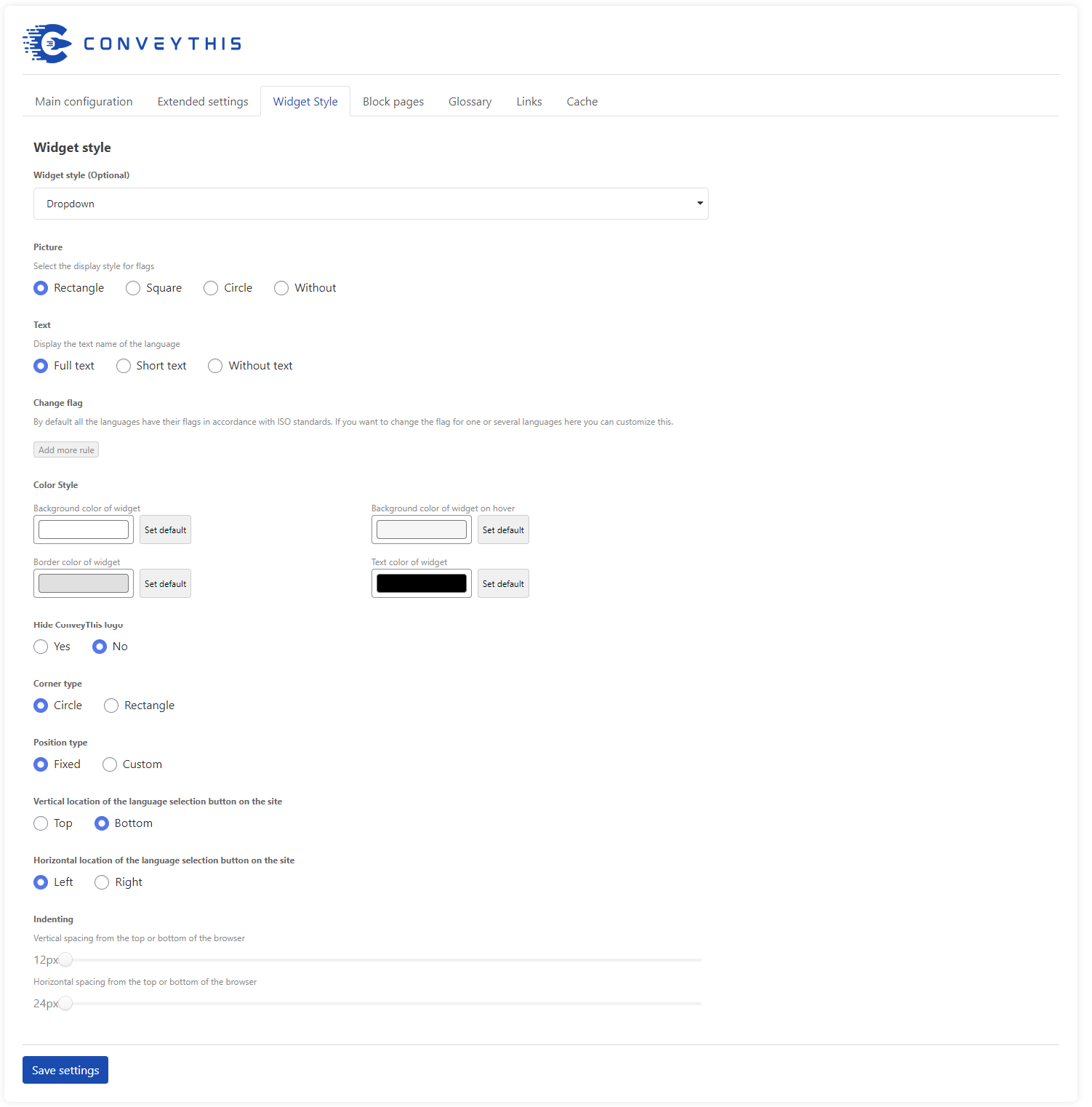
Personalizzazione dei pulsanti e anteprima istantanea. 
Personalizzazione delle coppie lingua-bandiera. 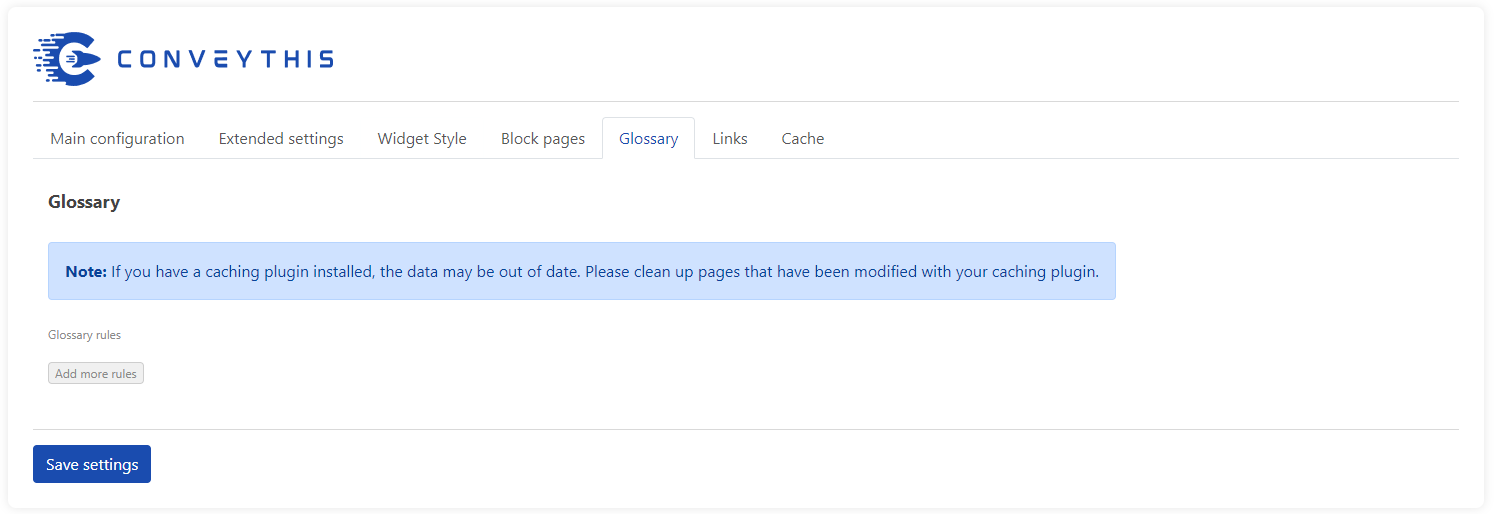
Some of the available switcher design appearances. 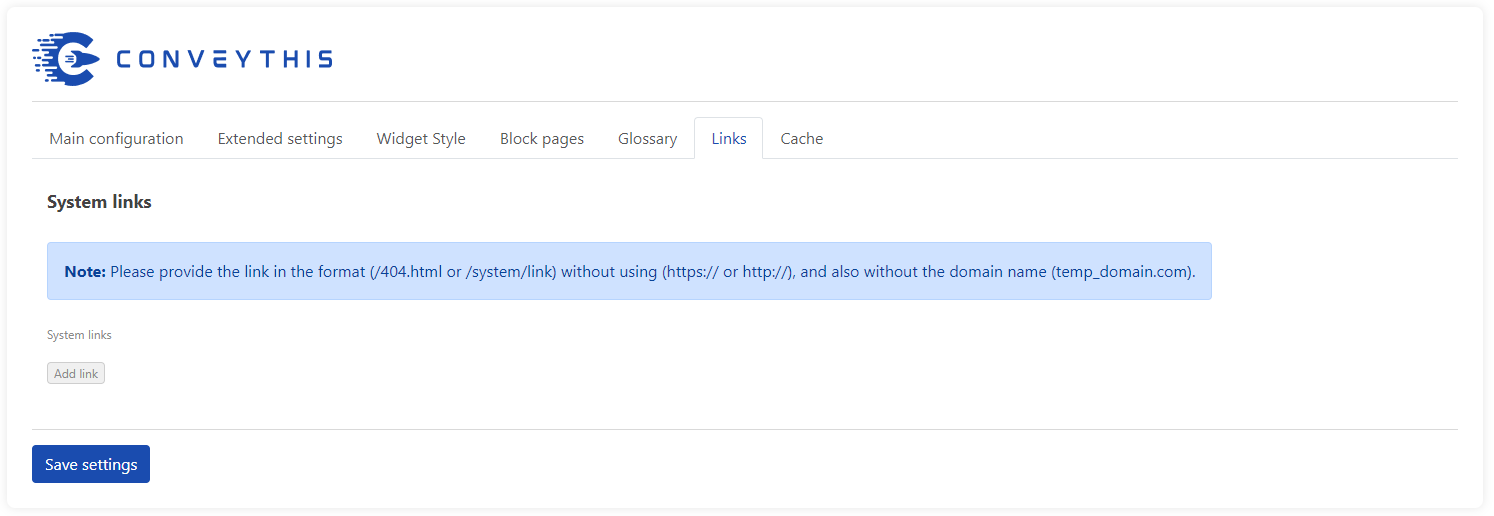
La schermata principale del pannello utente. 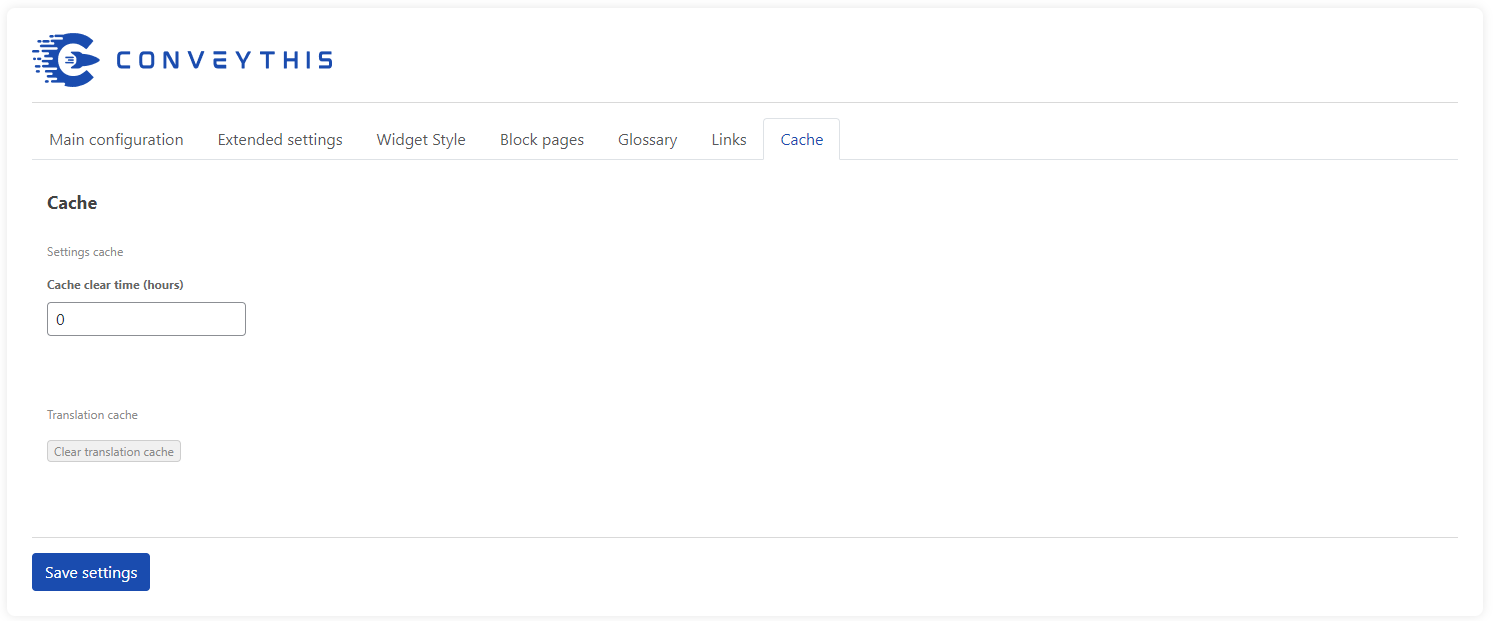
Schermata principale "Le mie traduzioni". 
The list of currently translated URLs belonging to a specific domain. 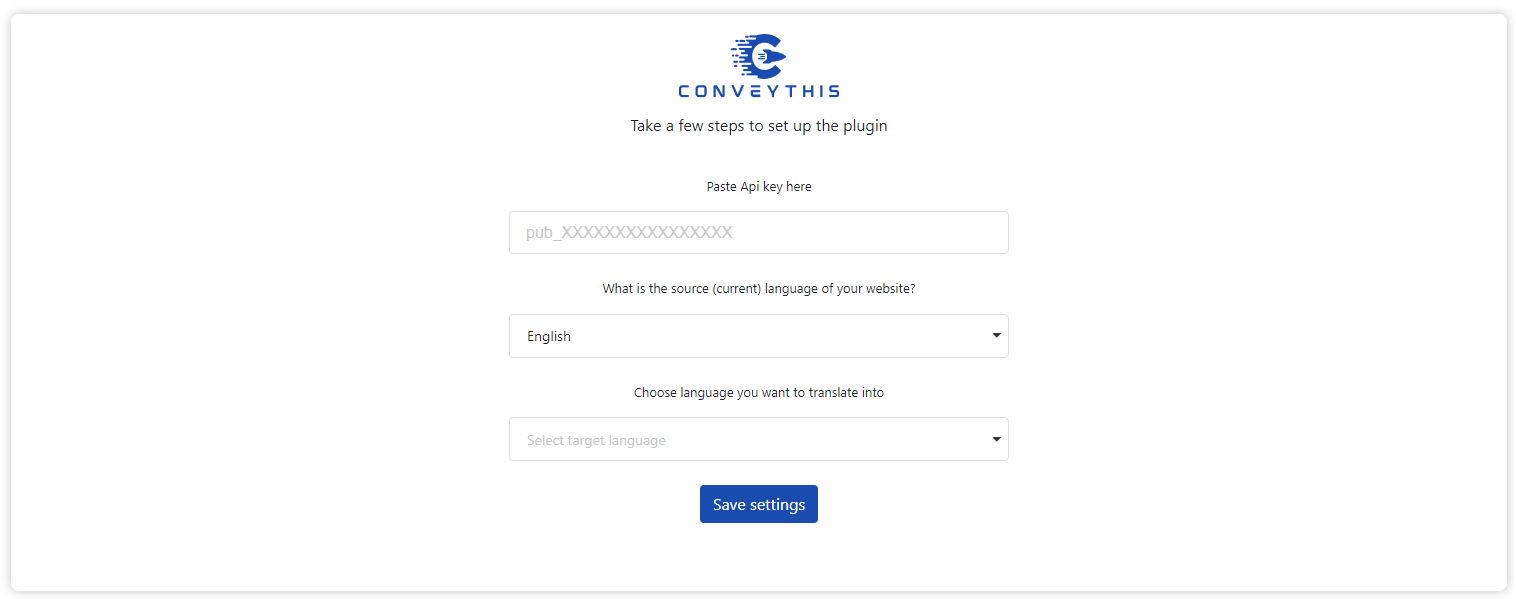
The "My Translations page", where you can edit your translations however you see fit. 
Example of the site with customized language-flag pair (e.g. U.S. flag for English language)
Installazione
- Download the plugin here and upload it to your site or install it from your WP admin
- Iscriviti su https://app.conveythis.com/account/register/ per configurare il tuo account
- Dopo aver confermato il tuo account, vai alla “Bacheca” nel tuo account
- Copia la tua chiave API unica (è simile a “pub_xxxxxxxxxx”)
- Vai alla pagina di configurazione del plugin nel tuo pannello di amministrazione WP
- Paste this API key into the appropriate section
- Seleziona la lingua di partenza e le lingue di destinazione
- Customize language switcher as you want (you have the convenient “preview” mode)
- Salva le modifiche
- The language button now appeared on your website.
- Puoi passare a un’altra lingua e vedere la pagina tradotta
- Se vuoi modificare la tua traduzione vai su “La mia traduzione” nel tuo account
227
- Сode optimized
226
- Optimized work with sitemap generation
225
- The process of replacing links has been upgraded.
224
- The latest version of WordPress has been tested
223
- SEO support optimized
222
- Updated SEO support
221
- The work of alternative links has been updated
220
- Cache work optimized
219
- Interface optimized
218
- Updated link & images handlers
217
- Updated synchronization with dashboard
216
- Library optimization
215
- Fixed bugs, update “Change Flag” functionality
214
- Added new check for meta tags
213
- Updated code for the new version of WordPress 6.4.3
212
- Changing flag image links
211
- Fixed bag
210
- Fix log function
209
- Fix xml format
208
- Fix utf8
207
- Fix utf8 text
206
- Fix bloked params
205
- Correction of registration for new clients
204
- Fix SEO functions
203
- Fix condition for meta tag
202
- Fix admin bar
201
- Fix file
200
- Bug fixes, application optimization
199
- New widget style: popup
198
- Fixes
197
- Do not buffer when there is no translation
196
- Do not let buffer get removed
195
- Fix add links in block list
194
- Fix error links
193
- Script operation optimized
192
- Fix settings
191
- Added a new option to change website region
190
- Script operation optimized
189
- Fix alternative links for main language
188
- Removed duplicate alternative links
187
- Added a new option to disable and enable alternative links for excluded pages
186
- Script operation optimized
185
- Script operation optimized
- Improved visuals
- Improved quality of translations
184
- Added the ability to specify the desired system link for translation. Plugin optimization
183
- Add additional config
182
- Visual edits
181
- Bug fixes, code optimization, improved link handling
180
- Fixing broken links issues
179
- Speed optimization
178
- Fixed problem with app and wp settings synchronization
177
- Permalink Settings are taken into account in url
176
- Finalization of translation for wp interface
175
- Correction and modification of styles
174
- Fixed element display errors
173
- Cache issues fixed
172
- Clear local cache when changing glossary. Autosave changes when deleting settings in the Glossary
171
- Clearing the site cache by page when changing the translation in the admin panel
170
- Added steps when activating the plugin
169
- Easy language selection
168
- Fix no-data style
167
- Add step set target language
166
- Change widget admin style
165
- New icon for admin left menu
164
- Add choice widget style
163
- Add left-to-right direction
162
- Add clear translation cache by user
161
- Ability to reset cache by user
FAQ
-
Quali sono i requisiti minimi di installazione per ConveyThis?
-
- WordPress 4.0 o versioni successive
- PHP versione 5.3 o successiva
-
Posso modificare le traduzioni del mio sito?
-
Yes, you can edit the translation in your account on the My Translations tab. All changes will be displayed on your site.
-
I motori di ricerca (Google, Yandex, Bing, ecc.) indicizzeranno le pagine tradotte?
-
Ovviamente. ConveyThis crea un prefisso URL univoco basato sulla lingua selezionata (ad esempio: / ru / per il russo o / es / per lo spagnolo), che verrà indicizzato da tutti i motori di ricerca.
-
ConveyThis Translate è compatibile con il mio tema / plugin?
-
Yes! ConveyThis Translate essentially takes a “snapshot” of all the content, including meta text and other items not directly visible on the page, then uses that text data to retrieve or generate translations. By translating your site’s content with this method, you never have to worry about whether changing your theme or adding a new plugin will affect the translated version of your site.
ConveyThis Translate sarà sempre in grado di tradurre tutto il contenuto del tuo sito!
-
Perché non vengono visualizzate le mie traduzioni?
-
There are three potential reasons that your translations may not appear on your website:
- Your plugin is not setup. Make sure you select your site’s source language (the language your text is currently written in) and then select which languages you want your site to be available in. Make sure you click the save button to complete the setup.
- Another script is causing a JavaScript conflict that blocks the plugin from running. ConveyThis Translate relies on JavaScript to function, and if another plugin throws an error or other exception that prevents the JavaScript from running properly, it may cause issues with the translations being displayed. Try disabling your other plugins one at a time to see if they are causing the conflict.
- You have exceeded the limits of your plan. If you add more languages than your subscription plan supports, or if you exceed the number of words or translations supported by your subscription plan, it may cause the translations to not be displayed on your site. Please view your pages and the plugin’s configuration screen when logged in as an administrator and look for any error messages. You can also view your current usage statistics and related data by logging into your user account on https://www.conveythis.com/
-
Can I bundle ConveyThis Translate with my themes?
-
No, you may not bundle the ConveyThis Translate plugin with your themes without express permission.
If you are a WordPress theme developer and would like to provide ConveyThis Translate as a plugin, or have other ideas for integrating ConveyThis Translate into your products, please visit https://www.conveythis.com/ and contact us to discuss licensing and other issues.
-
Perché il mio testo viene visualizzato come ??????? (caratteri punto interrogativo)
-
If the text on your site is displaying as ? (question mark) or square/rectangular symbols, this is typically caused by an encoding issue.
ConveyThis Translate stores translations as UTF-8 encoded string data. To make sure your text is displayed properly, your pages must also be rendered with UTF-8 encoding. You can find more details here: https://codex.wordpress.org/Converting_Database_Character_Sets
Also, make sure your theme’s template files are save as UTF-8 encoded file types, and that your blog’s header is setting the charset value to UTF-8, like so:
<meta charset=”UTF-8″ /> or <meta http-equiv=”Content-Type” content=”text/html; charset=UTF-8″>
-
Come configuro il mio server per separare le lingue in directory?
-
Buone notizie: questo non richiede alcuna configurazione aggiuntiva sul tuo server!
Directory rewriting is a built-in feature that utilizes WordPress’s core functionality to automatically prepend the language code to the front of your URL to differentiate your main content from your translated content.
For example, the translated versions of a page located at https://example.blog/my-first-post/ can be accessed from:
- https://example.blog/es/my-first-post/ (spagnolo)
- https://example.blog/de/my-first-post/ (tedesco)
- https://example.blog/ru/my-first-post/ (russo)
- ecc.
Make sure that you don’t have directories setup on your server with the same name as the language prefixes to avoid any issues with this redirect method. Additionally, make sure that posts, pages, and other content is not setup in WordPress to use the two-letter language code for routing as well. Confirm this with your theme, any other plugins you may be running, and your blog’s permalink settings.
-
ConveyThis rallenterà il mio sito?
-
ConveyThis Translate will not slow down your website as it never needs to access your site’s database at any time to translate your site’s content!
Poiché le traduzioni sono memorizzate sul server di ConveyThis — anziché nel tuo — non dovrai mai preoccuparti di ottimizzare le tue query, di cancellare le vecchie revisioni delle traduzioni o di altri problemi del database. Funziona e basta!
-
Perché non riesco a salvare la configurazione?
-
If you cannot set up the API key or select languages on the configuration page, or attempts to translate a page of your website fails, you might be running an outdated version of the plugin. Please update ConveyThis to the latest version.
-
Come posso trovare, modificare e salvare le pagine tradotte?
-
Log in to your ConveyThis account and go to the “My Translations” tab.
Per modificare le tue traduzioni, seleziona prima il nome di dominio che desideri modificare e seleziona un indirizzo di pagina specifico su cui lavorare.
Qui puoi usare Visual Editor o modificare le traduzioni riga per riga.
-
ConveyThis può essere eseguito su localhost?
-
As of version 2.7 of the plugin, ConveyThis can now be tested from localhost. Previous versions of the plugin will not work on sites hosted locally.
-
Quale numero di lingue supporta ConveyThis?
-
Il numero di lingue disponibili dipende dal piano a cui sei iscritto.
Con il “piano Pro” più avanzato hai 92 lingue a tua disposizione.
So the current amount of the possible languages to operate is 92.
While this list contains all the most-spoken languages of the world, many rare dialects are not yet included.
-
ConveyThis Translate è gratuito?
-
ConveyThis Translate provides Free plan with 2,500 words and 1 language.
Users of paid plans can get their money back within the month of using the plugin you are not satisfied with the result.
-
Posso migrare da WPML, Polylang o Weglot Translate?
-
You can easily migrate from any translation plugin. Just deactivate the current plugin from your wp-admin panel. ConveyThis Translate can then start working properly on your website.
-
Come posso impostare / spostare il selettore di lingua?
-
If you want to customize your language switcher, first access the settings page for the plugin in wp-admin and click “Show more options”.
You can choose how you want the language switcher displayed: square or round flag; with or without text in it.
You will be able to place the switcher button either at the top of the right side or at the bottom of the right side of the page. You can also move it to the center of the page or set up the spacing you want using the toggle in section labeled “Indenting”.
-
How do I resolve “cURL error 7: Failed to connect to api.conveythis.com port 443: Connection refused”?
-
A volte potresti riscontrare il seguente errore:
[http_request_failed] cURL error 7: Failed to connect to api.conveythis.com port 443: Connection refused
This usually means that the server cannot connect to api.conveythis.com. Possible reasons could be a firewall or your IP being blocked by ConveyThis.
Port 443 is “https”, which your server may not accept. You can try to connect over “http” instead. You can also try to use a proxy server.
Se hai provato tutto quanto sopra e continui a ricevere questo errore, contattaci all’indirizzo support@conveythis.com.
-
Cosa devo fare se ho ancora bisogno di aiuto?
-
If you weren’t able to find the answer to your question, you can always use the online support form on our website to promptly get answers to any questions. Business hours are Monday through Friday from 9:00 AM till 6:00 PM, Eastern Standard Time.
You can also email us directly at this email address: support@conveythis.com.
Se ci contatti durante la settimana, possiamo garantire che riceverai una risposta entro le prossime 12 ore se viene inviato entro la mezzanotte di venerdì.
Recensioni


Contributi e sviluppo
“Language Translate Widget for WordPress – ConveyThis” è un software open source. Le persone che hanno contribuito allo sviluppo di questo plugin sono indicate di seguito.
Collaboratori

“Language Translate Widget for WordPress – ConveyThis” è stato tradotto in 37 lingue. Grazie ai traduttori per i loro contributi.
Traduci “Language Translate Widget for WordPress – ConveyThis” nella tua lingua.
Ti interessa lo sviluppo?
Esplora il codice segui il repository SVN, segui il log delle modifiche tramite RSS.
Changelog (registro delle modifiche)
160
- Ability to reset cache by user
160
- Update fast registration
159
- Fast registration feature
158
- Connection to proxy
157
- Changed preview position, added validation to required fields
156
- Changed color and buttons position
155
- Updated js version
154
- Preview fix
153
- Make widget invisible on click when its exceeded free
152
- Redirect to original url when its error returned
151
- UX/UI Improvements
150
- Security update
149
- Admin part redesign
148
- Reset default language if its not in target languages
147
- Add searching segment by lower case
146
- Remove cache when translations data is empty
145
- Do not show plugin on excluded pages
144
- Update cache without jquery
143
- Do not save translations when error
142
- Exclusion blocks (by div ids)
141
- translate only current page content + no translate element id feature
140
- error notices cause fixed
139
- exclusions update fix
138
- exclusions and glossary management js fix
137
- exclusions and glossary management, fixed domains syncronization with dashboard
136
- do not show 404 when page is excluded or translations not paid
135
- page 404 when no translations and translations cache
134
- Fix saving urls translations cache
133
- Fix php notices
132
- Change get code endpoint subdomain from “app” to “api”
131
- do not show widget on page 404
130
- replace site_url() to home_url()
129
- plugin ignore WP API urls (including “/wp-json/”)
128
- use default language only when there is no referrer or referrer host is different
127
- Settings page changes
126
- default language redirect option
125
- language url segment translation option
124
- links translation option
123
- pro_new and pro_new_plus
122
- Left alignment by default
121
- WordPress 5.8.1 support
- Correzioni di bug