
Descrizione
Modal Popup Box – Popup Builder
Modal Popup Box is enable the functionality to add pop content on your WordPress website. You can add and show any type of content into modal pop up box. You can customize the popup box title, height and width, color, loading effect using plugin setting panel. You can enable popup functionality on button click or page load.
You can embed and display anything in popup box like image, YouTube videos, Vimeo videos, image gallery, album gallery, photo album, slider slideshows, various plugin shortcodes, tables, pricing tables, social media feeds, Facebook like box, Twitter tweets, Flickr feeds, Contact Form 7, buttons, HTML contents, greeting messages and images, coupon codes, discount codes, free and promotional offers, social media icons, customer feedback, clients testimonials, general forms, registrations forms.
How To Use Free Modal Popup Plugin?
Links
Premium Version Features
- Animation Effects
- Responsive Design
- Onload or On Click Modal Pop Up Functionality
- Height & Width Settings
- Heading Text Alignment
- Button Text Alignment
- 20+ Effects
- Embed portfolio into modal popup box
- Embed iFrame into popup box
- Insert video into popup box
- Insert GoogleMap into modal pop up box
- Button Link Settings
- On Page Load Popup
- Shortcode
- Color Picker
- Font Color
- Button Settings
- Button Loading Effects
- Overlay settings
- Custom CSS
- Modal Popup Loading Effects
- Paste gallery shortcode into pop up box
Screenshot
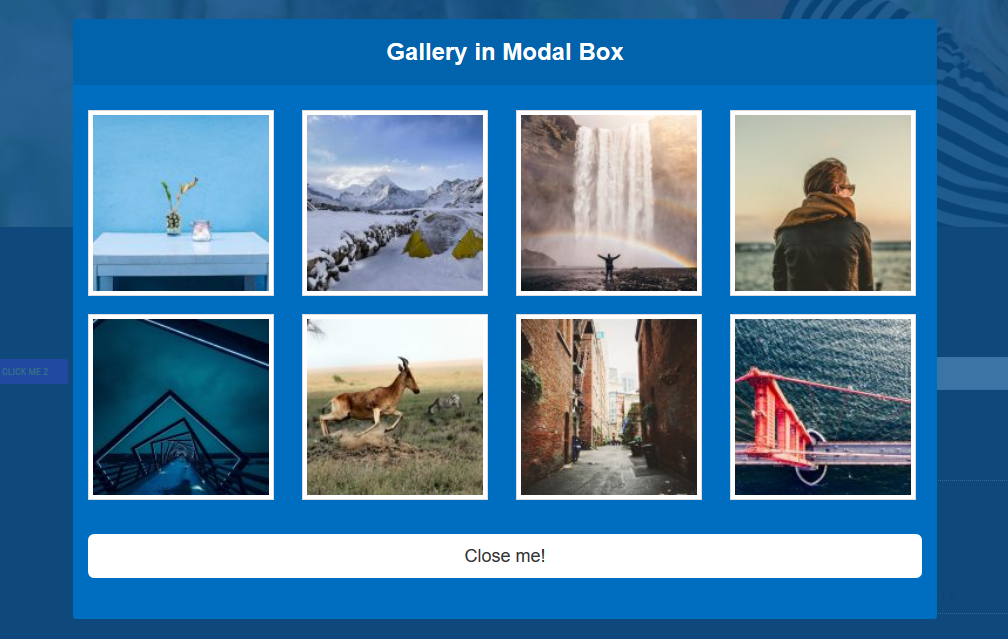
Show Gallery into Modal Pop Box 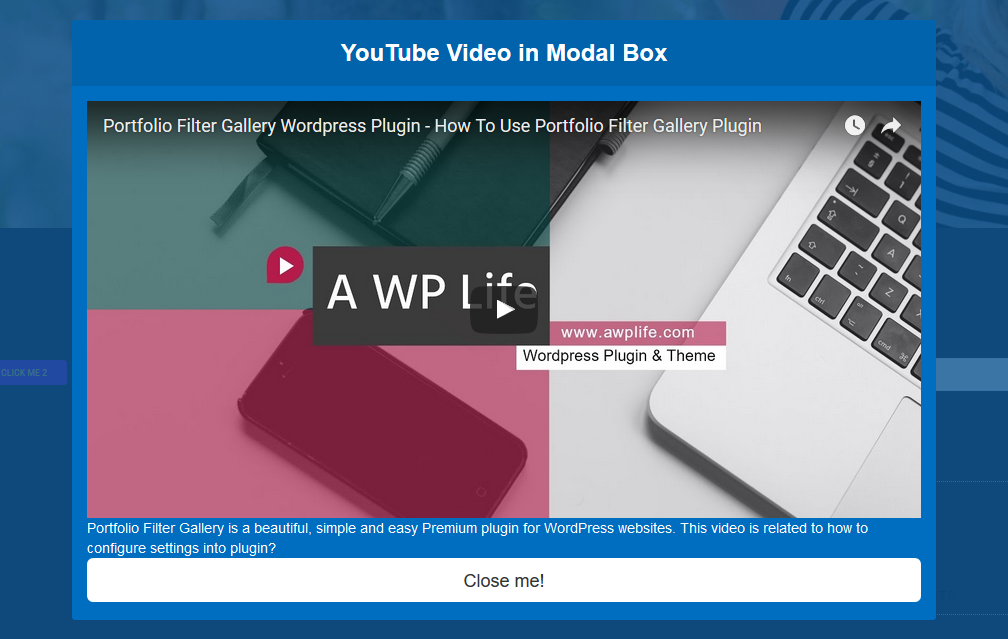
YouTube Video into Modal Pop Box 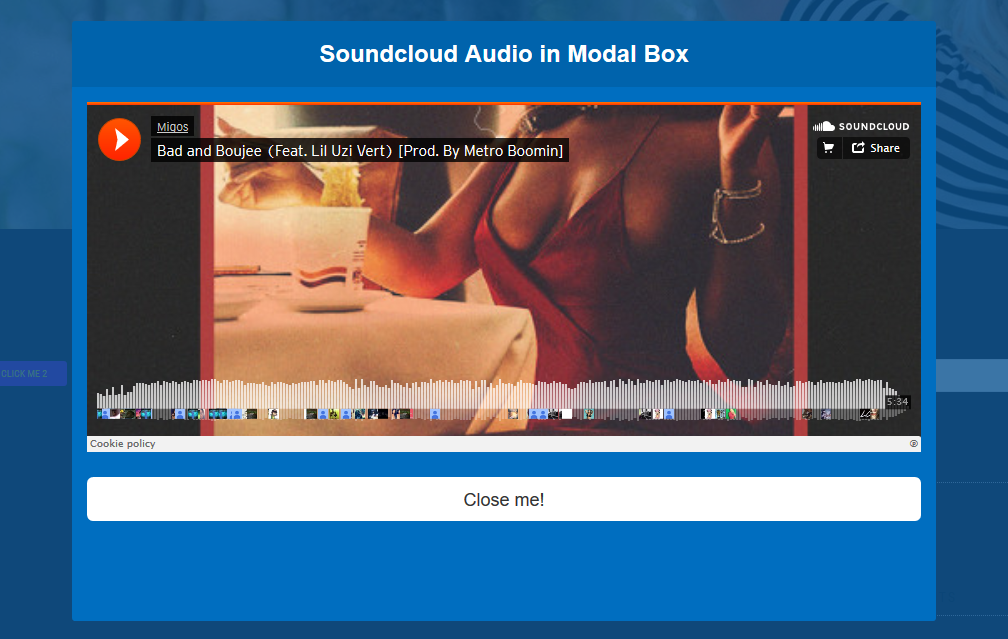
Soundcloud Audio into Modal Pop Box 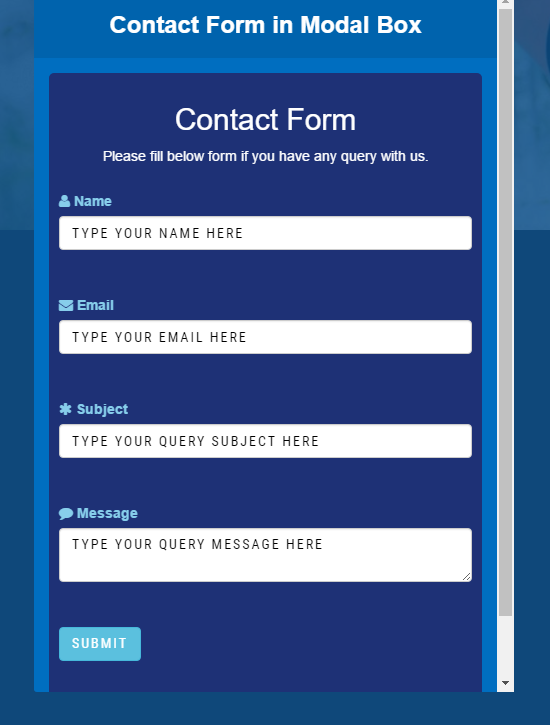
Contact Form into Modal Pop Box 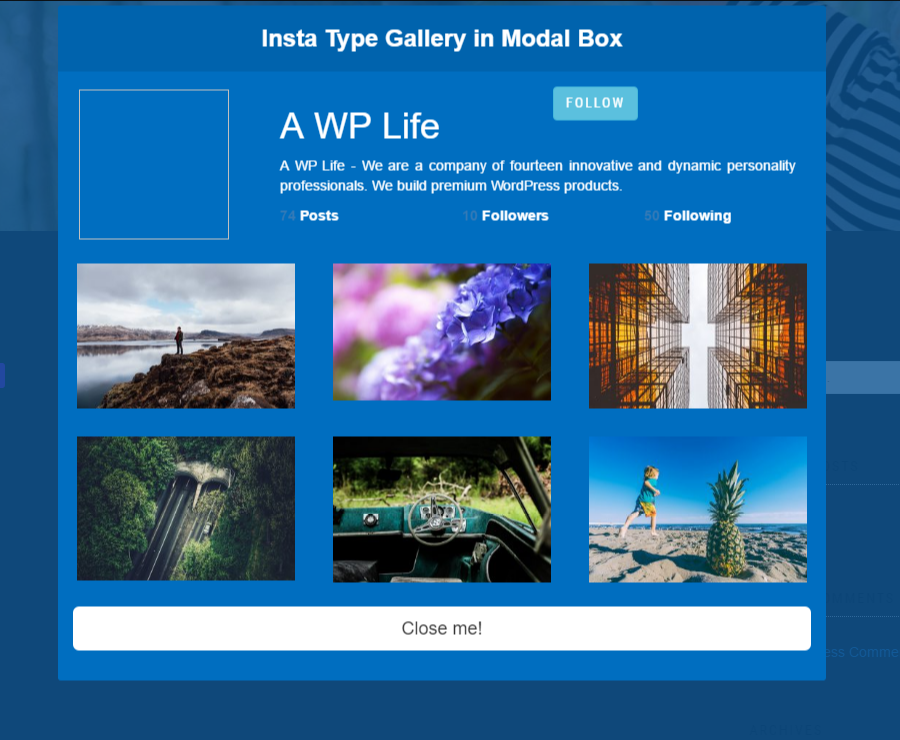
Insta Type Gallery into Modal Pop Box 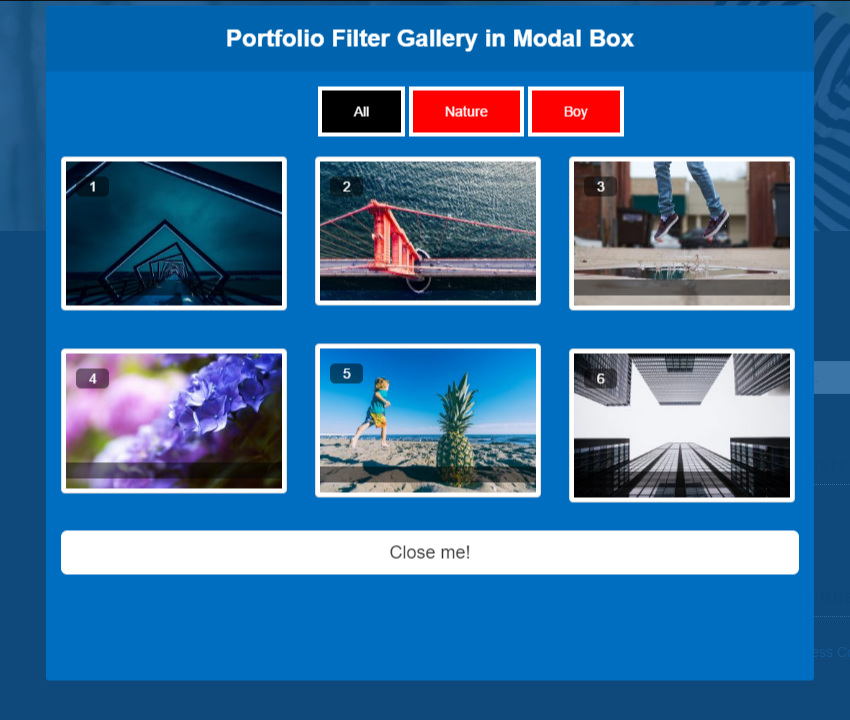
Portfolio Filter Gallery in Modal Pop Box
Installazione
Install Modal Pop Box builder either via the WordPress.org plugin directory or by uploading the files to your server.
After activating Modal Pop Box maker, go to plugin menu.
Click Add Modal Pop Box and write the content in the text box.
Publish the modal pop box builder and copy shortcode from the bottom of the add images box and embed shortcode on any Page/Post/Text Widget.
That’s it. You’re ready to go!
FAQ
Have any queries?
Please post your question on plugin support forum
Modal Popup Box – Popup Builder, Show Offers And News in Popup
Recensioni


Contributi e sviluppo
“Modal Popup Box – Popup Builder, Show Offers And News in Popup” è un software open source. Le persone che hanno contribuito allo sviluppo di questo plugin sono indicate di seguito.
Collaboratori


“Modal Popup Box – Popup Builder, Show Offers And News in Popup” è stato tradotto in 1 lingua. Grazie ai traduttori per i loro contributi.
Traduci “Modal Popup Box – Popup Builder, Show Offers And News in Popup” nella tua lingua.
Ti interessa lo sviluppo?
Esplora il codice segui il repository SVN, segui il log delle modifiche tramite RSS.
Changelog (registro delle modifiche)
1.5.3
- wordpress security issues Fixed
- Additional changes: None.
- Testing plugin for wordpress 6.4.3
1.5.2
- Bug Fix: Fixed.
- Additional changes: None.
- Testing plugin for wordpress 6.4.3
1.5.1
- Bug Fix: Fixed.
- Additional changes: None.
- Testing plugin for wordpress 6.4.2
1.5.0
- Bug Fix: Fixed.
- Additional changes: None.
- Testing plugin for wordpress 6.4.2
1.4.9
- tested on WordPress version 6.3.2
1.4.8
- tested on WordPress version 6.3.1
1.4.7
- tested on WordPress version 6.2.2
1.4.5
- tested on WordPress version 6.1.1
1.4.3
- Codding Bugs fixed
- tested on WordPress version 6.0.3
1.4.3
- wordpress security issues fixed
1.4.2
- Enhancements: Yes, Tested for WordPress 6.0.1
1.4.1
- Enhancements: Yes, Tested for WordPress 5.9.3
1.4.0
- Enhancements: Yes, Tested for WordPress 5.9
- Disable Bootstrap Css Option Added
1.3.9
- Enhancements: Yes, Tested for WordPress 5.8.2
- wordpress security issues fixed
1.3.8
- Enhancements: Yes, Tested for WordPress 5.8.1
- Bug Fix: Fixed.
1.3.7
- Enhancements: Yes, Tested for WordPress 5.8
- Fixed Security issues.
- Bug Fix: Fixed.
1.3.6
- Bug Fix: Fatal error: fixed.
1.3.5
- Bug Fix: miner issue fixed.
1.3.4
- Enhancements: Yes, Tested for WordPress 5.7.2
1.3.3
- Enhancements: Yes, Tested for WordPress 5.7.1
- Bug Fix: miner issue fixed.
1.3.2
- Enhancements: Yes, Tested for WordPress 5.7.1
1.3.1
- Enhancements: Yes, Tested for WordPress 5.7
1.3.0
- Enhancements: Yes, Tested for WordPress 5.6.2
1.2.10
- Enhancements: Yes, Tested for WordPress 5.5.3
- Bug Fix: miner issue fixed.
1.2.9
- Enhancements: Yes, Tested for WordPress 5.5.3
1.2.8
- Enhancements: Yes, Tested for WordPress 5.5.1
1.2.7
- Enhancements: Yes, Tested for WordPress 5.5
- Bug Fix: miner issue fixed.
1.2.6
- Feature: Embed YouTube video pause after closing the modal now more dynamic
1.2.5
- Tested with latest WordPress 5.4.2
1.2.4
- Feature: Embed YouTube video pause after closing the modal.
- Tested with latest WordPress 5.4.2
1.2.3
- Enhancements: Yes, Tested for WordPress 5.4.1
1.2.2
- Enhancements: Yes, Tested for WordPress 5.3.2
1.2.1
- Enhancements: Yes, Tested for WordPress 5.3.2
1.2.0
- Enhancements: Yes, Tested for WordPress 5.3
- Bug Fix: Yes
- Additional changes: bootstrap library and setting page update
1.0.10
- Enhancements: Yes, Tested for WordPress 5.2.3
1.0.9
- Enhancements: Yes, Tested for WordPress 5.2.3
1.0.8
- Enhancements: Yes, Tested for WordPress 5.2.2
- Bug Fix: Yes
- Additional changes: No
1.0.7
- Enhancements: Yes, Tested for WordPress 5.2.2
- Bug Fix: Yes
- Additional changes: No
1.0.6
- Enhancements: Yes, Tested for WordPress 5.2.2
- Bug Fix: Yes
- Additional changes: No
1.0.5
- Enhancements: Yes, Tested for WordPress 5.2.1
- Bug Fix: Yes
- Additional changes: No
1.0.4
- Enhancements: Yes, Tested for WordPress 5.2.1
- Bug Fix: Yes
- Additional changes: No
1.0.3
- Enhancements: Yes, Tested for WordPress 5.1.1
- Bug Fix: Yes
- Additional changes: No
1.0.2
- Enhancements: Yes, Tested for WordPress 5.1.1
- Bug Fix: Yes
- Additional changes: No
1.0.1
- Enhancements: Yes, Tested for WordPress 5.0.3
- Bug Fix: Yes
- Additional changes: No
1.0.0
- Enhancements: Yes, Tested for WordPress 5.0.3
- Bug Fix: Yes
- Additional changes: No
0.3.2
- Enhancements: Yes, Tested for WordPress 5.0.3
- Bug Fix: Yes
- Additional changes: No
0.3.1
- Enhancements: Yes, Tested for WordPress 5.0.2
- Bug Fix: Yes
- Additional changes: No
0.3.0
- Enhancements: Yes, Tested for WordPress 5.0.1
- Bug Fix: Yes
- Additional changes: No
0.2.9
- Enhancements: Site links Changed
- Bug Fix: Yes
- Additional changes: custome shortcode copy function added.
0.2.8
- Enhancements: Site links Changed
- Bug Fix: Yes
- Additional changes: color Variation bug fixed.
0.2.7
- Enhancements: Site links Changed
- Bug Fix: None
- Additional changes: Color Template Added
0.2.6
- Enhancements: Site links Changed
- Bug Fix: None
- Additional changes: No
0.2.5
- Enhancements: Yes, Tested for WordPress 4.9.8
- Bug Fix: Yes
- Additional changes: No
0.2.4
- Enhancements: None,
- Bug Fix: none
- Additional changes: Translation Ready
0.2.3
- Enhancements: None,
- Bug Fix: Yes, on load bug fixed
- Additional changes: None,
0.2.2
- Enhancements: Yes, Tested for WordPress 4.9
- Bug Fix: None
- Additional changes: Yes, Added Featured Page.
0.2.1
- Enhancements: Yes, Tested for WordPress 4.9
- Bug Fix: None
- Additional changes: Yes, Added theme page
Feature Enhancements: Version 0.2.0
* Enhancements: None
* Bug Fix: Yes
* Additional changes: None
Feature Enhancements: Version 0.1.9
* Enhancements: None
* Bug Fix: Yes
* Additional changes: None
Feature Enhancements: Version 0.1.8
* Enhancements: None
* Bug Fix: Yes, a bug fixed and add a link
* Additional changes: None
Feature Enhancements: Version 0.1.7
* Enhancements: None
* Bug Fix: None
* Additional changes: None
Feature Enhancements: Version 0.1.6
* Enhancements: Tested Upto New version 4.8.1
* Bug Fix: None
* Additional changes: None
Feature Enhancements: Version 0.1.5
* Enhancements: None
* Bug Fix: None
* Additional changes: None
Feature Enhancements: Version 0.1.4
* Enhancements: None
* Bug Fix: None
* Additional changes: None
Feature Enhancements: Version 0.1.3
* Enhancements: None
* Bug Fix: None
* Additional changes: None
Feature Enhancements: Version 0.1.2
* Enhancements: None
* Bug Fix: None
* Additional changes: None
Feature Enhancements: Version 0.1.1
* Enhancements: None
* Bug Fix: None
* Additional changes: None
Feature Enhancements: Version 0.1.0
* Enhancements: None
* Bug Fix: None
* Additional changes: None
Feature Enhancements: Version 0.0.9
* Enhancements: None
* Bug Fix: None
* Additional changes: None
Feature Enhancements: Version 0.0.8
* Enhancements: None
* Bug Fix: None
* Additional changes: None
Feature Enhancements: Version 0.0.7
* Enhancements: None
* Bug Fix: None
* Additional changes: None
Feature Enhancements: Version 0.0.6
* Enhancements: None
* Bug Fix: None
* Additional changes: None
Feature Enhancements: Version 0.0.5
* Enhancements: None
* Bug Fix: None
* Additional changes: None
Feature Enhancements: Version 0.0.4
* Enhancements: None
* Bug Fix: None
* Additional changes: None
Feature Enhancements: Version 0.0.3
* Enhancements: None
* Bug Fix: None
* Additional changes: None
Feature Enhancements: Version 0.0.2
* Enhancements: None
* Bug Fix: None
* Additional changes: None
Feature Enhancements: Version 0.0.1
* Enhancements: None
* Bug Fix: None
* Additional changes: None