Vai al contenuto
WordPress.org

Italia

  • Temi
  • Plugin
  • Notizie
    • Documentazione
    • Forum
  • Info
    • Manifesto
    • Unisciti alla Community
    • Team
    • Manuali
    • Traduci
    • Meetup italiani
    • WordCamp
    • Five for the Future
    • Proposte di lavoro
    • Swag Store
    • Directory delle foto
    • Learn WordPress
    • Openverse
    • Pattern
    • Playground
    • Prova l’editor Gutenberg
    • WordPress.tv
  • Eventi
  • Scarica WordPress
Scarica WordPress
WordPress.org

Plugin Directory

WP Login Door

  • Invia un plugin
  • I miei preferiti
  • Accedi
  • Invia un plugin
  • I miei preferiti
  • Accedi

WP Login Door

Di toxnico
Scarica
  • Dettagli
  • Recensioni
  • Installazione
  • Sviluppo
Supporto

Descrizione

Did you ever feel like your website or blog login page is ridiculously fragile and reachable, and could be easily broken in by an intruder?

Personally I hate to think of hundreds of people playing with my door lock hundreds of times a day. It’s the same with my blog login page.

On WordPress, there are two main potential vectors of bruteforce intrusion:
* http://my-site.com/wp-login.php, which is the login page
* http://my-site.com/xmlrpc.php, which is an API gateway for interacting with third party applications.

This plugin adds one security layer in front of your login page, and by the way you can also disable XML-RPC with a simple checkbox if you don’t need it (XML-RPC is a WIDELY used vector of attacks).

The idea is simple: you choose a pair of words, and when you want to access your login page, you just have to provide them in the URL like this: http://my-site.com/wp-login.php?word1=word2. That’s all!
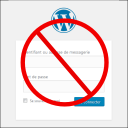
If you try to access your login page without this pair of words, you get a configurable error message, where you can insult the attacker as much as you want ๐Ÿ˜‰

Installazione

  1. Upload the plugin files to the /wp-content/plugins/wp-login-door directory, or install the plugin through the WordPress plugins screen directly.
  2. Activate the plugin through the ‘Plugins’ screen in WordPress
  3. Use the Settings->Wp Login Door screen to configure the plugin
  4. Enjoy your new door ๐Ÿ™‚

FAQ

What if I lose my pair of words?

You can disable the plugin from your FTP server.
Then login as usual, reactivate the plugin, and check your word pair.

Is that free?

I don’t know if the beerware license is GPL 2 compatible, but if you like this plugin and if we meet someday, you can buy me a beer.

Is that all ?

Yes!

Recensioni

great plugin

PSlat 15 Maggio 2021
So tired of all those dweebs in their mammy’s basements trying to access wp-login om my websites. thanks to this plugin they can plug away all they want and I don’t have to add them to my banned list. This plugin saves me a lot of time and effort, thanks dev, great plugin.

Works Perfectly

Clayton 30 Ottobre 2018
This plugin worked without any issues. Would be nice though if the full path and key words did not appear in browser address bar

This is a great plugin!

SBDSTech 5 Luglio 2018
I rarely leave reviews, and I think this might actually be the first time I’ve left a review for a Plugin, but this one is worth the time and effort it took me to reset my password. Works as advertised, perfectly.

Good plugin!

jokern 6 Giugno 2017
Very easy to use and works well. Does the job to hide the login door very well. Recommended!

Great plugin!

15 Febbraio 2017
This plugin has been a savior. I went from 500 login attempts per day on one of my website to zero!

Simple and useful

toxnico 3 Settembre 2016
This plugin is the easiest way to hide your login page and thus avoid brute force attacks
Leggi tutte le recensioni di 6

Contributi e sviluppo

“WP Login Door” รจ un software open source. Le persone che hanno contribuito allo sviluppo di questo plugin sono indicate di seguito.

Collaboratori
  • toxnico

Traduci “WP Login Door” nella tua lingua.

Ti interessa lo sviluppo?

Esplora il codice segui il repository SVN, segui il log delle modifiche tramite RSS.

Changelog

1.5

  • Let go the ‘postpass’ standard action (used when user types a password to open a protected post)

1.4

  • Removed some php notices in the administration section.

1.1.1

  • Bug correction. During refactoring, I misspelled the key name sanitization callback, and it could cause problems on some installations, such as key name field not stored.

1.1

  • Added a new setting to redirect home instead of displaying an error message.

1.0

  • First release

Meta

  • Versione 1.5
  • Ultimo aggiornamento 10 mesi fa
  • Installazioni attive 400+
  • Versione WordPress 4.0.0 o superiore
  • Testato fino alla versione 6.8.5
  • Lingua
    English (US)
  • Tag
    BruteForcehideloginsecurityxmlrpc
  • Visualizzazione avanzata

Valutazioni

5 su 5 stelle.
  • 6 recensioni a 5-stelle 5 stelle 6
  • 0 recensioni a 4-stelle 4 stelle 0
  • 0 recensioni a 3-stelle 3 stelle 0
  • 0 recensioni a 2-stelle 2 stelle 0
  • 0 recensioni a 1-stelle 1 stella 0

Your review

Vedi tutte le recensioni

Collaboratori

  • toxnico

Supporto

Hai qualcosa da dire? Ti serve aiuto?

Chiedi nel forum di supporto

Donazioni

Vuoi sostenere le versioni future?

Fai una donazione per lo sviluppo

  • Chi siamo
  • News
  • Hosting
  • Privacy
  • Vetrina
  • Temi
  • Plugin
  • Pattern
  • Learn (Training)
  • Supporto
  • Sviluppo
  • WordPress.tv โ†—
  • Partecipa
  • Eventi
  • Donazioni โ†—
  • Five for the Future
  • WordPress.com โ†—
  • Matt โ†—
  • bbPress โ†—
  • BuddyPress โ†—
WordPress.org
WordPress.org

Italia

  • Visita il nostro account X (ex Twitter)
  • Visita il nostro account Bluesky
  • Visita il nostro account Mastodon
  • Visita il nostro account Threads
  • Visita la nostra pagina Facebook
  • Visita il nostro account Instagram
  • Visita il nostro account LinkedIn
  • Visita il nostro account TikTok
  • Visita il nostro canale YouTube
  • Visita il nostro account Tumblr
Code is Poetry.
The WordPress® trademark is the intellectual property of the WordPress Foundation.