

Descrizione
SwiftTrap is a drop-in replacement for wp_mail() that routes WordPress email through the Mailtrap Email Sending API instead of SMTP. It is purpose-built for Mailtrap — not a generic SMTP plugin with a Mailtrap preset — so it exposes Mailtrap-native features that SMTP cannot: bulk vs transactional stream routing, email categories, custom variables for tracking, suppression lists, and domain verification status.
Why HTTP API instead of SMTP?
- Lower latency — one HTTPS call per message, no MAIL FROM / RCPT TO / DATA round-trips.
- Better deliverability — Mailtrap routes API messages through its dedicated transactional and bulk streams; SMTP doesn’t expose stream selection.
- Native categories — every email is automatically categorized (welcome, password-reset, notification, marketing, etc.) so you can filter and report on them in Mailtrap.
- No firewall headaches — port 587/465 blocked? API works over standard HTTPS 443.
Why SwiftTrap and not WP Mail SMTP / Post SMTP
- Generic SMTP plugins use Mailtrap’s SMTP credentials and lose every Mailtrap-only feature.
- SwiftTrap calls
send.api.mailtrap.iofor transactional mail andbulk.api.mailtrap.iofor bulk mail — automatically, based on category or via filter. - No Mailtrap PHP SDK required. Plugin is ~30 KB total and uses only the WordPress HTTP API (
wp_remote_post). - Stats page shows your sending domain verification status and the live suppression list (bounces, complaints, unsubscribes).
Features
- Drop-in replacement for
wp_mail()— works with Contact Form 7, WooCommerce, Gravity Forms, and any plugin that uses WordPress mail. - Automatic email categorization (welcome, password-reset, notification, marketing, etc.).
- Bulk stream routing for promotional emails; transactional stream for everything else.
- Email log with retention management — see what was sent, when, and to whom.
- Dashboard widget — at-a-glance integration status and quick links to Stats and Settings.
- Stats page: sending domain verification status + suppression list.
- Test email button on the settings page.
- Mailtrap template support via
template_uuid. - Falls back to default WordPress mail handler when disabled or token is empty.
Extensible via filters
swifttrap_mailtrap_email_category— override the auto-detected email category.swifttrap_mailtrap_use_bulk_stream— force a message into the bulk or transactional stream.swifttrap_mailtrap_template— send via a Mailtrap template bytemplate_uuid.swifttrap_mailtrap_custom_variables— attach tracking metadata to outgoing emails.
Privacy
This plugin sends email payloads (recipients, subject, body, attachments) to the Mailtrap API at send.api.mailtrap.io and bulk.api.mailtrap.io. Account stats are fetched from mailtrap.io/api/accounts. See the Mailtrap Privacy Policy. No data is sent anywhere else.
Screenshot

Settings page — API token, verified sender, stream routing. 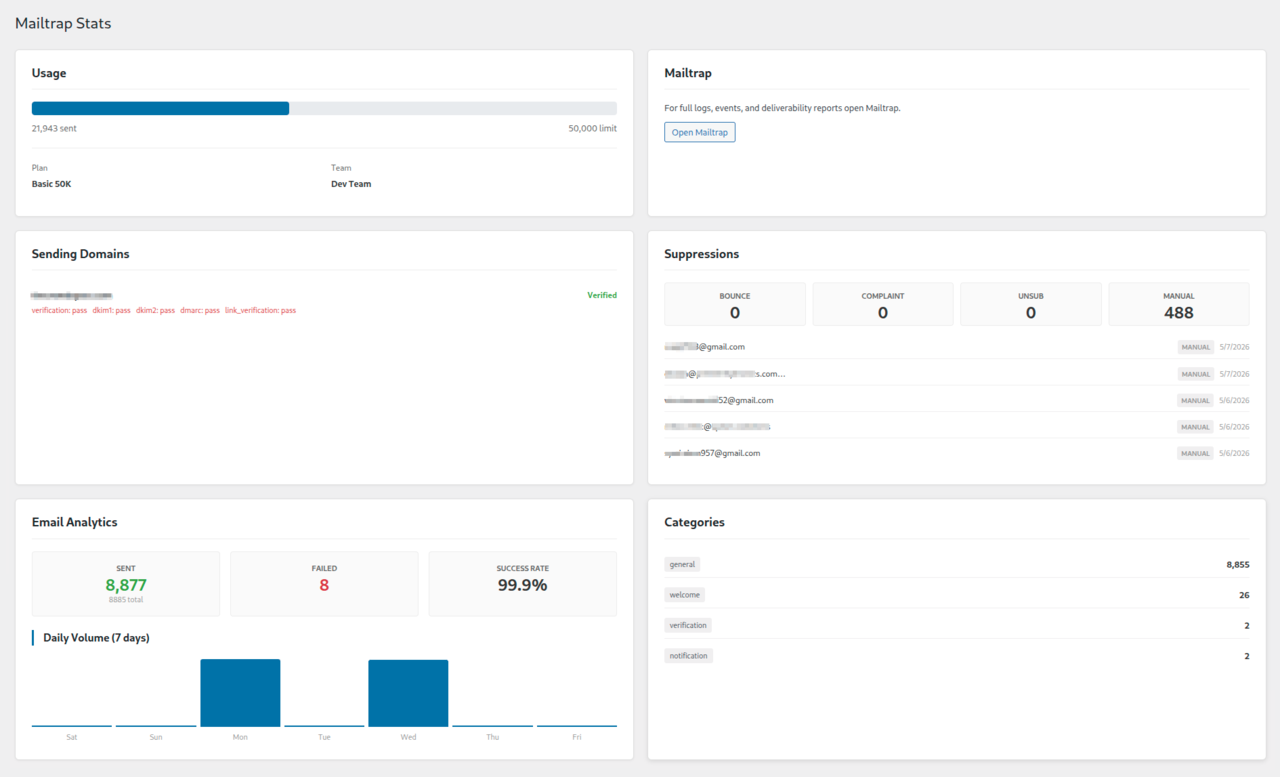
Stats page — sending domain verification status and suppression list (bounces, complaints, unsubscribes). 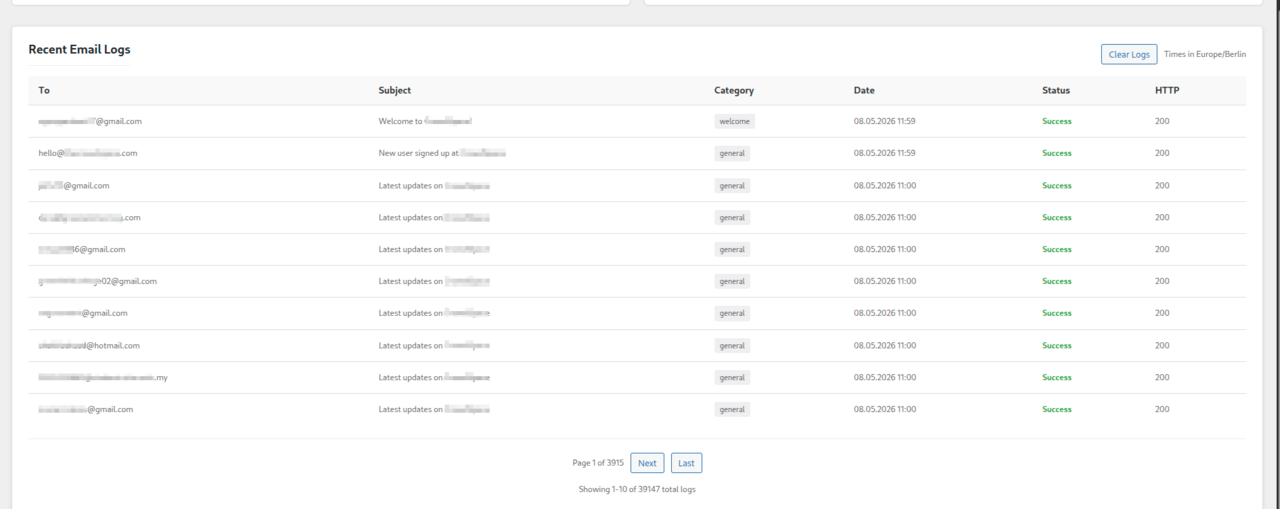
Email log with retention controls. 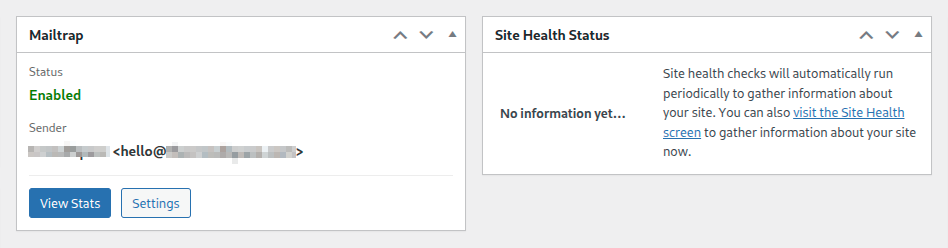
Dashboard widget showing integration status, sender, and quick links to Stats and Settings. 
Test email confirmation.
Installazione
- Install from Plugins Add New and search for SwiftTrap for Mailtrap, or upload the
swifttrap-for-mailtrapfolder to/wp-content/plugins/. - Activate the plugin.
- Go to Mailtrap Settings.
- Paste your Mailtrap Send API token (Mailtrap dashboard Sending Domains API Tokens).
- Set your verified sender email and name.
- Click Send test email to verify delivery.
FAQ
-
Why use SwiftTrap instead of WP Mail SMTP or Post SMTP with Mailtrap credentials?
-
WP Mail SMTP and Post SMTP route through Mailtrap’s SMTP gateway and treat Mailtrap as just another SMTP host. SwiftTrap uses Mailtrap’s HTTP Send API, which exposes features SMTP cannot: bulk vs transactional stream routing, categories, custom tracking variables, template UUIDs, and live suppression-list visibility. Use SwiftTrap if you want Mailtrap-native behavior; use a generic SMTP plugin if you want a one-config-fits-all-providers setup.
-
Does it support Mailtrap email templates?
-
Yes — use the
swifttrap_mailtrap_templatefilter to send via atemplate_uuid. The template variables can be passed through Mailtrap’s standard template-variables payload. -
How does bulk stream routing work?
-
By default, marketing/promotional categories are routed to
bulk.api.mailtrap.ioand everything else tosend.api.mailtrap.io. Override per-message with theswifttrap_mailtrap_use_bulk_streamfilter — useful for batch newsletters from a custom plugin. -
Where do I get my API token?
-
Log in to mailtrap.io, open your sending domain, go to API Tokens, and create a token with sending permissions.
-
What happens if I disable the plugin or remove the token?
-
WordPress falls back to its default
wp_mail()handler. No emails are silently dropped. -
Does the plugin require the Mailtrap PHP SDK?
-
No. SwiftTrap calls the Mailtrap REST API directly via the WordPress HTTP API. Total plugin size is around 30 KB.
-
What data is sent externally?
-
Email data (recipients, subject, body, attachments) goes to
send.api.mailtrap.ioandbulk.api.mailtrap.io. Account stats are fetched frommailtrap.io/api/accounts. See the Mailtrap Privacy Policy. -
Is there an attachment size limit?
-
Yes — 25 MB per email (matches Mailtrap’s API limit).
Recensioni
Non ci sono recensioni per questo plugin.
Contributi e sviluppo
“SwiftTrap for Mailtrap” è un software open source. Le persone che hanno contribuito allo sviluppo di questo plugin sono indicate di seguito.
Collaboratori
Traduci “SwiftTrap for Mailtrap” nella tua lingua.
Ti interessa lo sviluppo?
Esplora il codice segui il repository SVN, segui il log delle modifiche tramite RSS.
Changelog
2.2.2
- Plugin URI: now points to the dedicated landing page at https://plugins.symonov.com/swifttrap-for-mailtrap/
- No code or behavior changes
2.2.1
- Readme: USP-first rewrite emphasizing Mailtrap Email API (vs SMTP) and bulk/transactional stream routing
- Tags: replaced
email/mail/smtpwith targetedmailtrap,transactional-email,email-api,wp-mail,email-log - FAQ: added comparison with WP Mail SMTP / Post SMTP, Mailtrap template support, and bulk stream routing
- Tested up to WordPress 6.9.4
2.2.0
- Replaced all file_get_contents/file_put_contents with WP_Filesystem API
- Fixed $_GET sanitization with proper wp_unslash() and phpcs annotations
- Improved PHPDoc headers across all files
- Better WordPress Coding Standards compliance
2.1.0
- Added sending domain verification status on Stats page
- Added suppression list (bounces, complaints, unsubscribes) on Stats page
- Added
swifttrap_mailtrap_templatefilter for Mailtrap template support - Added
swifttrap_mailtrap_custom_variablesfilter for email tracking metadata - Extracted reusable
swifttrap_mailtrap_get_account_id()with transient caching
2.0.0
- Removed Mailtrap SDK dependency — uses WordPress HTTP API directly
- Zero external dependencies, ~30 KB total plugin size
- Improved WP.org compliance
1.3.0
- Security: protected log directory from direct web access
- Added attachment size validation (25 MB limit)
- Added empty recipient validation
- Fixed timezone handling in log display
- Optimized email category computation
- Improved log file locking