

Descrizione
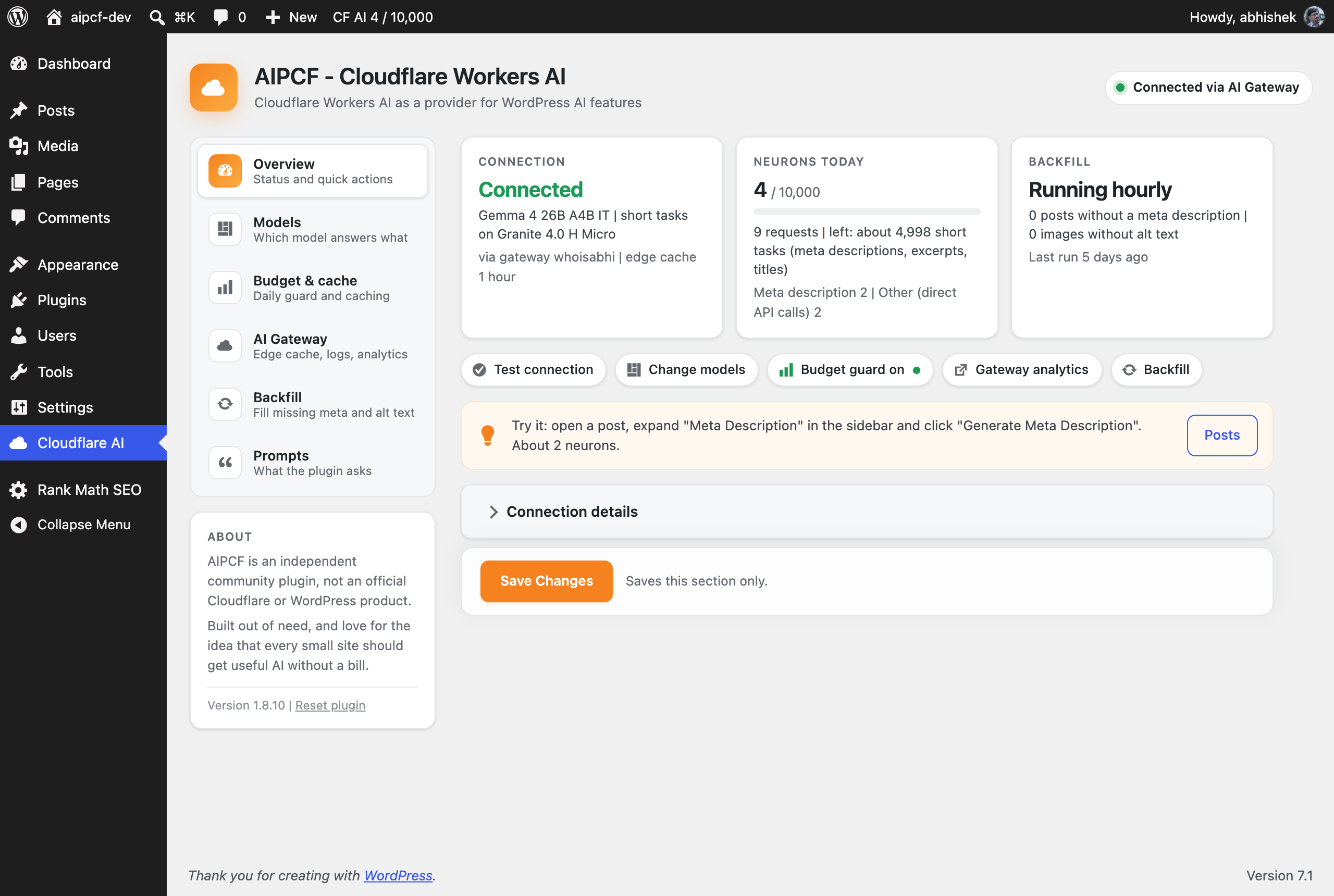
AIPCF connects WordPress to Cloudflare Workers AI. Once connected, the AI features built into WordPress 7.0+ and the WordPress AI plugin run on Cloudflare’s models: excerpts, titles and meta descriptions in the editor, alt text on upload, image generation. A background job fills in the meta descriptions and alt text your archive is missing. Everything runs inside Cloudflare’s daily allowance of 10,000 neurons, and a budget guard makes sure a busy day never turns into a bill.
AIPCF is an independent community plugin, not an official Cloudflare or WordPress product. It was built out of need, and love for the idea that every small site should get useful AI without a bill.
What it costs, measured on a live site
- a meta description, excerpt or title: about 2 neurons (about 5,000 a day inside the allowance)
- a generated 1024×1024 image: about 170 neurons (about 55 a day)
- describing an image for alt text: about 17 neurons
- translating a sentence: under 1 neuron
What you get
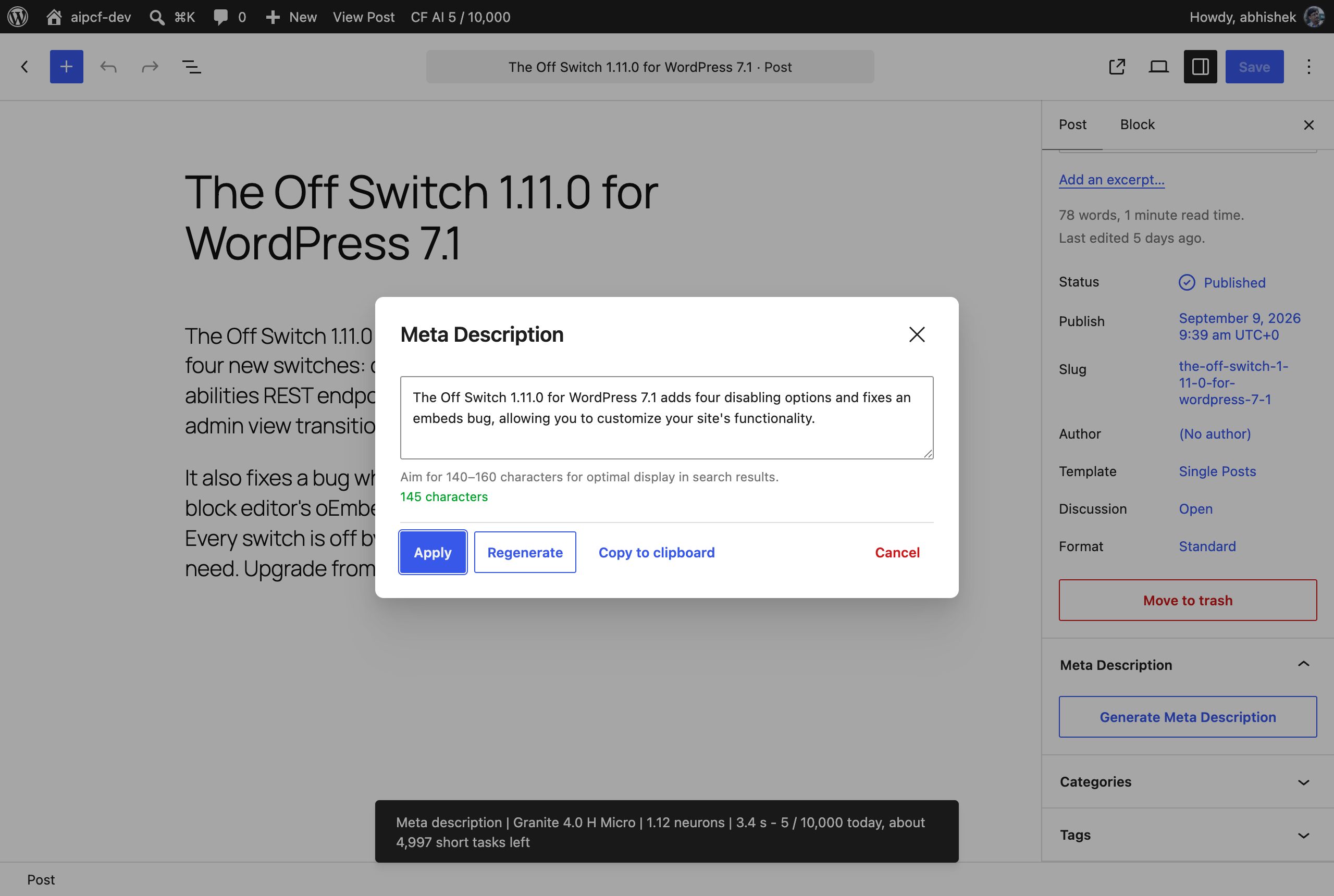
- In the editor, with the WordPress AI plugin: excerpts, titles, meta descriptions, summaries, alt text on upload, image generation.
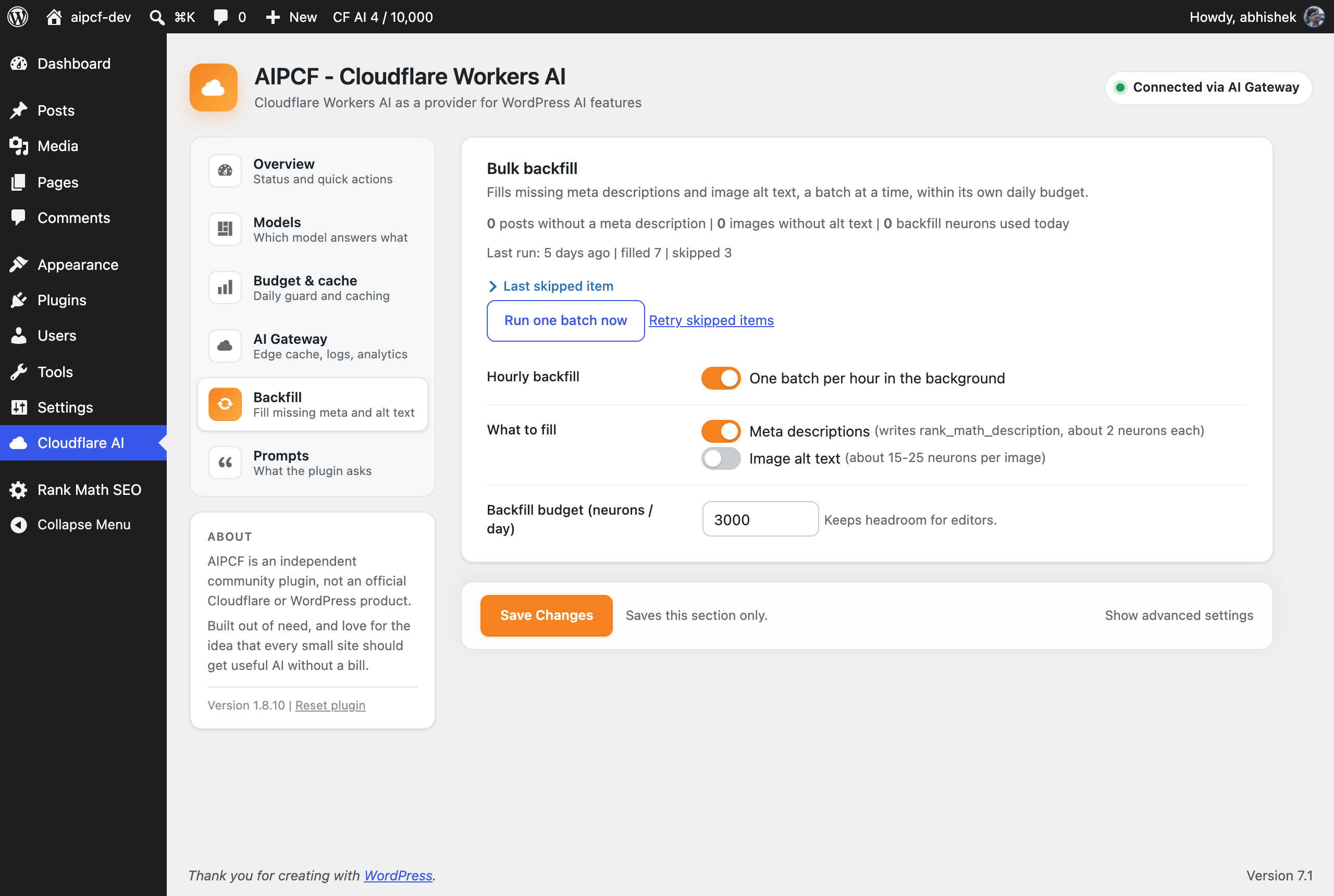
- Across your archive: an hourly backfill fills missing meta descriptions (Yoast, Rank Math, AIOSEO, SEOPress) and image alt text, a batch at a time, within its own daily budget. It works with or without the AI plugin. A 140-post backlog cost about 175 neurons on a real site.
- A receipt after every action: feature, model, neurons and time, shown in the editor. Today’s total sits in the admin bar. A monthly e-mail sums up requests, tokens and neurons.
- Translation for any theme or plugin:
aipcf_translate( $text, 'mr' ), 100 languages via M2M100 and 22 Indian languages via IndicTrans2.
What you need
- A Cloudflare account. No credit card is needed for the Workers AI daily allowance.
- An API token created from the “Workers AI” template at dash.cloudflare.com/profile/api-tokens.
- Your Account ID, the 32-character code on the right of the Workers & Pages page in the Cloudflare dashboard.
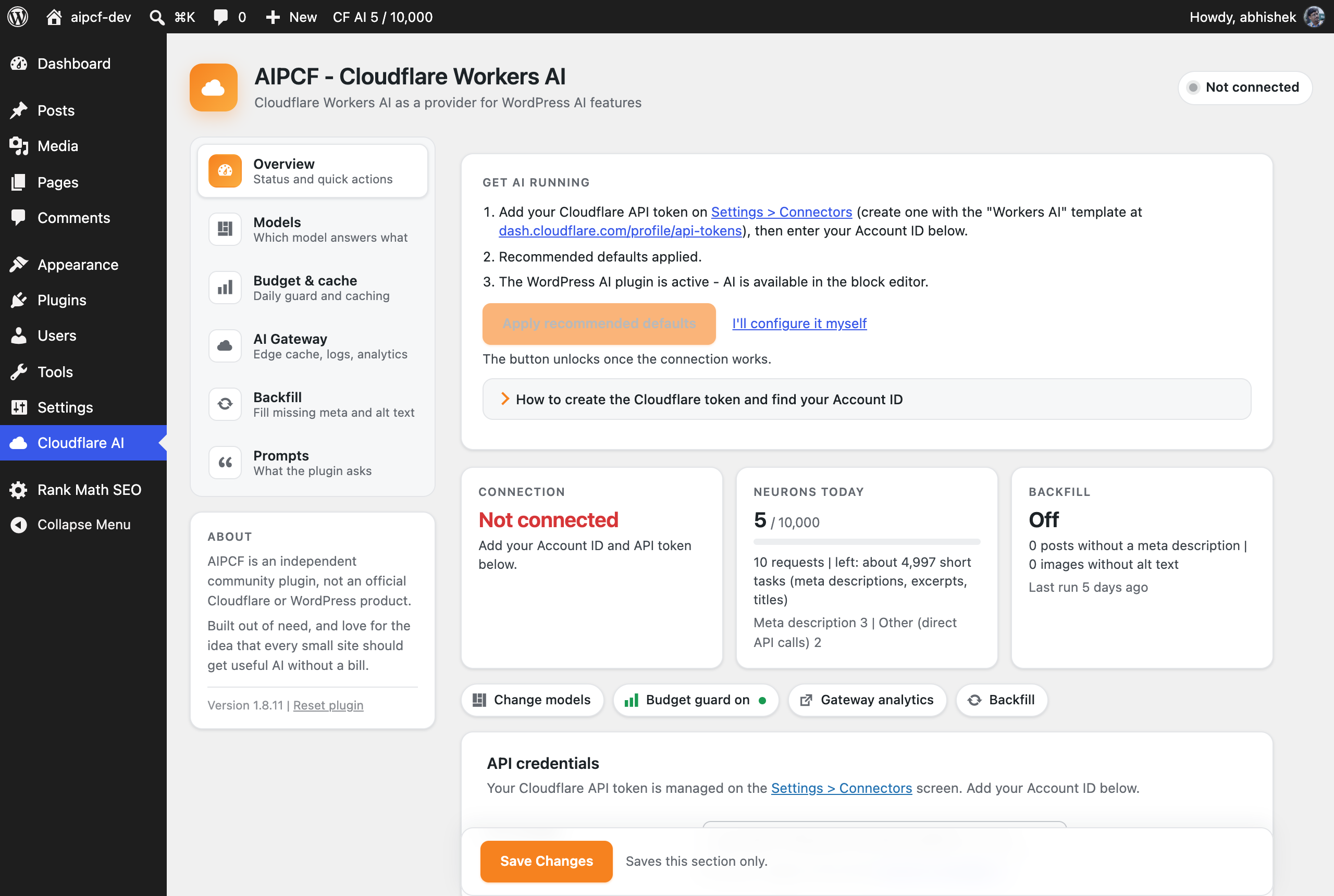
The setup panel walks through all three, and one click applies the recommended defaults.
How it stays inside the allowance
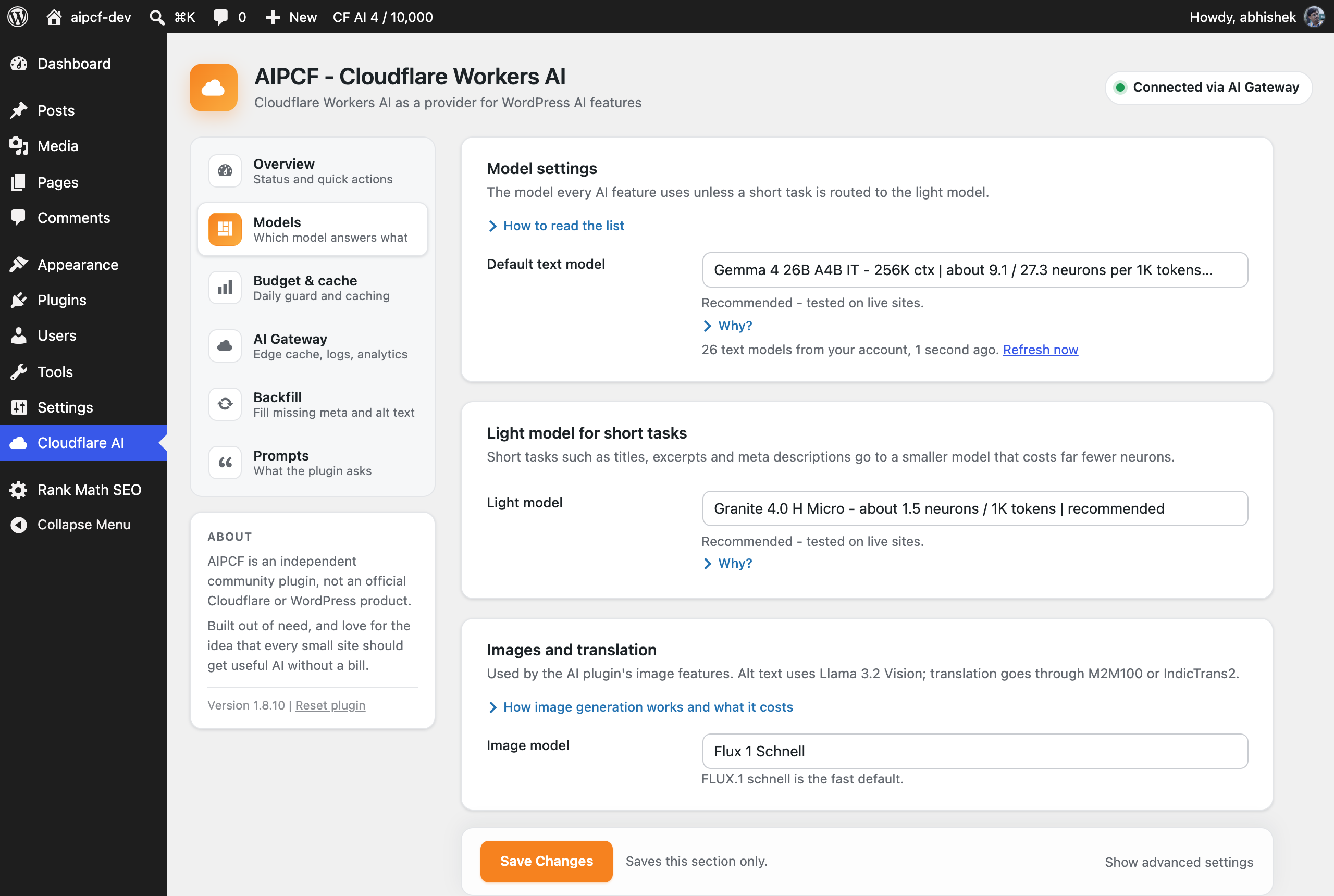
- Recommended defaults: Gemma 4 26B for writing, Granite 4 Micro for short tasks, the 10,000-neuron daily guard, no paid fallbacks, caching on.
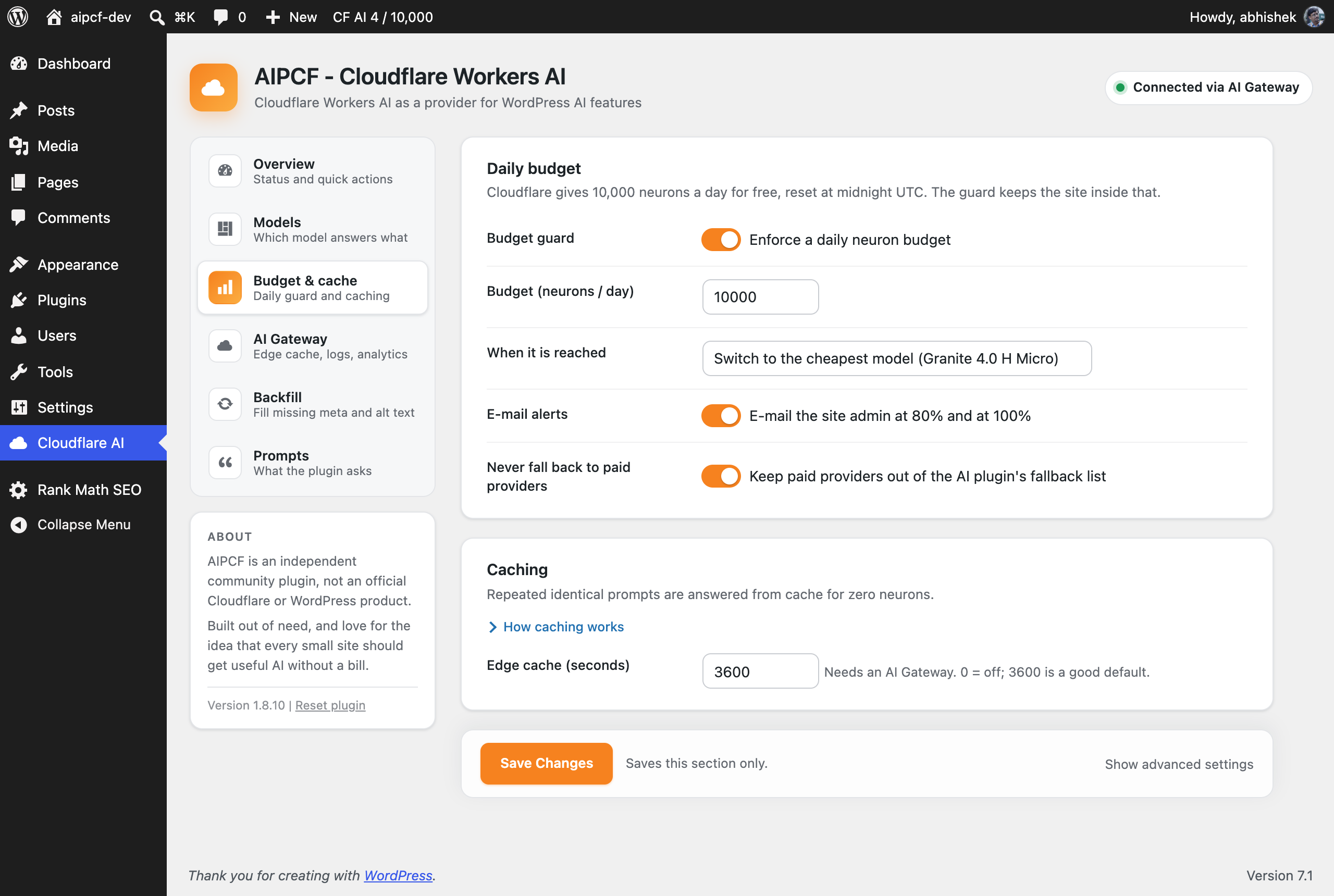
- Daily budget guard: e-mail at 80%; at 100% either pause until midnight UTC or switch text requests to the cheapest model instead of failing (image and translation requests pause).
- Short tasks on a small model: titles, excerpts, meta descriptions, moderation and alt text go to a model that costs a fraction of the neurons; long-form keeps your default.
- Caching: repeated identical prompts are answered from cache for zero neurons, at Cloudflare’s edge through AI Gateway or locally. A “Regenerate” click within ten minutes bypasses it so you get a new answer.
- Never fall back to paid providers: one switch keeps Anthropic, Google and OpenAI out of the AI plugin’s fallback list.
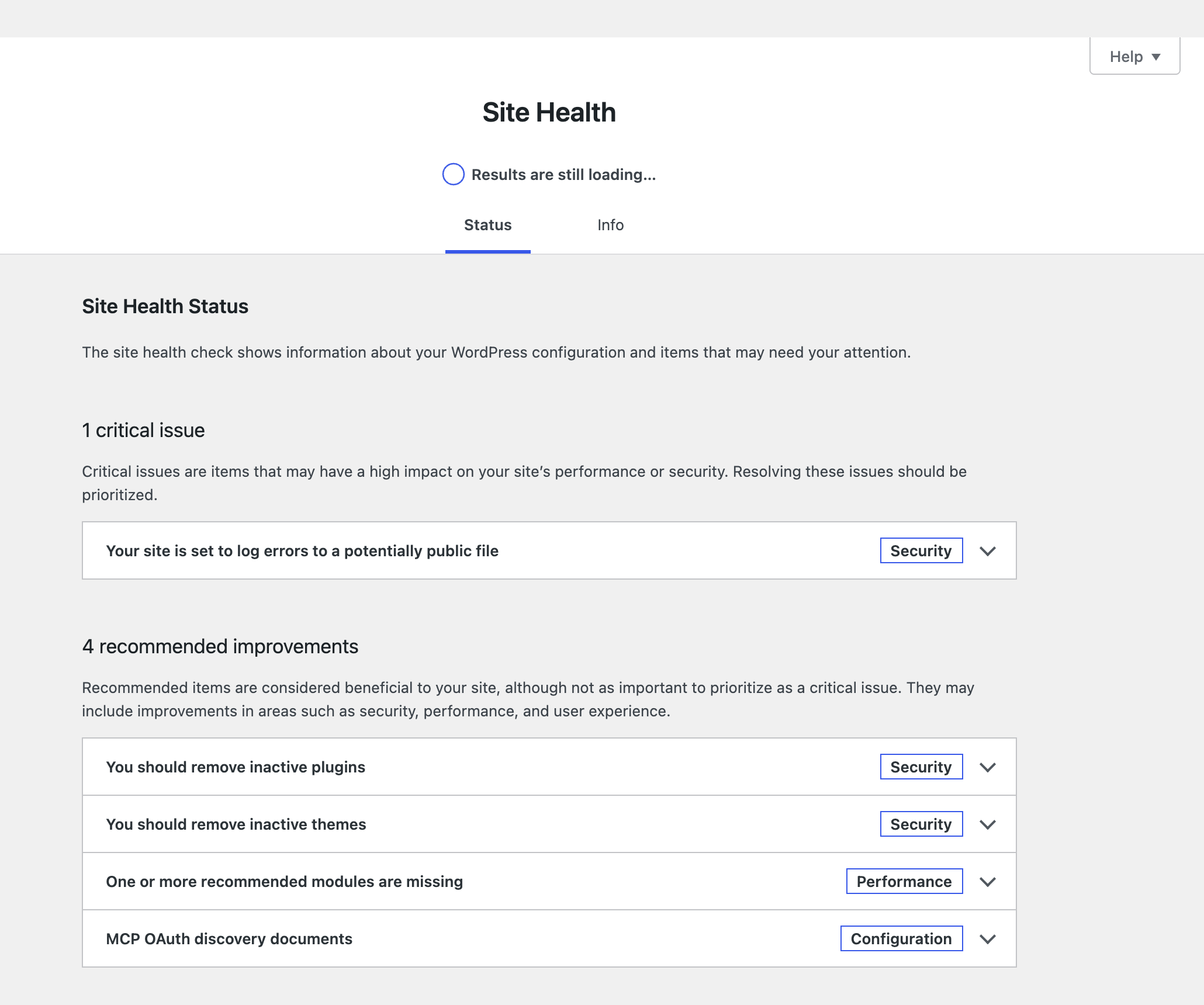
- Site Health: one test that goes amber only for things that need you: not connected, connector unapproved, a licence gate, the gateway bypassed, the budget reached.
Every Workers AI model
The model list is read from your account and cached for 12 hours. Each entry shows context window, neurons per 1,000 tokens from your account’s current price list, and whether it supports tool calling or image input.
- Chat models: Llama, Gemma, GPT-OSS, Qwen, Mistral, DeepSeek, GLM, Granite, Kimi, Nemotron and whatever Cloudflare adds next. Requests use Cloudflare’s OpenAI-compatible endpoint, so new families work without a plugin update.
- Tool calling, JSON output with schema, system instructions, stop sequences and penalties through the standard AI Client API. Reasoning models keep their thinking on the AI Client’s thought channel, out of the answer.
- Vision: a vision model (Llama 3.2 11B Vision on most accounts, selectable on the Models tab) reads inline and remote images. Your default text model is not used for images.
- Image generation: FLUX.1 schnell, SDXL Lightning, SDXL, DreamShaper, Leonardo Lucid Origin and Phoenix.
AI Gateway
Enter a gateway name and requests go through Cloudflare AI Gateway for edge caching, rate limits, spend limits, logs and analytics. Each request is tagged with the site, feature, model and user, so the gateway’s analytics answer “which feature is spending my neurons”. If the gateway ever refuses a request, the plugin falls back to direct calls for an hour and tells you.
Editable prompts
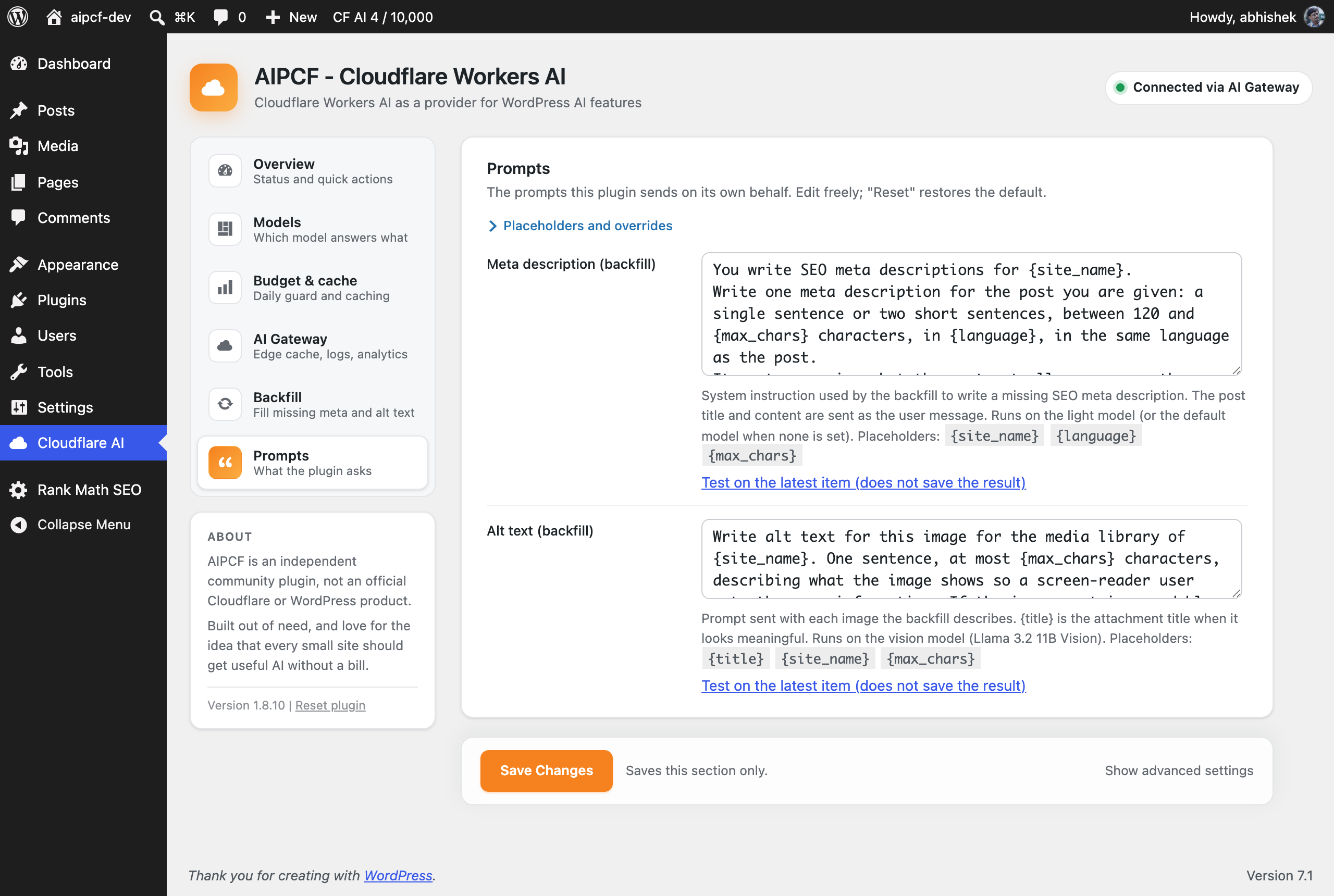
Every prompt the plugin sends on its own behalf is on the Prompts tab, with placeholders, reset to default, and a test button that shows the result and its cost. Developers keep the aipcf_prompt filter.
The AI plugin (recommended)
AIPCF is the engine. The WordPress AI plugin adds the block-editor features that use it: excerpts, titles, meta descriptions, alt text on upload, summaries, image generation. It is recommended, not required; AIPCF’s own features (backfill, translation, usage tracking, budget guard) work without it.
Usage
Any feature or plugin built on the WordPress AI Client uses Cloudflare Workers AI once the plugin is configured. Direct calls:
use WordPress\AiClient\AiClient;

// Uses the model chosen in Settings.
$result = AiClient::prompt( 'Summarise this post in two sentences.' )
    ->usingProvider( 'cloudflare-workers-ai' )
    ->generateTextResult();
echo $result->toText();

// A specific model:
$model  = AiClient::defaultRegistry()->getProviderModel( 'cloudflare-workers-ai', '@cf/qwen/qwen2.5-coder-32b-instruct' );
$result = AiClient::prompt( 'Write a PHP function that slugifies a string.' )->usingModel( $model )->generateTextResult();

// Translation:
echo aipcf_translate( 'Good morning', 'mr' );        // Marathi via IndicTrans2
echo aipcf_translate( 'Bonjour', 'en', 'fr' );       // any pair via M2M100
Structured output and tools use the standard AI Client API: ->asJsonResponse( $schema ) and ->usingFunctionDeclarations( ... ).
Filters
aipcf_prompt( $text, $key, $vars )– final say on any plugin-owned prompt.aipcf_route_text_model( $model, $requested, $task )– override which model serves a request.aipcf_available_models( $models )– adjust the model list before it is cached.aipcf_request_timeout( $seconds, $model ),aipcf_default_max_tokens,aipcf_disable_thinking,aipcf_system_instruction_suffix.aipcf_gateway_headers( $headers, $task, $model ),aipcf_gateway_metadata,aipcf_gateway_enabled.aipcf_over_budget,aipcf_cheapest_model,aipcf_local_cache_ttl,aipcf_regenerate_window.aipcf_backfill_meta_description_key,aipcf_backfill_alt_prompt,aipcf_vision_model.aipcf_image_neurons_estimate( $neurons, $model ),aipcf_translation_neurons_per_1k( $rate, $model )– what to count when Cloudflare reports no neurons;aipcf_vision_byte_array_max( $bytes ).
Actions: aipcf_usage_recorded, aipcf_cache_hit, aipcf_gateway_marked_down, aipcf_backfill_meta_description, aipcf_backfill_alt_text, aipcf_defaults_applied, aipcf_model_licence_accepted( $model, $owner ) (after Cloudflare confirms your acceptance of a model publisher’s licence, such as Meta’s).
REST (users who can edit posts): GET /wp-json/aipcf/v1/last (last request’s receipt), GET /wp-json/aipcf/v1/usage (today’s totals).
External Services
This plugin sends data to Cloudflare, Inc. to run AI inference on Cloudflare Workers AI. Nothing is sent to any other third party, and nothing is sent until you have entered your Cloudflare credentials.
What is sent, and when
- When an AI feature runs (you or another plugin ask for text, an image, a translation, or an image description): your API token, the model id, and the prompt (post title and content, messages, and any attached image data) go to
https://api.cloudflare.com/client/v4/accounts/{account_id}/ai/v1/chat/completionsfor chat models, orhttps://api.cloudflare.com/client/v4/accounts/{account_id}/ai/run/{model}for image, vision and translation models. - When an AI Gateway name is configured, the same requests go to
https://gateway.ai.cloudflare.com/v1/{account_id}/{gateway}/...instead, with request metadata attached: your site’s host name, the WordPress feature, the model id, the current user’s numeric ID and the plugin version. Cloudflare stores these in the gateway’s logs according to your gateway settings; the “Log prompts” option controls whether prompt and response text are stored there. - On a schedule, if you enable Bulk backfill: the hourly job sends the title and content of posts that lack a meta description, and the image files (or their public URLs, read by the plugin) of attachments that lack alt text, to the endpoints above. This runs in the background until the backlog is done or the daily backfill budget is reached. It is off by default.
- Credentials checks: “Test connection” and the settings save send your Account ID and API token to
https://api.cloudflare.com/client/v4/accounts/{account_id}/ai/models/search; the Connectors screen’s key validation sends the token tohttps://api.cloudflare.com/client/v4/user/tokens/verify. The model list is read from the models/search endpoint and cached for 12 hours. - Prompt tests and licence re-checks on the settings page send one request on demand, as above.
Nothing is sent by the neuron meter, the monthly e-mail (generated locally from stored totals), or Site Health.
Service provider
Cloudflare Workers AI and AI Gateway are provided by Cloudflare, Inc.
- Workers AI documentation: https://developers.cloudflare.com/workers-ai/
- AI Gateway documentation: https://developers.cloudflare.com/ai-gateway/
- Cloudflare Terms of Service: https://www.cloudflare.com/terms/
- Cloudflare Privacy Policy: https://www.cloudflare.com/privacypolicy/
Roadmap
- Semantic search and related posts on Cloudflare embeddings, as a companion plugin with pluggable vector stores.
- Speech-to-text (Whisper) for transcripts, and text-to-speech “listen to this post”.
- Per-site budgets on multisite sharing one gateway.
- WP-CLI commands for backfill, translation and usage.
Screenshot
Installazione
- Install and activate the plugin. You land on Cloudflare AI, a new item in the admin menu.
- Add your Cloudflare API token on Settings > Connectors (WordPress 7.0+ manages provider keys there) and your Account ID on the Overview tab. The setup panel has the exact clicks for creating the token.
- Click Apply recommended defaults. That picks the models, turns on the budget guard and caching, and approves the connector.
- Optional: install the WordPress AI plugin for AI in the block editor, and enter an AI Gateway name on the AI Gateway tab for edge caching and logs.
wp-config.php constants (optional)
define( 'CLOUDFLARE_WORKERS_AI_ACCOUNT_ID', 'your-account-id' );
define( 'CLOUDFLARE_WORKERS_AI_API_TOKEN',  'your-api-token' );
define( 'CLOUDFLARE_WORKERS_AI_DEFAULT_MODEL', '@cf/google/gemma-4-26b-a4b-it' );
define( 'CLOUDFLARE_AI_GATEWAY_TOKEN', 'gateway-auth-token' ); // only for authenticated gateways
Settings saved on the page take precedence over the constants. Environment variables with the same names are also read.
FAQ
-
Is it really free?
-
Cloudflare Workers AI includes 10,000 neurons a day on every account, with no card on file. Measured on a live site, a meta description costs about 2 neurons and an alt text about 17, so a normal site never gets near the limit. Above the allowance Cloudflare bills per neuron at its published rate; the plugin’s budget guard is there so that does not happen by accident.
-
What happens when the daily budget is reached?
-
You choose: pause AI requests until midnight UTC, or switch text requests to the cheapest model on your account. Image generation, image reading (alt text) and translation have no cheaper model, so they pause either way. Generated images count about 172 neurons each when Cloudflare does not report the figure. Either way you get an e-mail at 80% and at 100%. The count resets with Cloudflare’s day.
-
Which model should I use?
-
Start with the recommended defaults: Gemma 4 26B for writing and Granite 4 Micro for short tasks. They were picked by measuring output quality against neurons on real posts. Llama 3.3 70B writes a little better and costs several times more per token. The Models tab shows the neurons per 1,000 tokens for every model on your account, read from Cloudflare’s price list.
-
I picked a model, but the logs show a different one (often Llama)
-
That is expected for some requests, and the Overview and Models tabs list the model for each one under “Which model answers what”. Writing uses your default model. Short tasks (titles, excerpts, meta descriptions, alt text wording) use the light model if you set one; a model you pick for a feature in the AI plugin is used as picked. Anything that reads an image, such as alt text, uses the vision model, because text models cannot see images; on most accounts that is Llama 3.2 11B Vision, and you can pick another vision model on the Models tab. Generated images use the image model, translation uses M2M100 or IndicTrans2, and once the daily budget is used up text requests can switch to the cheapest model. The AI Gateway logs show which feature sent each request in the metadata field.
-
Do I need the WordPress AI plugin?
-
Not for AIPCF’s own features (backfill, translation, usage tracking, budget guard). You need it for AI inside the block editor: excerpts, titles, meta descriptions, summaries, alt text on upload and image generation. Install it from wordpress.org; AIPCF registers itself as the provider.
-
Does it work with the Classic editor?
-
The backfill, translation and budget features do. The in-editor buttons come from the WordPress AI plugin and need the block editor.
-
Where does my content go?
-
To Cloudflare, and nowhere else. When a feature runs, the post title and content (or the image) go to Cloudflare Workers AI on your own account. Nothing is sent until you enter your credentials, and the External Services section below lists every endpoint. With an AI Gateway you decide in the Cloudflare dashboard whether prompts are logged.
-
Where is my API token stored?
-
On WordPress 7.0+ it lives in the core Connectors screen (Settings > Connectors), like every other AI provider key. You can also define it as a constant in wp-config.php. The plugin never sends it anywhere except Cloudflare.
-
Will the backfill overwrite descriptions or alt text I wrote?
-
No. It only fills empty fields. Posts that already have a meta description and images that already have alt text are never touched. It writes to the meta key of your SEO plugin (Yoast, Rank Math, AIOSEO or SEOPress), so you can edit the result where you always do.
-
Can I stop the backfill, or undo it?
-
Turn off “Hourly backfill” on the Backfill tab and it stops after the current batch. Descriptions it wrote are ordinary post meta; edit or clear them like any other. Items it skipped are listed on the tab with a retry link.
-
Does it slow my site down?
-
No. Requests only happen when a feature runs, and the backfill runs in the background through WP-Cron, one batch an hour. Visitors never wait on Cloudflare.
-
Can I use one Cloudflare account for several sites?
-
Yes, and many people do. Keep in mind the 10,000-neuron allowance is per Cloudflare account, not per site, so set each site’s daily budget to a share of it. An AI Gateway shows the usage of all sites in one place.
-
Can I change what the plugin asks the model?
-
Yes. The Prompts tab holds every prompt the plugin sends on its own behalf, with placeholders and a test button. Developers can also use the
aipcf_promptfilter. -
A model says “Model Agreement: Prior to using this model, you must submit the prompt ‘agree’”
-
This is Meta’s licence for its Llama models, not a licence of this plugin. Cloudflare will not run some Meta models (Llama 3.2 Vision) on your account until Meta’s Llama Community License and Acceptable Use Policy have been accepted once, and Cloudflare keeps the record of that acceptance. AIPCF has no licence of its own to accept: it shows a notice with Meta’s terms and an “I accept Meta’s licence” button that sends your acceptance to Cloudflare with your own token. A curl command is included if you prefer to send it yourself.
-
I get “connector has not been approved”
-
WordPress asks administrators to allow each AI connector once. “Apply recommended defaults” does it for you; otherwise go to Settings > Connectors and click Allow next to Cloudflare Workers AI.
-
Requests time out
-
The plugin waits up to 60 seconds. 70B-class and reasoning models can take longer on a cold start. Raise the limit with the
aipcf_request_timeoutfilter or pick a smaller model. -
Reasoning models return an empty answer
-
Qwen3, GLM and GPT-OSS spend tokens thinking before they answer. The plugin turns thinking off by default where the model allows it and applies a 2,048-token output limit when the caller sets none. If you still see empty answers, raise
max_tokensor pick a non-reasoning model. -
How do I start over, or remove everything?
-
“Reset plugin” at the foot of the About card clears the plugin’s settings, usage history, caches and backfill progress, and keeps everything it generated. Deleting the plugin from the Plugins screen does the same cleanup.
-
Does this work without WordPress 7.0?
-
No. The AI Client arrives in WordPress 7.0; the plugin does nothing on older versions.
Recensioni
Non ci sono recensioni per questo plugin.
Contributi e sviluppo
“AIPCF – AI Provider for Cloudflare” è un software open source. Le persone che hanno contribuito allo sviluppo di questo plugin sono indicate di seguito.
Collaboratori

Traduci “AIPCF – AI Provider for Cloudflare” nella tua lingua.
Ti interessa lo sviluppo?
Esplora il codice segui il repository SVN, segui il log delle modifiche tramite RSS.
Changelog
1.8.14
- New: “Which model answers what” on the Overview and Models tabs. Writing, short tasks, reading images, generating images, translation and the over-budget fallback each list the model that actually answers, so the AI Gateway logs hold no surprises.
- New: a Vision model setting. Alt text and image reading always use a vision model (Llama 3.2 11B Vision on most accounts), never your default text model; this is now said on the Models and Backfill tabs.
- New: one click to accept Meta’s licence for Llama 3.2 Vision. The licence is Meta’s, not this plugin’s; Cloudflare records the acceptance and the plugin only sends it. Replaces the Playground step, which did not work.
- Changed: a model you pick for a feature in the AI plugin is used as picked, instead of being swapped for the light model.
- Changed: the “Test gateway” button uses your default model instead of Llama 3.2 1B.
- Changed: over the daily budget, image generation, image reading and translation pause even on “switch to the cheapest model”, since none has a cheaper model. Generated images and IndicTrans2 translations now count towards the budget.
- Changed: backfill retries an item up to three times after a temporary error instead of skipping it, and marks decorative images as done so they are not paid for again.
- Changed: saved API and gateway tokens are no longer shown in the settings page; leave the field blank to keep them, or tick “Remove the saved token”.
- Fixed: saving a customised prompt crashed the site.
- Fixed: the backfill left the cron process logged in as an administrator.
- Fixed: image prompts failed with a gateway dynamic route and switched the gateway off for an hour.
- Fixed: two backfill batches could run at once; progress was lost on a PHP timeout; “Run one batch now” repeated the previous run’s message.
- Fixed: a slow model through the gateway was sent twice; a failed model-list fetch was retried on every request; usage counts could be lost under load.
- Fixed: deactivating left the cron jobs scheduled; uninstall cleaned only one site on multisite; “Reset plugin” flushed a shared object cache, and now clears cached answers and receipts on sites with Redis or Memcached without touching anything else.
1.8.13
- Fixed: “Run one batch now” did nothing while the hourly backfill switch was off, and said nothing either. It now runs regardless and reports what it filled, skipped and what is left.
- Removed a leftover check that made the backfill depend on the Abilities API; it has used its own prompts since 1.7.
1.8.12
The first update since 1.0.3. If you are coming from 1.0.3, this is what changed:
- Your credentials and model choice are kept. The settings page has moved from Settings to its own “Cloudflare AI” menu; old links redirect. A setup panel offers the recommended defaults (Gemma 4 26B for writing, Granite 4 Micro for short tasks, a daily budget guard, caching); nothing is applied until you click.
- Requests use Cloudflare’s OpenAI-compatible endpoint, so newer model families (Gemma 4, GPT-OSS, Qwen3, GLM, Granite) work, and the “Missing result.response” failures of 1.0.x are gone.
- The model list is read from your account with context, cost in neurons and capability labels, refreshed every 12 hours.
- New since 1.0.3: neuron usage tracking with a daily budget guard and e-mails; a receipt in the editor after every AI action and today’s total in the admin bar; Cloudflare AI Gateway support with edge caching and analytics; light-model routing for short tasks; response caching; image generation; translation; hourly backfill for missing meta descriptions and image alt text; editable prompts; a monthly usage e-mail; a Site Health test; “Reset plugin”.
- The settings screen was redesigned: sidebar navigation, section cards, switches, one line of help per field with a “Why?” link, advanced fields hidden until asked for.
- Fixed along the way: the configured default model was not first in the provider’s list; text sent as content parts broke Llama; a 5-second request timeout; Meta licence gates were opaque; vision requests failed on the OpenAI-compatible endpoint; “Regenerate” returned the cached answer; edge cache hits were counted at full cost.
1.7.8
- New: Prompts tab. Every prompt the plugin sends on its own behalf is editable, with placeholders, reset and a test button.
- New: meta-description backfill no longer needs the WordPress AI plugin. The AI plugin is recommended with an install link, not required.
- New: Models tab shows how many models were read from the account and when, with a “Refresh now” link.
- Fixed: “Regenerate” in the editor returned the cached answer. A repeat of the same request within ten minutes now bypasses the local and gateway caches.
- Fixed: editor receipts were fetched after every abilities request instead of only after a run.
- Changed: the “Try it” hint names a feature that is actually on; usage labels read “Other (direct API calls)” and “Backfill: meta description”.
- Code passes the WordPress security and i18n sniffs; 78 integration tests on the WordPress test framework.
1.6.0
- New: two-step setup after activation with one-click recommended defaults and a token walkthrough.
- New: neuron receipts in the block editor after every AI action, and today’s total in the admin bar.
- New: monthly usage e-mail on the 1st.
- New: Site Health test.
1.5.0
- New: tabbed settings with an Overview (status cards, today’s neurons, quick actions).
1.4.8
- New: image generation (FLUX.1 schnell, SDXL, DreamShaper, Leonardo) registered with the AI plugin’s image features.
- New: translation via M2M100 and IndicTrans2,
aipcf_translate(). - New: hourly backfill for missing meta descriptions and image alt text, with its own daily budget, failed and decorative markers, and support for offloaded media read by URL.
- New: vision requests go through Cloudflare’s native endpoint with a system message, which the OpenAI-compatible endpoint rejects for images.
- New: Meta licence gates are detected and explained with a re-check button.
- Fixed: responses served from the AI Gateway edge cache were counted at full cost; a model-level 403 no longer triggers the gateway bypass.
1.3.0
- New: light-model routing for short tasks (titles, excerpts, meta descriptions, moderation, alt text).
- New: local response cache for deterministic requests.
- New: “Never fall back to paid providers”.
1.2.0
- New: Cloudflare AI Gateway support with edge cache TTL, request metadata, prompt-logging toggle, authenticated gateways, dynamic routes and automatic direct fallback.
- New: neuron usage tracking per day, feature and model, with a daily budget guard and 80%/100% e-mails.
1.1.2
- Changed: requests use Cloudflare’s OpenAI-compatible endpoint, so new model families work without a plugin update.
- New: the model list is read live from the account, grouped by vendor, with context, cost and capability labels.
- Fixed: the configured default model was not the first in the provider’s list; text content sent as parts broke Llama; a 5-second request timeout; model caches not cleared after upgrades.
1.0.0
- Cloudflare Workers AI registered as a provider for the WordPress AI Client.