

Descrizione
maca BackUp protects your WordPress site with full, database-only, and files-only backups. Run jobs in the background, schedule automatic backups, encrypt archives, and restore selectively with Smart Restore.
Features
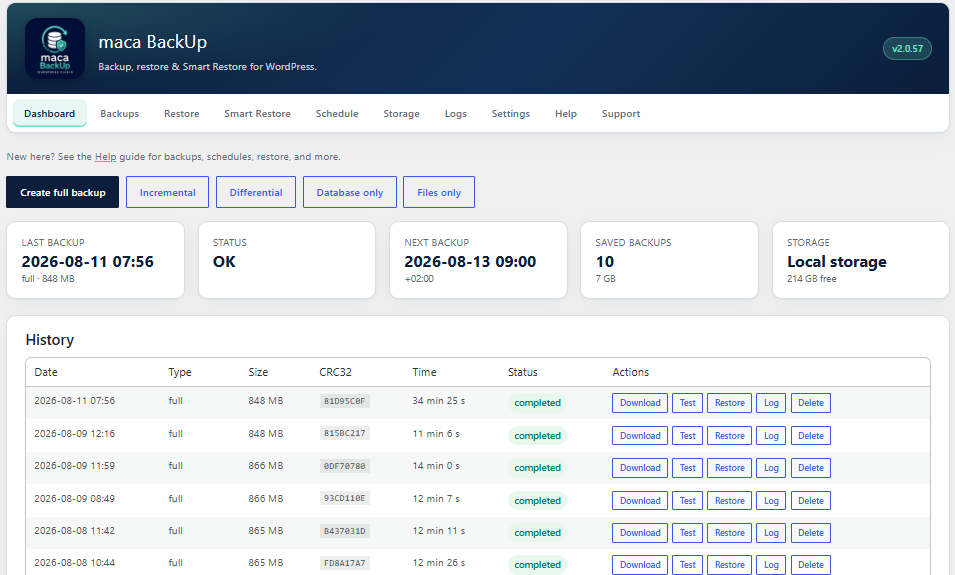
- Full, incremental, differential, database, and files backups
- Background processing with progress in wp-admin
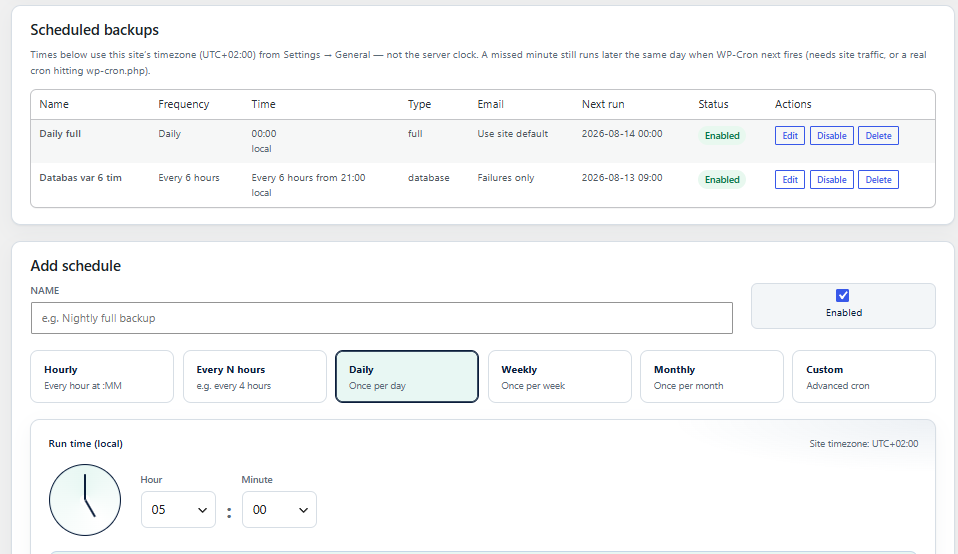
- Schedules (hourly, daily, weekly, monthly, custom)
- Local storage plus FTP, SFTP, Google Drive, Dropbox, OneDrive, and S3-compatible destinations
- AES-256-GCM backup encryption (optional)
- Pre-update backups before WordPress, plugin, or theme updates
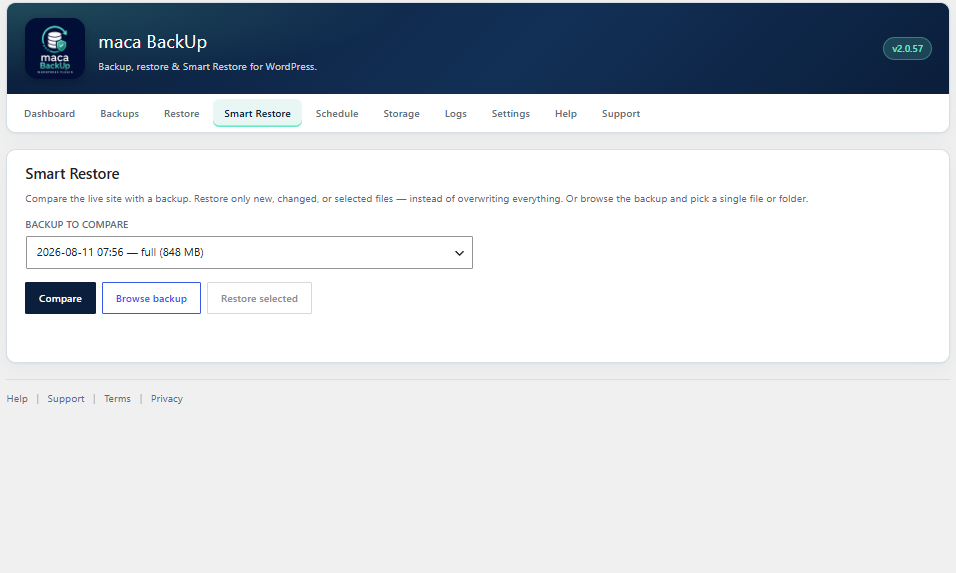
- Smart Restore — compare and restore only changed files
- Import/export backup archives
- maca Hub heartbeat for multi-site monitoring (always connected)
- Live maca Hub status (latest backup, active job, schedules) via Hub Connector
- In-plugin Help and Support
- Deactivation feedback on the Plugins screen
Backups stay on your server or in cloud accounts you configure. Maca Development does not host your backup archives.
Developed by Maca Development (https://maca.se). Plugin page: https://maca.se/maca-backup/. Source and issue tracker: https://github.com/maca59/maca-backup
External services
This plugin can connect to third-party services when you enable or configure the related features. Nothing below is required for local-only backups.
Google Drive
Optional remote storage. When configured under Storage, the plugin uses Google OAuth and the Google Drive API to upload, download, and delete backup archives in your Google Drive account.
Data sent: OAuth tokens/credentials you supply, and backup archive files (binary) when a backup or restore uses Google Drive.
Service provided by Google. Terms of Service · Privacy Policy · Google APIs Terms
Microsoft OneDrive
Optional remote storage via Microsoft Graph. When configured, the plugin uploads, downloads, and deletes backup archives in your OneDrive.
Data sent: OAuth tokens/credentials you supply, and backup archive files when OneDrive is the active destination.
Service provided by Microsoft. Microsoft Services Agreement · Privacy Statement
Dropbox
Optional remote storage. When configured, the plugin uses the Dropbox API to upload, download, and delete backup archives in your Dropbox account.
Data sent: access token/credentials you supply, and backup archive files when Dropbox is used.
Service provided by Dropbox. Terms of Service · Privacy Policy
Amazon S3 / S3-compatible storage
Optional remote storage (Amazon S3, Backblaze B2, and other S3-compatible endpoints you configure). Used to upload, download, and delete backup objects in the bucket you specify.
Data sent: API credentials you supply, and backup archive files to the endpoint/region/bucket you configure.
For Amazon Web Services: AWS Service Terms · AWS Privacy. Other S3-compatible providers follow their own terms (configure only services you trust).
maca Hub / telemetry
Always connected. The plugin sends limited operational metadata to the Maca Hub API (operated by Maca Development) for multi-site monitoring, product statistics, and install lifecycle events (activate / deactivate / uninstall). On the Plugins screen you may optionally share a deactivation reason.
Data sent: site URL, plugin version, WordPress/PHP versions, locale, and backup status metadata (for example type, date, size, status). Optional deactivation feedback includes reason and comment when submitted. Backup archive contents and database dumps are never uploaded.
Service provided by Maca Development. Terms · Privacy
In-plugin Support
When you submit a support request from maca BackUp Support, the plugin sends your message to Maca Development so we can reply (HTTPS API operated by Maca Development, with e-mail fallback to support@maca.se).
Data sent: name, email, subject, message, and optional system information you choose to include (site URL, plugin/WordPress/PHP versions, locale).
Service provided by Maca Development. Terms · Privacy
Privacy
On activation, deactivation, and uninstall the plugin sends limited install metadata to Maca Development (site URL, plugin/WordPress/PHP versions, locale). maca Hub is always connected and may also send backup status metadata for multi-site monitoring. Optional deactivation feedback (reason and comment) is sent only if you submit it on the Plugins screen. Backup archives and database contents are never uploaded.
Support requests you submit via the in-plugin Support form are sent to Maca Development so we can reply.
Remote storage providers you configure (FTP, cloud drives, S3, etc.) process data under their own terms. See External services above.
Screenshot
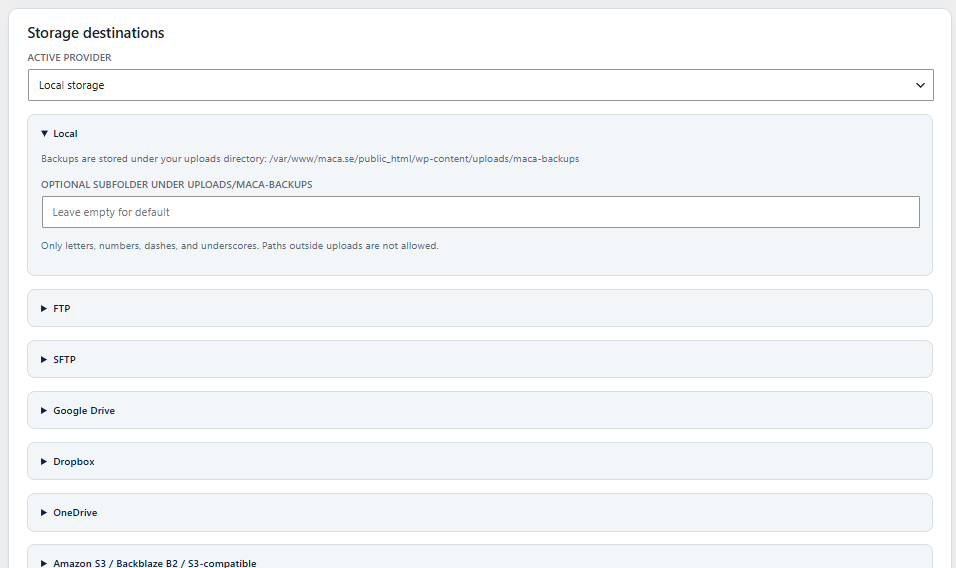
Installazione
- Upload the
maca-backupfolder to/wp-content/plugins/or install via Plugins → Add New (search for “maca BackUpâ€) / Upload Plugin. - Activate maca BackUp through the Plugins screen.
- Open maca BackUp in the admin menu.
- Accept the Terms and Privacy Policy on the Support tab.
- Run a full backup from the Dashboard, or complete the first-run wizard.
FAQ
-
Where are backups stored?
-
By default in your uploads directory under a maca-backups folder (resolved via wp_upload_dir()), or in a remote destination you configure under Storage. Custom absolute paths outside uploads are not used.
-
Do I need a license key?
-
No. maca BackUp is GPL-licensed and does not use paid license activation.
-
What are the requirements?
-
WordPress 6.0+, PHP 8.2+, and the PHP ZipArchive extension for file backups and imports. SFTP requires the ssh2 extension.
-
How do I get support?
-
Use the Support form inside the plugin (maca BackUp → Support), or open an issue on GitHub: https://github.com/maca59/maca-backup/issues
Recensioni
Non ci sono recensioni per questo plugin.
Contributi e sviluppo
“maca BackUp” è un software open source. Le persone che hanno contribuito allo sviluppo di questo plugin sono indicate di seguito.
Collaboratori
Traduci “maca BackUp” nella tua lingua.
Ti interessa lo sviluppo?
Esplora il codice segui il repository SVN, segui il log delle modifiche tramite RSS.
Changelog
2.0.59
- Plugin Check cleanups (i18n translators comments, escaping, input sanitization)
- Migrate tab remains hidden until cross-site restore is verified
- maca Hub always on / lifecycle telemetry and deactivation feedback (from 2.0.58)
2.0.58
- maca Hub always connected (heartbeat / backup status telemetry)
- Always report activate / deactivate / uninstall lifecycle events to api.maca.se
- Keep Plugins-screen deactivation feedback modal and AJAX reporting
- Update Terms/Privacy disclosures for Hub and lifecycle telemetry
2.0.56
- Hide the Migrate tab until cross-site restore is verified
- Replay database dumps into their original table prefix, then rename onto this site — avoids dropping live options mid-restore (duplicate MPSUM / missing pages)
- Do not abort SQL restore on duplicate option_name
- Export table rows in primary-key order so LIMIT/OFFSET cannot duplicate unique keys
2.0.55
- Separate Migrate tab for cross-site moves (full DB + files, URL rewrite, preserve admin login)
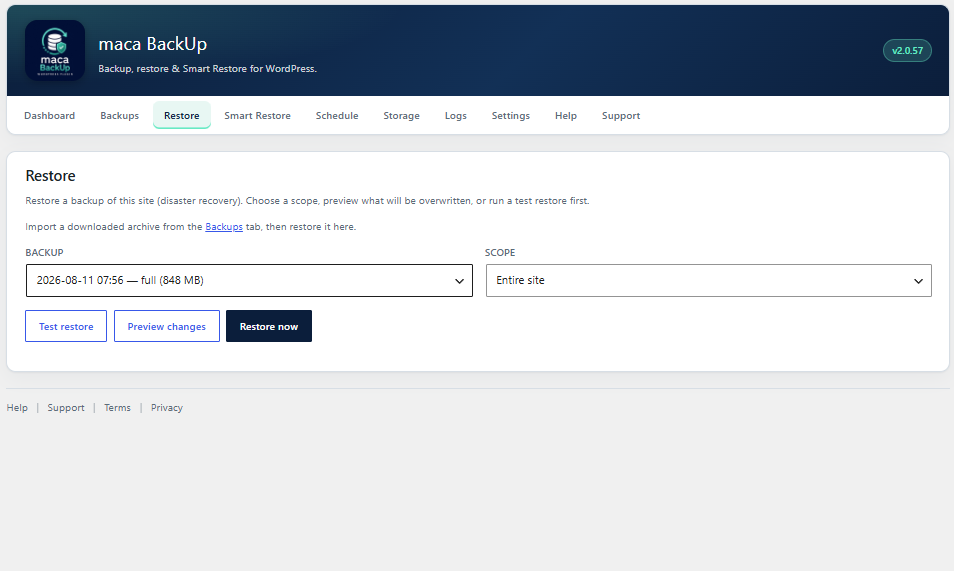
- Restore is same-site only — no URL rewrite or destination-admin preservation
- Import on Migrate continues into the migrate flow; Help documents Restore vs Migrate
2.0.54
- Keep the destination admin login/password after DB restore so wp-admin stays reachable
- Force destination home/siteurl again at restore completion; ensure administrator role + capabilities on the live prefix
- Do not overwrite object-cache.php / advanced-cache.php / db.php on restore (avoids stale cache breaking login)
2.0.53
- After DB restore, adopt dump-prefixed core tables (e.g. wp_posts) onto the live table prefix when remap missed — fixes migrations that left the destination’s old Pages list
- Scan database.sql in chunks to detect table prefix reliably; export WordPress core tables first
- Stricter post-restore verification when dump INSERT count and live page count diverge
2.0.52
- Fix post-migration login redirect: force home/siteurl via direct DB write when option cache is stale
- After database restore, flush options cache before reading source URLs; never fall back to home_url() (old host)
- Remap wp_capabilities / wp_user_roles (and other prefix-scoped keys) when table prefix changes so admins keep wp-admin access
2.0.51
- Remap dump table prefix to the live site prefix during SQL restore (fixes empty pages after migration)
- Do not mark database restore done when database.sql cannot be read
- Log dump size / post-row inserts / page counts; fail clearly if pages never land in live tables
- Store table_prefix in backup manifest; broaden URL rewrite (http/https, www)
- Schedule catch-up: daily/weekly/monthly still run later the same day if WP-Cron misses the exact minute
- Clarify schedule times use the WordPress site timezone (Settings General)
2.0.50
- Migration restore: rewrite source URLs to the destination site (serialized-aware) after database restore
- Keep restore job alive by skipping maca_backup_* control tables during SQL replay
- Do not overwrite wp-config.php on restore; flush rewrite rules when restore completes
- Harden database.sql parsing so a failed split cannot silently skip the rest of the dump
2.0.49
- (version bump alignment)
2.0.47
- Import verifies and stores archive CRC32 so backups can be compared after migration
- Compare UI shows archive CRC32 and per-file CRC on mismatches
2.0.46
- Import large backups (over PHP/WordPress upload limits, e.g. >1 GB) via automatic chunked upload
- Media Library always included in full backups; exclude rules cannot strip uploads
2.0.39
- Public product/legal/support links use GitHub only (no maca.se URLs for review crawlers)
- Assemble Hub/Support API hosts at runtime
2.0.38
- Confine local backups to uploads/maca-backups (no arbitrary custom paths)
- Resolve site paths via WP APIs (wp_upload_dir, WP_PLUGIN_DIR, get_theme_root, get_home_path)
2.0.37
- Point Terms/Privacy links to public GitHub documents (maca.se pages were unreachable for wordpress.org review)
2.0.36
- WordPress.org review: text domain matches plugin slug (maca-backup)
- Document external services (Google Drive, OneDrive, Dropbox, S3, maca Hub, Support) in readme
- Confine staging restores to the local backup directory
- Harden ZIP import/restore against path traversal (Zip Slip)
2.0.34
- Per-schedule email notifications (inherit site default, off, failures only, success only, or both)
- Site Settings remain the fallback for schedules set to “Use site defaultâ€
- Email when a scheduled backup fails to start (respects that schedule’s email mode)
- Fix duplicate backup/restore notification emails when AJAX and cron finish the same job
- Fix inflated full-backup size when concurrent workers packed the same files repeatedly into the ZIP
- Live progress: elapsed timer ticks every second; status polls return faster so the bar/detail update more often
- Compare two backups on the Backups tab (file counts, only-in-A/B paths, size mismatches)
- Show CRC32 checksum on backup history (and in success emails); stored in manifest + checksum column
- Hub status/heartbeat includes full backup history list (type, datetime, size, status, storage, CRC, etc.)
2.0.23
- Hub Connector status endpoint with latest backup, active job, and schedules
2.0.21
- Plugin Check compatibility fixes
- Support URL and onboarding wizard improvements
2.0.0
- Major release: Smart Restore, storage providers, schedules, encryption, hub telemetry