Descrizione
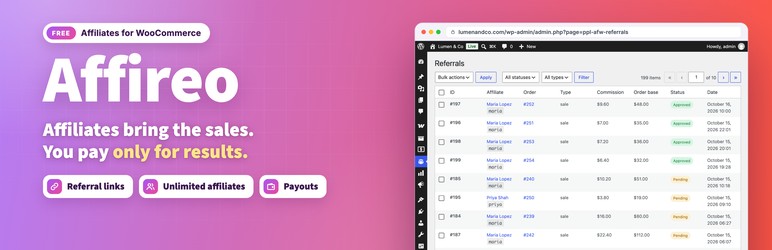
Affireo turns your store into a working affiliate program. Affiliates get a referral link, you get a commission record on every sale they bring in, and both sides see the numbers in a clean dashboard.
- Live demo: Free version | Pro version
- Documentation: Free version | Pro version
- Support: propluginslab.io/support
Every feature listed here is fully functional with no time limit, quota, or license key.
Referral tracking
- Referral links using
?ref=yourslug, tidy/go/yourslug/links, and custom vanity slugs - Signed, tamper resistant tracking cookies with a configurable duration (30 days by default)
- Last click attribution, so the most recent affiliate gets credit
- Bot filtering, so crawlers never create fake clicks
- WP Consent API support: with the Consent API plugin installed, the referral cookie is set only with marketing consent, and visits without consent are counted without IP or browser data
- IP addresses stored as hashes, so you stay privacy friendly
Commissions
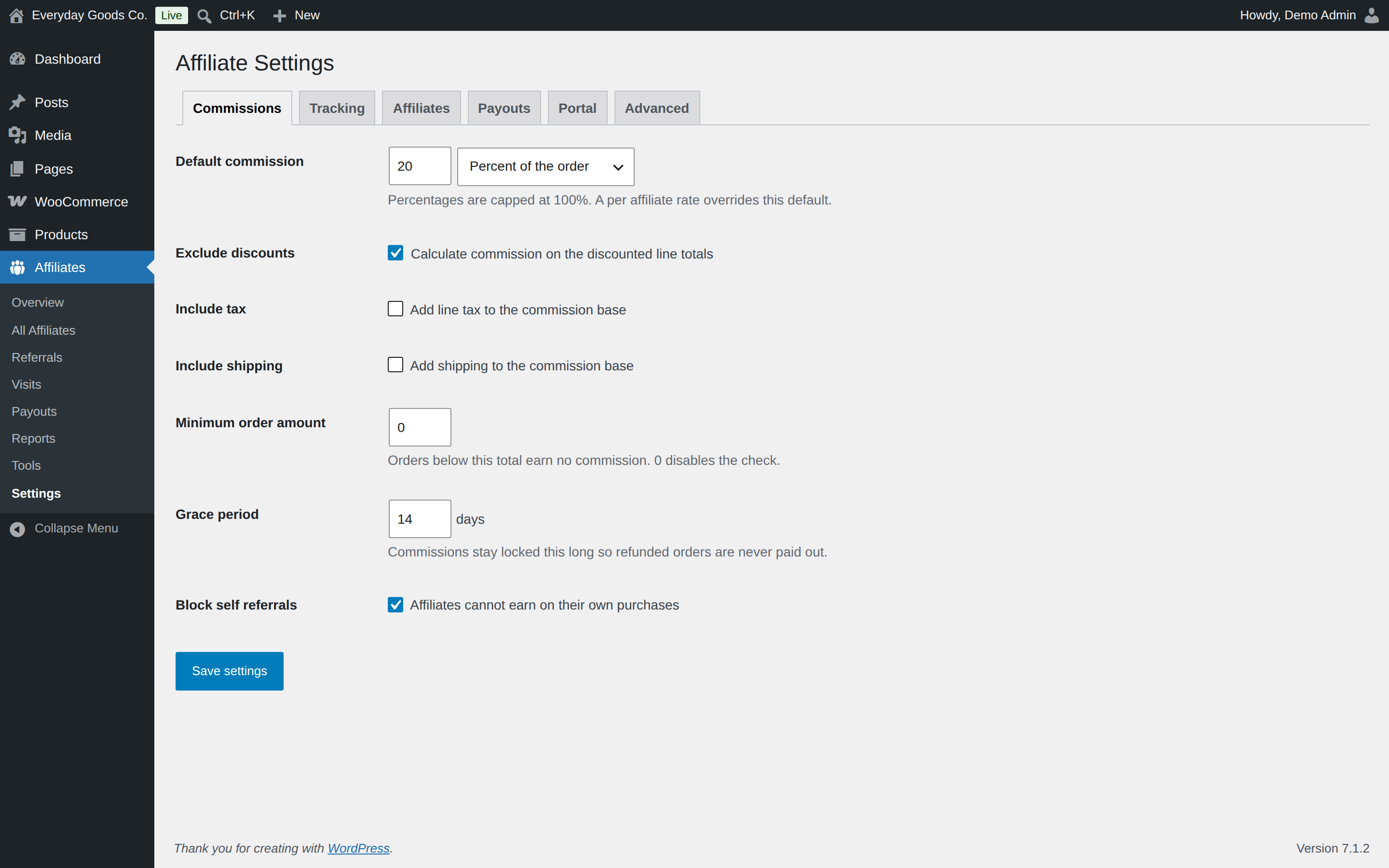
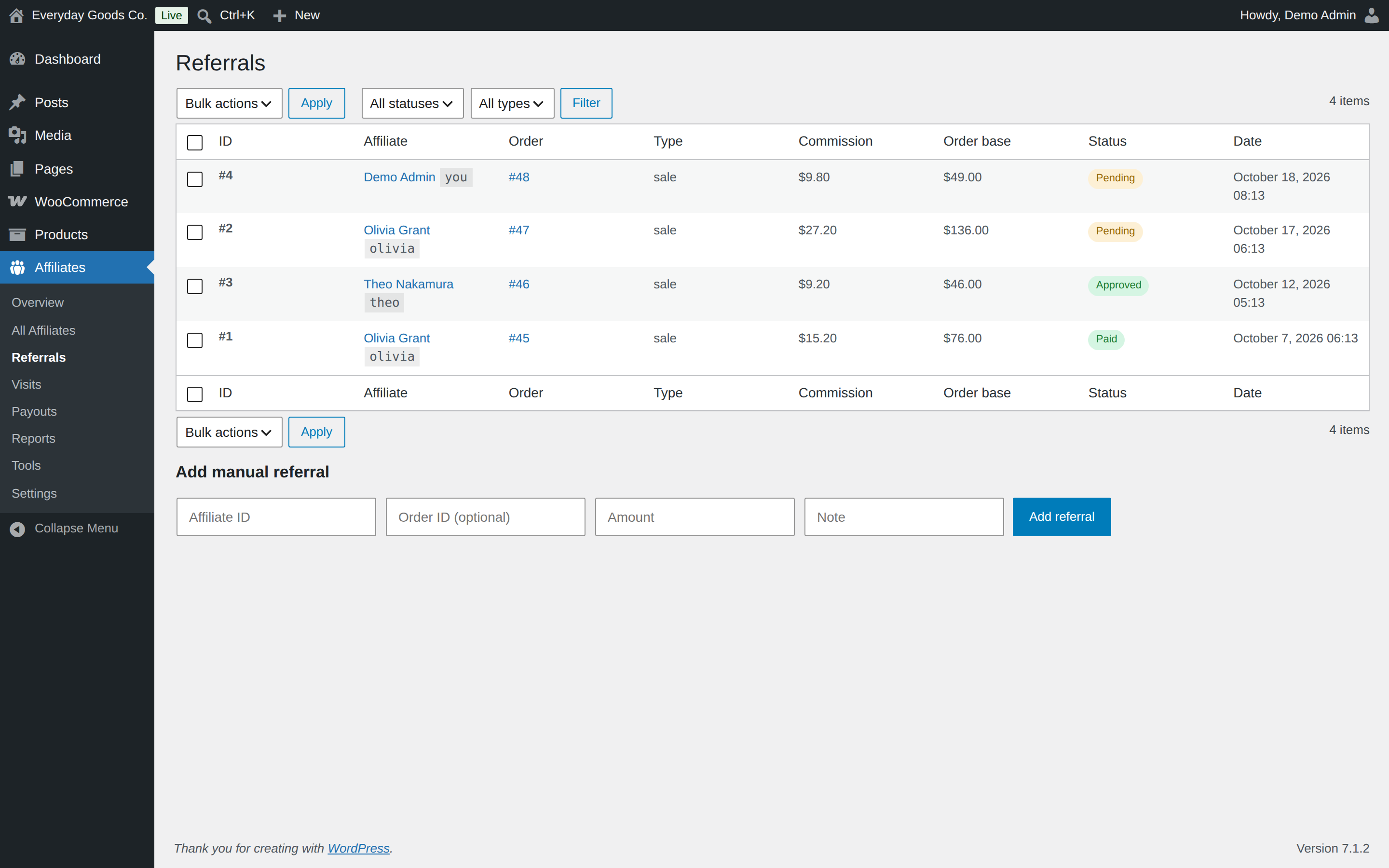
- Percentage or fixed amount commission on every referred order, calculated per line item (a fixed amount is paid once per order)
- Choose what commission is calculated on: item subtotal, taxes, shipping, discounts
- Minimum order amount, plus product, category, and user role exclusions
- A grace period that holds commissions until the refund window closes, so you never pay out on an order that gets returned
- Automatic reversal on full refunds. A partial refund removes only the commission of the refunded lines (or a proportional part for an amount only refund), and repeated refunds never compound
- Refunds after payout are clawed back: the paid commission is deducted from the affiliate’s next payout (a setting, on by default)
- Block self referrals so affiliates cannot buy through their own link
- Per affiliate rate overrides
Affiliate management
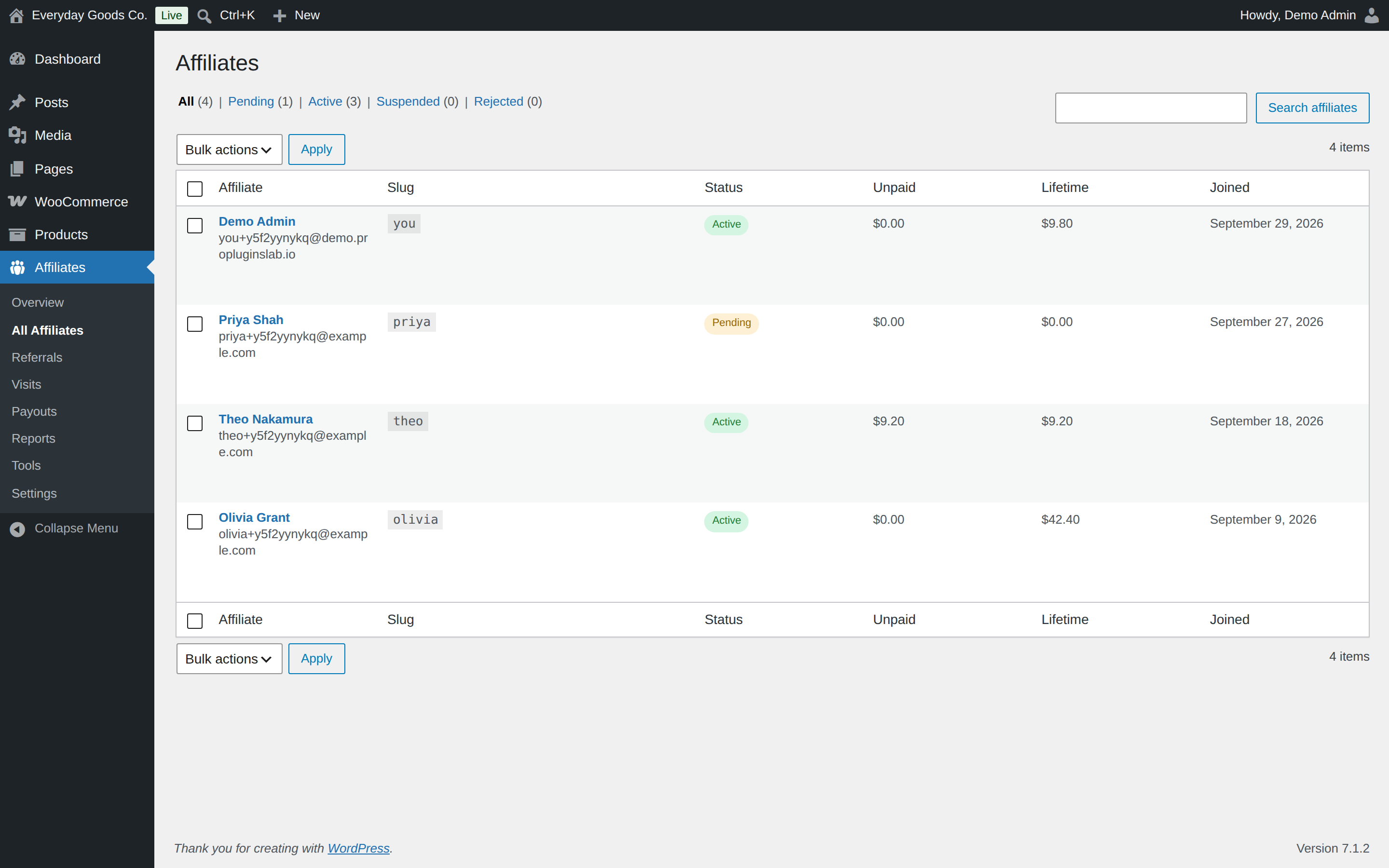
- Unlimited affiliates, with no cap on how many you approve
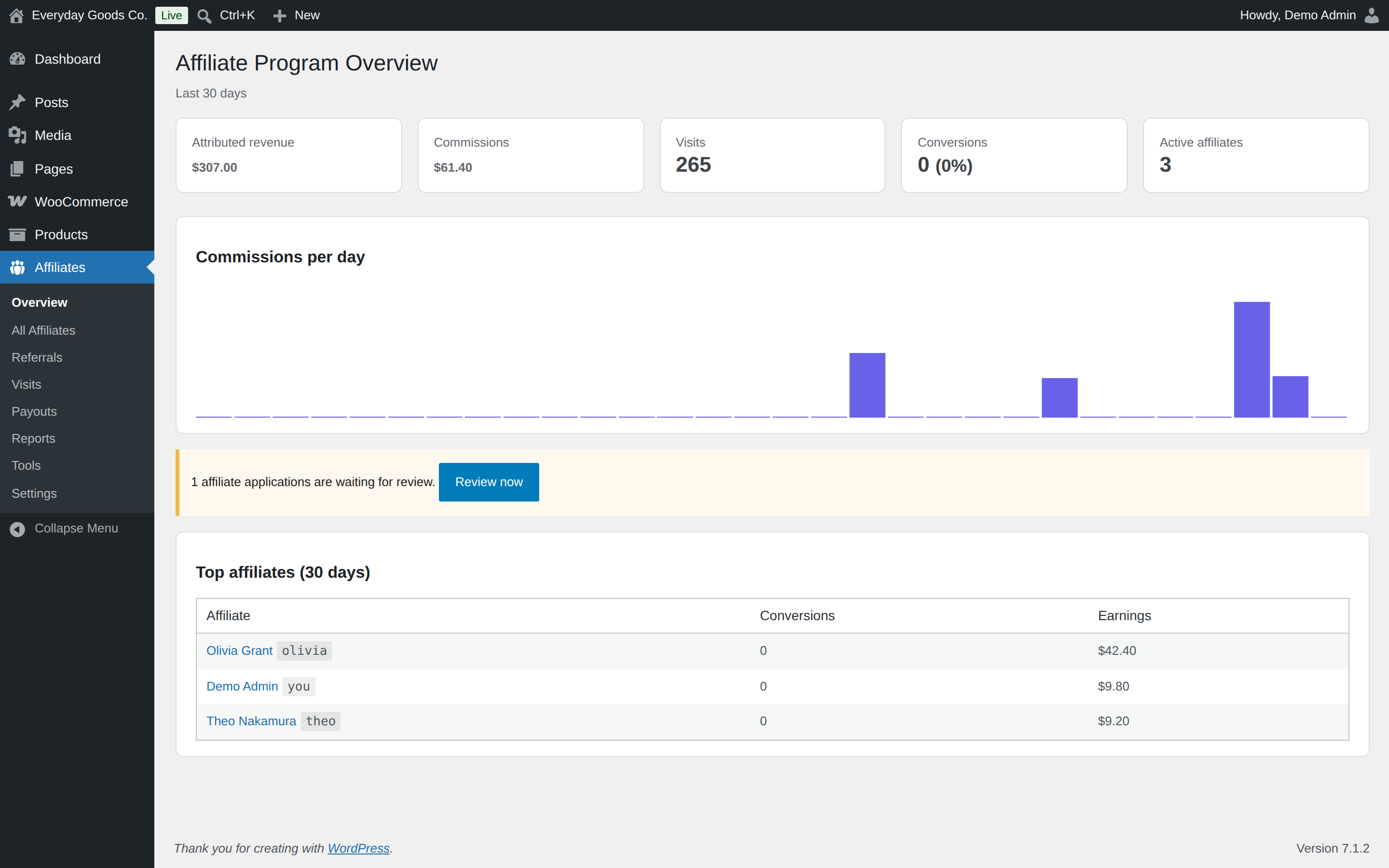
- Registration form with an application queue: approve, reject, or suspend
- A drag and drop signup form field builder on the Affiliates settings tab
- Approve applications automatically if you prefer
- Activity log recording every status change, rate change, and payout
- A dedicated Affiliate Manager role so you can delegate without handing over admin access
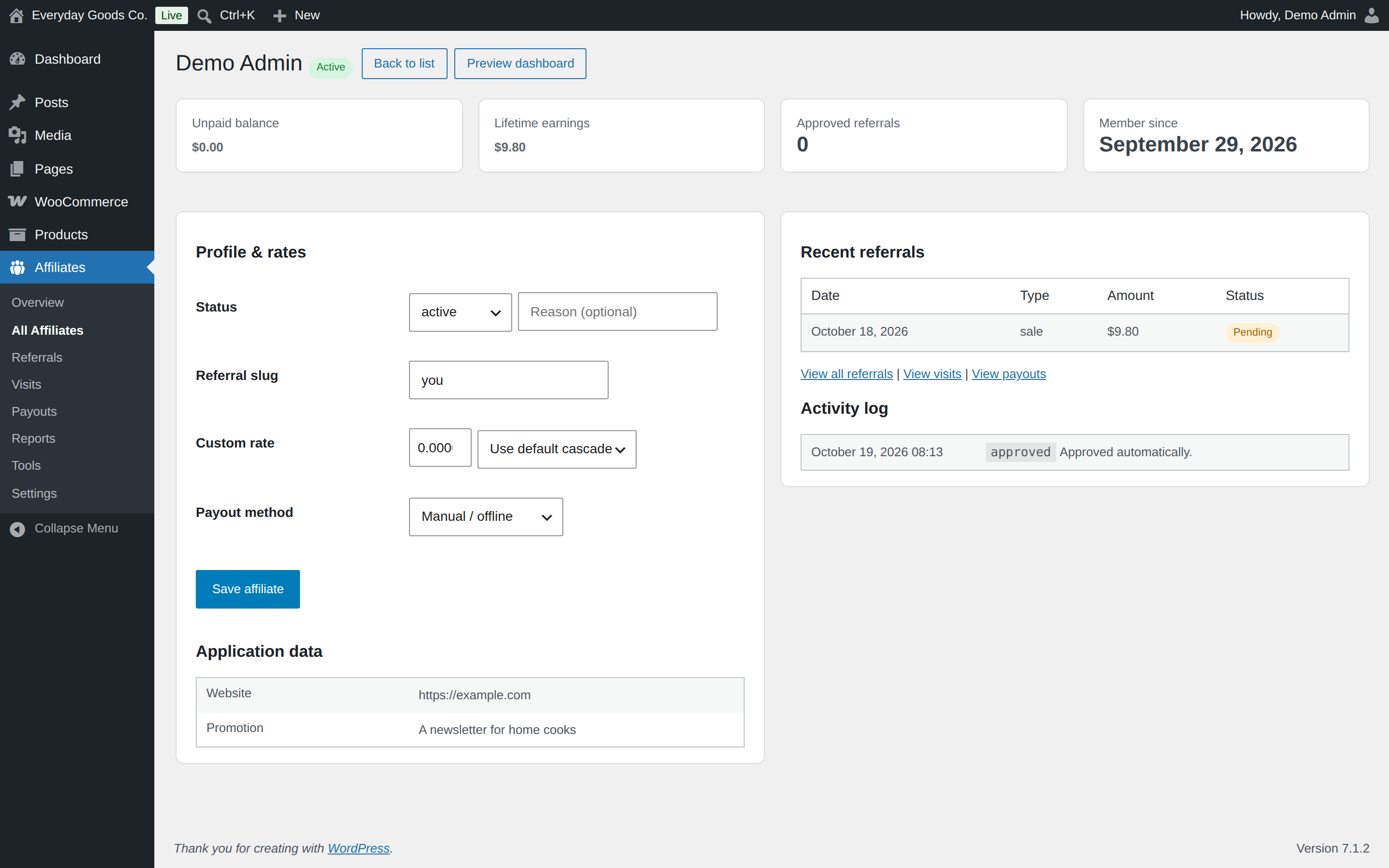
- A read only preview of any active affiliate’s dashboard for administrators
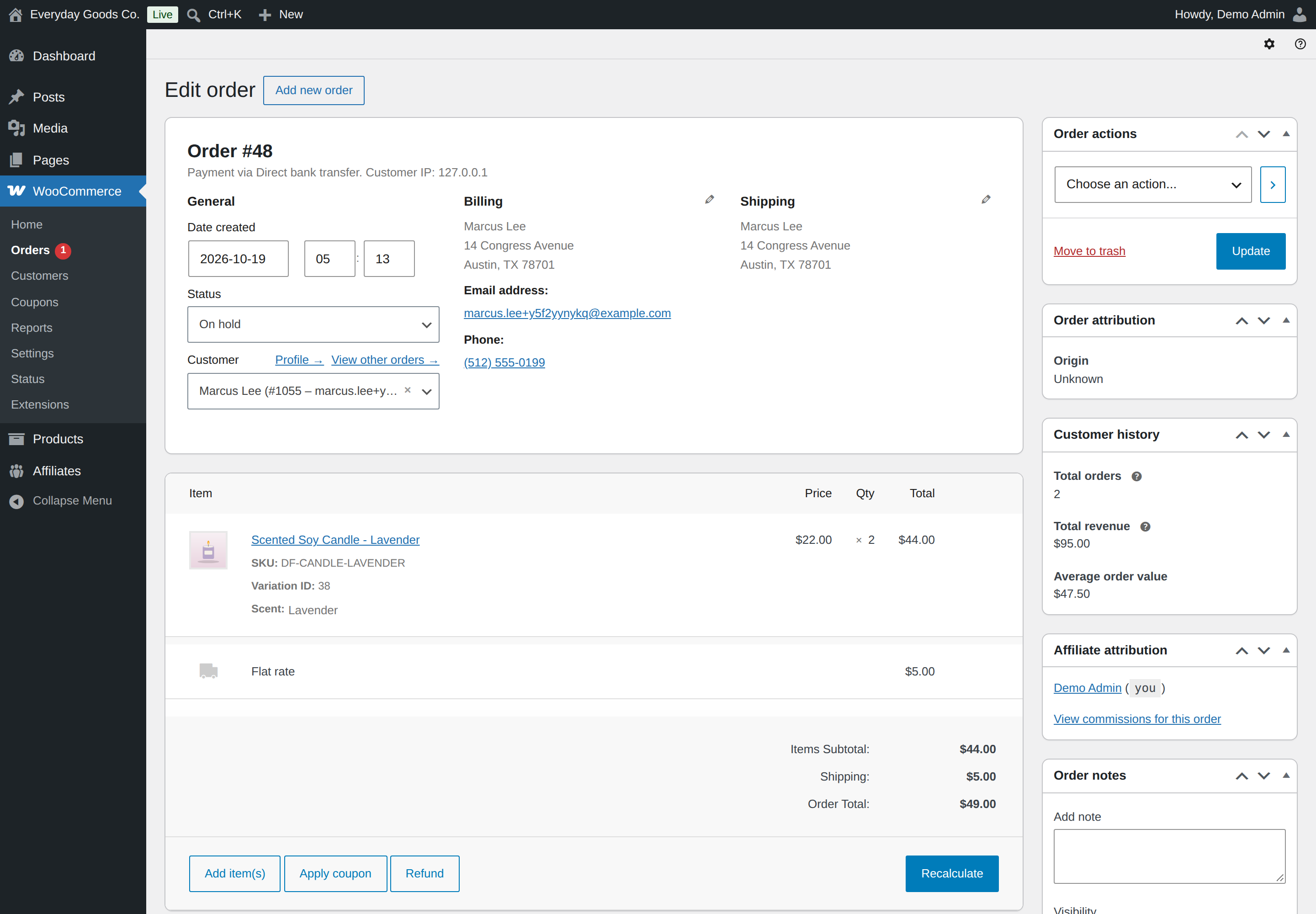
- An optional email to the store admin for every new referral, switched on under WooCommerce > Settings > Emails
Payouts
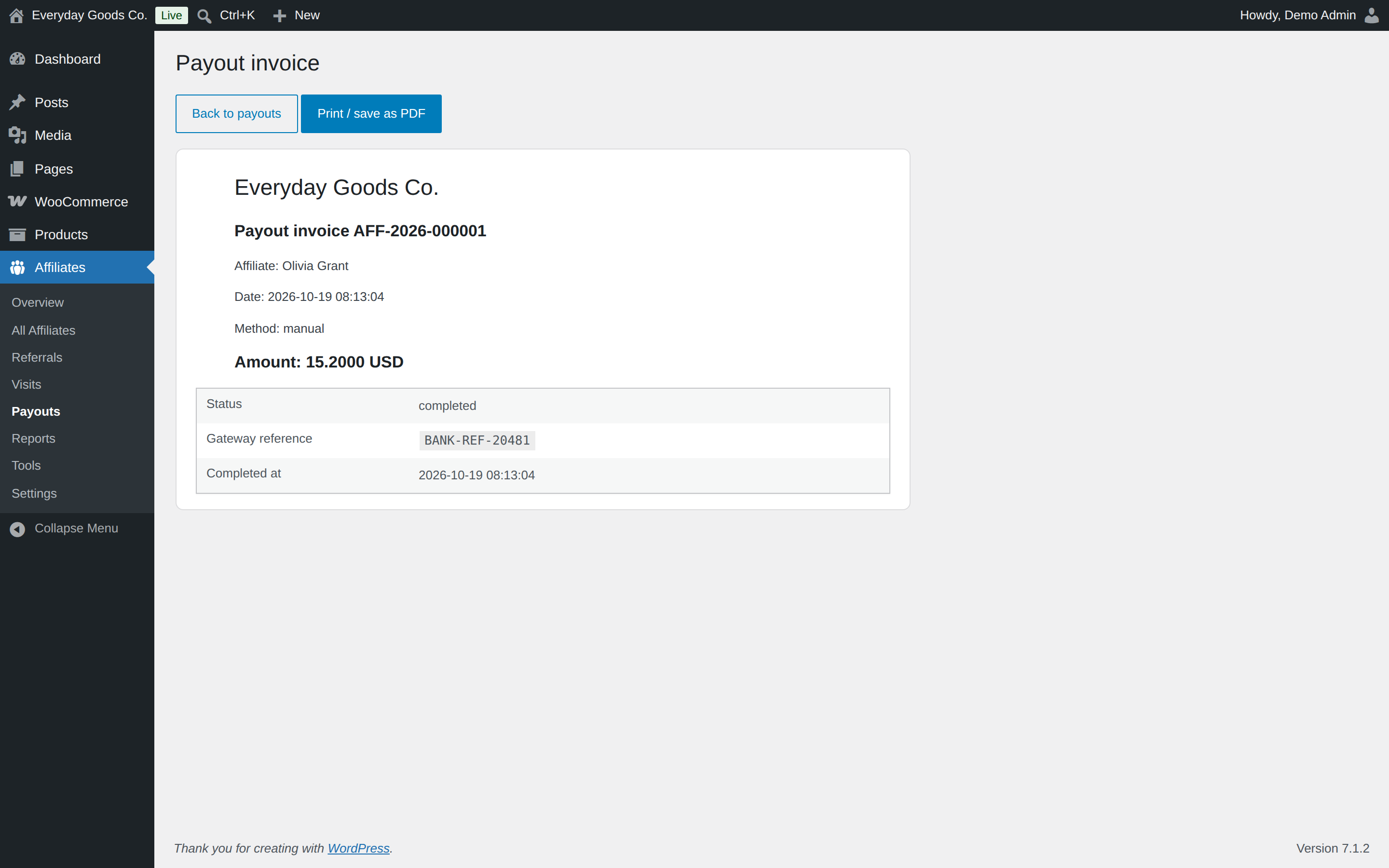
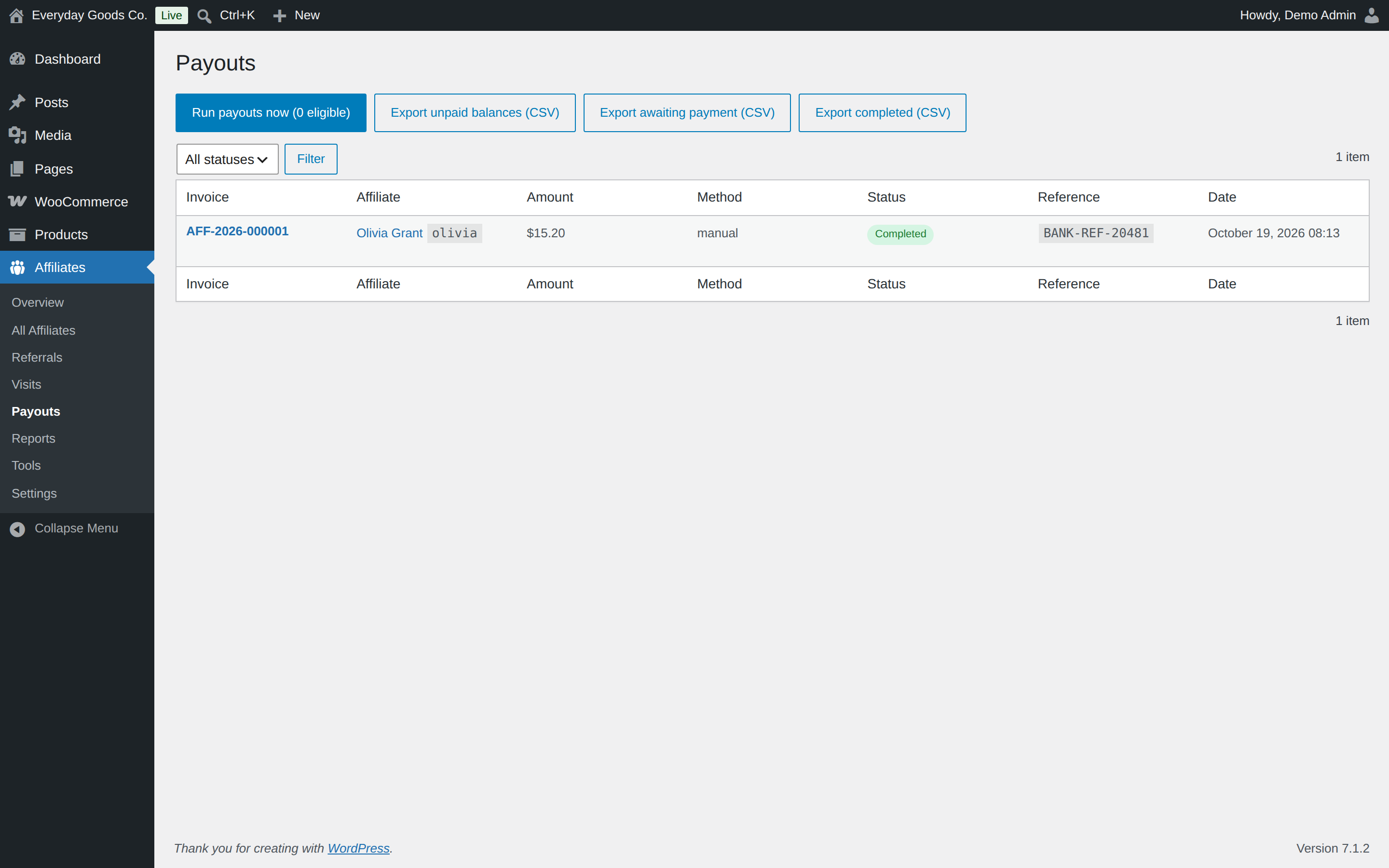
- Manual and store credit payouts with sequential invoice numbers. Store credit coupons are created at once; manual payouts wait as “awaiting payment” until you send the money and click Mark as sent, and the affiliate is told only then
- Only active affiliates are paid, with one payout per currency
- Minimum payout thresholds
- CSV exports of unpaid balances, payouts awaiting payment, and completed payouts
- Referral CSV export for any date range and status, straight from the Reports screen
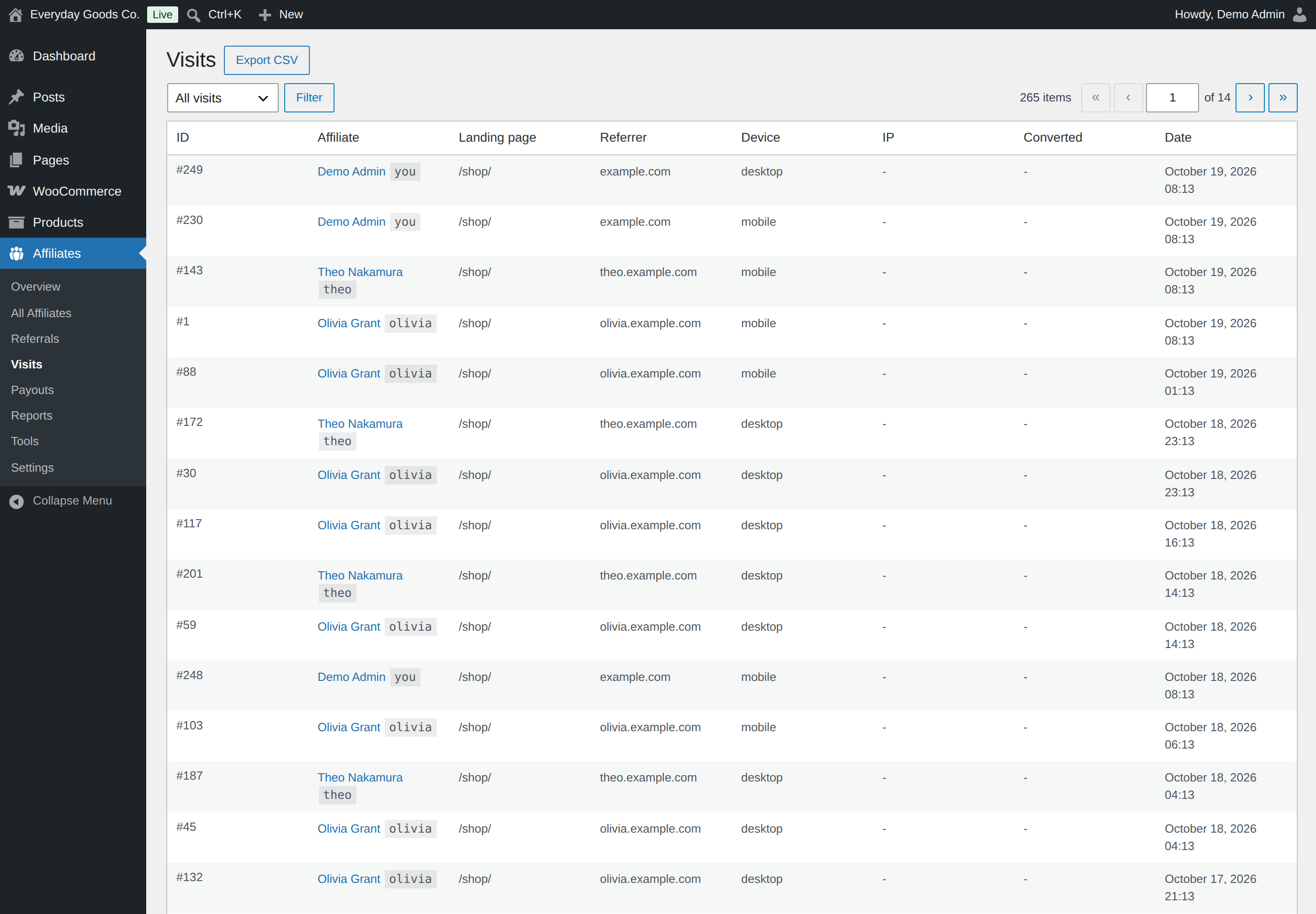
- Visit log CSV export from the Visits screen (following its filters) and from Tools
- Affiliates open and print their own payout invoices from the dashboard
- Affiliate payout details encrypted at rest and masked in the admin
Affiliate dashboard
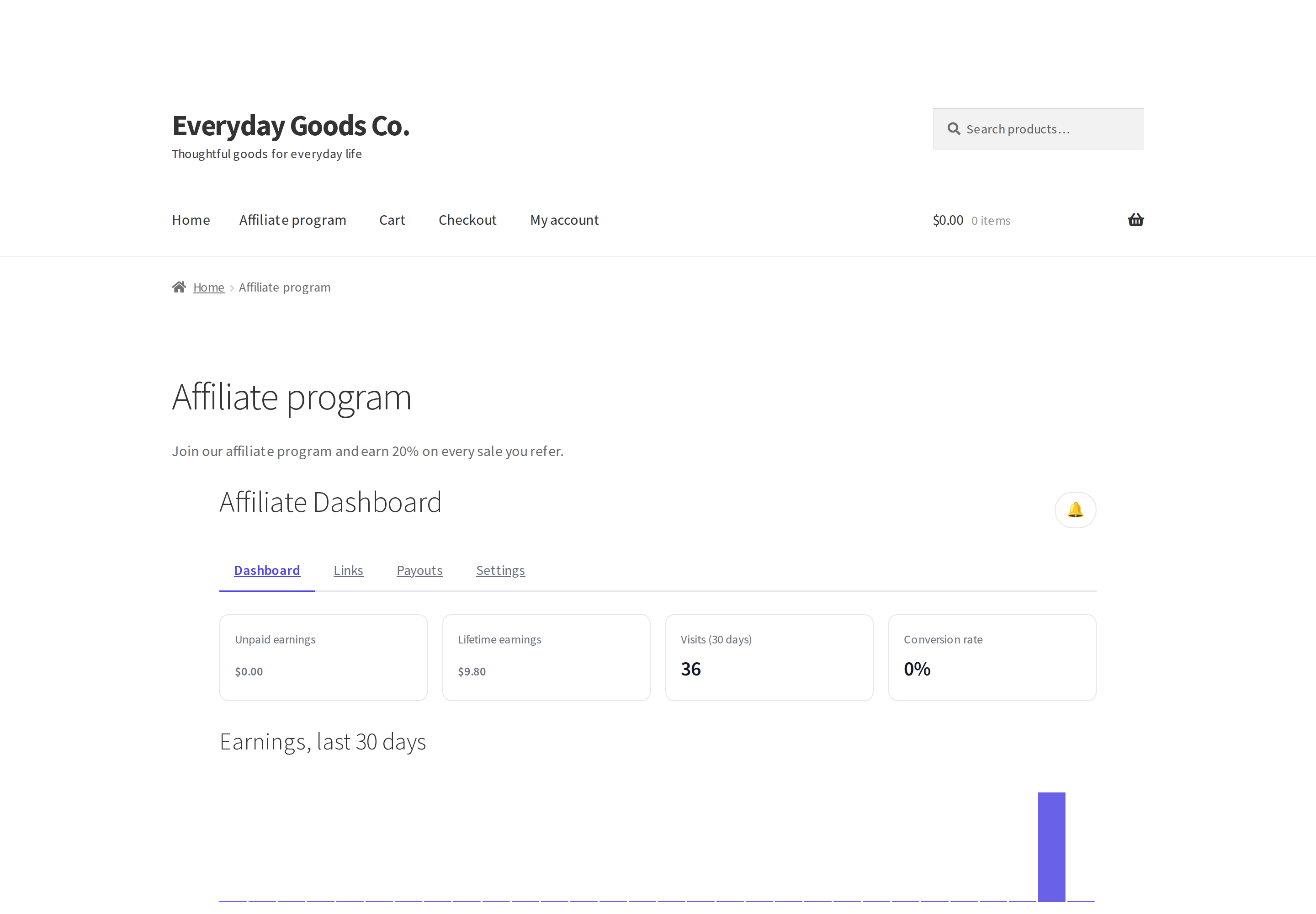
- A front end dashboard via the
[ppl_afw_portal]shortcode: earnings, referral links, commission history, payout history - A registration form via the
[ppl_afw_registration]shortcode - Light and dark mode, responsive to 320px, keyboard accessible, and it still works with JavaScript disabled: tabs are links and forms post normally
- Fully overridable templates so your theme can restyle any part of it
Built properly
- WooCommerce High Performance Order Storage (HPOS) and Blocks checkout compatible
- GDPR personal data exporter and eraser, covering signup answers, the masked payout method, commissions, payouts and the orders an affiliate was credited for
- REST API under
ppl-afw/v1 - Translation ready
External services
This plugin does not connect to any external service. It makes no remote requests, loads no assets from other sites, and sends no tracking or usage data. Referral tracking, commissions, payouts and the affiliate dashboard all run on your own site.
Pro version
Affireo Pro is a separate, paid plugin for stores that need more control over what they pay affiliates and how they pay them. Nothing in this free plugin is locked or limited. Pro reads the same data, so affiliates, referrals, payouts and settings carry over with nothing to import.
- Commission rates per product, per variation, per category and per affiliate per product, plus purchase sequence rules such as a higher rate on a customer’s first order
- Lifetime commissions and WooCommerce Subscriptions renewal commissions
- PayPal, Stripe Connect and bank transfer payouts, with scheduled automatic payout runs and SEPA XML bank exports
- Fraud scoring on every referral with automatic holds and suspensions
- Coupon based tracking, first click attribution, campaign tracking, performance tiers and a multi level network up to 10 levels
- A creative library with impression and click tracking
More plugins from ProPluginsLab
Free on WordPress.org:
- Back In Stock Notifier for WooCommerce – Waitlist and restock email alerts for out of stock products.
- Recovero – Cart Recovery for WooCommerce – Recover abandoned carts with automated emails.
- Anticipo – Pre-Orders for WooCommerce – Take pre-orders before a product launches.
- Storefold – Multivendor Marketplace for WooCommerce – Turn your store into a multivendor marketplace.
- Dispatchio – Shipment Tracking for WooCommerce – Add tracking numbers and shipment updates to orders.
- Presentero – Gift Cards for WooCommerce – Sell and redeem digital gift cards.
- Kitero – Product Configurator for WooCommerce – Build composite products and kits.
- Plusero – Extra Fees for WooCommerce – Add conditional checkout fees and surcharges.
- Inputo – Name Your Price for WooCommerce – Let customers choose what they pay.
- Mercenza – B2B for WooCommerce – Sell wholesale with customer groups, wholesale prices and trade accounts.
- Visuaro – Product Designer for WooCommerce – Let customers design custom products in the browser.
- Christmas Snow – Festive Snowfall Effect – Add a lightweight snowfall effect to any site.
Pro plugins at propluginslab.io:
- Recovero Pro
- Anticipo Pro
- Affireo Pro
- Storefold Pro
- Dispatchio Pro
- Presentero Pro
- Kitero Pro
- Plusero Pro
- Inputo Pro
- Mercenza Pro
- Visuaro Pro
- Back In Stock Notifier Add-ons – 26 add-ons incl. Mailchimp, Klaviyo, Twilio SMS, WPML, or all of them in the Bundle.
Screenshot
Installazione
- Install and activate WooCommerce.
- Upload the plugin to
/wp-content/plugins/, or install it from Plugins > Add New. - Activate the plugin through the Plugins screen.
- Go to Affiliates > Settings to set your commission rate and cookie duration.
- Create a page containing
[ppl_afw_portal]for the affiliate dashboard, and another containing[ppl_afw_registration]for applications.
FAQ
-
Does it work with High Performance Order Storage?
-
Yes. The plugin declares HPOS compatibility and uses the WooCommerce CRUD APIs, so it works with both legacy post storage and HPOS.
-
How do affiliates sign up?
-
Create a page containing the
[ppl_afw_registration]shortcode. Applications appear under Affiliates in wp-admin, where you approve or reject them. You can also enable automatic approval in the settings. -
How do affiliates get paid?
-
Go to Affiliates > Payouts and click “Run payouts now”. Every active affiliate whose approved balance reaches the minimum gets a payout with a sequential invoice number, one per currency. A store credit payout creates the coupon at once. A manual payout is recorded as “awaiting payment”: export the list as CSV, send the money using your normal method, then click “Mark as sent”. Only then does the affiliate get the “Payout sent” email. “Cancel” returns the commissions to the balance.
-
What happens if a referred order is refunded?
-
Commissions stay locked for a grace period you control (14 days by default), so a refunded order never reaches a payout. If a refund happens after approval, a full refund reverses the commission and a partial refund removes only the commission of what was refunded. If the commission was already paid out, it is deducted from the affiliate’s next payout, unless you switch off “Claw back refunds after payout” (Commissions tab, advanced mode). A negative balance is never paid out.
-
Does it handle more than one currency?
-
Each commission is recorded in the order’s currency, and payouts are made separately per currency, so amounts in different currencies are never added up into one payout. Nothing is converted, and report totals are not converted to one currency either.
-
Is affiliate payout data safe?
-
Payout details are encrypted at rest with libsodium and are only ever shown masked in the admin.
-
Can I get an email when an affiliate refers an order?
-
Yes. Go to WooCommerce > Settings > Emails and enable “New referral (admin)”. It is off by default, so nothing changes until you switch it on.
-
Can I export referrals for a specific period?
-
Yes. On Affiliates > Reports, choose the dates (and optionally a status) and click “Export referrals in range (CSV)”. The Tools screen still exports every referral.
-
Can I export the visit log?
-
Yes. On Affiliates > Visits, filter the list if you like and click “Export CSV”: the file contains the visits you are looking at. Affiliates > Tools exports every visit. IP addresses appear only in the shortened form the Visits screen shows.
-
Does the plugin contact any external service?
-
No. See External services below.
-
Will uninstalling delete my data?
-
No. Your affiliate data is kept unless you first enable “delete data on uninstall” in the settings.
Recensioni
Non ci sono recensioni per questo plugin.
Contributi e sviluppo
“Affireo – Affiliates for WooCommerce” è un software open source. Le persone che hanno contribuito allo sviluppo di questo plugin sono indicate di seguito.
Collaboratori
Traduci “Affireo – Affiliates for WooCommerce” nella tua lingua.
Ti interessa lo sviluppo?
Esplora il codice segui il repository SVN, segui il log delle modifiche tramite RSS.
Changelog
1.3.1 – 2026-10-18
- Fix: “New customers only” (Commissions tab, advanced mode) now finds returning customers by their earlier orders with the same billing email or the same customer account, guest checkouts included. An earlier order counts when it is paid or on hold awaiting payment; cancelled, failed, unpaid and fully refunded orders do not.
- Fix: with “New customers only” on, an abandoned or failed checkout no longer blocks the commission on the customer’s real first purchase, and a customer who signs in with a different billing email is no longer treated as new.
- Dev: new filters ppl_afw_is_returning_customer and ppl_afw_returning_customer_statuses, and Commissions_Service::is_returning_customer().
1.3.0 – 2026-10-17
- New: manual payouts are recorded as awaiting payment. Send the money, then click Mark as sent (per payout, or Mark all awaiting payment as sent); only then does the affiliate get the Payout sent email and notification. Cancel returns the commissions to the balance. Store credit payouts still complete at once.
- New: Payouts screen exports: Export unpaid balances (CSV) lists approved commissions not in any payout yet, per affiliate and currency; Export awaiting payment (CSV) and Export completed (CSV) list payouts.
- New: “Claw back refunds after payout” setting (Commissions tab, advanced mode, on by default): when an order is refunded after its commission was paid out, that commission is deducted from the next payout. A negative balance is never paid out.
- New: affiliates can open and print their own payout invoices from Payout history. Payout status shows as awaiting payment, sent, failed or cancelled.
- New: Preview dashboard on an affiliate’s screen gives administrators a read only view of that affiliate’s dashboard.
- New: WP Consent API: with the Consent API plugin installed, the referral cookie is set only with marketing consent and is registered with the Consent API. Visits without consent are still counted, without IP or browser data.
- New: developer hooks for the affiliate dashboard, the affiliate screen, reports, the order box, payouts, referrals, privacy and invoice numbers. ppl_afw_resolved_rate now receives the order line item.
- Improved: commission is calculated per line item. A percentage applies to each line’s base, a fixed store default or per affiliate fixed rate is paid once per order, and excluded products neither earn nor lend their rate.
- Improved: dashboard and report stats update right away, and Reports “Top affiliates” follows the selected date range.
- Improved: the affiliate dashboard works without JavaScript: tabs are links and forms post normally. With JavaScript it switches tabs and saves in place.
- Improved: the privacy exporter includes signup answers, the masked payout method, commissions and payouts, and for customers the orders an affiliate was credited for. The eraser also removes the customer’s email hash from referrals, and an affiliate’s login IP hashes and preferences.
- Improved: new invoice numbers look like AFF-2026-000001 (older invoices keep PPL-) and store credit codes start with aff-credit-.
- Fix: only active affiliates are paid; suspended, rejected and pending affiliates are skipped. The affiliate’s payout method must still be offered in the settings (manual is always allowed for the admin).
- Fix: each currency is paid as its own payout, so amounts in different currencies are never added up.
- Fix: a payout through a method that no longer exists fails and is rolled back.
- Fix: invoice numbers stay sequential when payout runs overlap.
- Fix: repeated partial refunds no longer compound. Refunding a line removes only that line’s commission, a shipping only refund leaves a commission that excludes shipping untouched, and an amount only refund reduces it proportionally.
- Fix: with a grace period of 0, pending commissions on processing or completed orders are approved by the daily maintenance.
- Fix: the email preferences in the affiliate dashboard now control the New commission and Payout sent emails.
- Fix: saving a settings tab in simple mode no longer resets the advanced only options, and the Affiliates tab shows the signup form field builder again, so saving it no longer clears the signup fields.
- Fix: “Separate signup page ID” now works: visitors who are not affiliates are pointed from the dashboard page to that page, and an approved affiliate on the signup page gets a link to the dashboard.
1.2.0 – 2026-10-15
- New: export the visit log as CSV. The Visits screen has an Export CSV button that follows the converted and affiliate filters, and Tools has a Visits (CSV) export.
- Security hardening: REST permission checks are named methods, changes through the REST API are accepted only from a logged in browser session, CSV cells that a spreadsheet could read as formulas are exported as plain text, and form input is sanitized as it is read.
- Fix: uninstalling with data deletion switched on now recognises the current Pro plugin folder and keeps the data Pro is still using.
- Fix: saving notification preferences in the affiliate dashboard keeps the types that form does not show.
- Fix: no PHP warnings while Pro is active and the free plugin is idle.
- The affiliate dashboard no longer shows a “Tier promotions” email preference, which only applies to the Pro edition. Remaining notices now use the Affireo name.
- Tested with WordPress 7.1.3 and WooCommerce 11.2.1.
1.1.0 – 2026-09-22
- New: optional “New referral (admin)” email that tells the store admin when an order is credited to an affiliate. It is off by default; enable it under WooCommerce > Settings > Emails.
- New: the Reports screen exports referrals for the selected date range and status, so the CSV matches the period you are looking at.
- Fix: the free plugin now recognises the renamed Pro plugin folder and stands down correctly when Pro is active.
- Links moved to propluginslab.io.
- Added Pro upgrade banner on plugin screens. It appears only on the Affiliates screens and can be dismissed for 30 days.
- Tested with WordPress 7.1.1 and WooCommerce 11.1.1.
1.0.1 – 2026-08-21
- New: toolbar shortcut that gives an active affiliate the tracked referral link for whatever page they are viewing, with one click copying.
- The toolbar is restored for active affiliates on the front end, since WooCommerce hides it from customer and subscriber roles by default. Return false from the ppl_afw_toolbar_restore_admin_bar filter to keep it hidden.
- Minimum PHP requirement lowered to 7.4.
- Tested against WordPress 7.1 and WooCommerce 11.0.1.
1.0.0 – 2026-08-12
- Initial release.