
Descrizione
JETPACK: IL MIGLIOR PLUGIN DI SICUREZZA DI WORDPRESS
Jetpack è un plugin per WordPress che ti aiuta a creare contenuti migliori, a far crescere i tuoi abbonati, a guadagnare dal tuo sito web e a mantenerlo sicuro, veloce e protetto. Puoi crescere e tenere traccia del traffico sul tuo sito web con le statistiche di Jetpack e creare contenuti migliori con Jetpack AI. Puoi avviare una newsletter e far crescere il tuo pubblico, trasformando i fan in abbonati paganti. Crea splendidi contenuti con Jetpack Creator e mantieni il tuo sito veloce con Jetpack Boost.
SCOPRI COME USARE JETPACK
L’installazione è gratuita, rapida e semplice. Configura Jetpack in pochi minuti. Approfitta di funzionalità più robuste come la sicurezza dei siti WordPress e gli strumenti di progettazione e crescita eseguendo l’aggiornamento a un piano a pagamento.
HAI BISOGNO DEL SUPPORTO DEGLI ESPERTI?
Abbiamo un team globale di Happiness Engineer pronto a fornire un supporto incredibile. Poni le tue domande nel forum di supporto oppure contatta il supporto.
PERCHÉ USARE JETPACK SUL TUO SITO
Più sicuro. Più veloce. Più traffico.
Strumenti di sicurezza, marketing, progettazione e delle prestazioni per WordPress: Jetpack è sviluppato dagli esperti WordPress per rendere i siti WP più sicuri e veloci e per aiutarti ad aumentare il traffico.
SICUREZZA AUTOMATICA DEL SITO 24 ORE SU 24, 7 GIORNI SU 7
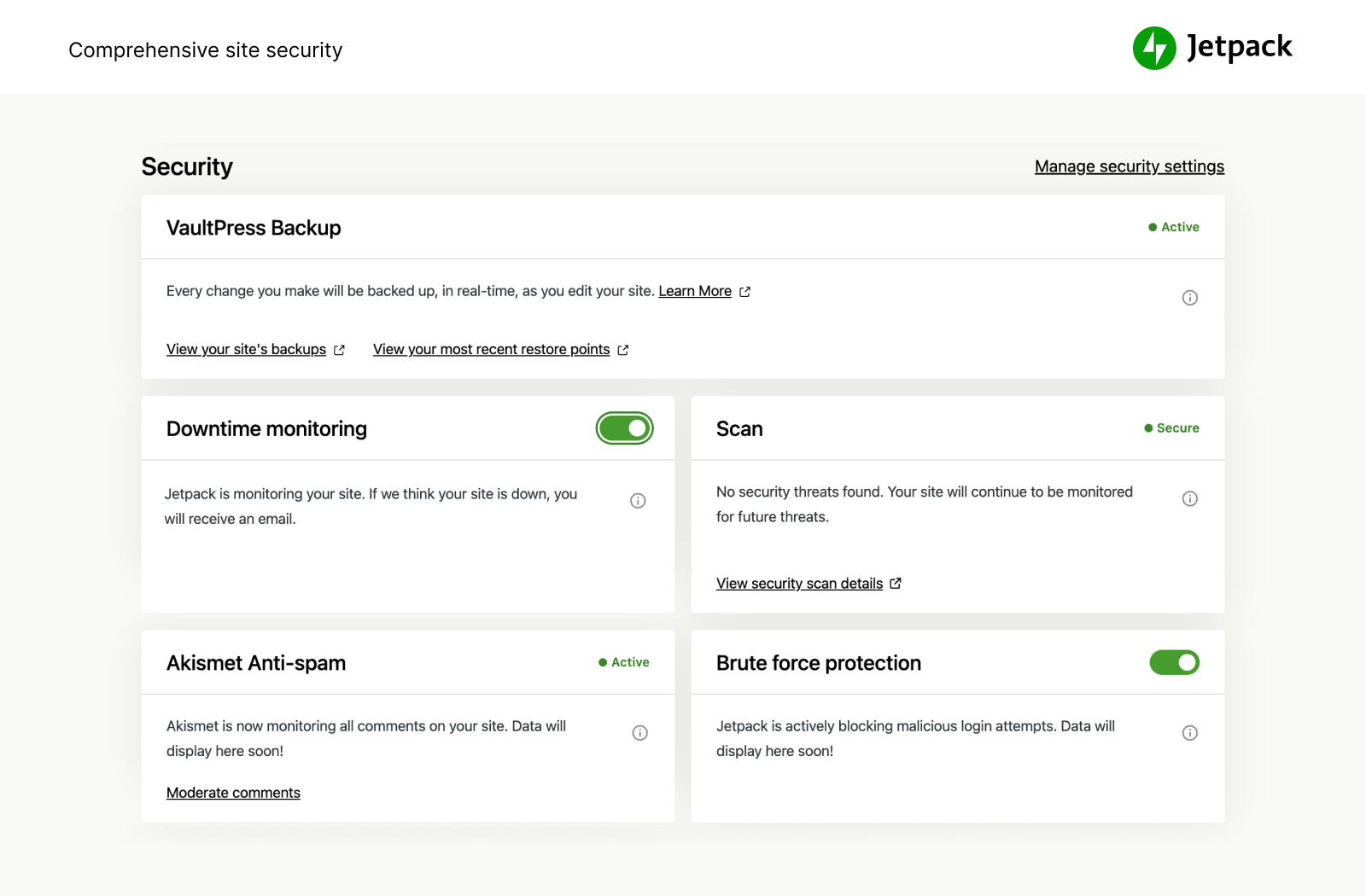
Noi proteggiamo il tuo sito, tu puoi concentrarti sulla tua attività. Jetpack Security offre soluzioni di sicurezza complete e facili da usare per i siti WordPress, compresi backup in tempo reale e ripristino facile, scansioni antimalware e protezione antispam. Le funzionalità essenziali come la protezione dagli attacchi di forza bruta e il monitoraggio dei tempi di inattività/attività base sono gratuite.
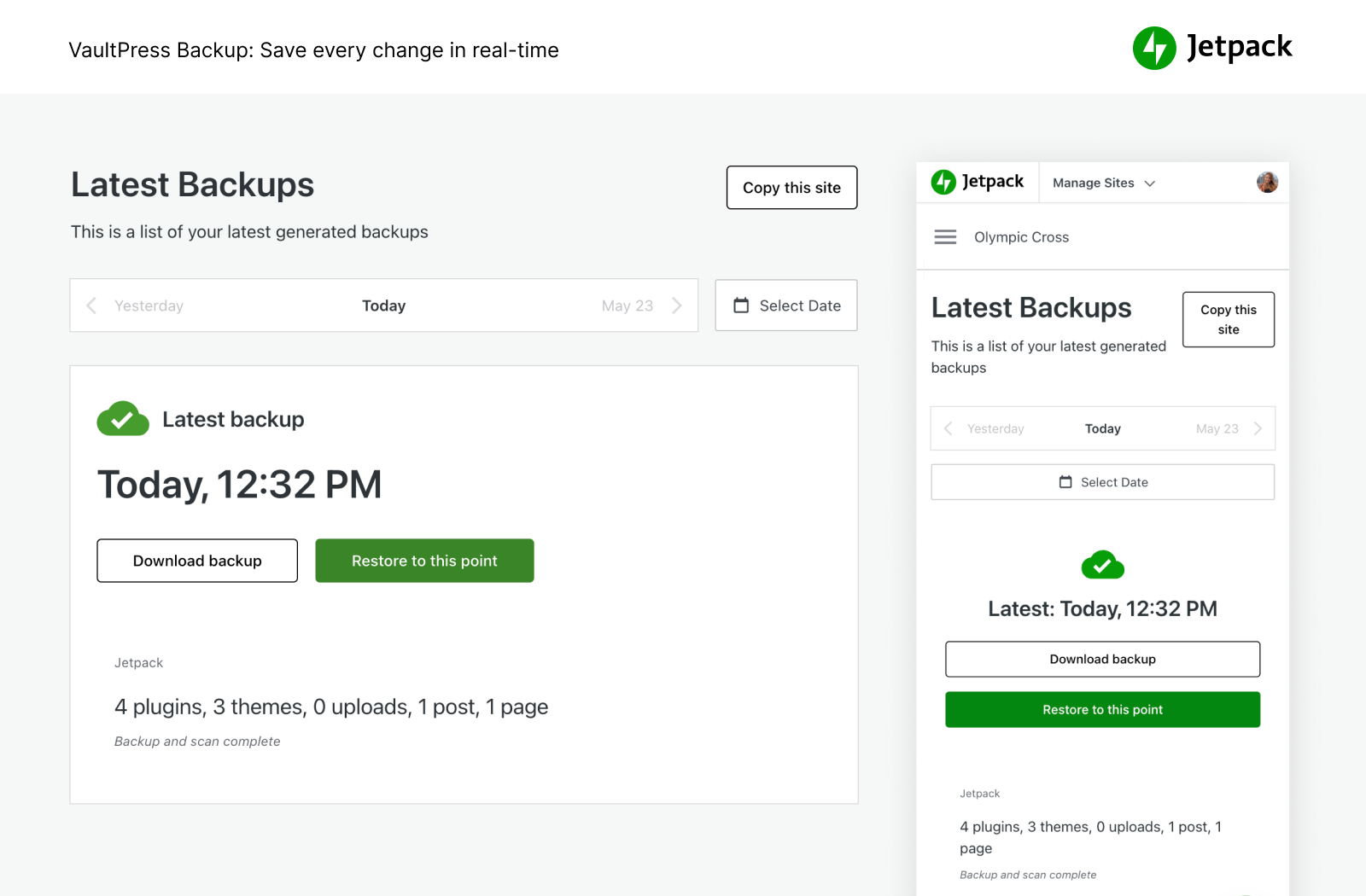
- Esegui automaticamente il backup del tuo sito in tempo reale e ripristinalo in qualsiasi momento con un clic. L’archiviazione su cloud parte da 10 GB, che è più che sufficiente per la maggior parte dei siti, con opzioni di archiviazione aggiuntive disponibili se necessario. Ottimo per i negozi di eCommerce, in particolare per Woo
- Gestisci la migrazione su un nuovo host, migra i file dei temi e i plugin verso un nuovo database, duplica facilmente i siti web, crea backup di database completi, clona siti web, ripara i siti corrotti ripristinando i backup precedenti o configura facilmente un sito di prova duplicando il tuo sito WP esistente.
- Visualizza ogni modifica al sito e chi l’ha apportata con il registro di attività, ottimo per il coordinamento, il debug, la manutenzione o la risoluzione dei problemi.
- Esamina il traffico in entrata sul sito WordPress con il nostro firewall per applicazioni web (WAF) e decidi di consentirlo o bloccarlo in base a varie regole.
- Aggiungi un importante livello di protezione al tuo sito con il nostro firewall per applicazioni web (WAF), in particolare quando gli aggressori sfruttano attivamente le vulnerabilità senza patch.
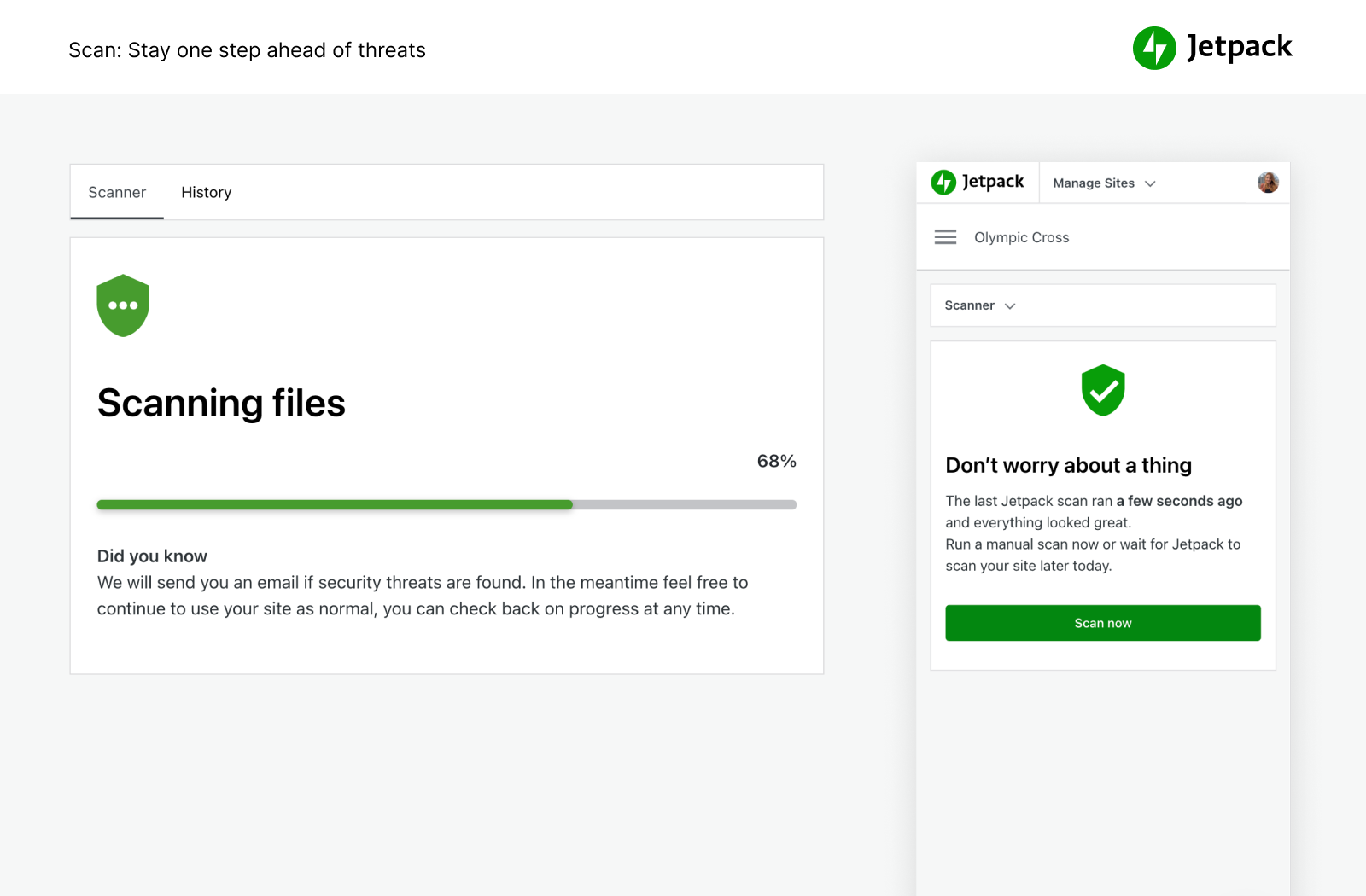
- Esecuzione automatica della scansione antimalware e di scansioni di sicurezza per altre minacce di codice. Correzione con un clic per ripristinare il tuo sito per la ricerca di malware.
- Blocca i commenti spam e le risposte ai moduli con le funzionalità antispam fornite da Akismet.
- Protezione dagli attacchi di forza bruta per proteggere la tua pagina di accesso di WordPress dagli attacchi.
- Monitora il tempo di attività/inattività del tuo sito e ricevi un avviso istantaneo di eventuali modifiche tramite e-mail.
- Accesso potenziato di WordPress.com utilizzato da milioni di siti con 2FA (autenticazione a due fattori) opzionale per una ulteriore protezione.
- Aggiorna automaticamente i singoli plugin per una manutenzione e una gestione del sito semplici.
Puoi acquistare tutte le funzionalità di sicurezza di Jetpack nel nostro pacchetto Sicurezza oppure VaultPress Backup, Scan e Akismet Anti-spam possono essere acquistati singolarmente.
VELOCITÀ DI PICCO E PRESTAZIONI
Ottieni una velocità incredibile del sito con Jetpack. Il CDN (rete di distribuzione dei contenuti) gratuito di Jetpack ottimizza automaticamente le immagini. Guarda i tempi di caricamento della tua pagina diminuire: ottimizzeremo le immagini e le lasceremo sulla nostra potente rete globale e velocizzeremo il tuo sito sui dispositivi mobili per ridurre l’utilizzo della larghezza di banda e risparmiare denaro.
- CDN delle immagini per immagini e file statici di base, come CSS e JavaScript, usati dai nostri server e non dai tuoi, che ti permettono di risparmiare denaro e banda larga.
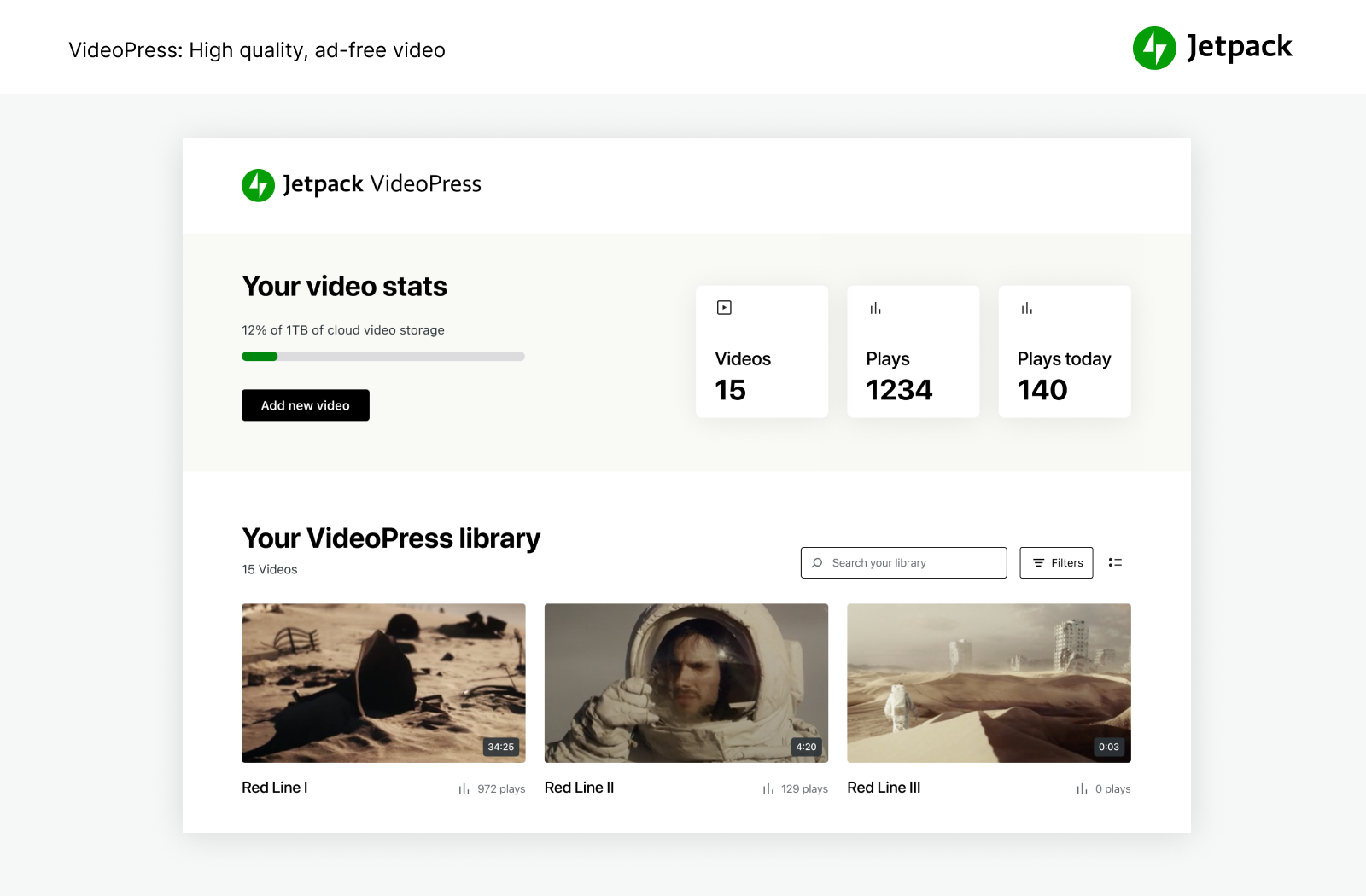
- L’hosting video illimitato, a elevata velocità e privo di pubblicità mantiene il focus sui contenuti, non su annunci e raccomandazioni che portano le persone a lasciare il sito.
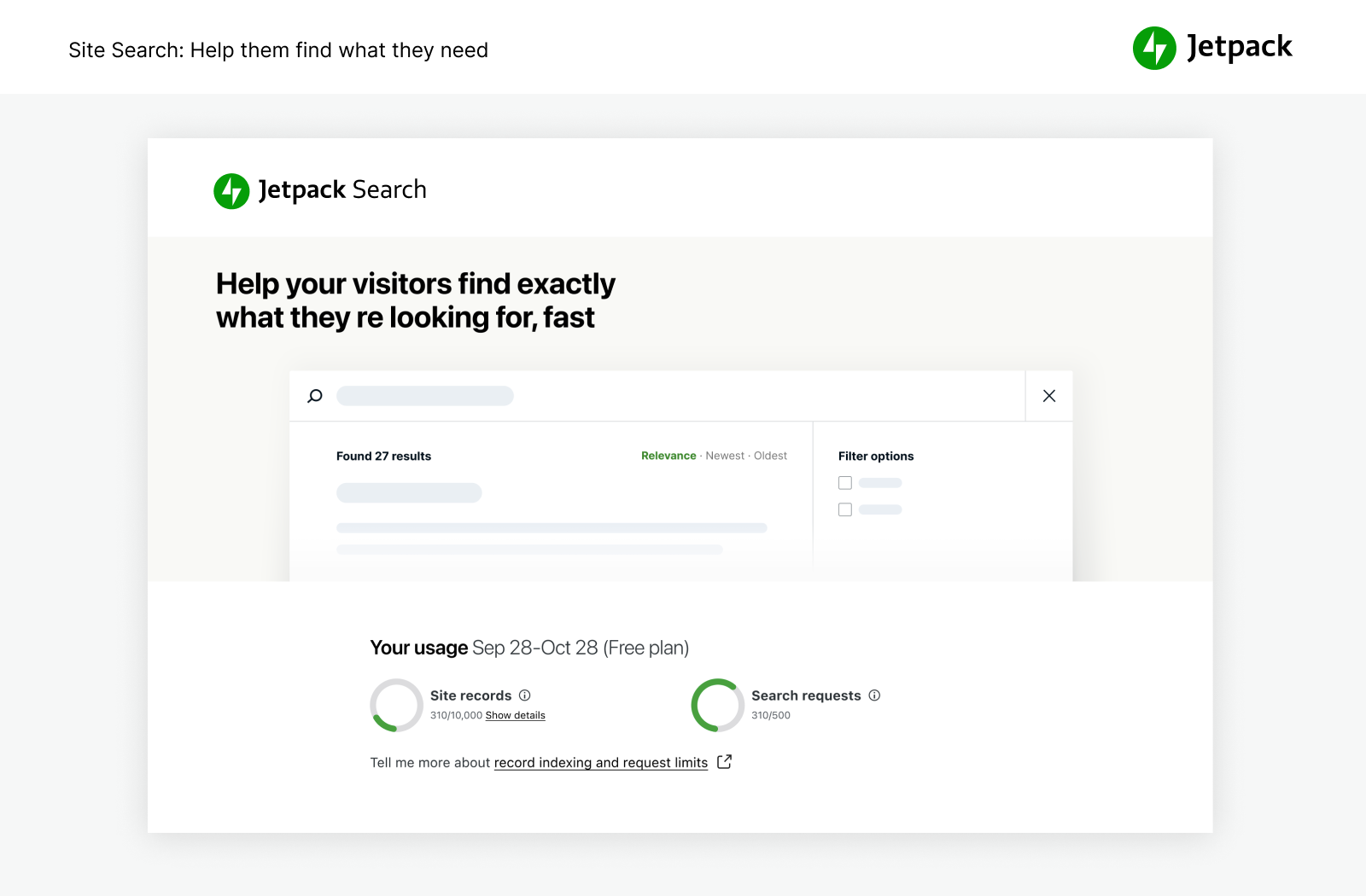
- La ricerca del sito personalizzata è incredibilmente potente e personalizzabile. Aiuta i visitatori a cercare rapidamente il giusto contenuto in modo che leggano e acquistino di più. Funziona in modo ottimale con i siti WooCommerce/eCommerce per aiutare a filtrare i prodotti in modo che i clienti ottengano ciò che desiderano sul tuo sito più velocemente.
- Consigliato per l’uso con Jetpack Boost per la massima velocità del sito WordPress.
POTENTI STRUMENTI PER LA CRESCITA
Crea e personalizza il tuo sito WordPress, ottimizzalo per ottenere visitatori e profitti e controlla le statistiche. Crea, condividi e cresci.
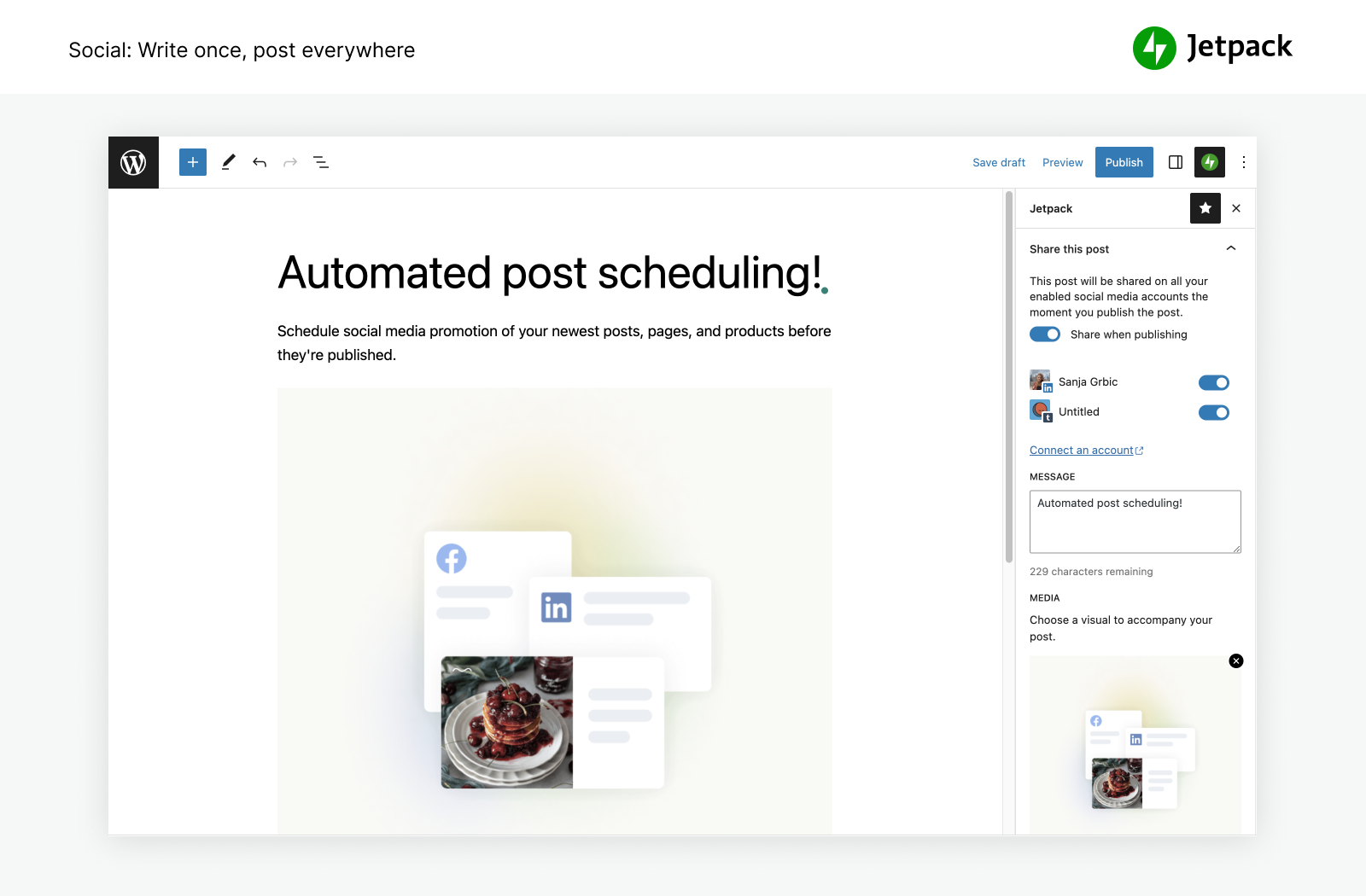
- Pubblica automaticamente articoli del blog e prodotti sui social media semplicemente usando i nostri strumenti per connetterti a Facebook, Bluesky, Threads, Tumblr, Mastodon, LinkedIn, e Nextdoor.
- Condividi facilmente articoli di Instagram su pagine e articoli del blog.
- Ricevi un pagamento o una donazione, vendi un prodotto, un servizio o una membership con semplici integrazioni con PayPal e Stripe.
- Fai crescere il traffico con strumenti SEO per Google, Bing, Facebook e WordPress.com. Sitemap XML creata automaticamente.
- Fai pubblicità sul tuo sito per generare entrate. La rete pubblicitaria lavora automaticamente per te per trovare annunci di alta qualità posizionati sul tuo sito.
- Gestisci le funzionalità di Jetpack da qualsiasi luogo con l’app per dispositivi mobili WordPress, disponibile per Apple iOS (iPhone o iPad) e Google Android.
- Stai cercando un Customer Relationship Management? Controlla il plugin Jetpack CRM che lavora insieme a Jetpack per offrirti un modo semplice e pratico per instaurare relazioni con i clienti e i lead.
STATISTICHE SEMPLICI PER FAR CRESCERE IL TUO SITO
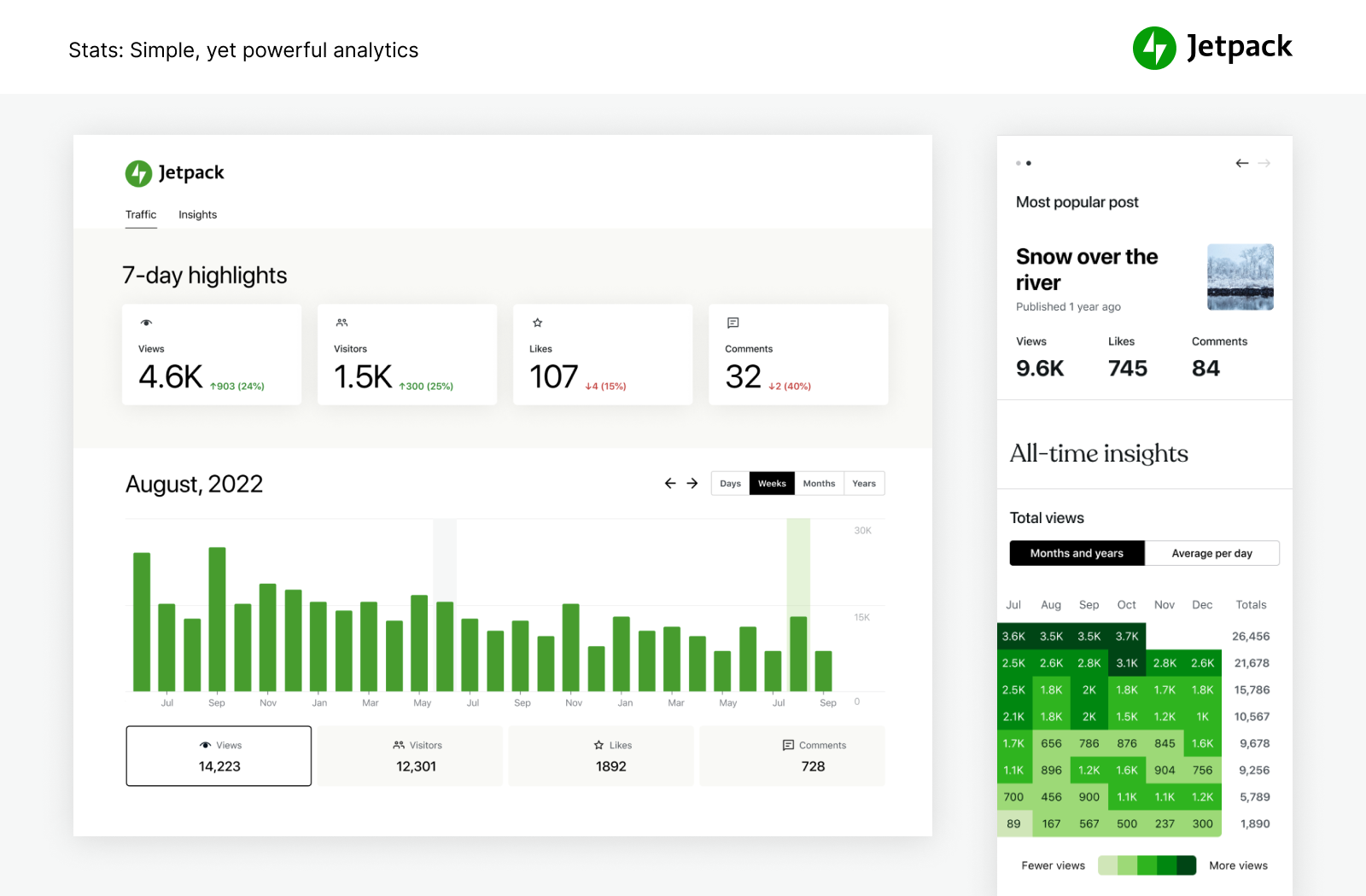
Con Statistiche di Jetpack, non è necessario essere un esperto dei dati per vedere l’andamento del tuo sito.
- Analisi e statistiche avanzate del sito per aiutarti a comprendere il tuo pubblico.
- Scopri gli articoli e le pagine con le migliori prestazioni.
- Scopri chi sta creando i contenuti più popolari nel tuo team con le nostre metriche sugli autori.
- Tieni facilmente traccia delle tue abitudini e tendenze di creazione di contenuti nel corso degli anni.
- Visualizza le tendenze settimanali e annuali con la Panoramica di 7 giorni e Anno in Revisione.
- Scopri su quali social network popolari vengono condivisi maggiormente i tuoi contenuti.
- Esplora i dati in tempo reale su visitatori, Mi piace e commenti.
- Ottieni la panoramica dettagliata sui referrer che portano traffico al tuo sito.
- Scopri da quali Paesi provengono i tuoi visitatori.
- Misura i clic sui link, le riproduzioni video e i download di file all’interno del tuo sito.
SCRIVI IN MODO PIÙ SEMPLICE, NON PIÙ DIFFICILE.
Sperimenta la facilità di creazione di contenuti professionali con un’IA intuitiva e potente. Jetpack AI Assistant si integra facilmente con l’editor di WordPress, offrendo un’interfaccia intuitiva per l’interazione con l’IA.
Questo potente blocco ti consente di generare contenuti diversi su richiesta, riducendo significativamente il tempo e gli sforzi necessari per la creazione dei contenuti.
Fai semplicemente una richiesta e osserva come Jetpack AI Assistant crea articoli del blog avvincenti, pagine dettagliate, elenchi strutturati e tabelle complete, il tutto su misura per le tue esigenze.
- Sfrutta la potenza dell’IA direttamente dal tuo editor.
- Sblocca i contenuti personalizzati di alta qualità su tua richiesta.
- Mantieni gli standard professionali con facilità.
- Traduzioni basate sull’IA in numerose lingue a portata di mano, abbattendo le barriere linguistiche.
PROMUOVI I TUOI CONTENUTI IN MODO SEMPLICE CON JETPACK BLAZE
Trova nuovi fan promuovendo i tuoi articoli e le tue pagine su milioni di siti nella rete pubblicitaria WordPress.com e Tumblr.
- Crea il tuo annuncio pubblicitario. Scegli il tuo pubblico Imposta il tuo budget. È facile.
- Amplifica la tua portata per pochi dollari.
STRUMENTI DI DESIGN SEMPLICI
Personalizza rapidamente il tuo sito per distinguerti dagli altri, senza bisogno di codifica.
- Temi: semplici temi WordPress per iniziare a lavorare sul tuo sito
- Articoli correlati: mantieni i visitatori sul tuo sito mostrando automaticamente i contenuti correlati a cui saranno interessati.
- Strumenti Galleria e Presentazione: gallerie di immagini, slider a carosello e presentazioni per siti e negozi WP.
- Abbonamenti: rendi semplice ai visitatori ricevere notifiche sugli articoli o sui commenti più recenti.
- Modulo di contatto: crea facilmente moduli di contatto illimitati gratis senza alcun codice. Ricevi notifiche tramite e-mail per ogni risposta. Integra con soluzioni di posta come Creative Mail per raggiungere rapidamente i clienti e i lead. Connettiti a Anti-spam di Jetpack (fornito da Akismet) per filtrare gli invii.
- Supporto oEmbed: integra facilmente immagini, articoli e link da Facebook e Instagram.
INTEGRAZIONI
Jetpack viene aggiornato mensilmente per garantire una perfetta integrazione con i migliori plugin di WordPress e altri prodotti tecnologici.
- Progettati per WooCommerce: Jetpack e WooCommerce sono creati entrambi da Automattic. Backup, Scan, Anti-spam si integrano perfettamente per i negozi Woo/eComm.
- Jetpack è completamente compatibile con la versione 2.0 del plugin ufficiale AMP per WordPress.
- Comprendi meglio i tuoi clienti e il marketing con l’integrazione di Google Analytics (GA).
- Piattaforme social media: Instagram, Facebook, Tumblr, LinkedIn, Threads, Bluesky, Nextdoor.
- Blocchi semplici per personalizzare il sito: Pinterest, Whatsapp, Podcast Player, GIF, Mappe, Galleria affiancata, Presentazione.
- Sistemi di elaborazione dei pagamenti: ricevi in modo semplice pagamenti o donazioni e vendi prodotti attraverso Stripe e PayPal.
- Plugin per le prestazioni e la velocità del sito: funziona in modo ottimale con WP Super Cache di Automattic e Cloudflare.
- Modulo di contatto: Anti-spam (fornito da Akismet) blocca i commenti spam per moduli Jetpack, Contact Form 7, Ninja Forms, Gravity Forms, Formidable Forms e molti altri.
- Altre integrazioni tecnologiche: Instagram, Creative Mail, Mailchimp, Calendly, Whatsapp, Pinterest, Revue e molto altro.
SCOPRI DI PIÙ SU JETPACK
Se ti piace Jetpack, dai un’occhiata ai nostri altri prodotti e pacchetti
- Jetpack Complete – Il pacchetto Complete con sicurezza in tempo reale, prestazioni al top e tutto ciò di cui hai bisogno per far crescere la tua attività.
- Jetpack Security – Il nostro pacchetto sicurezza offre soluzioni di sicurezza complete e facili da usare per i siti WordPress, inclusi backup in tempo reale, un firewall per applicazioni web, scansioni antimalware e protezione antispam.
- Jetpack Backup – Salva ogni modifica e torna online rapidamente con un solo clic di ripristino da VaultPress Backup.
- Jetpack Scan – Proteggi il tuo sito dai malintenzionati 24 ore su 24 con il nostro firewall per applicazioni web (WAF) e la scansione automatica antimalware con un solo clic.
- Jetpack Search – Fornisci ai tuoi visitatori i risultati più pertinenti in modo istantaneo con Jetpack Search. Senza bisogno di codifica, annunci e tracciamento.
- Jetpack Boost – Aumenta la velocità del sito web. Approfitta degli stessi vantaggi in termini di prestazioni dei siti web più importanti del mondo, senza aver bisogno di sviluppatori.
- Jetpack VideoPress – Visualizza video di qualità straordinaria senza problemi. Trascina e rilascia i video tramite l’editor di WordPress e mantieni l’attenzione sui tuoi contenuti, non sugli annunci.
- Jetpack AI – Da semplici idee a contenuti pronti per la pubblicazione, in un batter d’occhio.
- Jetpack Stats – Tieni traccia delle visite al tuo sito web, degli articoli più popolari, degli iscritti alla newsletter e altro ancora.
- Jetpack Social – Condividi automaticamente i contenuti del tuo sito web sulle piattaforme di social media che preferisci, da un unico posto.
- Jetpack CRM – Jetpack CRM ha tutti gli strumenti necessari per far crescere la tua attività. Inoltre, è modulare e personalizzabile in base alle tue esigenze.
- Jetpack Creator – Crea contenuti straordinari, aumenta il numero dei tuoi abbonati e monetizza la tua presenza online.
- Jetpack Newsletter – Trasforma gli articoli del blog in newsletter per raggiungere facilmente i tuoi abbonati. Offri abbonamenti a pagamento e guadagna dai tuoi contenuti.
TIENI LO SPAM LONTANO DAL TUO SITO WEB
- Akismet Anti-spam – Rimuovi automaticamente lo spam da commenti e moduli. Risparmia tempo, ottieni più risposte, fai vivere ai visitatori un’esperienza migliore: tutto senza muovere un dito.
PROMUOVI I TUOI CONTENUTI PER OTTENERE PIÙ VISUALIZZAZIONI
- Blaze – Trova nuovi fan promuovendo i tuoi articoli e le tue pagine su milioni di siti nella rete pubblicitaria WordPress.com e Tumblr.
GESTISCI PIÙ DI UN SITO?
- Jetpack Manage – Tutti gli strumenti necessari per gestire più siti WordPress. Monitora sicurezza, prestazioni e traffico del sito e ricevi avvisi se un sito richiede attenzione.
VOLA ALTO CON I NOSTRI PLUGIN INDIVIDUALI
Hai mai desiderato di poter avere solo una funzionalità di Jetpack nel proprio plugin? Ora puoi. Dai un’occhiata ai nostri plugin individuali e installa solamente quello di cui hai bisogno.
Screenshot
Blocchi
Questo plugin fornisce 52 blocchi.
- Form Create forms to collect data from site visitors and manage their responses.
- All Playlists Every playlist on the site, paginated, under a heading you can edit.
- VideoPress Embed a video from your media library or upload a new one with VideoPress.
- Latest Videos Playlist VideoPress powered list of your latest videos in a single customizable player. New uploads show up automatically.
- Video Playlist VideoPress powered list of videos in a single customizable player. Build the playlist from your VideoPress library or video links.
- Related Posts Display a list of related posts.
- Donations Form Collect one-time, monthly, or annually recurring donations.
- GIF Search for and insert an animated image.
- Business Hours Display opening hours for your business.
- Top Posts & Pages Display your most popular content.
- OpenTable Book a reservation with OpenTable.
- Voice to content Transform your spoken words into a post ready to publish with AI.
- Google Calendar Embed a Google Calendar.
- Ad Earn income by adding high quality ads to your post.
- Like Give your readers the ability to show appreciation for your posts.
- Cookie Consent Display a customizable cookie consent banner. To display this block on all pages of your site, please add it inside a Template Part that is present on all your templates, like a Header or a Footer.
- Payments Sell products and services or receive donations on your website.
- Writing Prompt Answer a new and inspiring writing prompt each day.
- Sharing Buttons Give your readers the ability to easily share your content with X, Facebook, Tumblr, LinkedIn, and a host of other services to help spread your message across the web.
- Recipe (Beta) Add images, ingredients and cooking steps to display an easy to read recipe.
- Blog Stats Show a stats counter for your blog.
- Star Rating Rate movies, books, songs, recipes — anything you can put a number on.
- Contact Info Add an email address, phone number, and physical address with improved markup for better SEO results.
- Latest Instagram Posts Display an automatically updating list of the latest posts from your Instagram feed.
- Nextdoor Embed a Nextdoor post for your neighbors on your blog.
- Send A Message Let your visitors send you messages with the tap of a button.
- Podcast Player Select and play episodes from a single podcast.
- Image Compare Compare two images with a slider. Works best with images of the same size.
- Subscriber Login Show links for subscribers to login, logout, or manage their subscription.
- Google Docs (Beta) Embed a Google Document.
- Goodreads Features books from the shelves of your Goodreads account.
- Calendly Embed a calendar for customers to schedule appointments.
- Subscribe Subscribe to this blog's posts as a newsletter.
- Markdown Add headings, lists, or links to plain text with ease.
- Tock Reserve a table at your restaurant with Tock.
- Pinterest Embed a Pinterest pin, board, or user.
- Zoom Scheduler Embed a Zoom Scheduler booking page.
- Mailchimp Allow readers to join a Mailchimp audience.
- Repeat Visitor Control block visibility based on how often a visitor has viewed the page.
- AI Assistant Elevate your content creation with our AI-powered Gutenberg Block, offering seamless customization and generation. Bear in mind that, as an evolving tool, occasional imprecision may occur.
- Blogroll Share the sites you follow with your users.
- Tiled Gallery Display multiple images in an elegantly organized tiled layout.
- Map Add an interactive map showing one or more locations.
- Payment Buttons Sell products and subscriptions.
- Story Add an interactive story.
- Eventbrite Checkout Embed Eventbrite event details and ticket checkout.
- Jetpack AI Search Provide a summarized answer to questions, trained on the sites content. Powered by AI.
- Paid Content Restrict access to your content for paying subscribers.
- Slideshow Display multiple images in sequential order.
- Payment Button Button allowing you to sell products and subscriptions.
- Paywall Limit access to the content below this block to chosen subscribers.
- Sharing Button Display a sharing button, allowing users to share your post.
Installazione
Installazione automatica
L’installazione è gratuita, rapida e semplice. Configura Jetpack in pochi minuti.
Alternative manuali
In alternativa, installa Jetpack tramite la directory dei plugin oppure carica manualmente i file sul tuo server e segui le istruzioni visualizzate sullo schermo. Se hai bisogno di ulteriore assistenza, leggi le nostre istruzioni dettagliate.
FAQ
-
Jetpack è gratuito?
-
Sì! Le funzionalità principali di Jetpack sono gratuite per i siti non commerciali.
Tra questi sono inclusi: statistiche del sito, CDN ad alta velocità per le immagini, articoli correlati, monitoraggio dei tempi di inattività, protezione dagli attacchi di forza bruta, condivisione automatica sui social network, personalizzazione della barra laterale, strumenti SEO (ottimizzazione dei motori di ricerca) e molto altro ancora.
-
Dovrei acquistare un piano a pagamento?
-
Dipende dal tuo sito e dal tipo di protezione, prestazioni e design di cui hai bisogno. Se guadagni dal tuo sito, la risposta è “sì”. Nello specifico, i servizi a pagamento di Jetpack includono backup in tempo reale, scanner di sicurezza, filtro antispam, hosting video, monetizzazione del sito, ricerca, supporto prioritario e altro.
Per maggiori informazioni sui servizi WordPress e di sicurezza essenziali da noi forniti e per soprire come possiamo migliorare il tuo sito, visita la nostra pagina dei piani.
-
Perché ho bisogno di un account di WordPress.com?
-
Dato che Jetpack e i relativi servizi sono forniti e ospitati da WordPress.com, affinché Jetpack funzioni è necessario disporre di un account WordPress.com.
-
Dispongo già di un account WordPress, ma Jetpack non funziona. Cosa succede?
-
Un account WordPress.com è diverso da quello che utilizzi per accedere al tuo sito WordPress ospitato personalmente. Se riesci ad accedere a WordPress.com, significa che disponi già di un account WordPress.com. Se non riesci a farlo, puoi facilmente crearne unodurante l’installazione.
-
Come posso vedere le mie statistiche?
-
Una volta installato Jetpack, le statistiche saranno disponibili sulla bacheca di Jetpack e nelle app mobili WordPress ufficiali.
-
Come posso contribuire a Jetpack?
-
Se sei uno sviluppatore puoi contribuire a diversi livelli. Leggi come contribuire a Jetpack o unisciti al nostro programma beta .
-
Cos’altro include Jetpack?
-
Jetpack è il toolkit definitivo per WP sia per l’editor classico che per l’editor a blocchi, offrendoti tutto ciò di cui hai bisogno per un sito professionale. Include le seguenti funzioni:
- Registro di attività: monitora tutte le modifiche del sito per debug, risoluzione dei problemi o manutenzione.
- Annunci: guadagna mostrando annunci di elevata qualità sul tuo sito.
- Beautiful Math: usa il linguaggio di markup LaTeX per scrivere equazioni matematiche, formule e molto altro.
- Slider Carosello: fai vivere una stupenda esperienza di navigazione mostrando le foto a schermo intero con commenti e metadati EXIF.
- CDN: aiuta a caricare più velocemente le pagine consentendo a Jetpack di ottimizzare le immagini e di utilizzare immagini e file statici (come CSS e JavaScript) dalla nostra rete di server.
- Commenti: sostituisci il modulo dei commenti predefinito con un sistema migliorato con opzioni di accesso ai social media integrate.
- Mi piace ai commenti: consente ai lettori di mettere Mi piace ad altri commenti per mostrare accordo, approvazione o apprezzamento.
- Modulo di contatto: offri ai tuoi lettori la possibilità di entrare in contatto con te senza fornire il tuo indirizzo e-mail personale.
- CSS personalizzato: personalizza l’aspetto del tuo tema senza creare un tema figlio o senza preoccuparti del fatto che gli aggiornamenti sovrascrivano le personalizzazioni.
- Tipi di contenuto personalizzati: aggiunge tipi di articoli personalizzati (CPT) al tuo sito.
- Monitoraggio dei tempi di inattività: avvisa tramite posta elettronica in caso di inattività del sito per assicurarti di mantenere il tempo di attività.
- Widget extra della barra laterale: i widget extra che puoi aggiungere al tuo blog, tra cui i link RSS e le caselle dei Mi piace di Facebook.
- Hovercard di Gravatar: rendi visibile il tuo profilo Gravatar a chi visualizza il tuo blog.
- Google Analytics (GA): traccia le tue statistiche del sito WordPress grazie a Google Analytics.
- Scorrimento infinito: posiziona gli articoli successivi in vista in maniera automatica nel momento in cui il lettore si avvicina alla parte inferiore della pagina.
- API JSON: autorizza le applicazioni e i servizi a connettersi in modo sicuro al tuo blog e consente di usare i contenuti oppure ti offre nuove funzionalità.
- Mi piace: consente ai lettori di mostrare il loro apprezzamento degli articoli con un singolo clic.
- Markdown: ti consente di scrivere articoli e commenti con link, elenchi e altri stili utilizzando caratteri normali e segni di punteggiatura. Markdown è utilizzato da scrittori e blogger che desiderano un modo facile e veloce per scrivere in formato RTF senza dover staccare le mani dalla tastiera.
- Rilevamento dei malware: scansione antimalware automatica con risoluzione automatizzata per contribuire a proteggere il tuo sito WP.
- Notifiche: ricevi notifiche per i nuovi commenti e i Mi piace nella barra di amministrazione e sul tuo dispositivo mobile.
- Supporto oEmbed: integra facilmente immagini, articoli e link da Facebook e Instagram.
- Gestione di plugin: consente una manutenzione semplice del sito scegliendo quali plugin aggiornare automaticamente.
- Pubblica tramite e-mail: pubblica gli articoli usando un qualsiasi client di posta elettronica.
- Protezione: proteggi il sito da attacchi di accesso forzato tradizionali e distribuiti.
- Pubblicizza: condividi nuovi articoli sui social media automaticamente o pianifica condivisioni future con messaggi personalizzati.
- Articoli correlati: mostra gli articoli contestuali che i visitatori potrebbero essere interessati a leggere dopo aver finito con l’articolo corrente.
- Autenticazione sicura: accesso potenziato di WordPress.com utilizzato da milioni di siti con 2FA (autenticazione a due fattori) opzionale per una ulteriore protezione.
- Scanner di sicurezza: antivirus e rilevamento di altre minacce con risoluzione automatizzata per il tuo sito WordPress.
- Ricerca: un potente sostituto per la ricerca integrata di WordPress, promossa da Elasticsearch sul cloud di WordPress.com.
- Strumenti SEO: Ottimizza il tuo sito per i motori di ricerca sfruttando i nostri strumenti SEO.
- Condivisione: aggiunge pulsanti per la condivisione ai tuoi articoli del blog in modo che i lettori possano facilmente condividere il contenuto.
- Incorporamenti di shortcode: incorpora i video da YouTube e altri elementi multimediali tramite il web.
- Backup del sito: esegui il backup automatico dell’intero sito. Duplica, clona, migra, trasferisci su un nuovo host e ripristina facilmente. Precedentemente noto come VaultPress.
- Statistiche del sito: visualizza le visite al sito per data e per pagine e articoli più popolari.
- Site Verification: verifica il sito per l’uso con Google, Bing e Pinterest e i loro strumenti.
- Sitemap: genera un elenco di pagine che devono essere indicizzate dai motori di ricerca come Google o Bing.
- Filtro antispam: filtra automaticamente i commenti dello spam, le recensioni del prodotto o l’invio di moduli di contatto.
- Abbonamenti: consente ai visitatori di ricevere notifiche sugli articoli o sui commenti più recenti.
- Gallerie affiancate: visualizza le gallerie di immagini in tre differenti stili: un mosaico rettangolare, un mosaico quadrato e una griglia circolare.
- Hosting video: carica i video per l’hosting rapido e affidabile su WordPress.com.
- Shortlink di WP.me: genera link semplici e brevi con i tuoi contenuti usando il dominio wp.me.
- Visibilità widget: configura i widget per farli comparire solamente nelle pagine specificate.
- Barra degli strumenti di WordPress.com: la funzionalità Barra degli strumenti di WordPress.com rimpiazza la barra di amministrazione predefinita e offre link veloci al Reader, a tutti i tuoi siti, al profilo di WordPress.com e alle notifiche.
-
Quali blocchi sono inclusi in Jetpack?
-
I blocchi sono le singole sezioni che costituiscono una pagina. Esistono alcuni tipi di blocchi da utilizzare. Ogni blocco può essere modificato o spostato indipendentemente da altri blocchi. Di seguito sono elencati i blocchi attualmente disponibili in Jetpack.
- Blocco Pubblicità: il blocco Pubblicità ti consente di inserire un’unità di Jetpack Ad in qualsiasi punto all’interno del contenuto di qualunque articolo o pagina.
- Blocco Orario di apertura: il blocco Orario d’ufficio ti consente di mostrare gli orari di apertura della tua attività sul tuo sito.
- Blocco Calendly: il blocco Calendly di Jetpack consente ai tuoi visitatori di pianificare gli appuntamenti individuali, gli eventi di gruppo e le riunioni con il team direttamente dal tuo sito web.
- Blocco Informazioni di contatto: il blocco Informazioni di contatto ti permette di aggiungere le tue informazioni di contatto (indirizzo e-mail, indirizzo fisico, numero di telefono) a qualsiasi articolo o pagina.
- Blocco Donazioni: il blocco Donazioni ti permette di aggiungere un pulsante di pagamento a qualsiasi articolo o pagina per una donazione, suggerimenti e altri contributi utilizzando Stripe come gateway di pagamento.
- Blocco Eventbrite: con il blocco Eventbrite puoi integrare gli eventi agli articoli o alle pagine.
- Blocco Modulo: il blocco Modulo consente di aggiungere un modulo all’articolo o alla pagina.
- Blocco GIF: il blocco GIF ti consente di cercare facilmente e incorporare immagini GIF animate da Giphy direttamente su un articolo o una pagina del tuo sito WordPress.
- Blocco Google Calendar: il blocco Google Calendar ti consente di integrare facilmente Google Calendar nell’articolo o nella pagina
- Blocco Confronto immagini: il blocco Confronto immagini ti consente di visualizzare e confrontare le differenze tra due immagini affiancate (o posizionate l’una sull’altra) grazie a uno slider.
- Blocco Ultimi articoli di Instagram: il blocco Ultimi articoli di Instagram ti consente di mostrare le immagini più recenti di Instagram sul tuo sito. L’aggiornamento del blocco avviene automaticamente quando pubblichi nuove immagini su Instagram.
- Blocco Mailchimp: il blocco Mailchimp consente ai visitatori di entrare a far parte del tuo elenco Mailchimp.
- Blocco Mappa: il blocco Mappa ti permette di aggiungere una mappa in qualsiasi articolo o pagina sul tuo sito.
- Blocco Markdown: con il blocco Markdown puoi creare contenuti formattati usando solo caratteri regolari e alcuni segni di punteggiatura.
- Blocco OpenTable: con il blocco OpenTable puoi aggiungere un modulo per la prenotazione ad articoli o pagine.
- Blocco Paga con PayPal: il blocco Paga con PayPal consente di aggiungere un pulsante di pagamento a qualunque articolo o pagina e iniziare subito a ricevere pagamenti PayPal per prodotti fisici, beni digitali o una donazione.
- Blocco Pagamenti: il blocco Pagamenti ti permette di aggiungere un pulsante per i pagamenti usando Stripe come gateway di pagamento. Funziona per i pagamenti una tantum e per quelli ricorrenti.
- Blocco Pinterest: il blocco Pinterest è il modo più semplice di incorporare il contenuto di Pinterest sul tuo sito. Ti consente di incorporare schede, profili e spilli.
- Blocco Podcast Player: il blocco Podcast Player di Jetpack ti consente di mostrare con facilità ai visitatori un elenco di episodi recenti di un podcast e riprodurli sul sito web.
- Blocco Articoli correlati: la funzione Articoli correlati esegue la scansione di tutti i contenuti degli articoli, li analizza e li utilizza per mostrare ai visitatori articoli contestuali che potrebbero interessarli dopo aver letto l’articolo corrente.
- Blocco Visitatore ripetuto: il blocco Ripeti visitatore consente all’autore di controllare la visibilità dei suoi blocchi nidificati in base alla quantità di volte in cui un visitatore ha visitato in precedenza la pagina.
- Blocco Revue: il blocco Revue crea un modulo di iscrizione semplice per consentire ai lettori di accettare la ricezione della tua newsletter.
- Slideshow Block – The Slideshow block lets you insert an image slideshow into a post or page.
- Blocco Valutazione a stelle: il blocco Valutazione consente a qualsiasi autore di siti di aggiungere recensioni sul tuo sito.
- Blocco Modulo abbonamento: il blocco Modulo abbonamento consente di inserire un modulo di abbonamento nell’area contenuti di qualunque articolo o pagina, permettendo ai lettori di ricevere notifiche quando vengono pubblicati nuovi articoli.
- Blocco Galleria affiancata: con Gallerie affiancate puoi visualizzare le gallerie di immagini in quattro stili: mosaico rettangolare, griglia circolare, mosaico quadrato e colonne affiancate.
- Blocco Video: il blocco Video migliora il blocco Video di WordPress esistente e ti consente di caricare video dal tuo computer per essere ospitati su WordPress.com, piuttosto che sui server del tuo fornitore di hosting.
- Blocco Pulsante di WhatsApp: il blocco Pulsante di WhatsApp consentirà ai tuoi clienti di inviare ai proprietari dei siti un messaggio per avere notizie su prodotti o servizi o richiedere supporto. Facendo clic sul pulsante si aprirà WhatsApp e verrà precompilato il numero di telefono e il messaggio iniziale.
Jetpack ha anche creato delle estensioni per alcuni blocchi di base di WordPress:
- Anteprime sui social: questa estensione dell’editor a blocchi ti consente di visualizzare in anteprima come apparirà il tuo articolo/la tua pagina sui motori di ricerca e sui social media.
-
Ho bisogno di un certificato SSL?
-
Non necessiti di un certificato SSL per eseguire Jetpack sul sito web WordPress. Tuttavia, ti consigliamo di integrare entrambi nella tua strategia di sicurezza WordPress generale. Un certificato SSL (certificato Secure Sockets Layer) crea una connessione sicura tra il sito web e il browser dei visitatori del sito. Crittografa tutti i dati condivisi sul tuo sito, come indirizzi, e-mail, numeri di telefono e informazioni sulla carta di credito, e protegge tali dati dagli hacker.
Se non disponi di un certificato SSL, il sito mostrerà un avviso di “non sicurezza” sul browser degli utenti, che può ridurre la credibilità ai loro occhi. I certificati SSL possono anche avere un impatto positivo sui posizionamenti dei motori di ricerca.
Il processo di configurazione di un certificato SSL dipenderà dal fornitore del servizio di hosting. Alcuni fornitori di hosting includono certificati gratuiti, mentre altri fanno pagare annualmente.
-
Come funziona Jetpack con WP Super Cache?
-
WP Super Cache funziona attraverso la memorizzazione nella cache delle pagine di WordPress come pagine HTML statiche in modo che la richiesta delle pagine, per una pagina già memorizzata nella cache, non venga processata dagli script PHP di WordPress. Generalmente, la maggior parte dei visitatori del sito visualizzerà le versioni memorizzate nella cache delle pagine di WordPress, in modo che il server avrà maggiore potenza di elaborazione per essere utilizzato da un numero maggiore di utenti.
Jetpack ha un CDN delle immagini che funziona memorizzando nella cache e utilizzando le tue immagini WordPress a livello globale dai propri server. Questi plugin sono entrambi sottoposti a manutenzione da Automattic e lavorano insieme per offrirti la massima velocità del sito.
Automattic sviluppa attivamente Jetpack Boost per aiutarti ad aumentare la velocità del tuo sito web in modi diversi da WP Super Cache. Consigliamo di utilizzare Jetpack Boost anziché WP Super Cache.
-
Di quale versione di PHP ho bisogno?
-
I siti devono essere costruiti su PHP 7.4 o superiore, tuttavia Jetpack supporta sempre l’ultima versione di PHP.
-
Jetpack può aiutare il mio sito a rispettare il GDPR?
-
Il nostro banner per i cookie e il consenso può aiutarti a rispettare il GDPR. La direttiva sull’e-privacy dell’Unione europea (a cui si fa riferimento spesso come “legge sui cookie”) e il Regolamento generale sulla protezione dei dati (GDPR) impongono ai proprietari dei siti web e agli operatori l’obbligo di fornire informazioni e ottenere il consenso per l’utilizzo dei cookie.
-
È possibile utilizzare Jetpack per trasferire i siti web su un nuovo host?
-
Jetpack Backup può eseguire la migrazione di un sito web completo su un nuovo host e la migrazione di file del tema e plugin verso un nuovo database, può creare backup di database completi, clonare siti web, riparare siti corrotti tramite il ripristino di backup precedenti e ti permette di configurare facilmente un sito di prova duplicando il tuo sito esistente.
Recensioni


Contributi e sviluppo
“Jetpack: sicurezza, backup, velocità e crescita di WP” è un software open source. Le persone che hanno contribuito allo sviluppo di questo plugin sono indicate di seguito.
Collaboratori-
Automattic
-
Adam Heckler
-
Adi Moldovan
-
Andrew Duthie
-
Alex Kirk
-
Allen Snook
-
alternatekev
-
Andy Skelton
-
Anna McPhee
-
annezazu
-
Andy Peatling
-
arcangelini
-
arsihasi
-
Andrew Ozz
-
Barry
-
Mohammad Jangda
-
Beau Lebens
-
bindlegirl (a11n)
-
biskobe
-
Brad Jorsch
-
Ben Lobaugh (blobaugh)
-
brbrr
-
Briley
-
Michael Cain
-
Cena (a11n)
-
Christopher Finke
-
cgastrell
-
Chase Livingston
-
Michelle Langston
-
clickysteve
-
csonnek
-
Daniel Bachhuber
-
daniloercoli
-
Davor
-
Piotr Delawski
-
Sheri Grey
-
dkmyta
-
Daryl L. L. Houston (dllh)
-
Devin Walker
-
Dan (a11n)
-
Derek Smart
-
Jared
-
dzver
-
Eric Binnion
-
Echo
-
Elio Rivero
-
Enej Bajgorić
-
Eoin Gallagher
-
Stef (a11n)
-
Erick Hitter
-
Foteini Giannaropoulou (a11n)
-
Gregory Cornelius
-
George Stephanis
-
Greg Ichneumon Brown
-
goldsounds
-
hew
-
Hugo Baeta
-
hypertextranch
-
Matt Miklic
-
Ian Dunn
-
Joen Asmussen
-
Jeff Bowen
-
jeffgolenski
-
Jeremy Herve
-
Jenny (a11n)
-
Jenia
-
jessefriedman
-
Greg
-
Joey Kudish
-
Jennifer M. Dodd
-
joanrho
-
John James Jacoby
-
Em Shreve
-
kbrownkd (a11n)
-
keoshi
-
Jorge Bernal
-
Brandon Kraft
-
Lance Willett
-
leogermani
-
Luiz Kowalski
-
Lisa Schuyler
-
James Huff
-
martinremy
-
Matt Mullenweg
-
Matt Wiebe
-
Matias Ventura
-
Jeff Golenski
-
Miguel Fonseca
-
Michael Adams (mdawaffe)
-
Matthew Denton
-
Michael Arestad
-
Miguel Lezama
-
miguelxavierpenha
-
Mikey Arce
-
Marcus Kazmierczak
-
Nancy
-
Nick Momrik
-
njweller
-
nunyvega
-
Konstantin Obenland
-
Osk
-
Gary Pendergast
-
Jesse Friedman
-
rachelsquirrel
-
Rich Collier
-
Renato Augusto Gama dos Santos
-
retrofox
-
Richard Archambault
-
Richard Muscat
-
Rob Pugh
-
Rocco Tripaldi
-
Ryan C.
-
Sam Hotchkiss
-
Sami Falah
-
Stefan Carstocea
-
Scott (@scottsweb)
-
sdixon194
-
Stephen Quirk
-
sermitr
-
Mikael Korpela
-
Stephane Daury (stephdau)
-
Douglas Henri
-
Tim Moore
-
Marin Atanasov
-
Alex Mills
-
Peter Westwood
-
William Viana
-
Karen Attfield
-
Yoav Farhi
-
Igor Zinovyev
“Jetpack: sicurezza, backup, velocità e crescita di WP” è stato tradotto in 50 lingue. Grazie a chi traduce per il contributo.
Traduci “Jetpack: sicurezza, backup, velocità e crescita di WP” nella tua lingua.
Ti interessa lo sviluppo?
Esplora il codice segui il repository SVN, segui il log delle modifiche tramite RSS.
Changelog
16.3 – 2026-10-06
Major Enhancements
- Dashboard: Remove the legacy At a Glance dashboard and Recommendations assistant.
Miglioramenti
- Activity Log: Make Activity Log a Jetpack module so it can be turned on and off from My Jetpack, hiding the sidebar entry when off.
- Activity Log: Show the connection error notice only when a connection error has been recorded.
- Admin Menu: Hide feature menu items from sidebar when features are turned off.
- AI: Add a “How it works” guide to the top of the MCP and Connectors tab.
- AI: Add ChatGPT and Codex setup instructions to the MCP agent setup page.
- AI: Hide the legacy AI panel once a site is eligible to turn on the WordPress Agent, and offer to open or enable the Agent in its place.
- AI: Load the “Scheduled tasks” tab only when it is opened, so the AI page loads less code.
- AI: Point the Cursor setup instructions on the MCP agent setup page at the WordPress.com plugin on the Cursor Marketplace.
- AI: Point the disconnected-site notice at documentation instead of a connect link when the current user cannot connect the site, as on VIP and multisite.
- AI: Serve the Jetpack AI page through the standard Jetpack admin frame.
- AI: Show one notice explaining why Jetpack AI is unavailable, worded the same on the Overview and AI Features tabs.
- AI: Use WordPress Design System colors in the AI admin, assistant, and image generator.
- Backup: Show the VaultPress Backup dashboard in wp-admin, instead of linking out to Jetpack Cloud.
- Charts: Show Stats, Newsletter, Social, Podcast and VideoPress chart tooltips on the dark WordPress design system tooltip surface.
- Connection: Show an admin notice and a clearer Site Health result when WordPress.com cannot verify the site’s SSL certificate.
- Connection: Show every connection error in one notice, each with the account it affects, and link to Site Health when a firewall is blocking WordPress.com.
- Daily Writing Prompt: Stop offering the Write editor after a switch to the Block editor.
- Donations Form: Replace the “Accept Donations with Stripe” modal with a link to Stripe’s donation requirements.
- External Media: Update the Pexels logo in the media source menu.
- Forms: Make the Delete spam button act on selected responses or the current filter, show how many responses will be deleted, and empty large spam or trash folders in chunks with progress.
- Forms: Reopen the dashboard on the last tab used instead of always the default.
- Forms: Show or hide a field based on the answer to another field, on WordPress.com Business plans and higher.
- Likes: Give Comment Likes their own section on Settings > Sharing, and suggest the Like block on block themes even when Comment Likes are on.
- Likes: Guide block-theme users from legacy Like buttons to the Like block in Jetpack Settings and My Jetpack.
- My Jetpack: Answer module switch clicks immediately, and explain what happened when a change fails.
- My Jetpack: Show product cards flat, without a drop shadow.
- My Jetpack: Show the dashboard in the new rounded admin page frame.
- My Jetpack: Show the Features tab in place of the Products tab, and link the footer’s modules links to its list view.
- My Jetpack: Show the Jetpack menu notification badge when a connection error is detected.
- Newsletter: Add a “Freshly Pressed” tab to the Daily Writing Prompt dashboard widget, listing the posts WordPress.com is currently featuring.
- Newsletter: Format stats metrics and open/click rates with locale-aware number formatters.
- Newsletter: List the enabled pop-up, overlay, and floating button below the footer when editing a template in the Site Editor.
- Newsletter: Redesign the Jetpack Newsletter sidebar with Email, Newsletter categories, and Audience panels.
- Newsletter: Sync the active theme’s colors and typography so post emails can match the site’s design.
- Notices: Render Jetpack admin and My Jetpack dashboard notices with the WordPress design system Notice component.
- Partner Coupons: Move coupon redemption from the legacy dashboard to My Jetpack.
- PayPal Payment Buttons: Use PayPal’s official logos, unmodified, and match the connect wizard to the design.
- Plugins page: Ask for optional feedback when deactivating Jetpack.
- Search: Show each of the No Results block’s empty-state messages as it will appear to visitors while editing, and tell the messages apart by name when browsing the page structure.
- Search: Show the dashboard in the new rounded admin page frame.
- Search: Skip the $0 checkout when activating the free Search plan.
- Settings: Move the Settings page to its own admin page in the new Jetpack admin frame; existing links redirect there.
- Settings: Open support links as WordPress.com support docs inside the Help Center on WordPress.com sites.
- Sharing: Group “Disable CSS and JS” with the sharing button settings, and hide it while sharing buttons are off.
- Sharing settings: Give “Show buttons on” a section of its own.
- Sharing settings: Keep the sharing buttons configuration available on block themes, alongside the recommendation to use the Sharing Buttons block.
- Sharing settings: Show the Sharing and Like buttons sections whichever features are active, each with its own save button.
- Stats: Hide WordPress admin notices on the Stats dashboard, and let hosts show or hide the Stats sidebar entry.
- Stats: Move the Stats settings to a new Settings tab in the Stats dashboard, and link to it from Jetpack Settings.
- Stats: Recognize the standalone Jetpack Stats plugin in My Jetpack, and install it when Stats is activated there.
- Tooltips: Keep focus on information icons when their tooltips open, and announce the content to screen readers.
- Tooltips: Show a focus ring on information icons after clicking them.
- VideoPress: Add a “Learn more” support link to the admin page.
- VideoPress: Add a “Show player” setting to the playlist blocks; when off, clicking a video opens it on VideoPress.
- VideoPress: Add a Latest Videos Playlist block that plays the site’s newest VideoPress videos, with the number of videos set in the block settings.
- VideoPress: Add an All Playlists block that lists every Video Playlist published on the site as a grid or a list.
- VideoPress: Add a setting to render players from one shared player script instead of one frame per video.
- VideoPress: Add a setting to turn off sharing for every video on the site.
- VideoPress: Add support for editing video details while uploads are in progress.
- VideoPress: Add title and description settings to the Video Playlist block.
- VideoPress: Give every video its own page for themes that support it, and add a “Show the video being viewed” option to the video block.
- VideoPress: Show the Video Playlist block’s title as an editable heading above the playlist, with a setting to turn it off.
- VideoPress: Show video library thumbnails in a 16:9 aspect ratio.
- VideoPress: Use the shared in-page player on sites that return
falsefrom thejetpack_videopress_player_use_iframefilter, instead of one inline script per video. - VideoPress: Warn in the caption manager when a private video’s preview may not play.
- Zoom Scheduler: Add a block that embeds Zoom Scheduler booking pages, available on all plans.
Correzioni di bug
- Admin: Hide default WordPress admin notices and load design tokens on Jetpack pages that non-admin users open before the site is connected or while it is in offline mode.
- Admin: Hide masthead links when My Jetpack is unavailable.
- Admin: Match the Jetpack menu logo’s first paint to the active admin color scheme.
- AI: Avoid an unnecessary request when loading the editor.
- AI: Disable feature toggles when custom code forces AI off.
- AI: Hide feature links when code turns AI features off, as when the site owner turns them off.
- AI: Show the “Learn more” link when SEO settings are unavailable.
- AI: Turn off AI SEO and Search AI Answers when the
jetpack_ai_enabledfilter returns false. - AI blocks: Show a consistent placeholder in the editor when Jetpack AI is turned off.
- Blocks: Align the premium block upgrade banner with its text on narrow screens.
- Blocks: Show the selected style in the Calendly and Eventbrite style pickers.
- Blocks: Show upgrade nudges for paid blocks and SEO settings in the editor’s brand colors instead of pink.
- Calendly: Make the block preview interactive in the editor once the block is selected.
- Charts: Fix keyboard focus and tooltip selection.
- Charts: Fix unreadable axis labels in high-contrast (forced colors) mode.
- Charts: Stop the first and last dates on a chart’s horizontal axis from being cut off.
- Comments API: Return the real total in
foundwhen a post’s comments are filtered by type or date, instead of -1. - Connection: Fix a stale connection error notice that could persist on healthy sites.
- Connection: Hide connection error notices from users who cannot fix the connection.
- Connection: Let users without admin access reconnect their own broken account from the connection error notice.
- Connection: Limit the data returned by the site data endpoint.
- Connection: Reconnect only the owner’s account instead of disconnecting every user, and clear the broken-connection notice on the first attempt.
- Connection: Report a broken connection on My Jetpack’s connection card instead of claiming everything looks good.
- Connection: Show a connection break only its owner can repair as a warning to other users, not an error.
- Connection: Stop Site Health from reporting false connection failures, and stop prompting a reconnect when the WordPress.com connection test is inconclusive.
- Connection: Stop users who cannot set up the site connection from becoming the connection owner when the owner’s connection is missing.
- Content Guidelines: Fix the AI button alignment and the loading shimmer after recent Gutenberg changes.
- Copy Post: Fix footnotes containing links being lost when duplicating a post.
- CRM: Keep the site owner on My Jetpack after activating Jetpack CRM, instead of sending them to CRM’s full-screen setup wizard.
- Dashboards: Show Jetpack in-dashboard messages on the modernized product dashboards again.
- Dashboards: Stop the frame from flashing while loading and when switching admin pages.
- Donations: Fix the donate button rendering as a cross shape on themes that apply block-level styles to
.wp-block-button__link. - Editor: Stop offering to activate the legacy Likes and Sharing buttons modules on block themes, where the corresponding blocks should be added to a template instead.
- External Media: Fix the width of the Select Media button in narrow block placeholders, such as the Media & Text block.
- External Media: Improve validation of imported media URLs.
- External Media: Make the featured image picker fill the sidebar width.
- Firewall: Avoid a fatal error for visitors on the IP block list when the firewall runs before WordPress.
- Firewall: Fix blank Jetpack admin pages when the standalone mode bootstrap loads from an older copy of the plugin.
- Fix Jetpack admin pages and Jetpack blocks in the editor failing to load on WordPress.com-hosted sites.
- Footer: Hide the “Products” and “Help” links when My Jetpack is unavailable.
- Forms: Cap the rating scale when rendering a form or a response so a malformed value cannot exhaust memory.
- Forms: Detect Jetpack CRM installs that use a custom plugin folder or file name.
- Forms: Improve sanitization of submitted values and escaping of form attributes.
- Forms: Open the Forms tab when it is requested directly instead of falling back to Responses.
- Forms: Prevent extra forms from being created when the block placeholder is clicked more than once.
- Forms: Start the Delete permanently and Mark as spam confirmations on Cancel, so pressing Enter no longer permanently deletes a form or marks a response as spam.
- Forms: Start the Empty trash and Delete spam confirmations on Cancel and show Delete in red, so pressing Enter no longer permanently deletes every response in that folder.
- Goodreads: Fix the block rendering empty on the front end of WordPress.com Simple sites.
- Google Fonts: Detect fonts followed by fallback families so selected fonts render on the front end.
- Google Fonts: Preserve theme and user font sources and process only needed catalog font faces on the front end.
- Google Photos: Show an error with a retry option when the picker cannot be opened, instead of loading indefinitely.
- Gravatar Hovercards: Display extra profile details as plain text.
- Heartbeat: Prevent fatal errors when another plugin loads an older Connection package.
- Jetpack Manage: Only show the sidebar link to agency accounts.
- Likes: Hide the “Loading…” placeholder from the widget itself, so it disappears even when the Likes stylesheet fails to load.
- Likes: Let Comment Likes be turned on for a single post in the block editor while Like buttons are off.
- Likes: Load like buttons that a late page reflow brings into view, instead of waiting for the reader to scroll.
- Mailchimp: Save the chosen audience right away, so the block works without also saving the Writing settings.
- Mailchimp: Show progress and explain what is missing when re-checking the connection from the block.
- Media API: Improve validation of requested media items.
- Memberships: Improve access checks for tier-restricted content.
- Modules: Report an error instead of success when WP-CLI or the REST API switches a module the host or site administrator has forced on or off.
- Modules: Show other plugins’ admin notices above the module list instead of inside it.
- My Jetpack: Fix overlapping and misaligned stats on the Protect card.
- My Jetpack: Fix the page failing to load for users who can edit posts but have no Jetpack menu, such as editors on unconnected sites.
- My Jetpack: Offer to activate Search, rather than to buy a plan, when the site already owns it and the module is switched off.
- My Jetpack: Point users who cannot connect the site at an administrator, instead of an onboarding screen they cannot complete.
- My Jetpack: Restore the link from the stats card heading and chart to the Stats page.
- My Jetpack: Show switches instead of purchase links for owned products whose modules are turned off.
- My Jetpack: Stretch the tab content background to the full height of the page.
- Newsletter: Fix the “Send a test email” modal stacking its address field above the Send button.
- Newsletter: Open settings links on the Settings tab.
- Newsletter: Restrict posts to subscribers when a Paywall block is saved outside the block editor.
- Newsletter: Show an error with a retry button when subscriber details fail to load.
- Newsletter: Show the earliest subscription date for subscribers with both an email and a WordPress.com subscription.
- Newsletter: Show the warning when no site owner is connected to WordPress.com.
- PayPal Payment Buttons: Spell “PayPal” with its own capitalization in the connect wizard headings and the wordmark’s alt text.
- Podcast: Draw the daily downloads chart’s gridlines at the same days as its labels.
- Reader: Show the body of a reposted comment instead of an empty quote.
- Search: Fix AI Search errors showing a generic server error instead of the real cause.
- Search: Fix a leaked scroll handler in Instant Search that could trigger stray page loads after several searches.
- Search: Keep the AI Answers preview hidden when answers are turned off.
- Search: Require a paid Search plan to enable and display Site Chat.
- Search: Show an upgrade prompt when editing the AI Search block on sites without a paid Search plan.
- Search: Show the AI Answer disabled notice when the host turns off AI, and hide the block from the inserter whenever Jetpack AI is off.
- Search: Show the connection error at the top of the dashboard on every tab.
- Search: Start the experience switch and Restore default confirmations on Cancel, so pressing Enter no longer switches the search experience or deletes a customized template.
- Search: Stop offering Search blocks in the Overlay search sidebar’s widget inserter, and flag any already there.
- Security: Improve handling of request parameters in Infinite Scroll.
- Security: Improve login verification in Account Protection.
- Security: Improve validation of stored block attributes.
- SEO: Fix Sitemap and Canonical URLs status to reflect the active modules.
- SEO: Fix the Settings tab failing to load after a page title structure was cleared from WordPress.com.
- SEO: Respect excerpt filters in generated
llms.txtsummaries. - Sharing: Open the post template instead of the template list when linking to the Site Editor.
- Sharing Buttons block: Use an unpredictable name for share popups, matching the classic sharing buttons.
- Simple Payments: Improve permission checks for orders.
- Site Verification: Reject invalid verification codes instead of reporting a successful save.
- Slideshow: Render slide captions as plain text.
- Social: Fix publishing failing with a share message database error, which also prevented newsletters and social shares from being sent.
- Social: Let a Facebook or Instagram connection with no Page or account saved pick one when reconnecting.
- Social: Pre-fill the Bluesky handle field when reconnecting an account.
- Social: Show contextual messages on the dashboard again.
- Social: Show each number on the traffic chart’s value axis once when visit counts are small.
- Stats: Draw the My Jetpack stats chart’s gridlines only at whole numbers when counts are small.
- Stats: Prevent bar charts from flickering between the hovered bar and the keyboard-selected bar.
- Stats: Stop showing free-plan paywalls in wp-admin on sites whose plans already include those stats.
- Stats: Stop the pricing grid from coming back after choosing “Start for free”.
- Tooltips: Make information tooltips open from the keyboard and close on Escape.
- VideoPress: Ask before deleting videos, and warn before leaving the page while an upload is running.
- VideoPress: Fix a just-uploaded video briefly showing up a second time as a local video in the Library.
- VideoPress: Fix private video playback on sites using WPML.
- VideoPress: Fix selecting thumbnail frames from private videos and prefer browser-compatible video renditions.
- VideoPress: Fix upgrades on WordPress.com sites by offering the Business plan.
- VideoPress: Keep the dashboard views trend chart’s comparison lines distinguishable, including for color-blind viewers.
- VideoPress: Keep the video editor footer at the bottom of the page.
- VideoPress: Offer an upgrade action in the video block when uploads require a paid plan.
- VideoPress: Prevent the empty library prompt from appearing while videos are loading.
- VideoPress: Show specific validation messages for chapters entered in video descriptions.
- VideoPress: Strengthen authorization for private video playback.