
Descrizione
Show a list of terms assigned to the current post in the specified taxonomy. It also works in the new Query block.
Screenshot
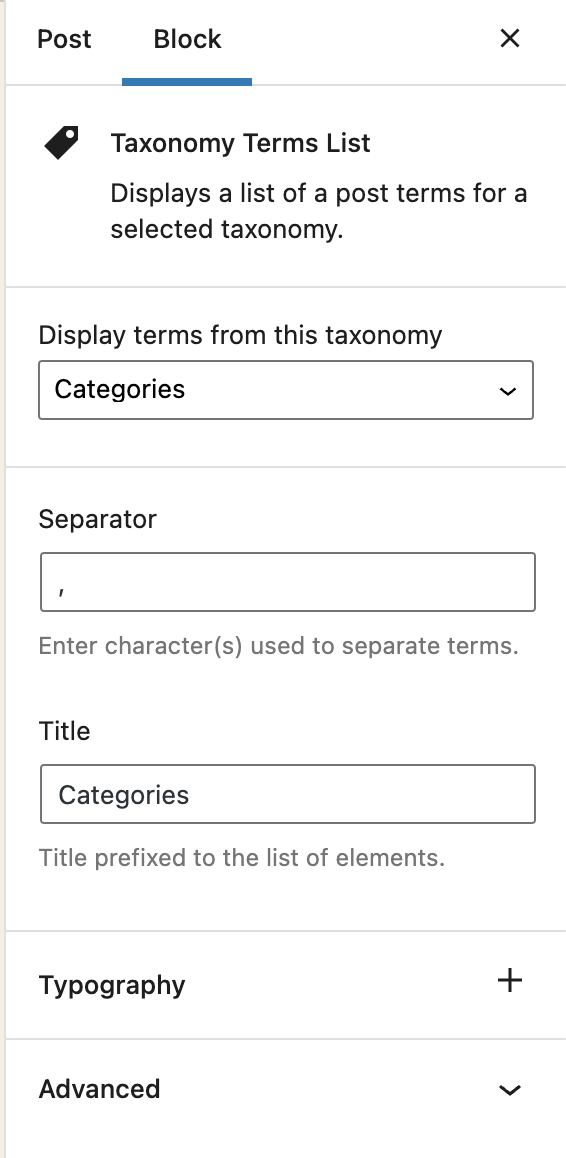
Block options 
Block content
Blocchi
Questo plugin fornisce 1 blocco.
- Taxonomy Terms List Displays a list of a post terms for a selected taxonomy.
Installazione
- Visit Plugins > Add New
- Search for ‘Taxonomy Terms List Block’
- Activate Taxonomy Terms List Block from your Plugins page.
- Open your block editor. Now you can add a new Taxonomy Terms List block.
Recensioni

Contributi e sviluppo
“Taxonomy Terms List Block” è un software open source. Le persone che hanno contribuito allo sviluppo di questo plugin sono indicate di seguito.
Collaboratori
“Taxonomy Terms List Block” è stato tradotto in 1 lingua. Grazie a chi traduce per il contributo.
Traduci “Taxonomy Terms List Block” nella tua lingua.
Ti interessa lo sviluppo?
Esplora il codice segui il repository SVN, segui il log delle modifiche tramite RSS.
Changelog
1.1.2
Fix: The previous version did not properly include the translated strings. Props again to Christoph Herbst.
1.1.1
Fix: Some of the strings were not translatable. Props to Christoph Herbst.
1.1.0
Enhancement: Support custom background and text color.
Enhancement: Support custom spacing (margin/padding)
Some other UX improvements.
1.0.2
Fix: Taxonomy terms previsualization was not working in the block editor.
1.0.1
Allow to select any taxonomy if the current post has no taxonomies linked.
1.0
First release