
Vai al contenuto
WordPress.org

Italia

  • Temi
  • Plugin
  • Notizie
    • Documentazione
    • Forum
  • Info
    • Manifesto
    • Unisciti alla Community
    • Team
    • Manuali
    • Traduci
    • Meetup italiani
    • WordCamp
    • Five for the Future
    • Proposte di lavoro
    • Swag Store
    • Directory delle foto
    • Learn WordPress
    • Openverse
    • Pattern
    • Playground
    • Prova l’editor Gutenberg
    • WordPress.tv
  • Eventi
  • Scarica WordPress
Scarica WordPress
WordPress.org

Plugin Directory

Display Post Metadata

  • Invia un plugin
  • I miei preferiti
  • Accedi
  • Invia un plugin
  • I miei preferiti
  • Accedi

Display Post Metadata

Di Fahid Javid
Scarica
  • Dettagli
  • Recensioni
  • Installazione
  • Sviluppo
Supporto

Descrizione

It is a useful plugin to display the metadata information and custom fields of posts and pages or custom post type. You can either display date, author, comments, views or sticky meta information and custom fields list or maybe if you like then you can display all of them.

Features

You can list the following information:

  • Published Date (The day when the post is published on the website)
  • Author (The Person who created the post or page)
  • Views (Number of people which have seen the post)
  • Sticky (If the post is sticky or not)
  • Comments (Number of comments on the post)
  • Custom Fields (The default custom fields of posts and pages) for more details please consult Custom Fields codex page.

Links

  • GitHub Repository

Please don’t forget to rate my Plugin if you find it useful, thanks.

Screenshot
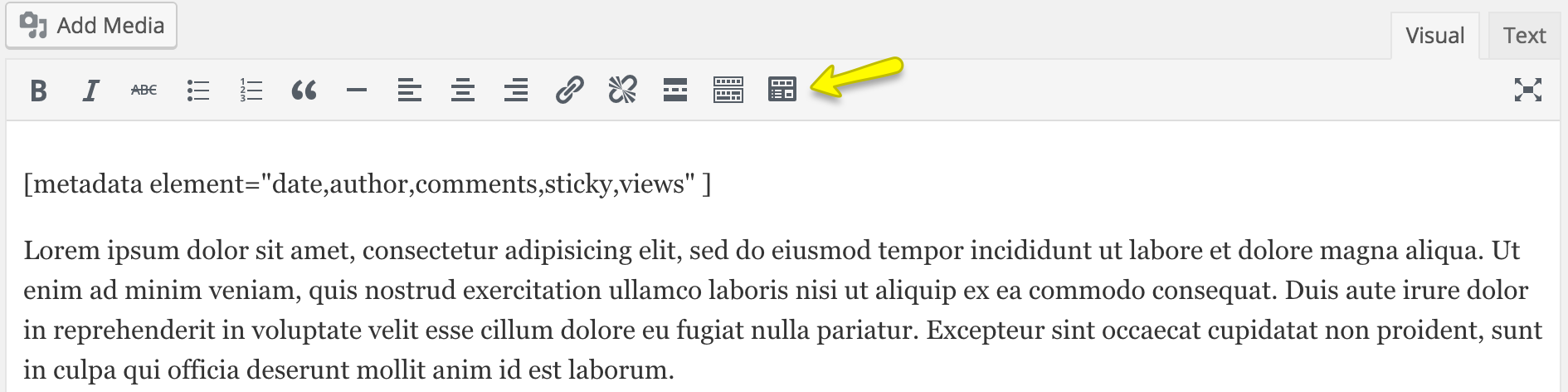
Visual shortcode insert button and shortcode.
Visual shortcode insert button and shortcode.

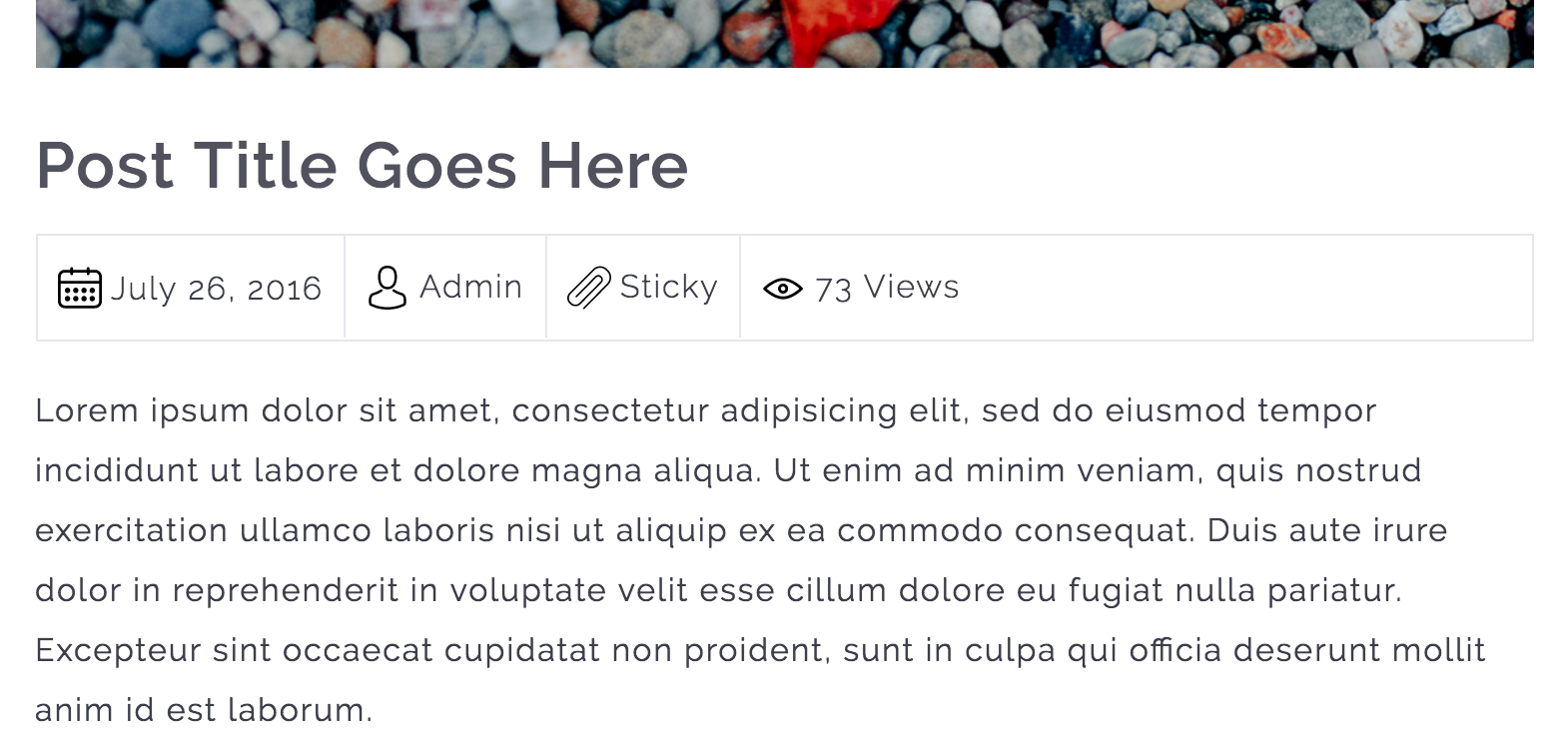
Metadata information is displayed.

Metadata information is displayed.

Custom Fields list is displayed.

Custom Fields list is displayed.

Installazione

Instructions for installing the Display Post Metadata Plugin.

  1. In your WordPress admin go to Plugins -> Add New.
  2. Enter Display Post Metadata in the text box and click Search Plugins.
  3. In the list of Plugins click Install Now next to the Display Post Metadata.
  4. Once installed click to activate.
  5. Now go to any page, post or custom post type and edit it.
  6. While editing, you can put the shortcode to display the metadata information. The shortcode is [metadata element=”date,author,comments,sticky,views,custom_fields”]

FAQ

Does this plugin works with all major PHP versions?

Yes, it works with all major PHP versions and I have tested it with PHP version 5.2, 5.3, 5.4, 5.5, 5.6 and 7.0.

Recensioni

Simple and excellent

qilight 26 Giugno 2024 1 risposta
This plugin is so useful. My theme won’t allow me to place the meta underneath my title within the text block (their suggestion/solution was to manually type it in – ha, what a joke). Then, I found this plugin and it does exactly what I needed. From all those plugins out there, this is the ONLY ONE that offers a simple solution to a common problem (within theme restrictions). Customer support is excellent as well. Any question, just ask and they will respond promptly and help find solutions. 6 stars if I could!

Excellent!

awoob4wporg 30 Novembre 2021 1 risposta
Good job!

Good Work

M Hassan Raza 3 Settembre 2016
It is very helpful and nicely designed plugin. Hoping for good polishing updated of this one too πŸ˜‰
Leggi tutte le recensioni di 3

Contributi e sviluppo

“Display Post Metadata” Γ¨ un software open source. Le persone che hanno contribuito allo sviluppo di questo plugin sono indicate di seguito.

Collaboratori
  • Fahid Javid

Traduci “Display Post Metadata” nella tua lingua.

Ti interessa lo sviluppo?

Esplora il codice segui il repository SVN, segui il log delle modifiche tramite RSS.

Changelog

1.5.5

  • WordPress 6.9 compatibility confirmed
  • Updated minimum WP requirement to 6.0
  • Updated minimum PHP requirement to 8.3 (recommended by WordPress.org)
  • Updated translation files for multilingual support
  • General code improvements

1.5.4

  • Updated language file
  • Tested with WordPress 6.7.1

1.5.3

  • Updated language file
  • Tested with WordPress 6.2

1.5.2

  • Tested with WordPress 6.0.3

1.5.1

  • Tested with WordPress 5.9.1

1.5.0

  • Improved security of the plugin.
  • Tested with WordPress 5.8.2

1.4.0

  • Tested with WordPress 5.7.1

1.3.0

  • Tested with WordPress 5.4.1

1.2.0

  • Added custom fields support for the posts and pages.
  • Improved shodcode execution method.

1.1.0

  • Add a TinyMCE editor button to insert ‘metadata’ shortcode through a popup which will collect all of the user input for the shortcode attributes.

1.0.1

  • Added Comments Post Metadata support
  • Updated POT file.

1.0.0

  • Initial Release

Meta

  • Versione 1.5.5
  • Ultimo aggiornamento 7 mesi fa
  • Installazioni attive 500+
  • Versione WordPress 6.0 o superiore
  • Testato fino alla versione 6.9.4
  • Versione PHP 8.3 o superiore
  • Lingua
    English (US)
  • Tag
    custom post typemetametadatapagepost
  • Visualizzazione avanzata

Valutazioni

5 su 5 stelle.
  • 3 recensioni a 5-stelle 5 stelle 3
  • 0 recensioni a 4-stelle 4 stelle 0
  • 0 recensioni a 3-stelle 3 stelle 0
  • 0 recensioni a 2-stelle 2 stelle 0
  • 0 recensioni a 1-stelle 1 stella 0

Your review

Vedi tutte le recensioni

Collaboratori

  • Fahid Javid

Supporto

Hai qualcosa da dire? Ti serve aiuto?

Chiedi nel forum di supporto

  • Chi siamo
  • News
  • Hosting
  • Privacy
  • Vetrina
  • Temi
  • Plugin
  • Pattern
  • Learn (Training)
  • Supporto
  • Sviluppo
  • WordPress.tv β†—
  • Partecipa
  • Eventi
  • Donazioni β†—
  • Five for the Future
  • WordPress.com β†—
  • Matt β†—
  • bbPress β†—
  • BuddyPress β†—
WordPress.org
WordPress.org

Italia

  • Visita il nostro account X (ex Twitter)
  • Visita il nostro account Bluesky
  • Visita il nostro account Mastodon
  • Visita il nostro account Threads
  • Visita la nostra pagina Facebook
  • Visita il nostro account Instagram
  • Visita il nostro account LinkedIn
  • Visita il nostro account TikTok
  • Visita il nostro canale YouTube
  • Visita il nostro account Tumblr
Code is Poetry.
The WordPress® trademark is the intellectual property of the WordPress Foundation.