

Descrizione
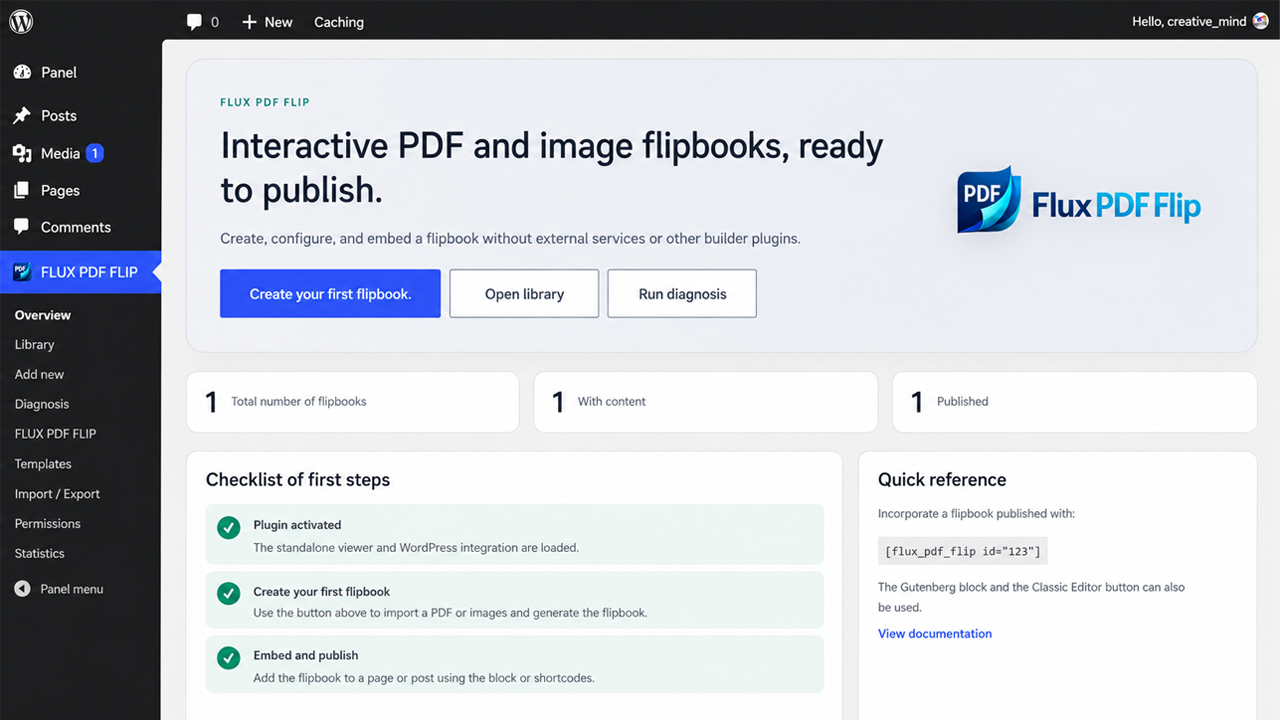
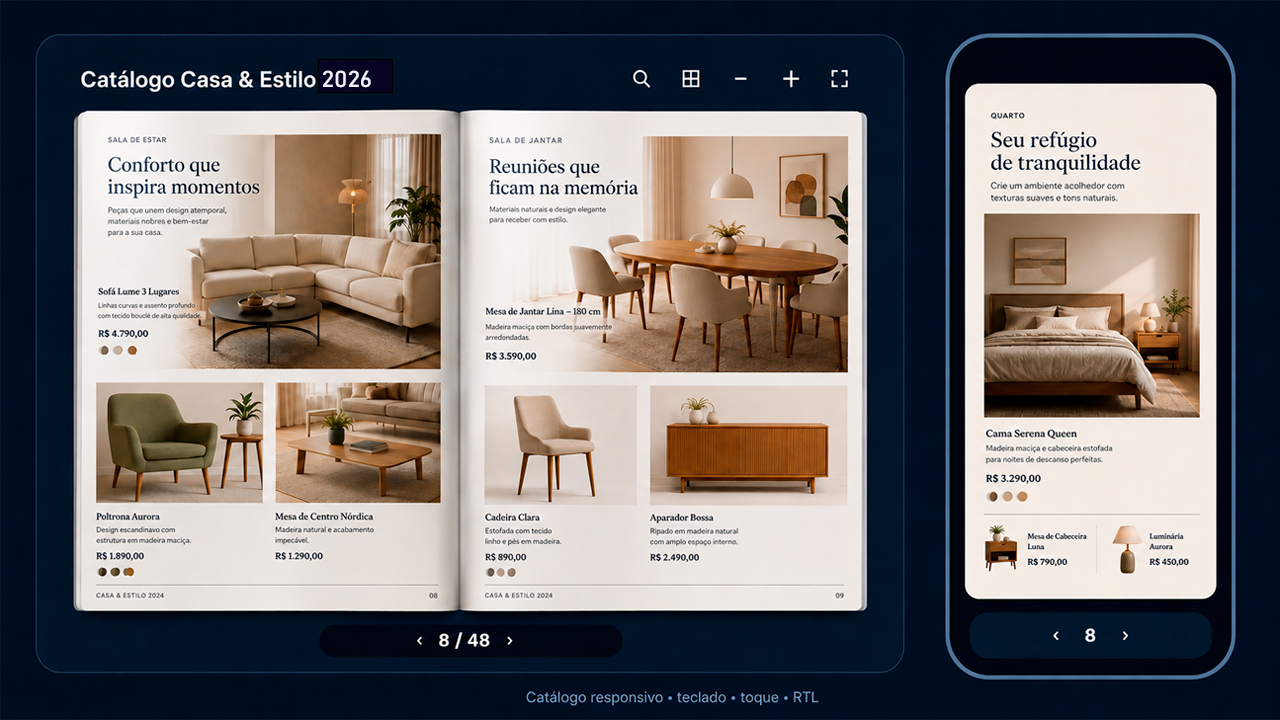
FLUX PDF FLIP turns PDFs or ordered Media Library images into responsive flipbooks without uploading documents to an external service. It includes a visual editor, Gutenberg/FSE blocks, shortcodes, public shelves, secure document access, chapters, search, hotspots, accessibility features and local privacy-preserving statistics.
Highlights
- 100% free and open source; no license key, ads, remote account or feature lock.
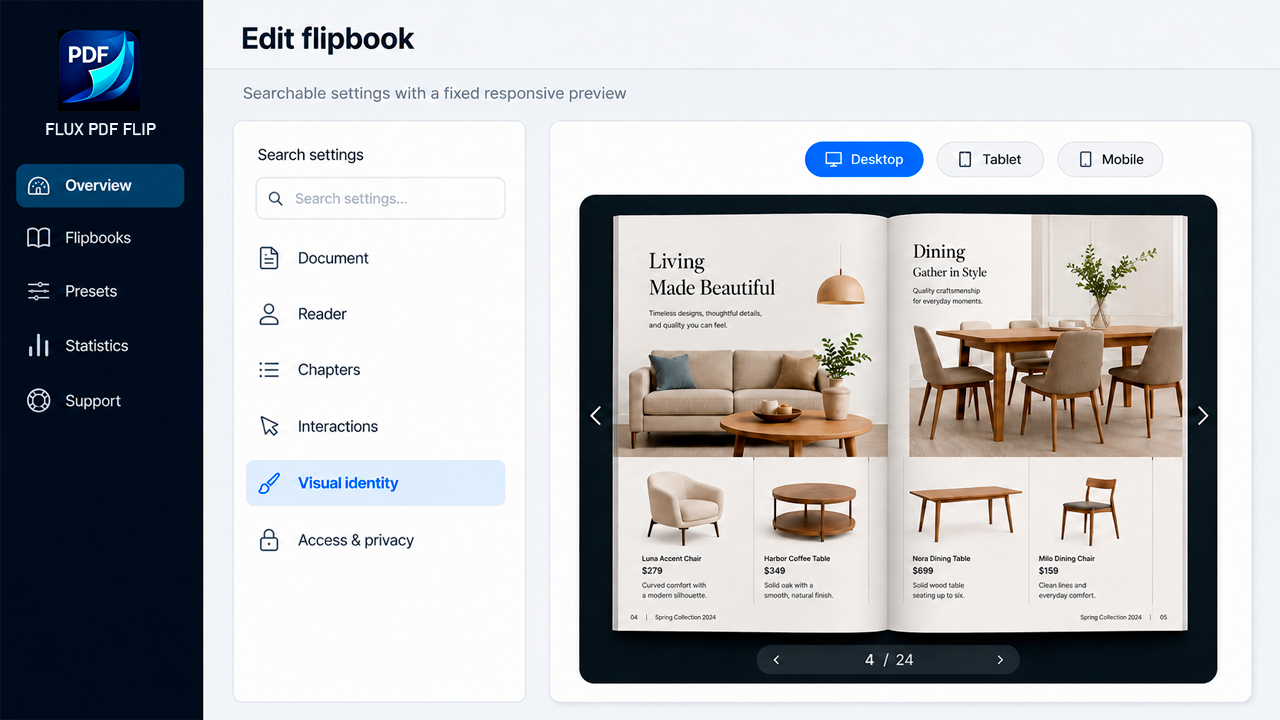
- Visual editor with live desktop, tablet and mobile preview.
- Translation-ready interface using the
flux-pdf-fliptext domain and WordPress.org language packs. - Use one PDF or up to 10 ordered Media Library images as flipbook pages.
- Double-page flip, single page, vertical scroll and presentation modes.
- Search, highlights, hierarchical table of contents, bookmarks and reading history.
- Native PDF links plus responsive buttons, images, galleries and video hotspots.
- Public, private and password-protected documents with server-side authorization.
- Temporary signed URLs, rate limiting, HTTP Range Requests and protected storage.
- Automatic covers, presets, visual themes and searchable public shelves.
- Gutenberg/FSE blocks, classic shortcode and optional builder integrations.
- WooCommerce manuals, catalogs and instructions for products and variations.
- Responsive mobile toolbar, gestures, safe-area support and virtualized rendering.
- Keyboard navigation, visible focus, live announcements, reduced motion and RTL.
- Local opt-in statistics with consent, retention and no external telemetry.
- REST API, WP-CLI, multisite permissions, import/export and diagnostics.
All PDF rendering occurs in the visitor’s browser with bundled PDF.js. Protected files are authorized by WordPress before they are streamed.
Privacy
FLUX PDF FLIP does not transmit PDFs, analytics, reading history or diagnostics to Codestorm Technology. Visitor favorites and reading position use local browser storage. Local statistics are disabled by default and can require explicit consent. See docs/PRIVACY.md for details.
External services
FLUX PDF FLIP does not require any external service for PDF or image flipbooks.
If a site administrator explicitly adds a YouTube or Vimeo video hotspot, the visitor’s browser may connect directly to that video provider when the embedded media is loaded. This may transmit information such as the visitor’s IP address and browser information to that provider.
YouTube:
* Service: https://www.youtube.com/
* Terms: https://www.youtube.com/t/terms
* Privacy: https://policies.google.com/privacy
Vimeo:
* Service: https://vimeo.com/
* Terms: https://vimeo.com/legal/terms
* Privacy: https://vimeo.com/legal/privacy
Source code and bundled libraries
Human-readable source for the Gutenberg blocks is included in each blocks/*/src directory. Reproducible build guidance is documented in docs/SOURCE_BUILD.md.
Bundled third-party libraries are shipped locally; the plugin does not fetch executable code from a CDN. Upstream human-readable sources are available at:
- StPageFlip 2.0.7: https://github.com/Nodlik/StPageFlip/tree/v2.0.7
- PDF.js 3.11.174: https://github.com/mozilla/pdf.js/releases/tag/v3.11.174
- QRCode.js: https://github.com/davidshimjs/qrcodejs
- Poppins: https://github.com/itfoundry/Poppins
- Oxanium: https://github.com/sevmeyer/oxanium
PDF.js is loaded locally with dynamic JavaScript evaluation disabled (isEvalSupported: false) in every FLUX PDF FLIP document-opening path.
Screenshot
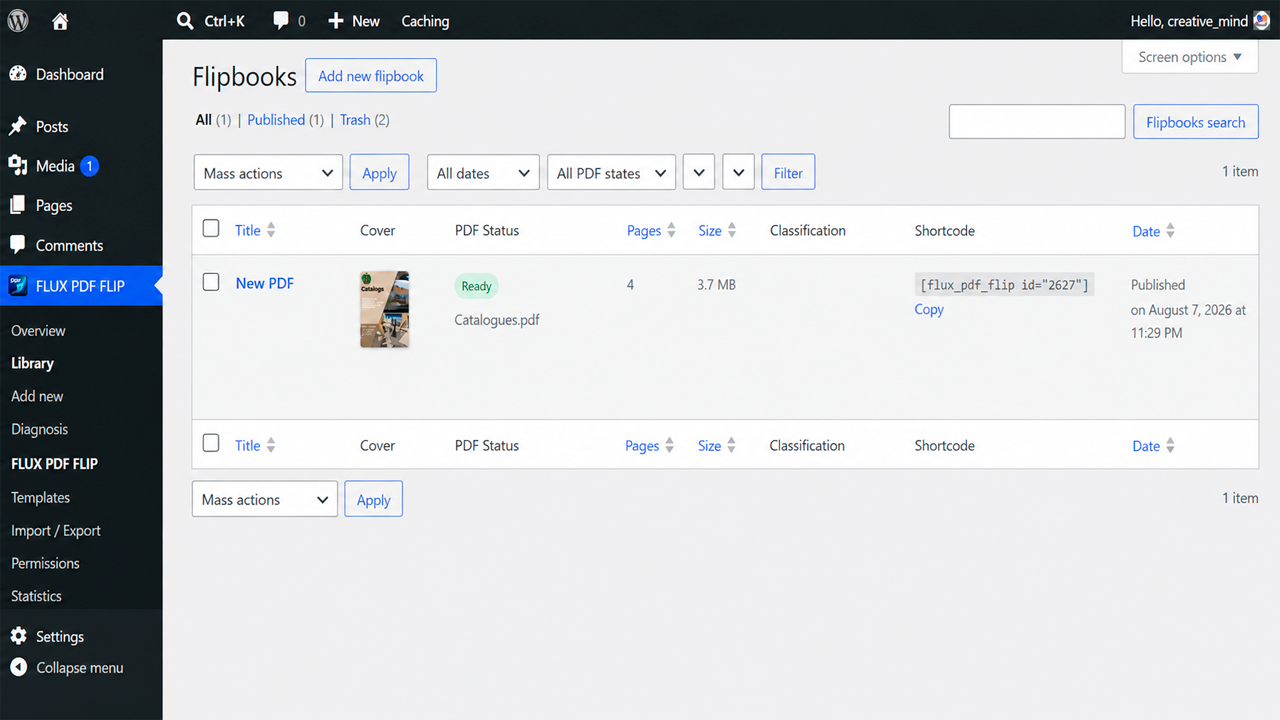
Blocchi
Questo plugin fornisce 2 blocchi.
- FLUX PDF FLIP Embed a responsive PDF flipbook.
- Flipbook Shelf Display a searchable public catalog of flipbooks.
Installazione
- Upload and activate FLUX PDF FLIP from Plugins > Add New > Upload Plugin.
- Open FLUX PDF FLIP > Overview.
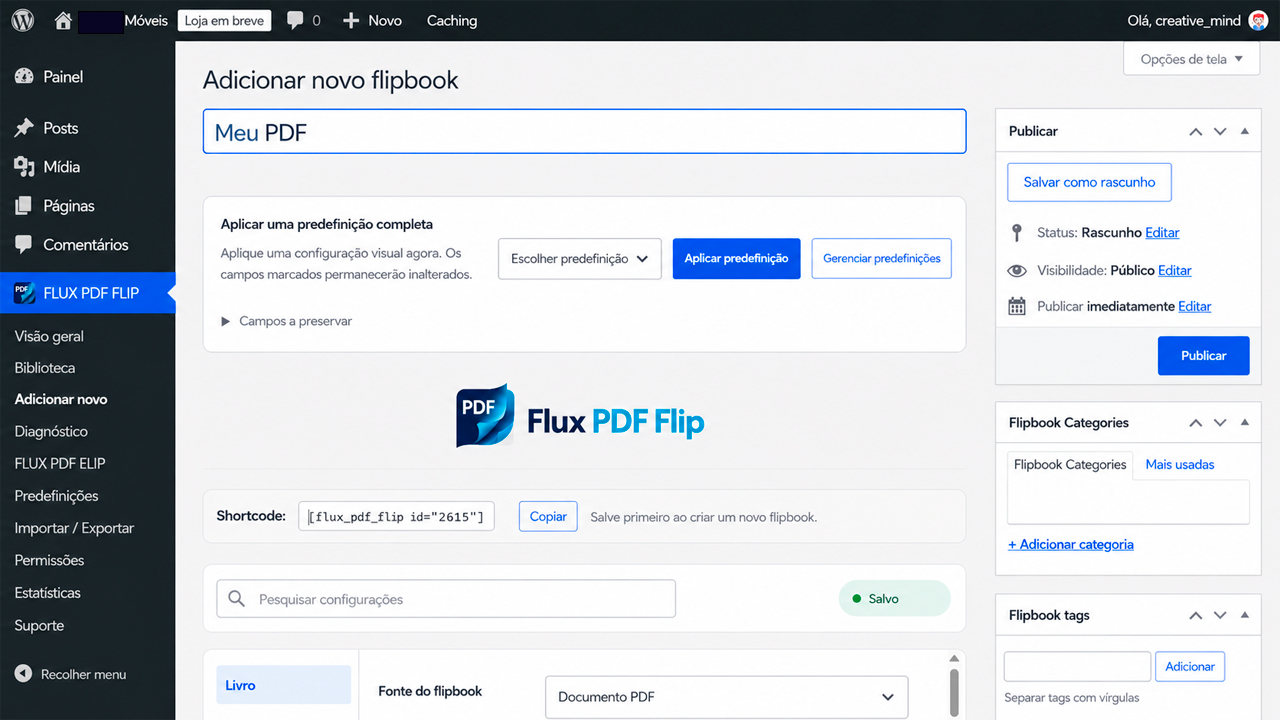
- Create a flipbook and select a PDF or up to 10 images from the Media Library.
- Publish it and insert the FLUX PDF FLIP block or
[flux_pdf_flip id="123"]. - Use the Flipbook Shelf block or
[flux_pdf_flip_shelf]to publish a document library.
FAQ
-
Are PDFs sent to a third-party service?
-
No. The plugin bundles its viewer libraries and processes PDFs locally. Optional statistics and support logs remain on your WordPress installation.
-
Can a protected PDF be downloaded through its original Media Library URL?
-
When a local PDF is changed to Private or Protected, the plugin moves it into a dedicated protected subdirectory under the WordPress uploads directory, removes the original public copy, and serves the file only through the plugin’s authorization endpoint. Remote PDFs cannot be protected because their host remains outside WordPress control.
-
Does search work with scanned PDFs?
-
Search uses the text layer embedded in the PDF. Image-only scans need OCR before upload. FLUX PDF FLIP does not send documents to an OCR service.
-
Can I disable download, printing, sharing, motion or sound?
-
Yes. Reader controls and visual effects are configurable per flipbook, and non-essential effects can be disabled globally.
-
Which builders are supported?
-
Gutenberg and Full Site Editing are native. Optional adapters load only when Elementor, Bricks, Beaver Builder, WPBakery or WooCommerce is active. Shortcodes remain the universal fallback.
-
Where is diagnostic information stored?
-
Logs are off by default, local, redacted and rotated. The Support page can export a report that removes URLs, IPs, emails, credentials and private server paths.
-
Where is the human-readable source for the Gutenberg blocks?
-
The readable block source is included in each
blocks/*/srcdirectory. Build instructions are indocs/SOURCE_BUILD.md; WordPress servers do not need Node.js.

Contributi e sviluppo
“FLUX PDF FLIP” è un software open source. Le persone che hanno contribuito allo sviluppo di questo plugin sono indicate di seguito.
Collaboratori
Traduci “FLUX PDF FLIP” nella tua lingua.
Ti interessa lo sviluppo?
Esplora il codice segui il repository SVN, segui il log delle modifiche tramite RSS.
Changelog
1.0.13
- WordPress.org review hardening: scoped admin notices, safe uploads-based storage, capability/nonce audit, WordPress-managed translations, and enqueue/inline-script cleanup.
- Corrected third-party source references and removed unused legacy compatibility files from the directory package.
1.0.12
- Renames the main plugin file to
flux-pdf-flip.phpso it matches the WordPress.org slug and plugin folder convention. - Links the plugin author to the official Codestorm Technology WordPress.org profile.
- Updates screenshot descriptions to match the final WordPress.org artwork.
- Documents optional YouTube/Vimeo connections, terms and privacy policies explicitly.
- Documents human-readable upstream source for bundled compressed third-party libraries.
- Disables dynamic JavaScript evaluation in every bundled PDF.js document-opening path as defense in depth.
1.0.11
- Adds a narrow compatibility adapter for FLUXYON 1.0.1 without modifying FLUXYON files or data.
- Prevents the frontend critical error caused when FLUXYON receives WordPress’s WP_Post canonical-filter argument as an integer-only parameter.
- Leaves future FLUXYON builds with a compatible canonical callback unchanged.
1.0.10
- Custom Media Library covers now appear as the actual front cover in the reader.
- Removes the optional viewer branding credit from the distributed plugin.
1.0.9
- Keeps the page-depth effect inside the paper boundary so no detached vertical lines appear outside the page margins.
- Removes the external hard-cover shadow on isolated front and back covers.
- Shows the semantic cover/fallback content only when JavaScript is unavailable, preventing a duplicate cover below the live PDF reader.
1.0.8
- Prepared a clean WordPress.org distribution without development-only files.
- Preserved the legacy includes compatibility layer in the installable package.
- Hardened residual URL and nested-array input sanitization reported by Plugin Check.
- Normalized source line endings for deterministic static analysis.
1.0.7
- Replaces postmeta and taxonomy query clauses with an invalidated document index.
- Adds object-cache-backed shelf results and reverse lookups for portable IDs, covers and protected PDF sources.
- Preserves legacy metadata schema filters while using a query-neutral internal descriptor.
- Includes the cumulative security, filesystem, internationalization and performance corrections from Plugin Check LOTEs 001–004.
1.0.6
- Makes desktop, tablet and mobile cover previews use visibly different, proportional device viewports.
- Expands the selected cover to the available viewport without distorting its aspect ratio.
- Reuses the Media Library cover selector, applies an immediate optimistic preview and retries transient save failures.
- Displays cover-save progress and errors next to the cover controls.
- Avoids DNS resolution when validating an image already selected from the WordPress Media Library.
1.0.5
- Removed the global Gutenberg
render_blockcompatibility filter introduced in 1.0.4. - Restored REST-safe page creation and publishing in the block editor.
- Kept the native FLUX PDF FLIP block, the WordPress Shortcode block and classic shortcode support unchanged.
- Preserved English, Portuguese (Brazil) and Portuguese (Portugal) catalogs.
1.0.4
- Re-enables the corrected pt_BR and pt_PT catalogs for WordPress administration, editor and block scripts.
- The admin language now follows the current WordPress user profile locale; English remains the fallback.
- Shortcodes pasted into Gutenberg Code, Preformatted, HTML or Paragraph blocks are rendered instead of displayed literally.
- The shortcode ID remains specific to the chosen flipbook, not to the page where it is embedded.
1.0.3
- Restores complete Portuguese (Brazil and Portugal) language packs while preserving English as the source language.
- Corrects the invalid repeated translations that displayed “Opção do FLUX PDF FLIP” and “Mensagem do FLUX PDF FLIP”.
- Localizes the editor preview, cover workflow, PDF inspection, responsive device controls, image-page management and status messages.
1.0.0
- First public release of the standalone, fully free plugin.
- Visual editor, secure access, advanced reader, shelves, blocks and integrations.
- Accessibility, responsive performance, privacy controls, diagnostics and automation.
- Reproducible release engineering, open-source governance and WordPress.org assets.