
Descrizione
Site Kit is the official WordPress plugin from Google for insights about how people find and use your site. Site Kit is the one-stop solution to deploy, manage, and get insights from critical Google tools to make the site successful on the web. It provides authoritative, up-to-date insights from multiple Google products directly on the WordPress dashboard for easy access, all for free.
Bringing the best of Google tools to WordPress
Site Kit includes powerful features that make using these Google products seamless and flexible:
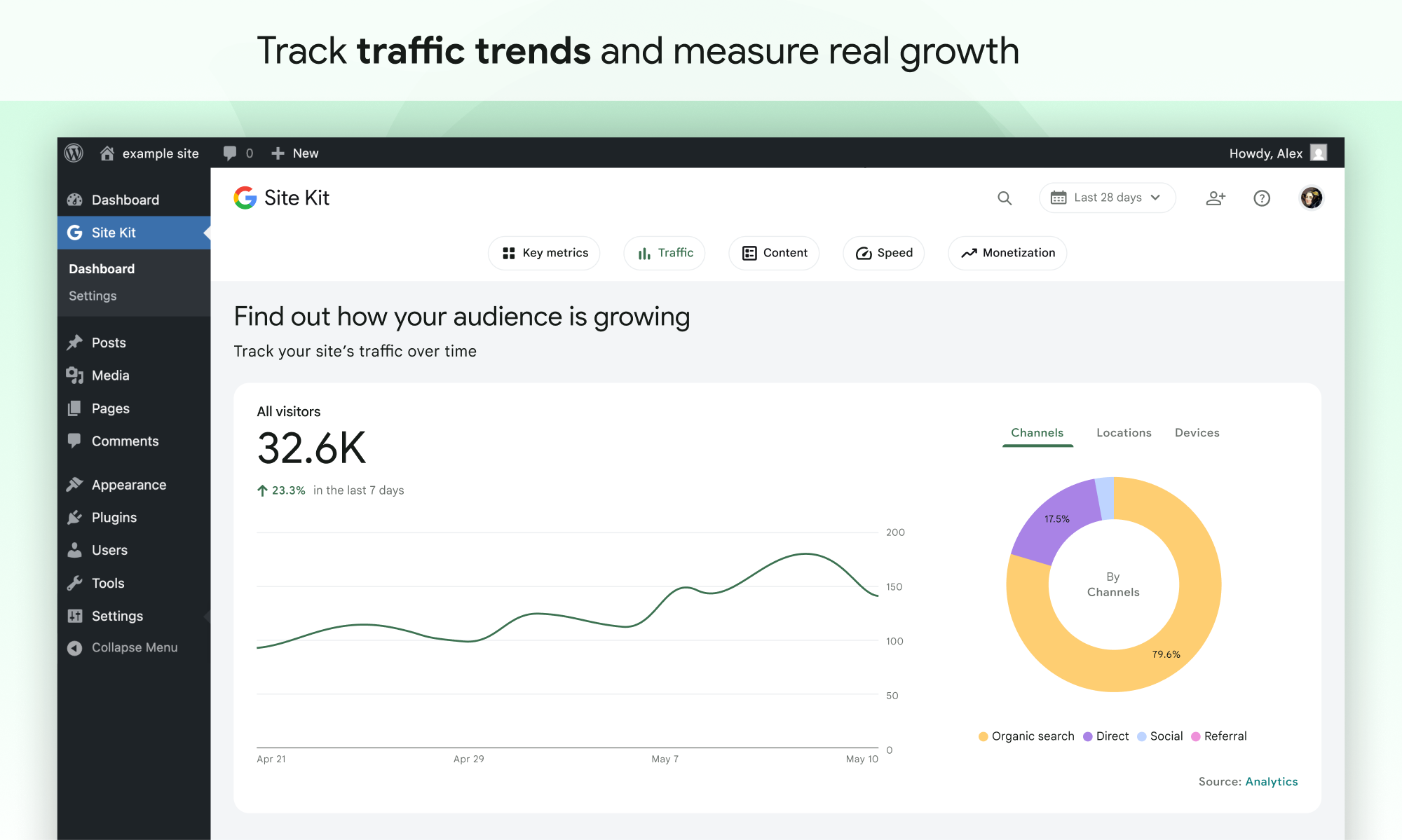
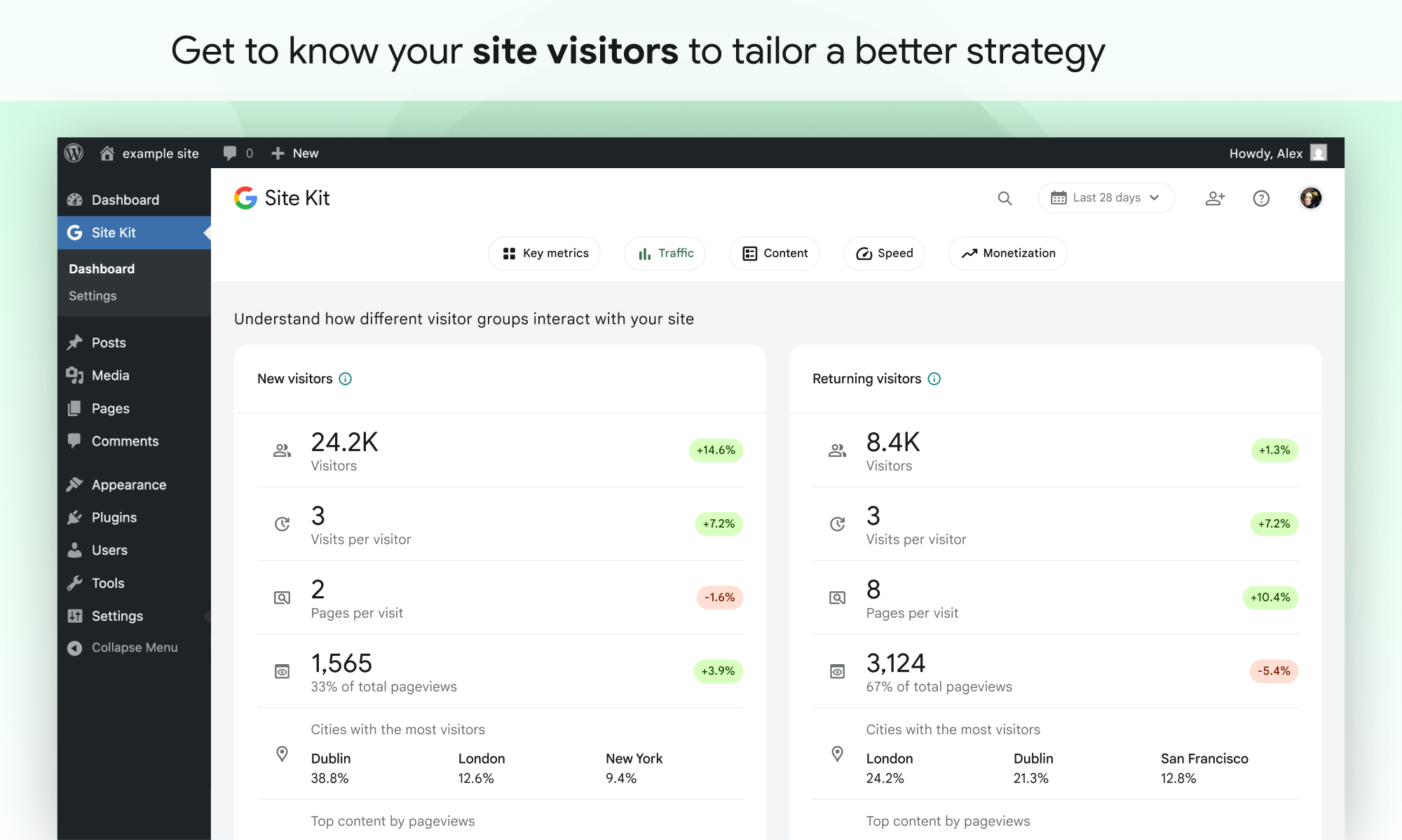
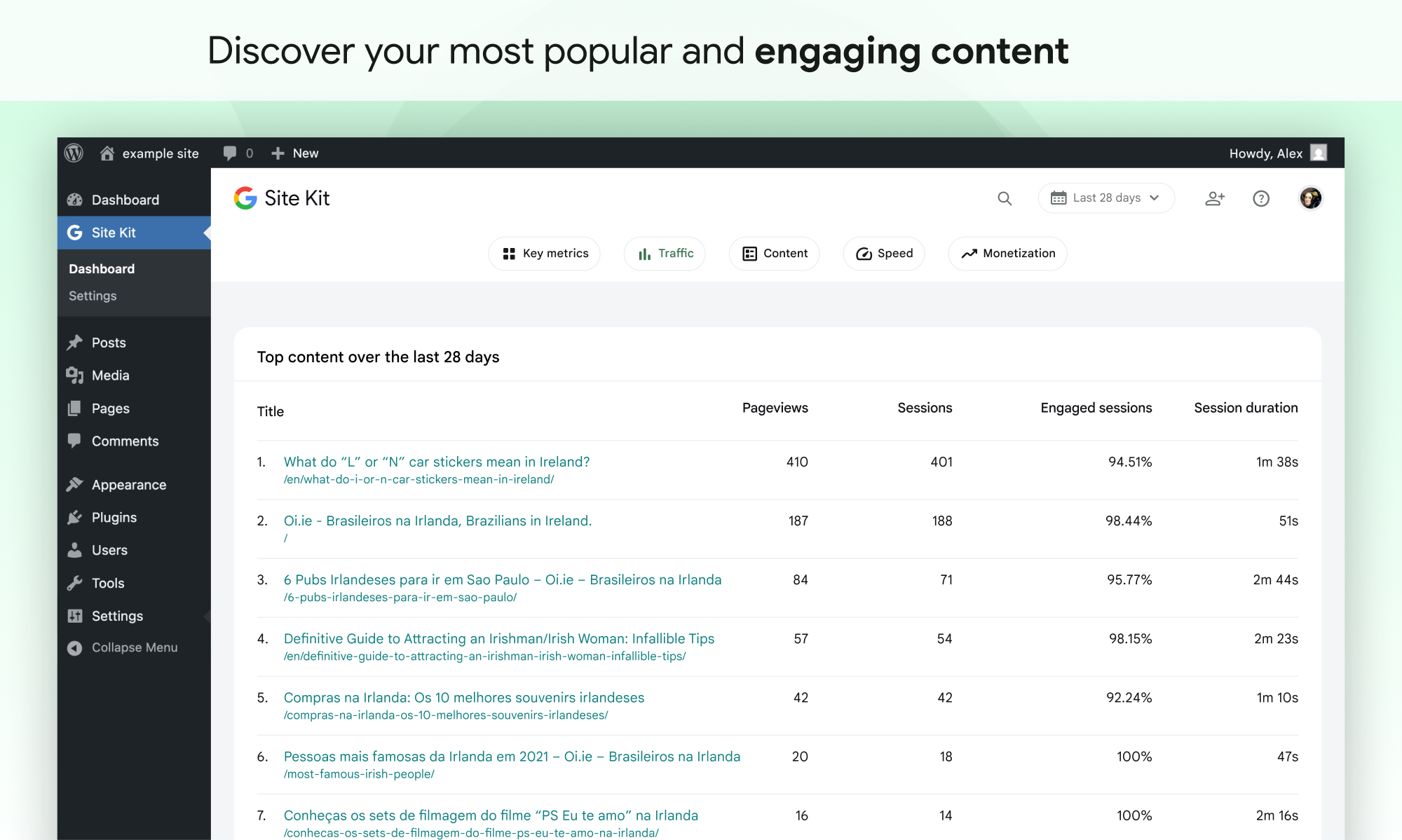
- Statistiche di facile comprensione direttamente nella tua bacheca WordPress
- Official stats from multiple Google tools, all in one dashboard
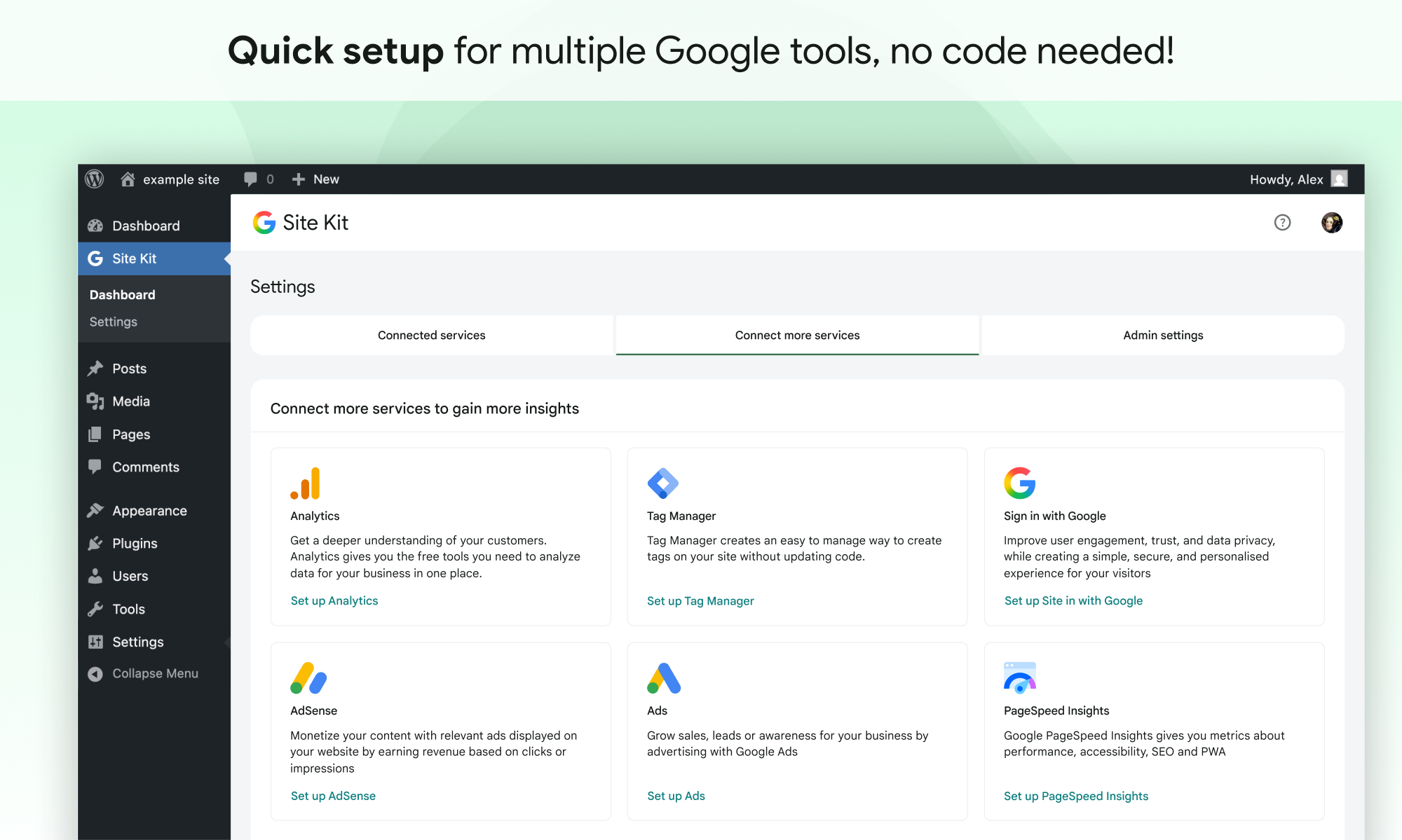
- Quick setup for multiple Google tools without having to edit the source code of your site
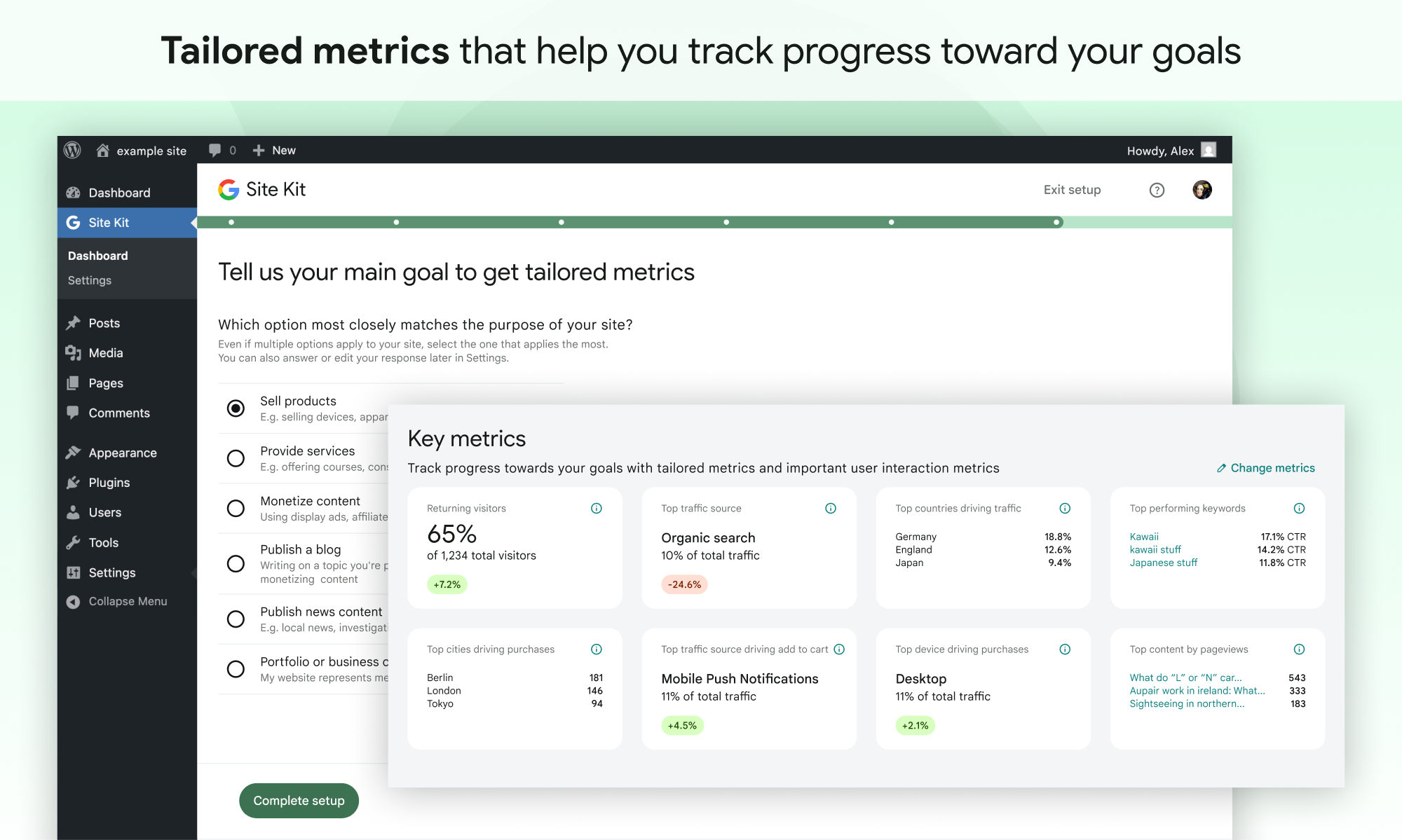
- Metrics for your entire site and for individual posts
- Easy-to-manage, granular permissions across WordPress and different Google products
Strumenti di Google supportati
Site Kit shows key metrics and insights from different Google products:
- Search Console: Understand how Google Search discovers and displays your pages in Google Search. Track how many people saw your site in Search results, and what query they used to search for your site.
- Analytics: Explore how users navigate your site and track goals you’ve set up for your users to complete.
- AdSense: tieni traccia di quanto guadagna il tuo sito.
- PageSpeed Insights: See how your pages perform compared to other real-world sites. Improve performance with actionable tips from PageSpeed Insights.
- Tag Manager: Use Site Kit to easily set up Tag Manager- no code editing required. Then, manage your tags in Tag Manager.
- Sign in with Google: Allows visitors to sign up and log in to your site with their existing Google account.
- Reader Revenue Manager: Helps you grow, retain, and engage your site visitors via subscription, contribution, newsletters, surveys, and custom prompts.
- Ads: Get customers and sell more with targeted traffic from Google Ads.
Screenshot
Installazione
Note: Make sure that your website is live. If your website isn’t live yet, Site Kit can’t show you any data. However, if you have a staging environment in addition to your production site, Site Kit can display data from your production site in the staging environment. Learn how to use Site Kit with a staging environment.
Installazione da WordPress
- Visita Plugin > Aggiungi nuovo.
- Cerca Site Kit by Google.
- Installa e attiva il plugin Site Kit by Google.
- Connect Site Kit to your Google account. If there are multiple WordPress admins, keep in mind that each admin must connect their own Google account in order to access the plugin.
Installazione manuale
- Carica l’intera cartella
google-site-kitnella directory/wp-content/plugins/. - Visita Plugin.
- Attiva il plugin Site Kit by Google.
- Connect Site Kit to your Google account. If there are multiple WordPress admins, keep in mind that each admin must connect their own Google account in order to access the plugin.
Dopo l’attivazione
- Visita il nuovo menu Site Kit.
- Follow the instructions in the setup flow.
- Go to the main Site Kit dashboard which already displays key metrics from Search Console.
- Connect additional Google tools under Site Kit > Settings. Learn more about which tools are right for you.
FAQ
Per ulteriori informazioni, visita il sito web ufficiale di Site Kit.
-
Site Kit è gratuito?
-
Il plugin Site Kit è gratuito e open source e rimarrà tale. I singoli prodotti Google inclusi in Site Kit sono soggetti a termini e commissioni standard (se presenti) per tali prodotti.
-
Quali sono i requisiti minimi per Site Kit?
-
Per installare e utilizzare correttamente Site Kit, il tuo sito deve soddisfare i seguenti requisiti:
- WordPress versione 5.2+
- PHP versione 7.4+
- Browser moderno: Internet Explorer non è supportato
- È accessibile pubblicamente: non è in modalità manutenzione, accessibile solo tramite password o bloccato in altro modo
- REST API is available – Site Kit must be able to communicate via REST API with Google services. To ensure that the REST API is available for your site, go to Tools > Site Health.
-
Perché la mia bacheca mostra “raccolta dati” e nessuno dei miei dati di servizio?
-
Potrebbero essere necessari alcuni giorni dopo la connessione di Site Kit a un servizio Google affinché i dati inizino a essere visualizzati nella bacheca. Il messaggio “raccolta dati” viene in genere visualizzato quando hai configurato di recente un servizio Google (ovvero hai appena creato un nuovo account Analytics) e/o il tuo sito è nuovo e i dati non sono ancora disponibili per la visualizzazione.
Se dopo alcuni giorni visualizzi ancora questo messaggio, non esitare a contattarci sul forum di supporto.
-
Perché non vengono visualizzati annunci sul mio sito dopo aver collegato AdSense?
-
Se sei nuovo ad AdSense quando ti connetti tramite Site Kit, il tuo nuovo account AdSense e il tuo sito dovranno essere esaminati manualmente e approvati per gli annunci dal team di AdSense. Gli annunci non verranno visualizzati finché il tuo account e il tuo sito non saranno stati approvati. Consulta questa guida per ulteriori informazioni sul processo di approvazione e sulla timeline.
Puoi verificare lo stato della tua approvazione in Site Kit accedendo a Impostazioni e servizi connessi ad AdSense e facendo clic su Controlla lo stato del tuo sito. Questo link ti indirizzerà ad AdSense. Se vedi “Pronto”, il tuo account e il tuo sito sono stati approvati e dovrebbero visualizzare annunci. Se vedi “Preparazione…”, il tuo account e il tuo sito sono ancora in fase di revisione e il tuo sito non visualizzerà annunci finché non saranno stati approvati.
Se Site Kit ha aggiunto correttamente lo snippet AdSense al tuo sito e il tuo account e il tuo sito sono stati approvati, ma il tuo sito continua a non mostrare annunci, contatta il centro assistenza AdSense per assistenza.
Puoi trovare ulteriori informazioni sul funzionamento di Site Kit con AdSense nella nostra guida alla gestione di AdSense .
-
Site Kit è conforme al GDPR?
-
Quando si utilizza Site Kit, i proprietari dei siti sono responsabili della gestione dei requisiti di avviso e consenso, inclusi i requisiti GDPR, come descritto nei Termini di servizio di Google.
Per impostazione predefinita, Site Kit rende anonimi gli indirizzi IP all’attivazione del modulo Google Analytics. Questa impostazione può essere disattivata in Site Kit > Impostazioni > Analisi > Anonimizza gli indirizzi IP.
Esistono numerosi plugin di terze parti che consentono di impedire a Google Analytics, Tag Manager o AdSense di acquisire dati finché un visitatore del sito non acconsente. Alcuni di questi funzionano in modo nativo con Site Kit fornendo configurazioni specifiche del plugin. Puoi saperne di più visitando la nostra pagina sulla conformità e sulla privacy del GDPR.
-
Dove posso ottenere ulteriore supporto?
-
Crea un nuovo argomento nel nostro forum di supporto di WordPress.org. Assicurati di seguire le linee guida del forum di supporto quando pubblichi.
Recensioni


Contributi e sviluppo
“Site Kit by Google – Analytics, Search Console, AdSense, Speed” è un software open source. Le persone che hanno contribuito allo sviluppo di questo plugin sono indicate di seguito.
Collaboratori
“Site Kit by Google – Analytics, Search Console, AdSense, Speed” è stato tradotto in 32 lingue. Grazie a chi traduce per il contributo.
Traduci “Site Kit by Google – Analytics, Search Console, AdSense, Speed” nella tua lingua.
Ti interessa lo sviluppo?
Esplora il codice segui il repository SVN, segui il log delle modifiche tramite RSS.
Changelog
1.188.0
Migliorato
- Move Easy Digital Downloads currency lookup into the event provider. See #13603.
- Add the
adsConversionTrackingIntentfeature flag. See #13463. - Show Site Goals groups consistently between email reports and dashboard. See #13461.
- Add key action event chart to Site Goals widgets. See #13419.
- Add the traffic breakdown columns to the new Traffic Overview widget. See #13410.
- Add total visitors information to the new traffic overview widget. See #13408.
- Add the new Traffic Overview widget when the feature is enabled. See #13407.
- Add Site Goals key metric tiles for “Selling products”. See #13404.
- Build the
FeatureCardandEffortIndicatorcomponents for the upcoming Feature Discovery Hub, and present them in Storybook. See #13320. - Add the
outbound_link_clickevent tracking. See #13291. - Add link tracking to contact links. See #13290.
- Add the feature discovery hub page shell with hero, tab navigation, and deep-linkable routes. See #13248.
- Register the feature catalog for the Feature Discovery Hub. See #13247.
- Add the feature discovery newness model and selectors for determining which features are new to a user. See #13246.
- Add online store and lead generation Site Goals sections to the PDF report. See #13206.
- Populate Reader Revenue Manager
organizationIDandconfiguredCTAssettings during publication sync. See #13057. - Update the Reader Revenue Manager settings screens to display the configured CTAs for the connected publication. See #13031.
- Add the newsletter sign-up form setup step to the Reader Revenue Manager express setup flow. See #13027.
- Add the publication policies step to the Reader Revenue Manager Express setup flow. See #13024.
- Add the Terms of Service step to the Reader Revenue Manager express setup flow. See #13023.
- Implement the Reader Revenue Manager express setup step to create a new publication. See #13022.
- Add Site Goals sections at the top of the email report. See #13014.
- Allow core dashboard effects to be registered for the main or entity dashboard. See #11712.
- Refactor the WooCommerce redirect modal to simplify its implementation. Props vivekjm. See #10832.
- Improve layout of data on SK admin bar on smaller viewports. See #8089.