

Descrizione
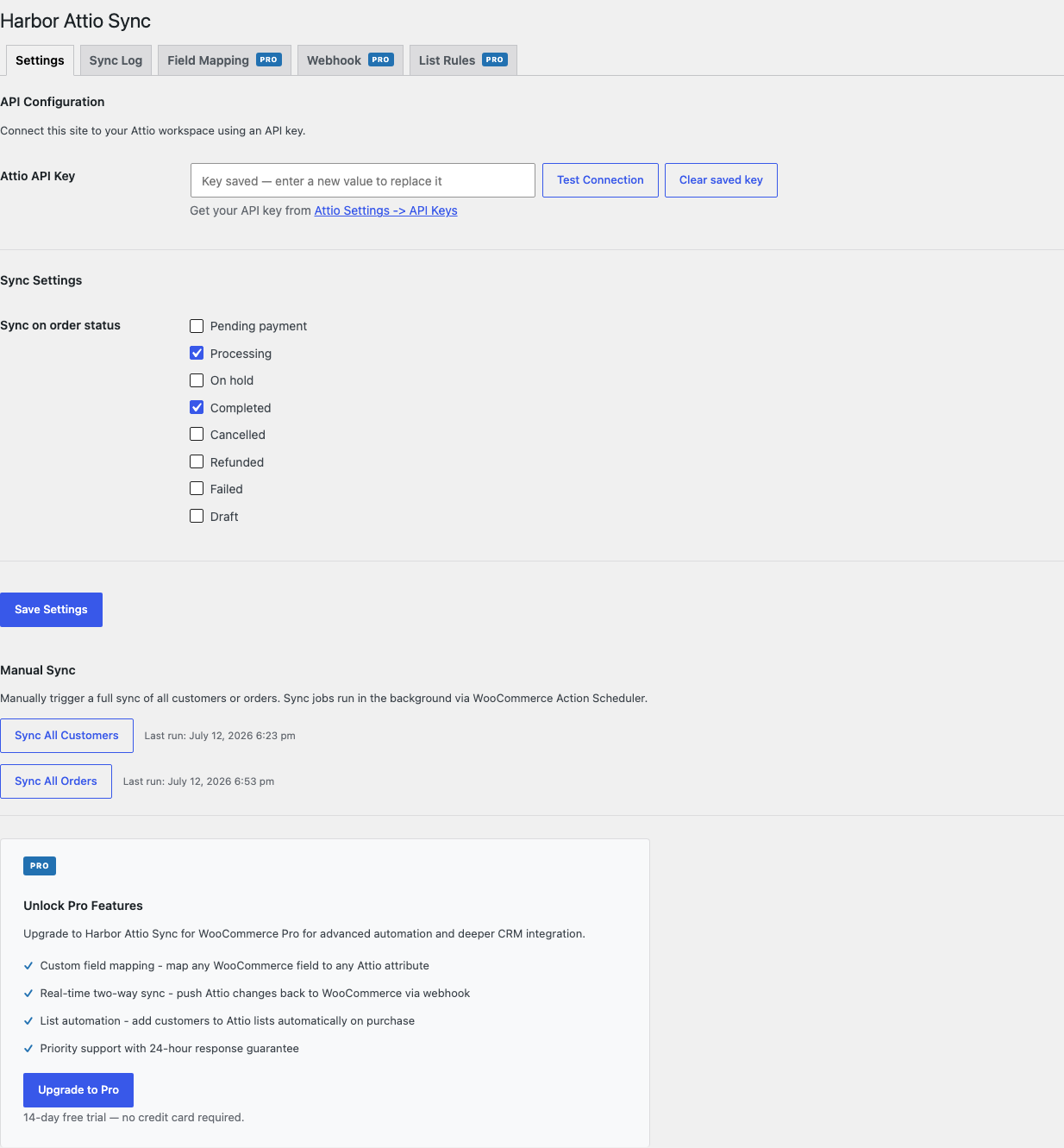
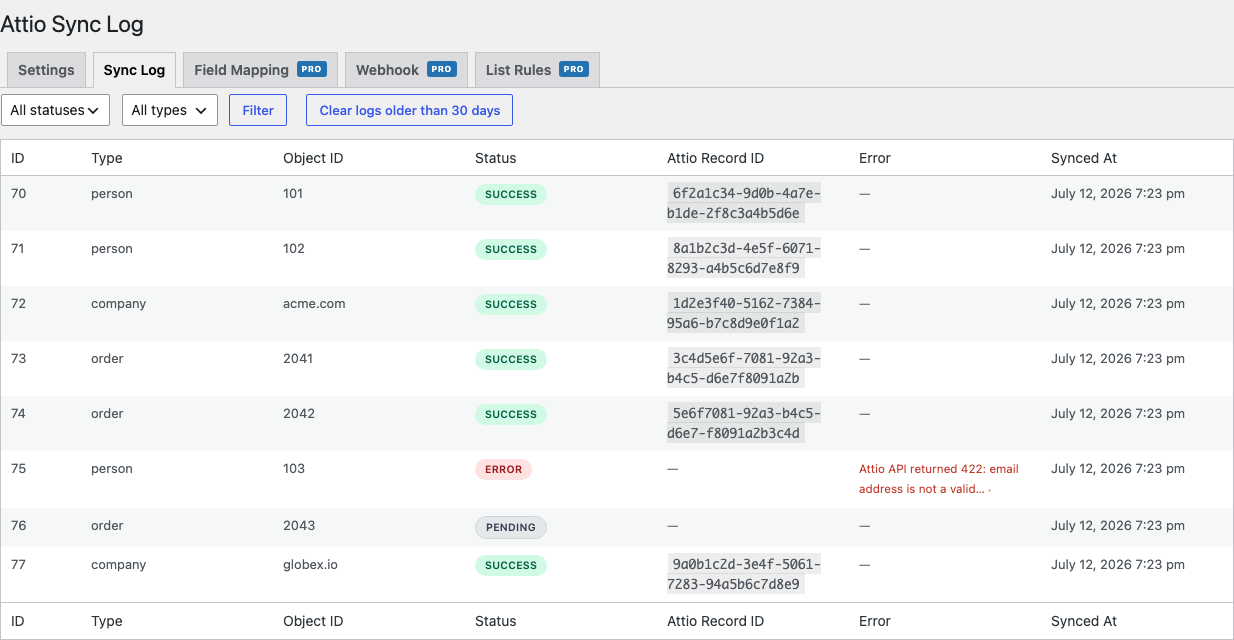
Harbor Sync with Attio for WooCommerce pushes customer and order data from your WooCommerce store directly into Attio CRM in real time.
- Syncs customers on account creation
- Syncs orders on status change (configurable)
- Upserts People and Companies in Attio matched by email / domain
- Links each person to their company in Attio’s relationship graph
- Creates an Attio Note per order with line-items, totals, and a customer lifetime summary (order count, lifetime spend, average order value)
- Background processing via Action Scheduler
- Configurable sync statuses and field mappings (Pro)
- Customer intelligence: writes lifetime spend, order count, average order value, and first/last order date onto the Attio person as native, filterable attributes (Pro)
- Deals: syncs each order to an Attio Deal record with its value, deduplicated by order (Pro)
- Tasks: creates Attio tasks on lifecycle events such as a first order or a failed payment (Pro)
- Two-way sync via Attio webhooks (Pro)
- List automation with behavioral conditions – add customers to a list by product purchased, lifetime spend, order count, or recency (Pro)
Harbor Sync with Attio for WooCommerce is an independent product and is not affiliated with, endorsed by, or sponsored by Attio Ltd or by the WooCommerce/Automattic project. “Attio” is a trademark of Attio Ltd and “WooCommerce” is a trademark of Automattic Inc.; both names are used here only to describe compatibility.
External services
This plugin relies on two third party services. Data is only sent to them under the conditions described below.
Attio (attio.com)
This is the core function of the plugin: it connects to the Attio CRM REST API (https://api.attio.com) to sync your WooCommerce customer and order data into your own Attio workspace. It is required, and only becomes active after you enter your Attio API key on the plugin settings screen.
What data is sent, and when:
- When a customer account is created or updated, or an order changes status, the plugin sends that customer’s details to Attio: name, email address, phone number, and billing/company information, along with your store’s derived lifetime metrics for that customer (order count, total spend, average order value, and first/last order dates).
- When an order reaches a configured status, the plugin sends order details: order number, currency, line items, totals, and status, and (as a note) a summary of the order.
- Pro features send additional data to the same Attio API when enabled: order records as Attio Deals, lifecycle Tasks, and list memberships.
- Two-way sync (Pro) additionally receives inbound webhooks from Attio so that changes made in Attio can update the matching WordPress user; no extra data is sent to Attio for this beyond registering the webhook.
No data is sent to Attio until you provide an API key, and only the customers/orders that match your configured sync rules are transmitted.
Attio is provided by Attio Ltd / Attio Inc. Terms: https://attio.com/legal/services-agreement, Privacy Policy: https://attio.com/legal/privacy
Freemius (freemius.com)
The plugin uses the Freemius SDK to manage licensing, software updates, and checkout for the optional paid (“Pro”) version. This service is provided by Freemius, Inc.
What data is sent, and when:
- On activation you are shown an optional, skippable opt-in. Only if you opt in does the plugin send anonymized environment data (site URL, WordPress and PHP versions, active theme/plugins, and plugin version) to Freemius to help improve the plugin. If you skip the opt-in, no such data is sent.
- If you purchase or activate a Pro license, the plugin sends your license key and site URL to Freemius to validate the license and deliver updates.
Terms: https://freemius.com/terms/, Privacy Policy: https://freemius.com/privacy/
Screenshot
Installazione
- Upload the plugin folder to
/wp-content/plugins/ - Activate the plugin through the Plugins screen
- Go to WooCommerce > Harbor Sync with Attio and enter your Attio API key
- Save settings; the plugin will start syncing on the next qualifying order or customer event
FAQ
-
Where do I find my Attio API key?
-
In Attio, go to Workspace settings > Developers > Access tokens and create a token, then paste it into the plugin settings.
Free tier scopes: Records (read-write), Object Configuration (read), and Notes (read-write).
Pro features need additional scopes depending on what you use: Object Configuration (read-write) for customer-intelligence attributes and Deals; Tasks (read-write) and User Management (read) for lifecycle tasks; List Entries (read-write) and List Configuration (read) for list automation; Webhooks (read-write) for two-way sync.
-
Does the Deals feature create an object in Attio?
-
No. It uses your existing Deals object (enable it in Attio if you have not already), or any custom object slug you configure. The plugin never creates an object automatically, so it never consumes your Attio plan’s object quota unexpectedly.
-
Does it sync historical orders?
-
Yes; use the Bulk Sync buttons on the settings page to enqueue all existing customers and orders.
-
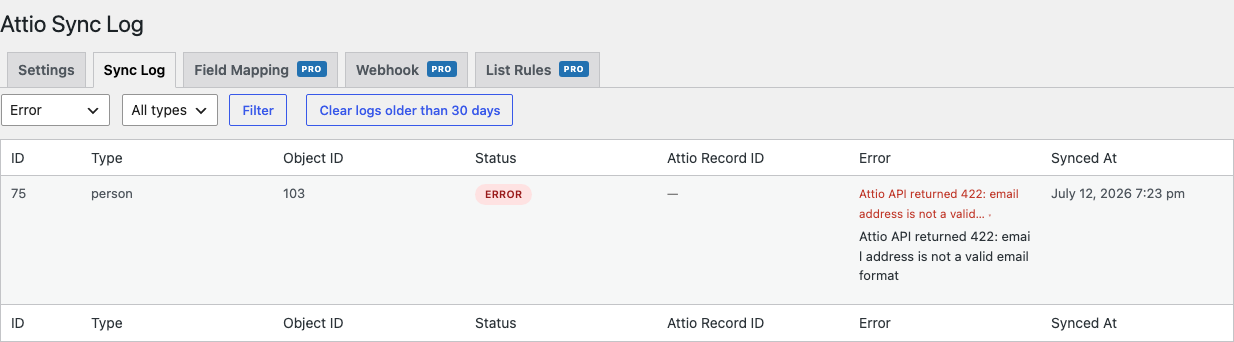
What happens if the Attio API is down?
-
Action Scheduler retries failed jobs automatically. Rate-limit (429) responses respect the
Retry-Afterheader.
Recensioni
Non ci sono recensioni per questo plugin.
Contributi e sviluppo
“Harbor Sync with Attio for WooCommerce” è un software open source. Le persone che hanno contribuito allo sviluppo di questo plugin sono indicate di seguito.
Collaboratori
“Harbor Sync with Attio for WooCommerce” è stato tradotto in 1 lingua. Grazie a chi traduce per il contributo.
Traduci “Harbor Sync with Attio for WooCommerce” nella tua lingua.
Ti interessa lo sviluppo?
Esplora il codice segui il repository SVN, segui il log delle modifiche tramite RSS.
Changelog
1.0.2
- Compatibility verified with WordPress 7.0 and WooCommerce 10.9
1.0.1
- Fix: permanent errors no longer retried indefinitely by Action Scheduler
- Fix: non-transient API errors now logged correctly
1.0.0
- Initial release