
Descrizione
Intrawebix CRM is a CRM for small and medium businesses: leads, deals, messaging (WhatsApp, Telegram, Messenger, Viber), email, quotes and invoices, helpdesk and an AI voice agent, in English, Romanian and Russian.
This plugin puts the CRM’s customer-facing pages on your WordPress site, without copying HTML code:
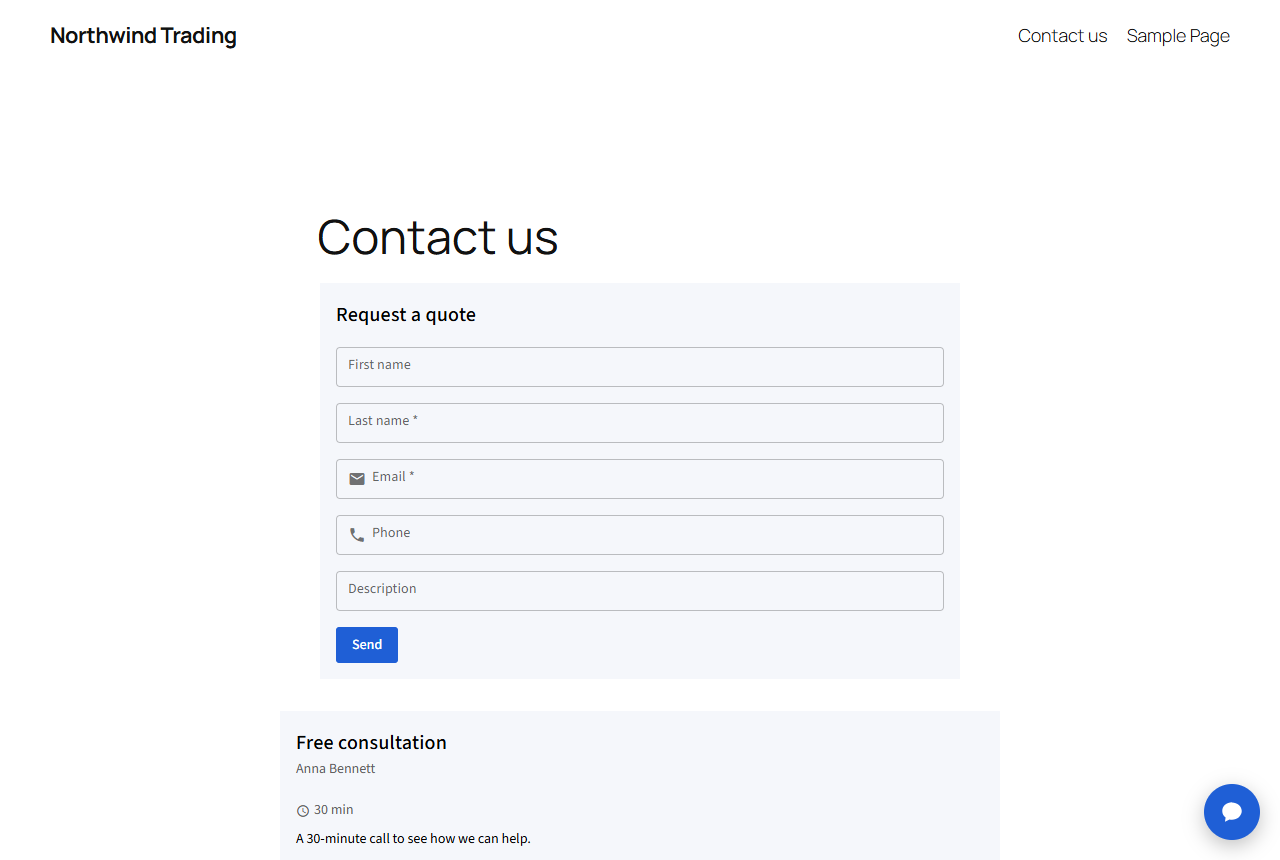
- Web forms – every submission becomes a lead in the CRM, assigned to the owner you choose, with the page it came from and the UTM source (utm_source, utm_medium, utm_campaign…).
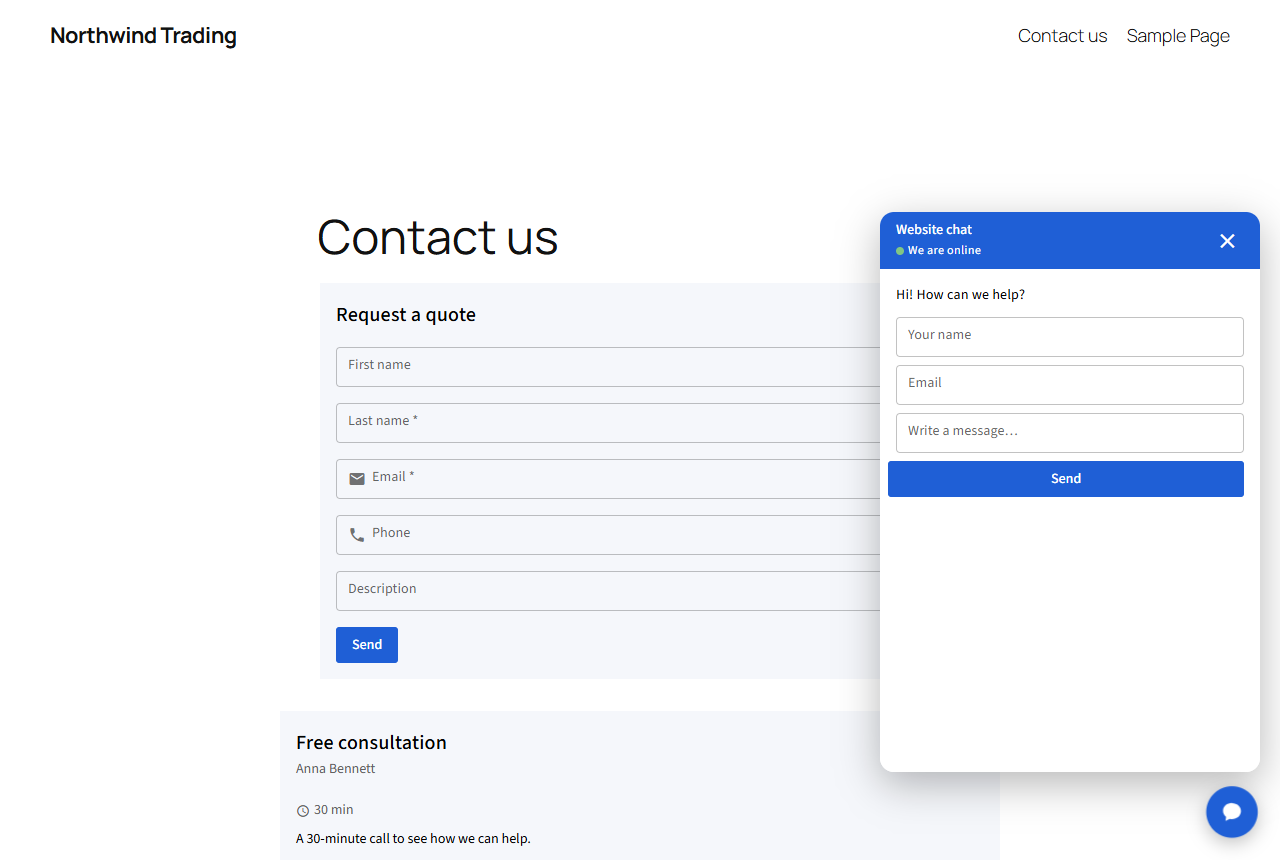
- Live chat – a chat button on every page. Conversations arrive in the CRM inbox next to WhatsApp, Telegram and Messenger; the chatbot can answer while you are away.
- Booking pages – visitors pick a free time slot from your schedule (synced with Google Calendar or Outlook) and get an email confirmation.
- Knowledge base – your public help articles, with search.
Visitors’ data goes straight to your CRM. The plugin does not store any visitor data in WordPress and does not add cookies of its own.
How it works
- Create the form, booking page or chat in Intrawebix CRM (there is a free plan and a 30-day trial of all features).
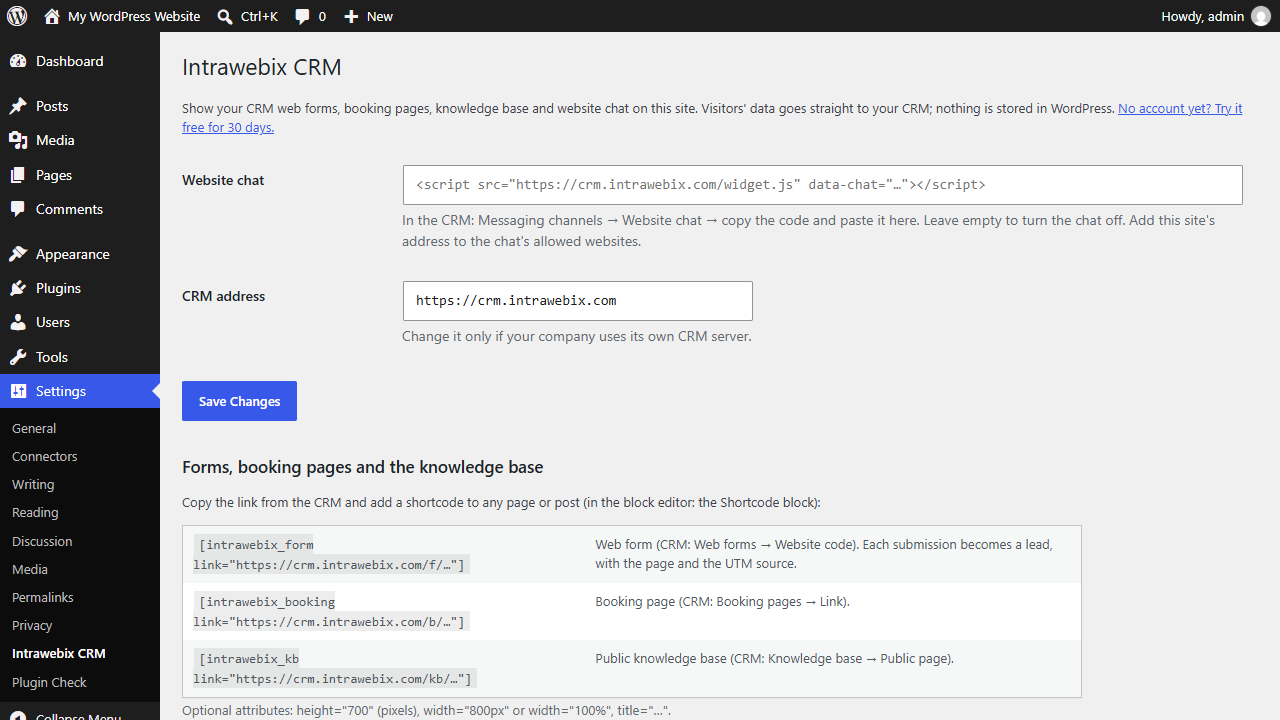
- Paste the chat code in Settings Intrawebix CRM.
-
Add a shortcode with the link copied from the CRM to any page:
[intrawebix_form link=”https://crm.intrawebix.com/f/…”]
[intrawebix_booking link=”https://crm.intrawebix.com/b/…”]
[intrawebix_kb link=”https://crm.intrawebix.com/kb/…”]
Optional attributes: height="700", width="800px" or width="100%", title="…".
External services
This plugin connects to Intrawebix CRM (https://crm.intrawebix.com, or the CRM address set in the plugin settings), the service that provides the forms, chat, booking pages and knowledge base.
- Forms, booking pages, knowledge base: on pages with a shortcode, the visitor’s browser loads the CRM page in an iframe. For forms, the iframe address includes the current page address, the referring page and the page’s UTM parameters, so the lead shows where it came from. What the visitor types in the form is sent to the CRM only when they submit it.
- Live chat: when a chat code is set, every page of the site loads
widget.jsfrom the CRM, which shows the chat button. The messages and any contact details the visitor enters are sent to the CRM.
The data is processed by Intrawebix SRL on behalf of the CRM customer who owns the form or chat. Terms of service, Privacy policy, Data processing agreement.
Screenshot
Installazione
- Install the plugin from Plugins Add New (search for “Intrawebix CRM”) or upload the folder to
/wp-content/plugins/. - Activate it.
- Go to Settings Intrawebix CRM, paste the chat code (optional) and save.
- Add the shortcodes to your pages (in the block editor: the Shortcode block).
For the chat, add your site’s address to the chat’s allowed websites in the CRM, if you limited them.
FAQ
-
Do I need an Intrawebix CRM account?
-
Yes. The forms, chat and booking pages are created and managed in the CRM. You can start for free.
-
Where do the form submissions go?
-
To the CRM, as new leads (no emails to configure, nothing stored in WordPress). The CRM can notify the owner, assign leads in turn, start an email sequence or run automations.
-
Does it work with page builders?
-
Yes, anywhere shortcodes work: the block editor, Elementor’s Shortcode widget, Divi, WPBakery and widgets.
-
Is it GDPR compliant?
-
The plugin itself stores no personal data. The CRM processes visitor data as a processor for your company, under the data processing agreement. You remain responsible for informing your visitors (for example in your privacy policy).
-
My company has its own CRM server
-
Set its address in Settings Intrawebix CRM CRM address.
Recensioni
Non ci sono recensioni per questo plugin.
Contributi e sviluppo
“Intrawebix CRM” è un software open source. Le persone che hanno contribuito allo sviluppo di questo plugin sono indicate di seguito.
Collaboratori
Traduci “Intrawebix CRM” nella tua lingua.
Ti interessa lo sviluppo?
Esplora il codice segui il repository SVN, segui il log delle modifiche tramite RSS.
Changelog
1.0.0
- First version: web form, booking page and knowledge base shortcodes, website live chat.