Vai al contenuto
WordPress.org

Italia

  • Temi
  • Plugin
  • Notizie
    • Documentazione
    • Forum
  • Info
    • Manifesto
    • Unisciti alla Community
    • Team
    • Manuali
    • Traduci
    • Meetup italiani
    • WordCamp
    • Five for the Future
    • Proposte di lavoro
    • Swag Store
    • Directory delle foto
    • Learn WordPress
    • Openverse
    • Pattern
    • Playground
    • Prova l’editor Gutenberg
    • WordPress.tv
  • Eventi
  • Scarica WordPress
Scarica WordPress
WordPress.org

Plugin Directory

Metadata Viewer

  • Invia un plugin
  • I miei preferiti
  • Accedi
  • Invia un plugin
  • I miei preferiti
  • Accedi

Metadata Viewer

Di PluginizeLab
Scarica
  • Dettagli
  • Recensioni
  • Installazione
  • Sviluppo
Supporto

Descrizione

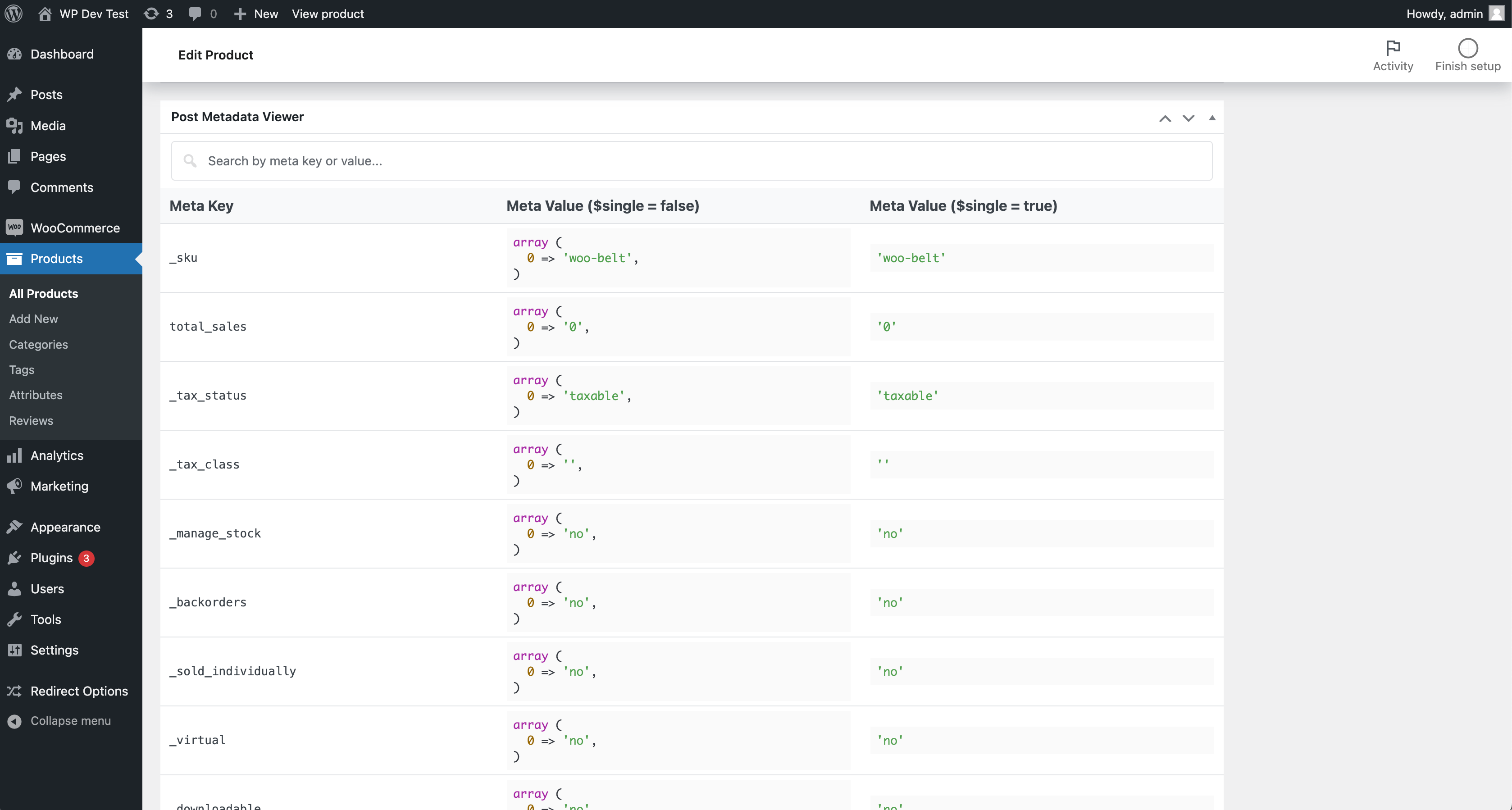
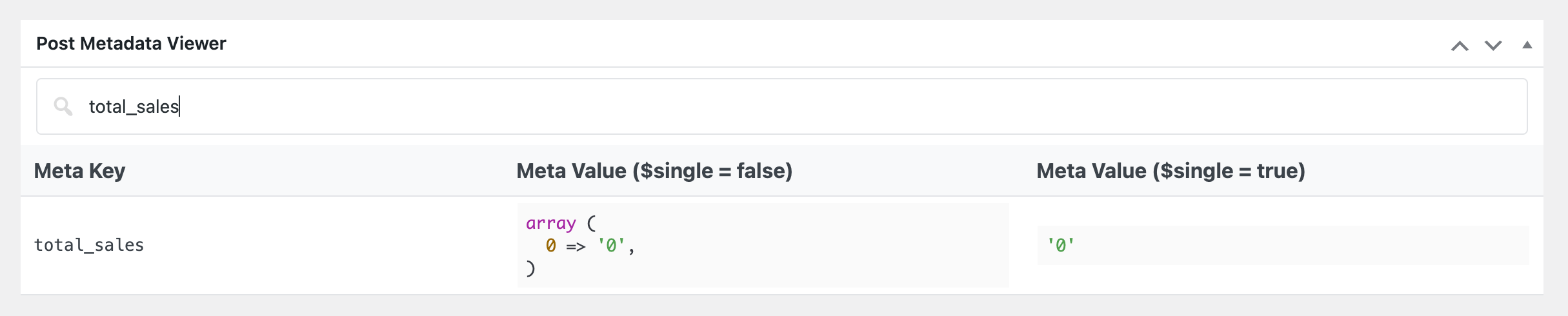
The Metadata Viewer plugin displays metadata keys and values for posts (posts, pages, custom post types), users, comments, taxonomy terms, WooCommerce products, and WooCommerce orders directly in admin edit screens โ€” and on the Dokan vendor dashboard. It also includes an integrated realtime search feature.
Install one lightweight plugin to inspect metadata across common WordPress and WooCommerce object types from their native edit pages.

Features

  • ๐Ÿ‘‰ Posts Metadata Viewer
  • ๐Ÿ‘‰ Custom Post Types Metadata Viewer
  • ๐Ÿ‘‰ Pages Metadata Viewer
  • ๐Ÿ‘‰ Users Metadata Viewer
  • ๐Ÿ‘‰ Comments Metadata Viewer
  • ๐Ÿ‘‰ Taxonomy Terms Metadata Viewer
  • ๐Ÿ‘‰ WooCommerce Products Metadata Viewer
  • ๐Ÿ‘‰ WooCommerce Orders Metadata Viewer
  • ๐Ÿ‘‰ Dokan vendor dashboard: order & product metadata viewers
  • ๐Ÿ‘‰ HPOS-aware WooCommerce Orders metadata handling (supports sync on/off modes)
  • ๐Ÿ‘‰ Unified metadata table UI and realtime search across supported screens

Support

If you find this plugin useful, consider supporting its development through a donation.

Screenshot

Installazione

FOR STANDARD INSTALLATION:

Installing this plugin is very easy just like any other WordPress plugin. Please follow these instructions: 1. In your WordPress admin panel, go to Plugins > New Plugin, search for “Metadata Viewer” and click on “Install Now” 2. Alternatively, download the plugin and upload the metadata-viewer.zip to your plugins directory, which usually is /wp-content/plugins/. 3. Activate the plugin from plugins page.

Recensioni

Useful and functional

Ivan Arnaudov 11 Ottobre 2024 1 risposta
The Metadata Viewer plugin has been immensely helpful to me while developing and troubleshooting some custom functionality for the WooCommerce store of a customer. I thank my lazy self for deciding to look for such a tool before trying to cobble up a worse looking and less functional alternative. However it is important to say that the Metadata Viewer is not useful to developers only; end-users can find value in easily viewing all meta-data associated with a post/page as well. Overall, it is a really helpful tool that should have been natively available in the platform. I will be adding this plugin to my toolkit for future projects. It easily earns โญโญโญโญโญ for being good looking and functional. Plugin developer pluginizelab has my sincere gratitude for making this tool freely available to the community!

Very useful.

haideralibd 29 Aprile 2024 1 risposta
This plugin is very useful plugin for developers.
Leggi tutte le recensioni di 2

Contributi e sviluppo

“Metadata Viewer” รจ un software open source. Le persone che hanno contribuito allo sviluppo di questo plugin sono indicate di seguito.

Collaboratori
  • PluginizeLab
  • Md Aminur Islam

Traduci “Metadata Viewer” nella tua lingua.

Ti interessa lo sviluppo?

Esplora il codice segui il repository SVN, segui il log delle modifiche tramite RSS.

Changelog

2.2.4

  • Applied table-layout: fixed to the metadata table via a dedicated tbl-fixed class to prevent column-width clashes with host themes/plugins.

2.2.3

  • Refreshed the readme feature list and documentation.

2.2.2

  • Added order and product metadata viewers on the Dokan vendor dashboard (“Order Details” and “Edit Product” pages).
  • Introduced a template loader so viewer markup lives in templates/ and is overridable via the metadata_viewer_template filter.
  • Made the metadata table search icon filterable.

2.2.1

  • Added taxonomy term metadata viewer on taxonomy edit screens.
  • Added comment metadata viewer on comment.php?action=editcomment.
  • Improved WooCommerce order metadata loading with HPOS-aware behavior for sync enabled/disabled modes.
  • Improved UI consistency by matching taxonomy and comment metadata sections with existing metadata box/table design.
  • Added shared helper methods for metadata rendering and screen detection.
  • Updated plugin documentation and feature list.

Meta

  • Versione 2.2.4
  • Ultimo aggiornamento 1 mese fa
  • Installazioni attive 400+
  • Versione WordPress 6.0.0 o superiore
  • Testato fino alla versione 6.9.4
  • Versione PHP 7.4 o superiore
  • Lingua
    English (US)
  • Tag
    custom post type metametadatapost metauser meta
  • Visualizzazione avanzata

Valutazioni

5 su 5 stelle.
  • 2 recensioni a 5-stelle 5 stelle 2
  • 0 recensioni a 4-stelle 4 stelle 0
  • 0 recensioni a 3-stelle 3 stelle 0
  • 0 recensioni a 2-stelle 2 stelle 0
  • 0 recensioni a 1-stelle 1 stella 0

Your review

Vedi tutte le recensioni

Collaboratori

  • PluginizeLab
  • Md Aminur Islam

Supporto

Hai qualcosa da dire? Ti serve aiuto?

Chiedi nel forum di supporto

Donazioni

Vuoi sostenere le versioni future?

Fai una donazione per lo sviluppo

  • Chi siamo
  • News
  • Hosting
  • Privacy
  • Vetrina
  • Temi
  • Plugin
  • Pattern
  • Learn (Training)
  • Supporto
  • Sviluppo
  • WordPress.tv โ†—
  • Partecipa
  • Eventi
  • Donazioni โ†—
  • Five for the Future
  • WordPress.com โ†—
  • Matt โ†—
  • bbPress โ†—
  • BuddyPress โ†—
WordPress.org
WordPress.org

Italia

  • Visita il nostro account X (ex Twitter)
  • Visita il nostro account Bluesky
  • Visita il nostro account Mastodon
  • Visita il nostro account Threads
  • Visita la nostra pagina Facebook
  • Visita il nostro account Instagram
  • Visita il nostro account LinkedIn
  • Visita il nostro account TikTok
  • Visita il nostro canale YouTube
  • Visita il nostro account Tumblr
Code is Poetry.
The WordPress® trademark is the intellectual property of the WordPress Foundation.