
Descrizione
The Plugin Compatibility Checker helps you keep your WordPress site stable and secure by scanning installed plugins for PHP, Database, and WordPress version compatibility.
🆕 WordPress 7.0 Database Readiness
WordPress 7.0 introduces stricter database requirements (MySQL 8.0+ / MariaDB 10.6+). Many hosting environments still run older database versions which may silently block updates. This plugin now detects database compatibility and warns you before upgrading.
$1/month License Required (Entry Plan)
You must subscribe to the CompatShield Portal ($1/month recurring) to obtain a license key. Once activated, you will be able to see plugin compatibility results (up to PHP 8.5) and database compatibility directly inside your WordPress admin.
📺 Video Tutorial
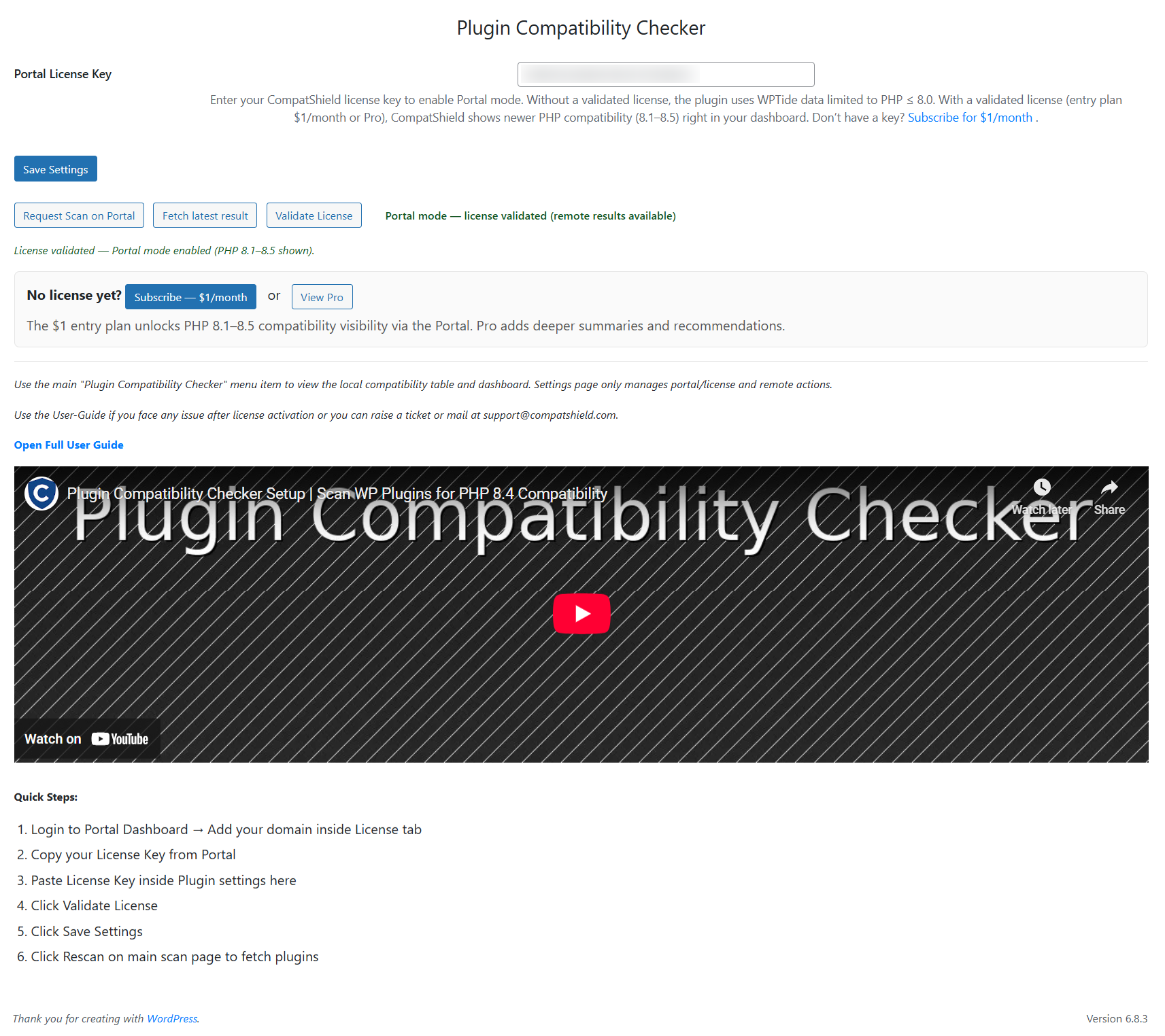
Watch step-by-step how to activate your license & run your first scan:
Quick Setup Steps
1) Subscribe Get your license key from the Portal
2) Add your domain inside the License tab
3) Copy your License Key
4) Paste License Key inside Plugin Settings in WP Admin
5) Click Validate License
6) Click Save Settings
7) Go to Plugin Main Page Click Rescan
Pro Version (Upgrade)
Upgrading to Pro unlocks the full CompatShield Portal Dashboard with advanced features — vulnerability summary, detailed scan results, notifications, historic analysis, plugin issues overview, premium ZIP upload scanning, and multi-layer compatibility intelligence including database upgrade readiness.
Subscribe / Upgrade to Pro: https://www.compatshield.com/
✨ Key Features
-
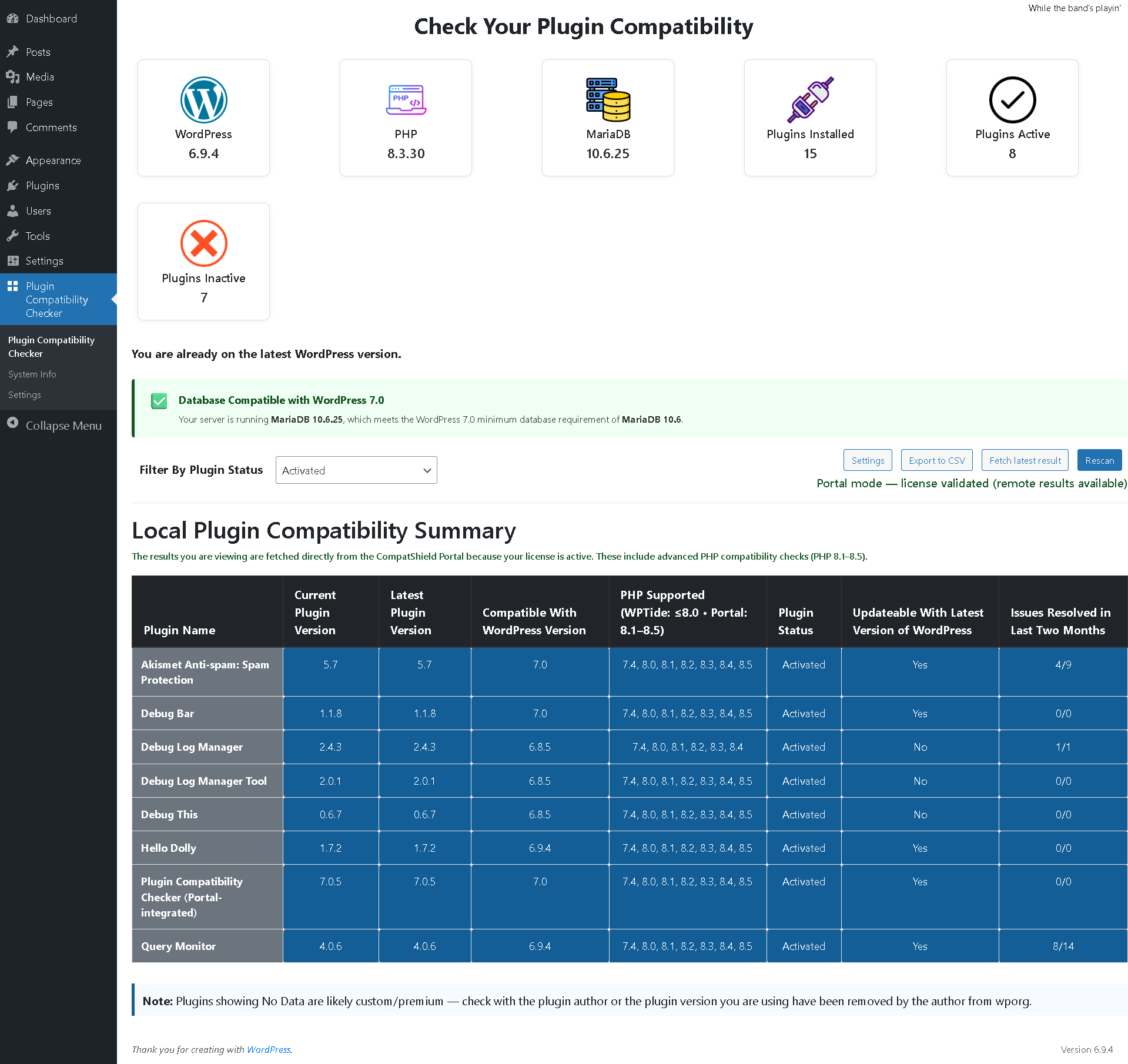
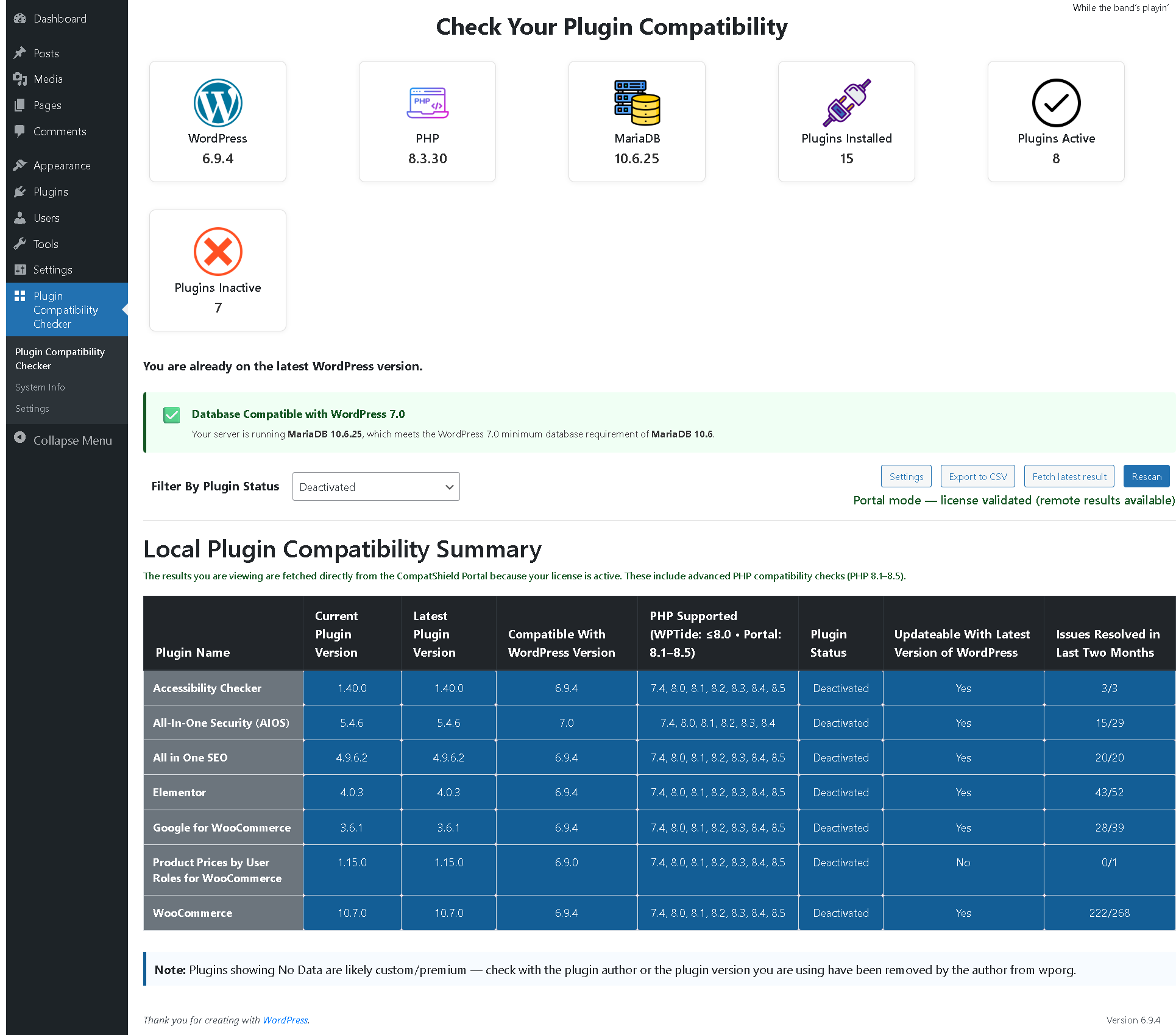
PHP Compatibility Check – Scan plugins for PHP compatibility.
- $1/month license: Shows PHP compatibility results directly inside WP Plugin backend (up to PHP 8.5)
- Pro license: Deeper breakdowns, insights, and analysis inside Portal Dashboard
-
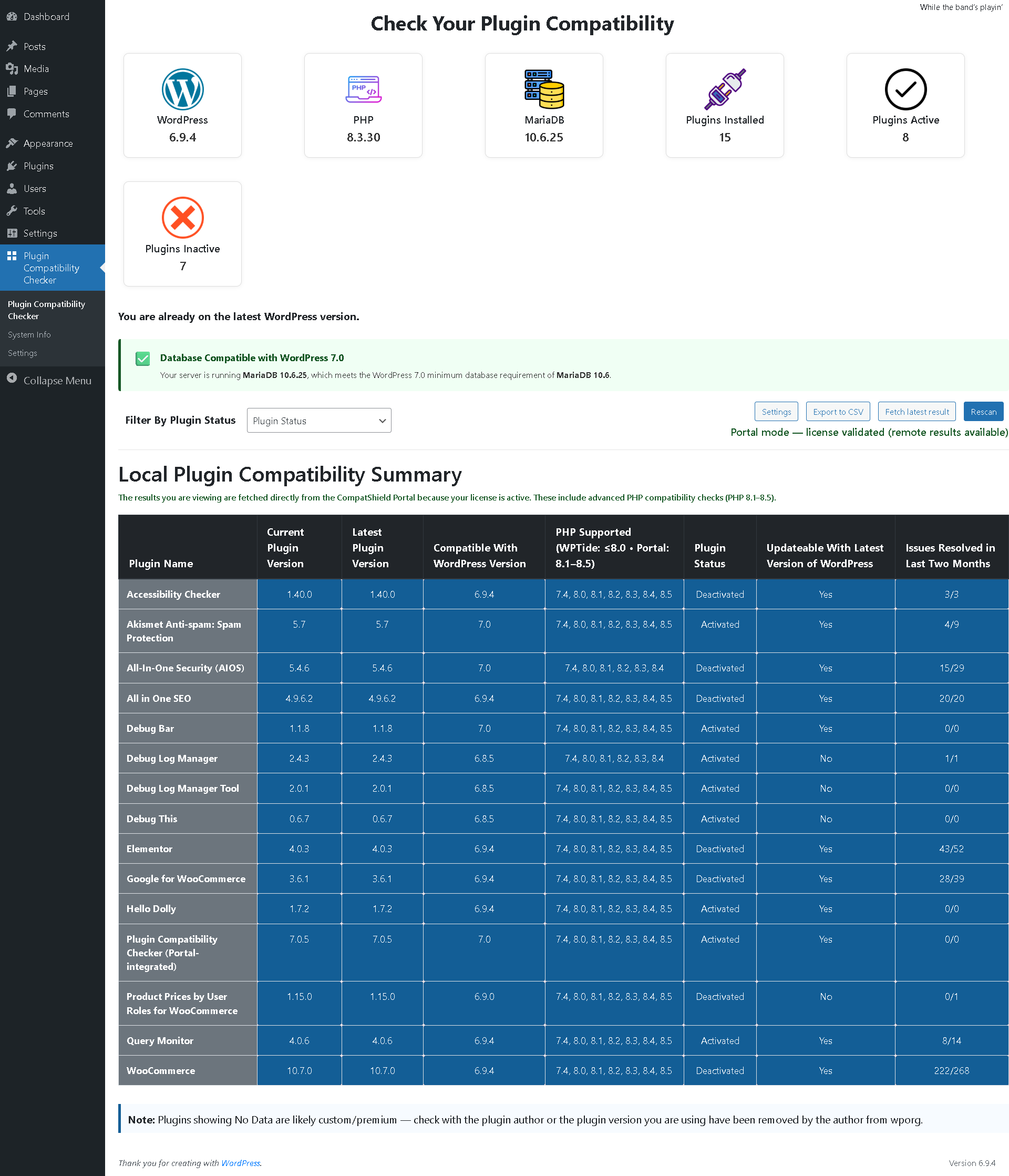
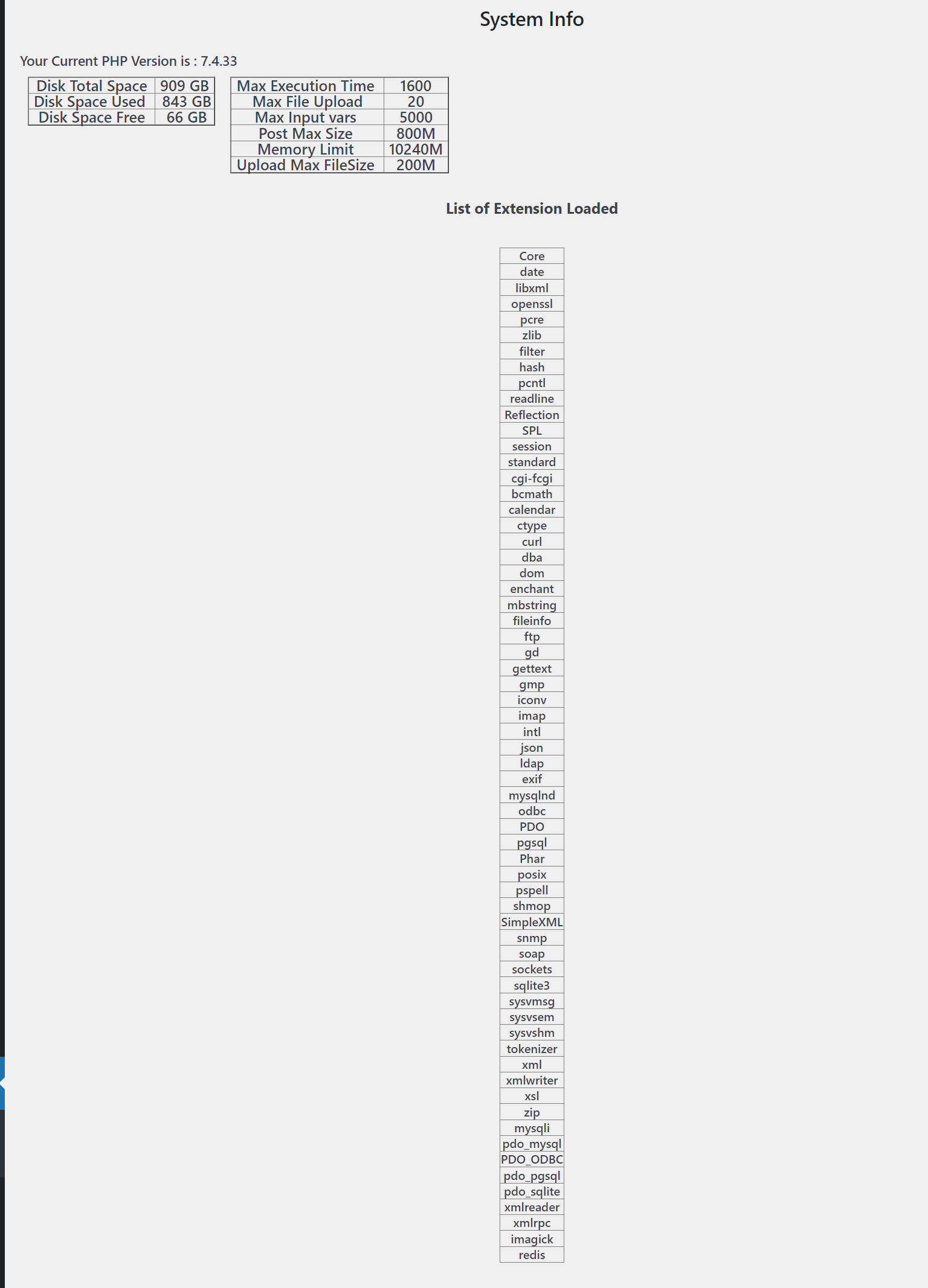
Database Compatibility Check (NEW 🚀) – Detect MySQL/MariaDB version and ensure WordPress 7.0 readiness.
- Detects outdated MySQL (< 8.0) and MariaDB (< 10.6)
- Warns if hosting environment may block WordPress updates
- Helps prevent upgrade failures
- Pro: Advanced insights and upgrade recommendations
-
Plugin Rescan – Quickly rescan whenever you install or update plugins.
-
Email Notifications (Pro) – Get notified when scans complete or risks are detected.
-
Portal Integration (Pro) – View full detailed results in the CompatShield Portal Dashboard.
-
Vulnerability Summary (Pro) – Basic vulnerability insights available in the Portal.
-
“No Data” Plugins Handling – Easily identify custom/premium plugins or removed versions not available on WordPress.org.
🔑 Entry Plan vs Pro Plan
-
PHP Compatibility Check
$1 Plan: WP Admin Results up to PHP 8.5
Pro Plan: Detailed compatibility insights in Portal Dashboard -
Database Compatibility Check
$1 Plan: Basic DB version detection in WP Admin
Pro Plan: Full upgrade readiness insights + risk analysis + recommendations -
Vulnerability Summary
$1 Plan: Not available
Pro Plan: Available in Portal -
Email Notifications
$1 Plan: Not available
Pro Plan: Available -
Portal Dashboard
$1 Plan: Not available
Pro Plan: Full access (compatibility + vulnerabilities + detailed summaries + site overview) -
Custom/Premium Plugins ZIP Scanning
$1 Plan: Not available
Pro Plan: Supported via Portal ZIP uploader
Screenshot
Installazione
- Upload
plugin-compatibility-checkerto the/wp-content/plugins/directory. - Activate the plugin through the Plugins menu in WordPress.
- Subscribe inside the Portal ($1/month) and enter your license key to unlock compatibility up to PHP 8.5 and database checks.
- (Optional) Upgrade to Pro to enable Portal Dashboard and advanced features.
FAQ
-
What happens if I don’t activate a license?
-
You must subscribe to the $1/month entry plan and activate your license to see compatibility results. Without license activation, visibility will be limited. Pro unlocks dashboard analytics, notifications and vulnerability insights.
-
Why is database compatibility important?
-
Starting with WordPress 7.0, database requirements are stricter (MySQL 8.0+ / MariaDB 10.6+). If your hosting is outdated, your site may not receive updates.
-
Will my site break if database is outdated?
-
Not immediately, but your site may stop receiving future WordPress updates, which can lead to security risks.
-
Why does a plugin show “No Data”?
-
This usually means the plugin is either custom/premium or its version has been removed from WordPress.org.
-
Do I need to rescan after adding new plugins?
-
Yes, please click Rescan to include new plugins in the compatibility check.
Recensioni


Contributi e sviluppo
“Plugin Compatibility Checker” è un software open source. Le persone che hanno contribuito allo sviluppo di questo plugin sono indicate di seguito.
Collaboratori
“Plugin Compatibility Checker” è stato tradotto in 1 lingua. Grazie a chi traduce per il contributo.
Traduci “Plugin Compatibility Checker” nella tua lingua.
Ti interessa lo sviluppo?
Esplora il codice segui il repository SVN, segui il log delle modifiche tramite RSS.