
Descrizione
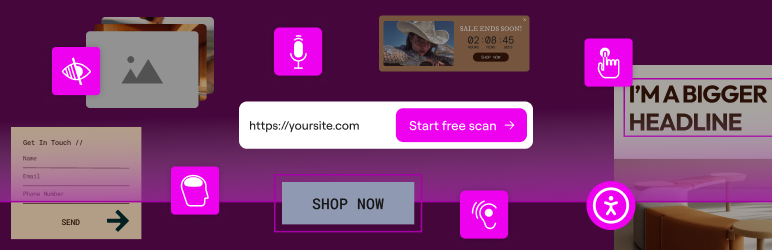
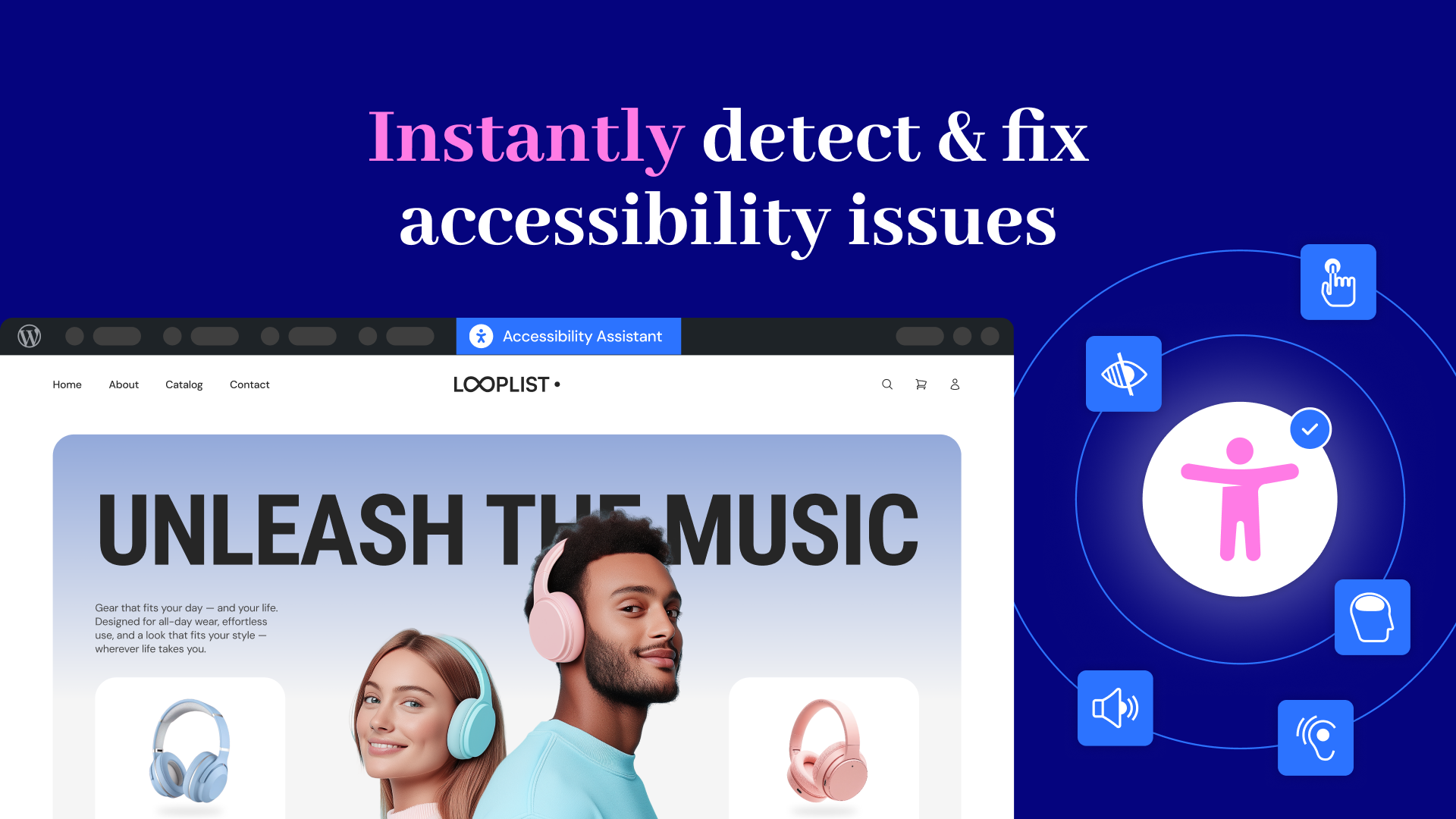
Web Accessibility (formally known as Ally) is a free, powerful, and user-friendly plugin that helps WordPress creators build more accessible websites with ease.
It simplifies accessibility with three essential tools:
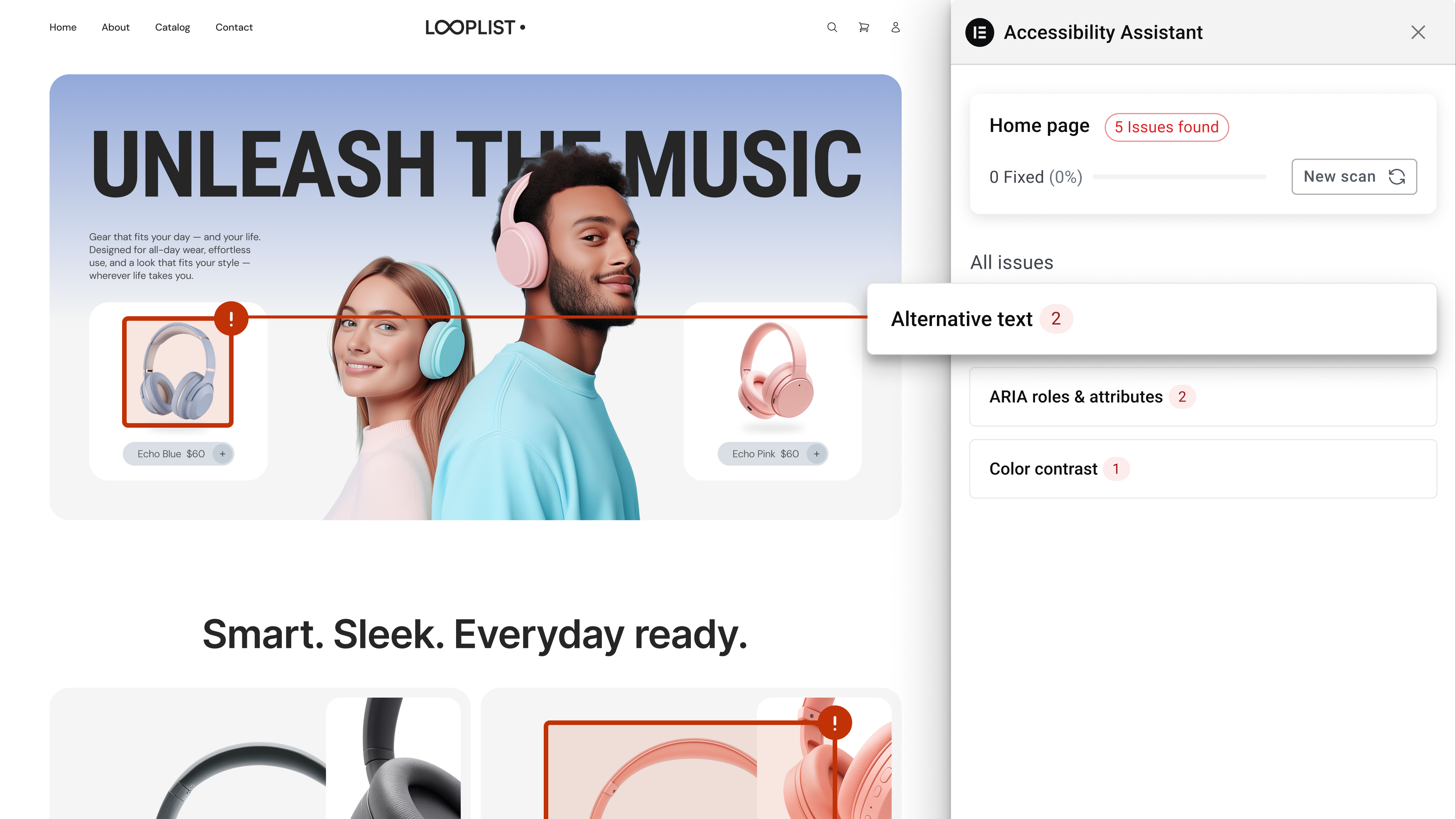
- Accessibility Assistant – Scan your pages, detect accessibility violations, and follow guided steps to fix them. Make manual adjustments or apply AI-powered suggestions, and track your progress.
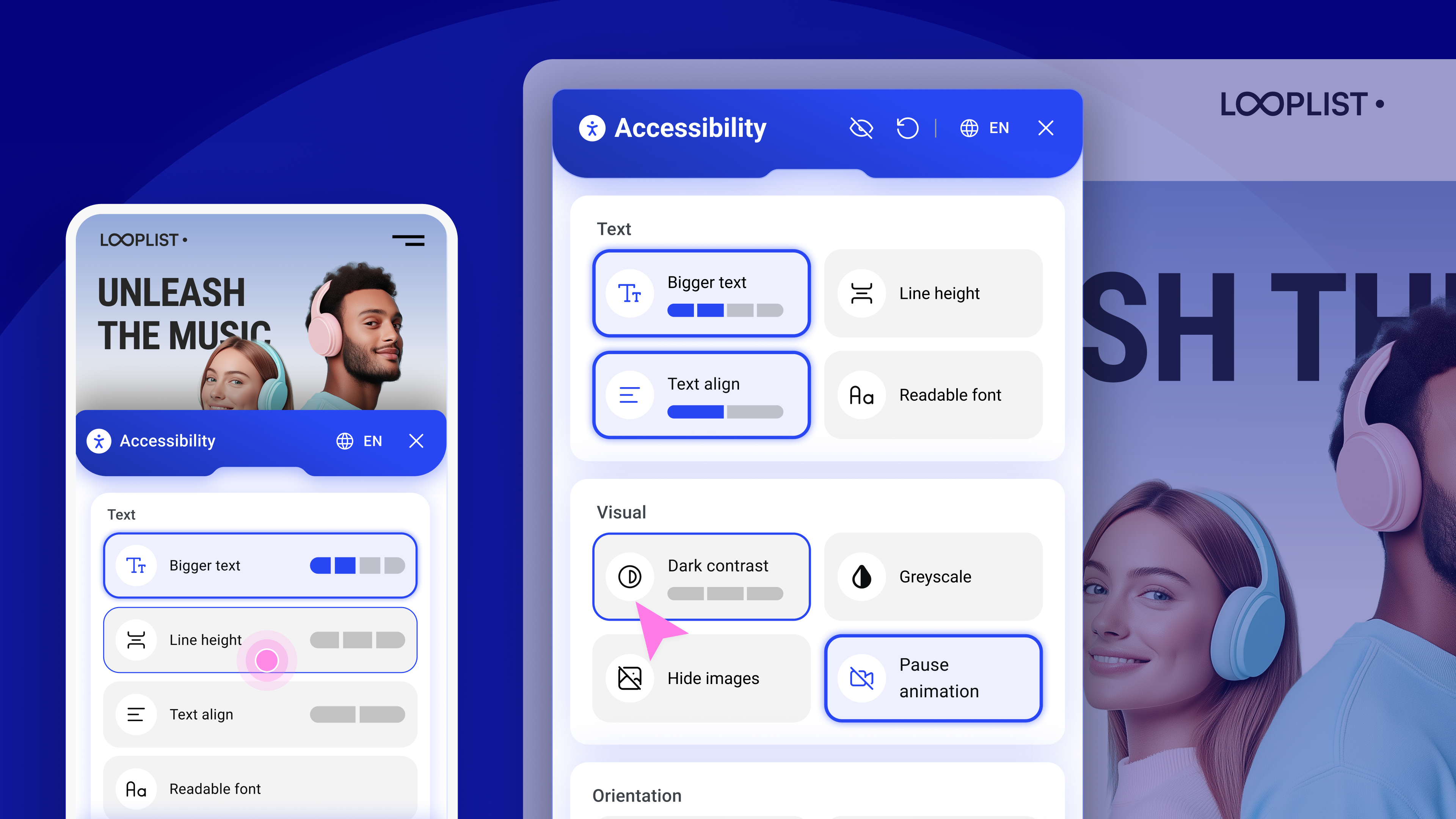
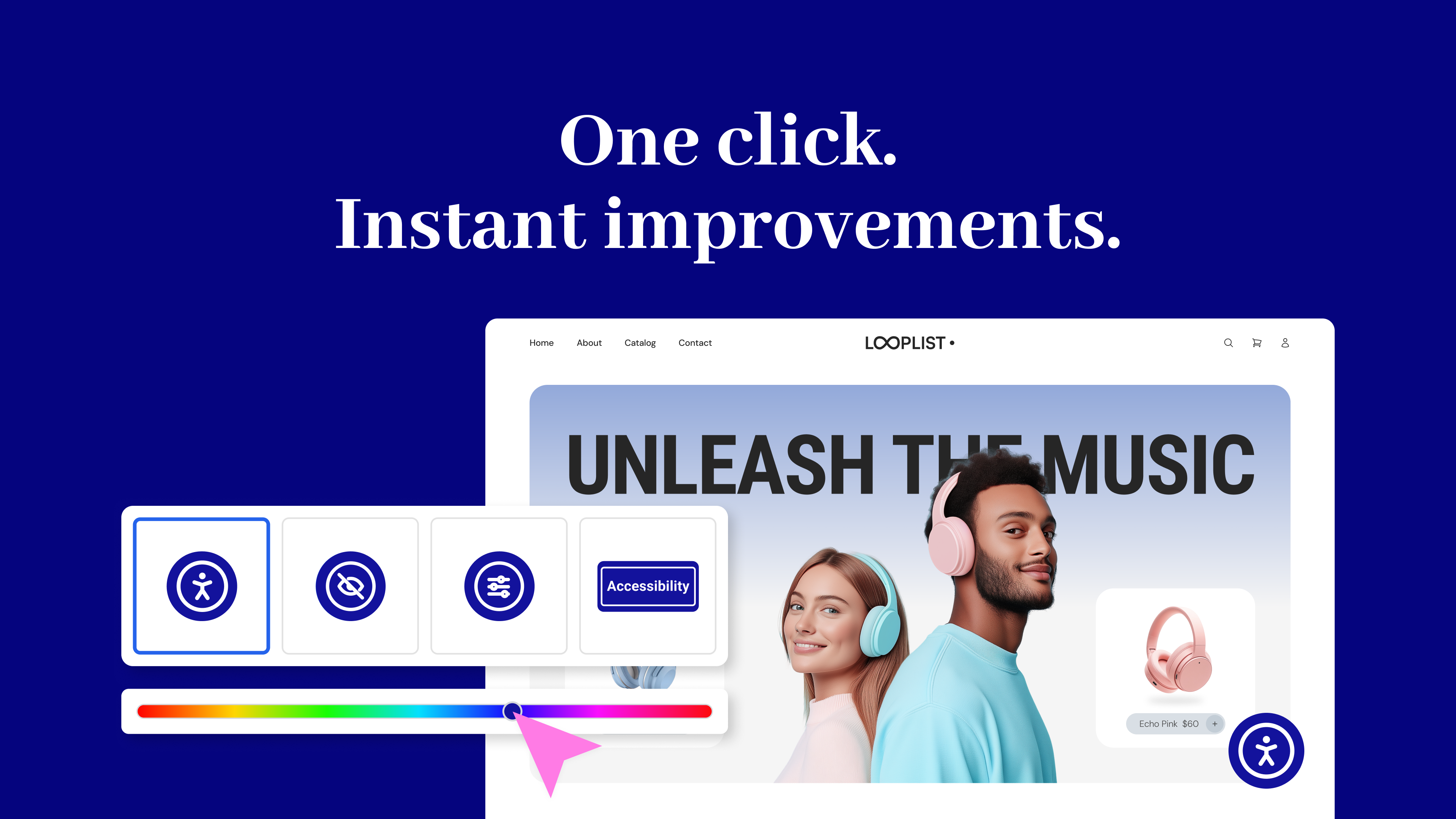
- Widget di usabilità – Consente a chi visita il sito di personalizzare la propria esperienza di navigazione con un menu di accessibilità mobile. Le funzionalità includono il ridimensionamento dei caratteri, il contrasto dei colori, la possibilità di nascondere le immagini, la sospensione delle animazioni, la selezione della lingua, il supporto per screen reader e altro ancora.
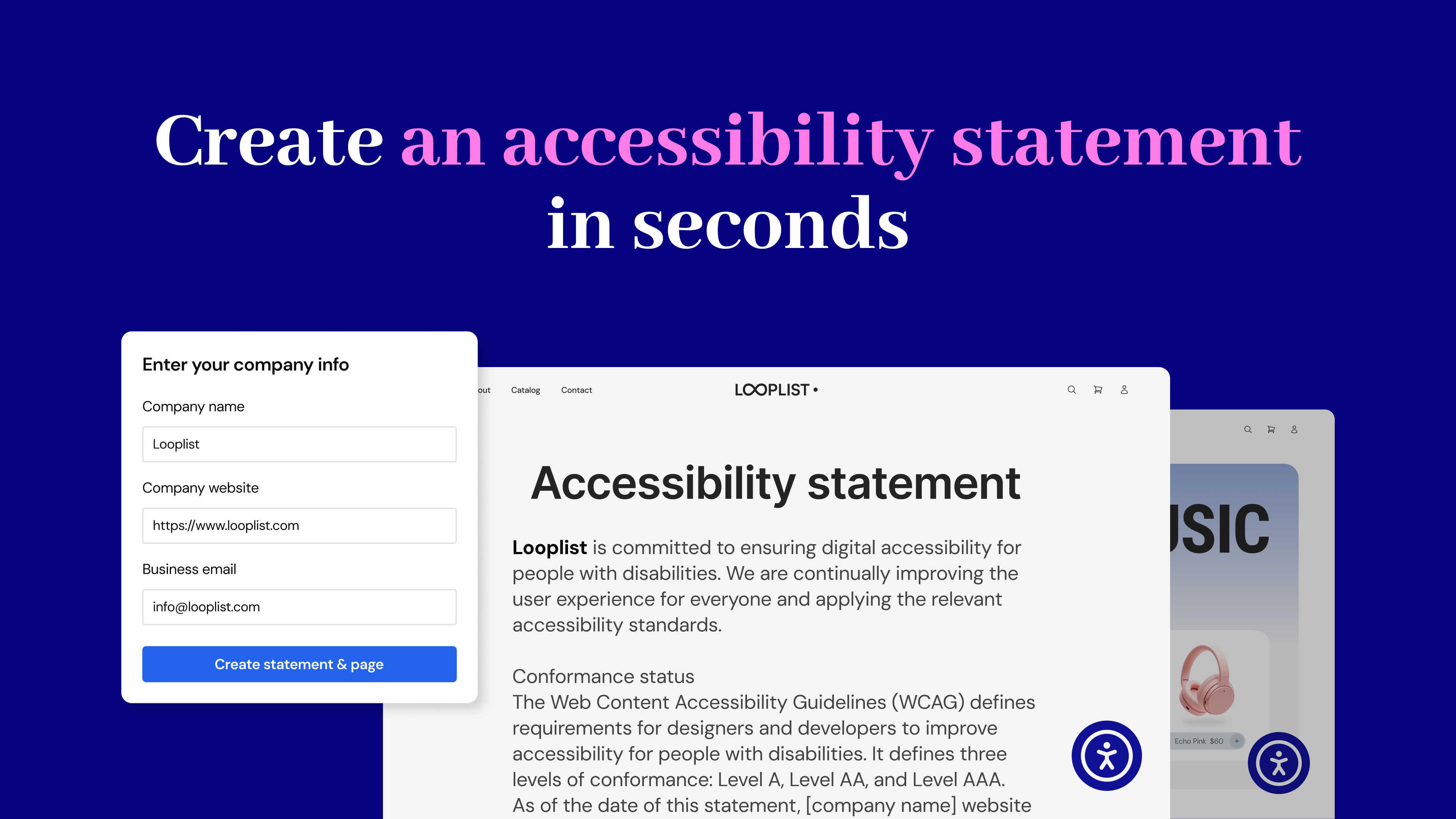
- Generatore di dichiarazioni di accessibilità – Puoi creare una dichiarazione di accessibilità completamente personalizzata e pubblicarla automaticamente sul tuo sito, contribuendo a soddisfare i requisiti WCAG e legali.
No expertise required – Just activate, configure, and start making your site more inclusive today. Built by Elementor and designed for every WordPress site.
Perché l’accessibilità web è importante?
- Who Needs It? Every website owner, for businesses, creators, and agencies.
- Who is Responsible? Website owners are legally and ethically responsible for accessibility. The web creator who designs and builds the site must implement and adjust accessibility features to ensure compliance with WCAG guidelines and provide an inclusive experience for all users.
- Perché adesso? Perché i requisiti legali (WCAG, EAA) sono in aumento e il miglioramento dell’esperienza utente è un obiettivo di qualsiasi sito web.
- Why Should You Care? An accessible website isn’t just ethical; it’s good business. By prioritizing inclusivity, you improve user experience for everyone, boost your search engine rankings, and attract a wider audience.
It’s the Law
As accessibility standards continue to evolve and become mandatory, it’s important to start making website adjustments to comply with fast-approaching global regulations. Among its other capabilities, this plugin lets you instantly generate your website’s Accessibility Statement, which is now mandatory in most locales.
The Web Accessibility plugin is not a substitute for a thorough accessibility audit and is NOT intended to completely make your website legally compliant. However, with it, you’re one step closer to making your website inclusive to more visitors, including those with visual, auditory, or cognitive challenges.
È tua responsabilità garantire che il tuo sito web sia conforme a tutti i requisiti di accessibilità applicabili. Ti consigliamo di collaborare con persone esperte in materia di accessibilità per ottenere la piena conformità.
Caratteristiche principali e vantaggi
Accessibility Assistant
- Scansiona qualsiasi URL su richiesta per rilevare eventuali problemi nell’accessibilità
- Avvia la scansione direttamente da WordPress o da Elementor
- Guida passo passo per risolvere i problemi
- Suggerimenti di correzione basati sull’IA
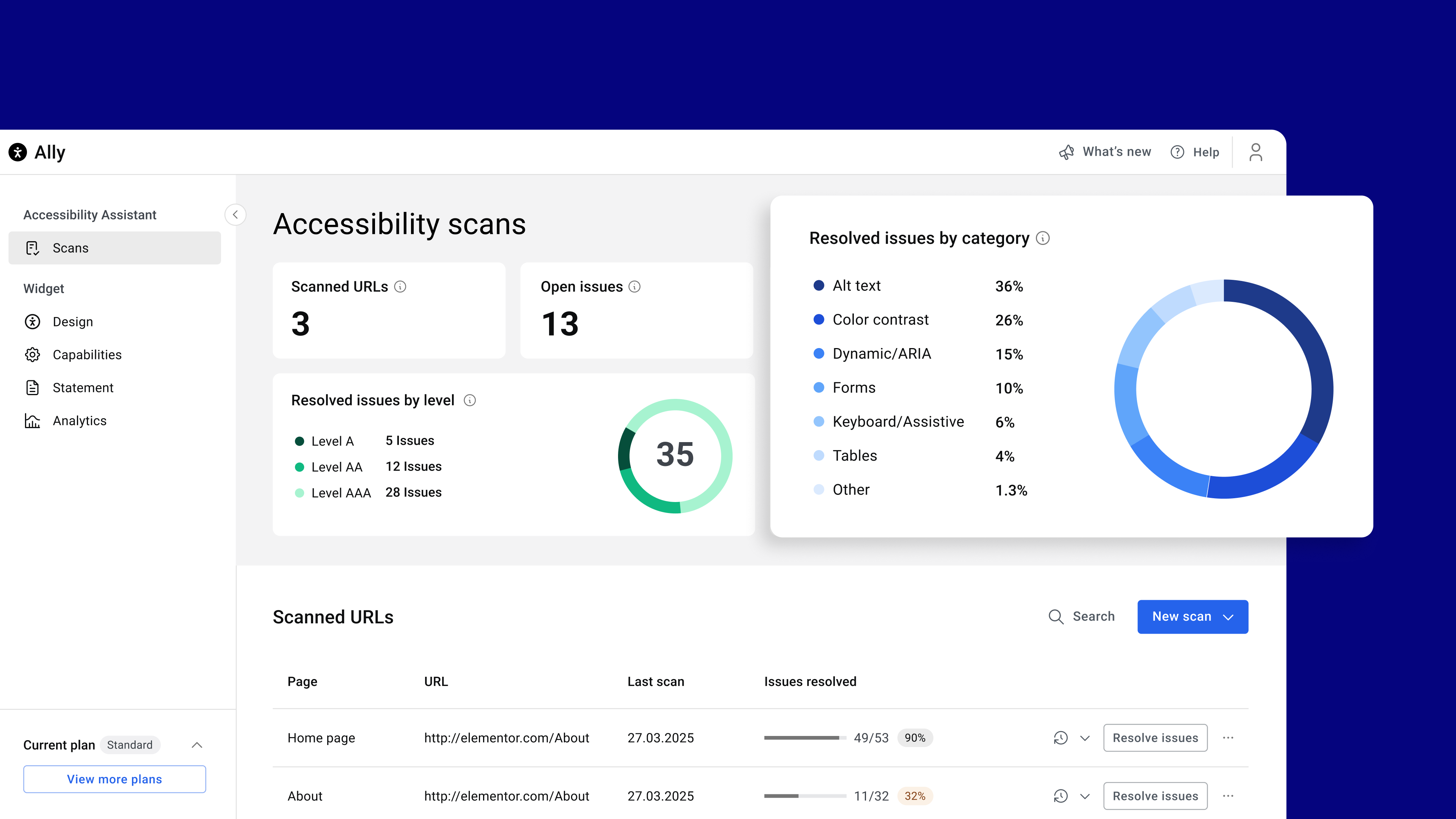
- Monitoraggio dei progressi tramite una bacheca
- Non è richiesta alcuna competenza in materia di accessibilità
Come funziona
Accessibility Assistant scans individual URLs for accessibility violations, categorizes them by type and severity, and provides actionable insights. You can apply manual fixes manually or use AI suggestions while tracking your progress over time. Accessibility Assistant helps you:
- rilevare quando manca il testo alternativo
- etichettare i contenuti dinamici e i punti di riferimento (landmark) ARIA
- Convalida dei moduli e segnalazione degli errori di immissione dati
- garantire la compatibilità del sito per la navigazione da tastiera e l’uso delle tecnologie assistive
- identificare le violazioni dell’accessibilità nelle tabelle
- correggere la struttura della pagina e la navigazione errate
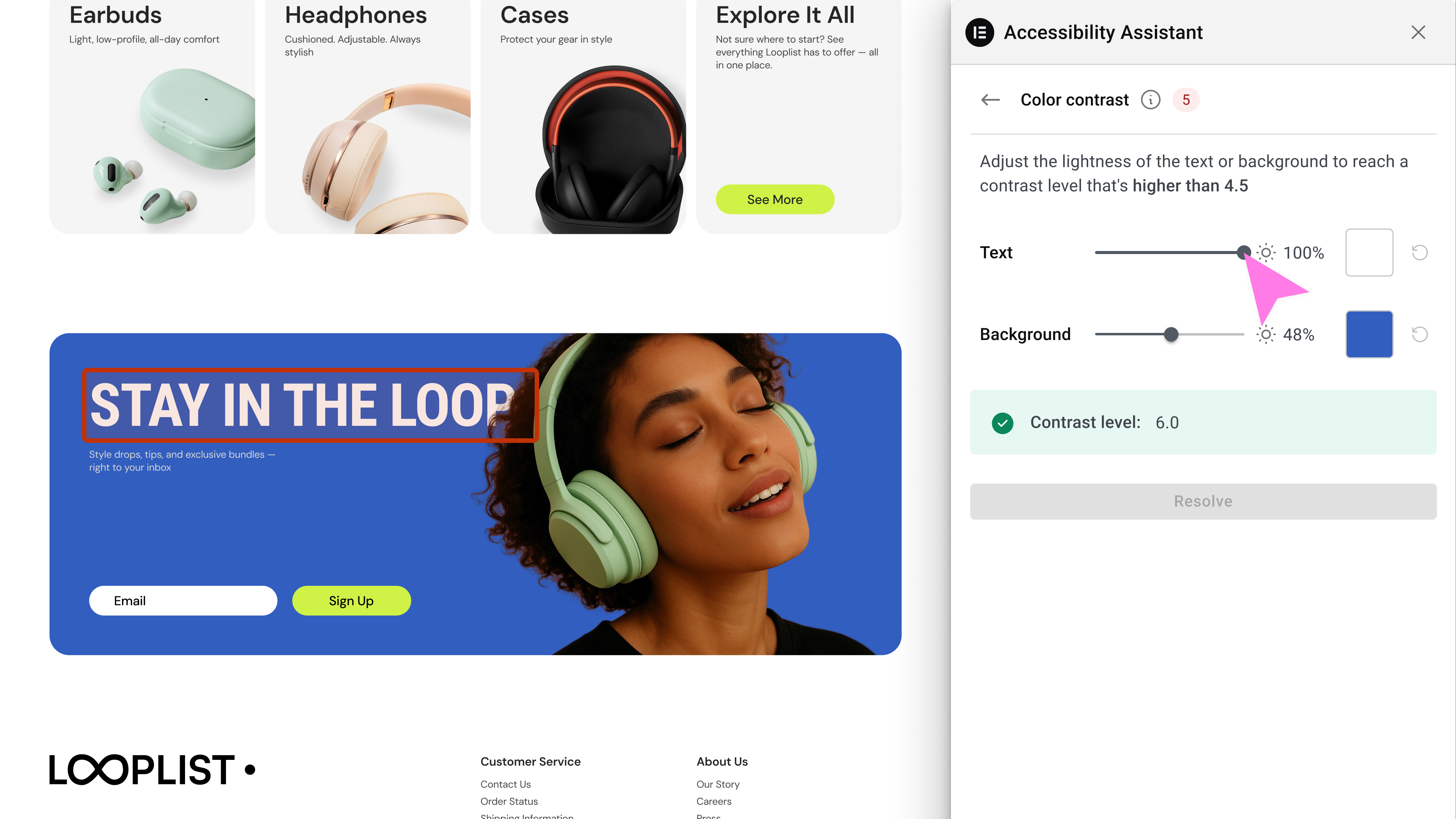
- identificare il contrasto dei colori e le violazioni dello stile visivo (in arrivo)
- e a rilevare oltre 180 altre violazioni comuni dell’accessibilità basate sulle WCAG 2.1 AA
Generatore di dichiarazioni di accessibilità
- Auto-generate a complete accessibility statement
- Personalizza e pubblica su una pagina dedicata
- Collegalo utilizzando il widget
Widget di usabilità
- Offri a chi visita il sito un menu personalizzabile con funzionalità quali:
- Modalità di contrasto (alto, scuro, chiaro, negativo)
- Modifica delle dimensioni dei caratteri e opzione per caratteri leggibili
- Messa in pausa delle animazioni e occultamento delle immagini
- Opzioni relative all’altezza della linea e all’allineamento del testo
- Miglioramenti della navigazione tramite tastiera
- Link sottolineati e guida alla lettura
- Opzioni Passa al contenuto / Visualizza la sitemap
- Selezione della la lingua
- Passaggio al contenuto principale
- Ripristino delle impostazioni predefinite e opzione di attivazione/disattivazione del widget
Le funzionalità premium del widget sono disponibili nei piani a pagamento, e includono:
- Miglioramenti alla compatibilità con gli screen reader
- L’opzione senza marchio (rimozione del marchio di Elementor)
- Selezione della lingua direttamente nel widget
- Analisi di utilizzo per ottenere informazioni utili dalle interazioni di chi visita il sito
Opzioni di personalizzazione del widget per i creatori di siti web
Tailor the widget’s look and behavior with options like:
- Mostra/nascondi l’icona del widget su dispositivi mobili o desktop
- Selezione del tipo e della dimensione dell’icona
- Scelta dei colori per l’icona, il titolo e il testo
- Definizione della posizione dell’icona (selezione dell’angolo o della posizione esatta in cui appare il widget nel frontend)
- Opzione aggiungi/modifica l’URL della sitemap
- Opzione abilita/disabilita le funzionalità per dispositivo o ruolo utente
Inizia oggi stesso
Create a better user experience for all with Web Accessibility
Need help? Visit our help center or contact Support.
This plugin requires a connection to an active Elementor account to identify the user and provide the purchased service. This connection is initiated manually by the user via the plugin’s settings panel. Learn more about our terms and conditions. This plugin uses a 3rd party service operated by Elementor.
Altre funzioni di accessibilità sono in arrivo, quindi fai attenzione ai nuovi aggiornamenti!
Plugin correlati
- Email Deliverability: Manage transactional emails with ease. High deliverability, detailed logs and statistics, and no SMTP plugins needed.
- Image Optimizer: comprimi e ottimizza le tue immagini, rendendo i tuoi siti web più snelli e veloci. Ottimizza automaticamente qualsiasi nuova immagine che carichi o esegui un processo di ottimizzazione in blocco per i caricamenti esistenti.
Screenshot
Blocchi
Questo plugin fornisce 1 blocco.
- Web Accessibility Widget Trigger
Installazione
Installazione automatica
- Installa utilizzando l’installatore di plugin integrato in WordPress, menu Plugin > Aggiungi nuovo
- Attiva il plugin tramite il menu “Plugin” in WordPress
- Vai alla pagina dei plugin (in Dashboard > Ally)
- Buon divertimento!
Installazione manuale
- Estrai il file zip e trascina il contenuto nella directory
wp-content/plugins/della tua installazione WordPress. - Attiva il plugin tramite il menu “Plugin” in WordPress
- Vai alla pagina dei plugin (in Dashboard > Ally)
- Buon divertimento!
FAQ
-
What is the Web Accessibility plugin?
-
Web Accessibility is an accessibility plugin for WordPress websites. It helps web creators build more inclusive websites using a customizable widget, on-demand accessibility scans, AI-powered issue remediation, and a centralized dashboard to track progress.
-
Who is Web Accessibility for?
-
Web Accessibility is ideal for freelancers, agencies, and DIY website owners who want to improve accessibility and align with WCAG standards
-
Is Web Accessibility GDPR compliant?
-
Yes, Web Accessibility is GDPR compliant. To meet your privacy obligations, you must list Elementor as a sub-processor in your privacy notice. Our Data Processing Agreement (DPA) outlines all privacy-related requirements.
-
Can Web Accessibility guarantee that my site is fully accessible?
-
No automated tool can promise full accessibility. Web Accessibility helps you detect and fix the most common violations, but achieving full compliance requires human testing and judgment. Think of Web Accessibility as a powerful assistant-not a complete substitute for manual review.
-
Che cos’è una dichiarazione di accessibilità e come posso crearne una?
-
An accessibility statement is a public declaration of your commitment to inclusive digital experiences. Web Accessibility helps you easily generate and publish one as a dedicated page on your website.
-
Why do I need an Elementor account to use Web Accessibility?
-
An Elementor account lets you manage your Web Accessibility settings, track usage, and unlock advanced features like the Assistant and AI fixes.
-
Can I customize the widget’s appearance?
-
Yes. You can personalize the widget’s icon, colors, size, position, and which features are shown on mobile or desktop.
-
Chi visita il sito può nascondere il widget?
-
Yes. Visitors can choose to temporarily dismiss the widget for a session, 24 hours, or one week.
-
Il widget supporta più lingue?
-
Yes, it automatically adjusts to your site’s language settings.
-
Cos’è Ally Assistant?
-
Ally Assistant è uno strumento che analizza i singoli URL alla ricerca di violazioni dell’accessibilità, li organizza in categorie e ti guida nella correzione manuale o con suggerimenti basati sull’IA.
-
Posso scansionare lo stesso URL più di una volta?
-
Sì. È possibile eseguire una nuova scansione di un URL tutte le volte che è necessario. I risultati vengono aggiornati ogni volta in base alla versione corrente dei contenuti.
-
Cosa sono le correzioni IA?
-
These are smart suggestions generated by Web Accessibility to help you resolve issues more efficiently-like automatically suggesting alternative text for images. AI fixes are available only on paid plans and use credits.
-
Come posso segnalare dei bug relativi alla sicurezza?
-
Puoi segnalare i bug di sicurezza attraverso il Patchstack Vulnerability Disclosure Program. Il team di Patchstack aiuta a convalidare, gestire e gestire qualsiasi vulnerabilità di sicurezza. Segnala una vulnerabilità di sicurezza.
Recensioni


Contributi e sviluppo
“Web Accessibility (formally known as Ally) – WCAG Scanning, Guided Fixes, Widget di usabilità” è un software open source. Le persone che hanno contribuito allo sviluppo di questo plugin sono indicate di seguito.
Collaboratori
“Web Accessibility (formally known as Ally) – WCAG Scanning, Guided Fixes, Widget di usabilità” è stato tradotto in 23 lingue. Grazie a chi traduce per il contributo.
Ti interessa lo sviluppo?
Esplora il codice segui il repository SVN, segui il log delle modifiche tramite RSS.
Changelog
4.1.3 – 2026-06-29
- Tweak: Widget button custom position alignment
- Tweak: Ally AI fixes improvments
- Tweak: Assets renaming
- Fix: Accessibility in deactivation modal
- Fix: WordPress Dahsboard stats not updating
4.1.2 – 2026-06-01
- Tweak: Improved admin screens in RTL view
- Tweak: Reduce bundle size for faster loading
- Tweak: Improved Internal caching purge
- Tweak: Added support for setups where
home_urlis different thansite_url
4.1.1 – 2026-03-31
- Tweak: Improved WPML support
- Tweak: WordPress 7.0 design compatibility
4.1.0 – 2026-02-23
- New: Added bulk remediation flow to generate AI alt text or mark multiple images as decorative
- Tweak: Added the ability to disable the accessibility widget to prevent it from loading on your site
- Tweak: Security enhancement to prevent potential SQL injection
- Tweak: Security enhancement to remove unsecure composer package
- Fix: Display WordPress admin notices inside the settings page
- Fix: Resolved conflict in Beaver Builder by preventing remediation runner from executing during page builder sessions
4.0.3 – 2026-01-28
- Tweak: Security enhancements for access control
4.0.2 – 2026-01-28
- Tweak: Added a dashboard widget to trigger scans and view results
- Fix: Resolved layout issues on the settings page for RTL websites
- Fix: Resolved widget trigger functionality when users are logged out
- Fix: Missing styles warning when reviews popup is displayed
4.0.1 – 2026-01-20
- Fix: Fix ally widget action to toggle open/close state.
- Fix: PHP error in Ally legacy product
4.0.0 – 2026-01-20
- Tweak: Moved the plugin entry point under a unified Elementor menu
- Tweak: Redesigned the plugin settings interface for a unified look and feel
- Tweak: Added support for “Elementor One”
- Fix: Improved accessibility by correcting the tabindex value
- Fix: Added automatic cache synchronization to ensure content updates remain consistent across the site
- Fix: Corrected the direct upgrade link to include the specific subscription ID
3.9.1 – 2025-12-08
- New: Added the Walkthrough video to assist during Ally onboarding.
- Tweak: Updated the tooltip for Site-Wide Fixes for better clarity.
- Tweak: Made the Ally widget footer more prominent.
- Fix: Resolved an issue where the quota-limit indication did not appear correctly.
- Fix: Fixed a blink issue that occurred when triggering a scan from the admin.
3.9.0 – 2025-11-11
- New: You can now apply fixes across all scanned pages in one click for repeating elements such as headers, footers, and more.
- New: Added the ability to manage global Alt Text and Color Contrast remediations.
- Tweak: Improved the Reviews component experience.
- Fix: Resolved a bug causing the Search page in the Dashboard not to load properly.
- Fix: Corrected an error message that appeared improperly when the quota limit was reached.
- Fix: Fixed a compatibility issue with the Divi plugin.
3.8.1 – 2025-10-15
- Tweak: Code refactor
3.8.0 – 2025-09-29
- New: Headings Remediation Management – Review and correct heading hierarchy with a guided flow
- Tweak: Improved AI remediation results with added context for clearer responses
- Fix: Disabled remediation action not working
- Fix: Quota number displayed incorrectly for Standard plan
3.7.0 – 2025-09-02
- New: Redesigned Accessibility Widget – Clearer structure, Wider accessible buttons, and Improved mobile view
- New: Intro banner for users who connected Ally
- New: Reviews & CSAT flow to gather user feedback
- Tweak: Added cache clearing option in Assistant panel and WordPress Admin Bar
- Tweak: Enhanced color contrast evaluation to fix issues with gradient/video backgrounds
- Fix: found issue count wrong in edge cases
3.6.0 – 2025-08-02
- New: Smart color contrast remediation flow in the accessibility assistant
- Tweak: Updated scan dashboard to show open issues and issue breakdown by category
- Tweak: Tooltip on analytics tab encouraging tracking activation
- Tweak: Improve accessibility column in WP admin for better user experience
- Fix: Added WPML compatibility
- Fix: WooCommerce AJAX conflict
3.5.2 – 2025-07-28
- Tweak: Improved performance by enqueuing Assistant only when logged in
- Fix: Admin post columns offset warning
3.5.1 – 2025-07-23
- Tweak: Admin panel UI updates
- Tweak: Assistant UI updates
- Tweak: Ensure case sensitive attributes in remediations
- Fix: Assistant accessibility issues
- Fix: Custom Icon issue in edge cases
- Fix: Critical Error on plugin conflict
3.5.0 – 2025-07-08
- New: Introducing URL Scanner – find 180+ issues instantly (WCAG 2.1 AA)
- New: Introducing Remediation Engine – get in-context guided, AI-powered accessibility fixes
- New: Introducing Overview Dashboard – track scans and accessibility progress in real-time
- New: Introducing Auto-Fix – fix common issues with one click: alt text, forms, keyboard nav, and tables
- Tweak: New admin UI design
3.4.0 – 2025-06-04
- New: Added widget languages selector
- Tweak: Load widget’s font locally for better compliance
- Fix: Estonian language translation
- Fix: Admin UI unused frame
3.3.0 – 2025-05-14
- New: Custom Icon support for the Ally widget
- New: Custom Link Gutenberg block to trigger Ally widget
- New: Elementor Dynamic Tags to trigger Ally widget
- New: Added “What’s new” section in the admin panel
- Tweak: Improved accessibility statement page selector
- Fix: Notice on loading translations too early
3.2.0 – 2025-04-20
- New: Added border radius controls for the new icon widget
- Tweak: Added Hungarian translations to the new widget
- Fix: Improved German translations in the new widget
- Fix: Enhanced sanitization in the legacy widget to prevent potential security issues
3.1.0 2025-03-25
- New: Screen Reader – Improved accessibility with screen reader compatibility.
- New: Widget Usage Analytics – Track and analyze widget usage effectively.
- New: “My Account” Link – Easily access your account with a new direct link.
- New: Plan Quota Display – Admin panel now shows plan quotas.
- New: White Label capabilities
- Tweak: Various text and UI improvements.
- Tweak: The last settings tab is now remembered when navigating.
- Tweak: Sticky “Save Settings” Button
- Fix: Settings Screen Display Issue – Resolved UI inconsistencies.
- Fix: URL Mismatch Flow .
- Fix: Force referer header in widget script tag
3.0.3 2025-03-17
- New: Added an option to manage URL change
- New: Added Danish language support to widget
- New: Added compatibility with popular caching plugins: WP Rocket, W3 Total Cache, and LiteSpeed Cache
- Tweak: Improved connect flow
- Tweak: Admin panel UI widget preview improvements
- Tweak: Improved Admin panel UI accessibility
- Fix: PHP notice on legacy admin pages in PHP 8.2+
3.0.2 2025-02-25
- New: Added an option to revert to the legacy widget
- Fix: Media library not loading in some sites
- Fix: Auto upgrade for old versions with just customizer settings
3.0.1 2025-02-20
- Fix: Fixed favicon missing on some sites
3.0.0 2025-02-18
- Introducing Ally Web Accessibility! One Click Accessibility is now Ally Web Accessibility! Discover the new experience: Learn More.
- New: Brand-New Interface – Redesigned for seamless touch-screen and mobile support.
- New: Revamped Infrastructure – Overhauled backend to support new and future capabilities.
- New: Page Structure Overview – Navigate your page’s structure for better accessibility.
- New: Image Hiding Option – Hides all images on the page to reduce distractions and make the page more readable.
- New: Pause animations option – Stops animations running on the page option, helping users focus on content.
- New: Reading Mask option- helps users focus on specific text, reducing distractions and improving readability.
- New: Accessibility Statement Generator – Easily generate an accessibility statement page for your site or link an existing one.
- New: Auto translations of the widget according to the page language
2.1.0 – 2022-12-18
- New: Added custom element ID for “Skip Content” link (#35), (#36)
- Tweak: Added title for all SVG icons (#30)
- Tweak: Add
role="button"to the toggle (#57) - Tweak: Changed the default icon to “One Click”
- Fix: Remove extra quote (Topic)
- Fix: High Contrast and Negative Contrast still appear after disabled from the settings (#39)
- Fix: Added compatibility with Twenty Twenty theme
2.0.3 – 2018-05-28
- Fix: Toolbar settings panel empty in non-English sites
- Fix: Avoid showing Help & Feedback links if not defined (#27)
2.0.2 – 2018-05-03
- Fix! – Added default settings for toolbar title
- Fix! – Print CSS rules before code to fix responsive issues
- Fix! – Added visibility CSS to fix dependency issues
2.0.1 – 2018-05-02
- Fix! – Increased icon size in the toolbar
- Tweak! – Restored
sr-onlyclass for smooth update
2.0.0 – 2018-05-01
- Tweak! – Renamed plugin to One Click Accessibility
- Tweak! – Added an option to select an toolbar icon
- Tweak! – Split Settings Panel to Settings and Toolbar
- Tweak! – Removed FontAwesome dependency
- Tweak! – Removed Bootstrap dependency
- Tweak! – Removed Pojo Framework dependency
1.1.6 – 2017-10-26
- Fix! – Border with RGBA is hidden in high contrast mode
1.1.5 – 2016-03-09
- Tweak! – Fix minor style issue
1.1.4 – 2016-02-23
- Fixed! – tabindex on custom links issue
1.1.3 – 2016-02-21
- Tweak! – Resolve the focus issues by another way
1.1.2 – 2016-02-10
- Fixed! – Triggering blur after focus to avoid auto-focus by browser on tab reactivated
1.1.1 – 2016-02-08
- Tweak! – Added more hebrew strings translate
- Tested up to WordPress v4.4
1.1.0 – 2016-02-07
- New! – Remember toolbar options
1.0.3 – 2016-01-27
- Fixed! – Issue with sidebar in Resize text
- Tweak! – Added more string fields for WPML/Polylang plugins
1.0.2 – 2015-12-08
- Tweak! – Fixed hebrew translate
1.0.1 – 2015-11-17
- New! – Added distance from top toolbar, in Desktop/Mobile devices
- Fixed! – Skip to content in Chrome
1.0.0 – 2015-10-29
- Initial Public Release!