
Descrizione
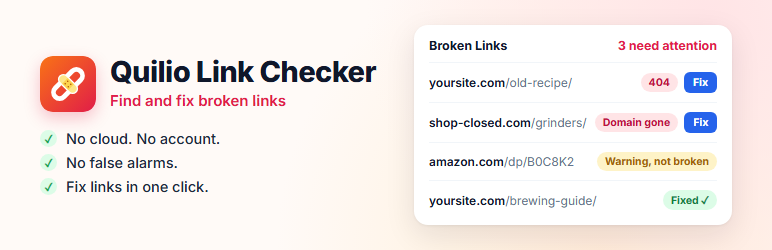
No cloud. No account. No database bloat. No false alarms.
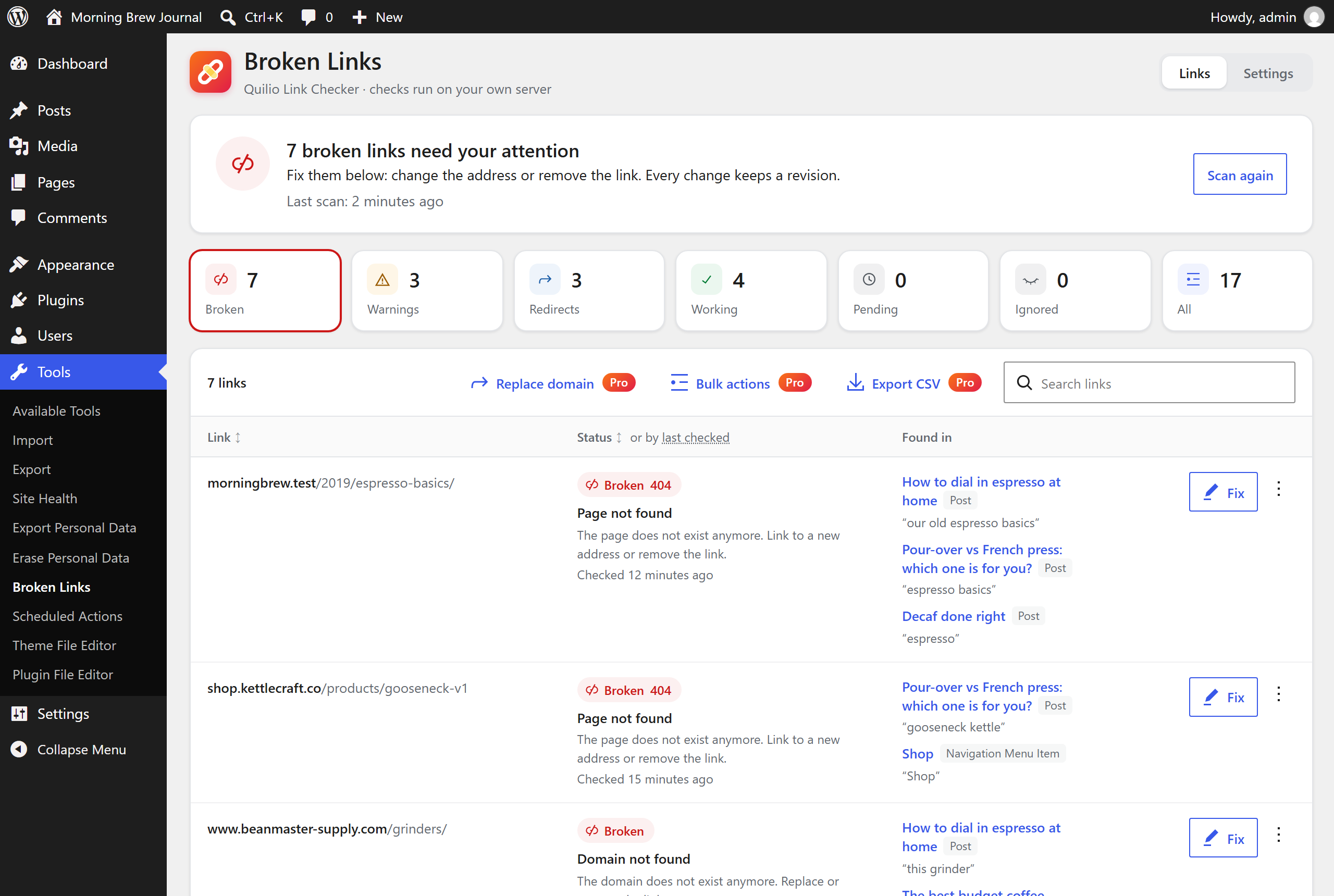
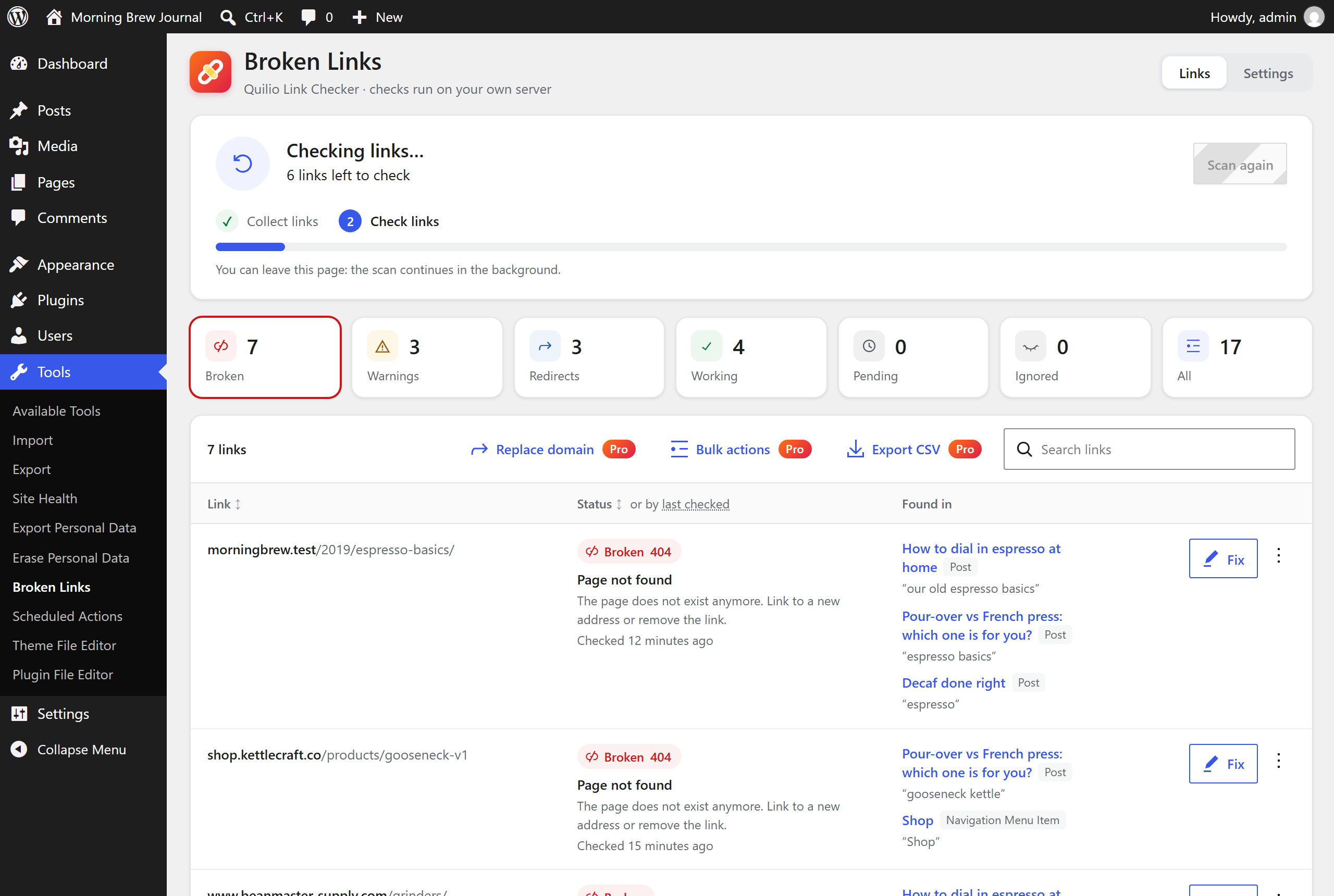
Broken links frustrate visitors, waste your SEO work and lose affiliate commissions. Quilio Link Checker finds them in your posts, pages, custom post types and menus, and lets you fix them in one click, without opening every post.
Why Quilio Link Checker
- Runs locally. Links are checked from your own server. No sign-up, no external service, nothing to connect.
- Gentle on your site. Two small database tables, work in small background batches, a few requests per minute to any one site. Nothing is loaded on the front end for your visitors.
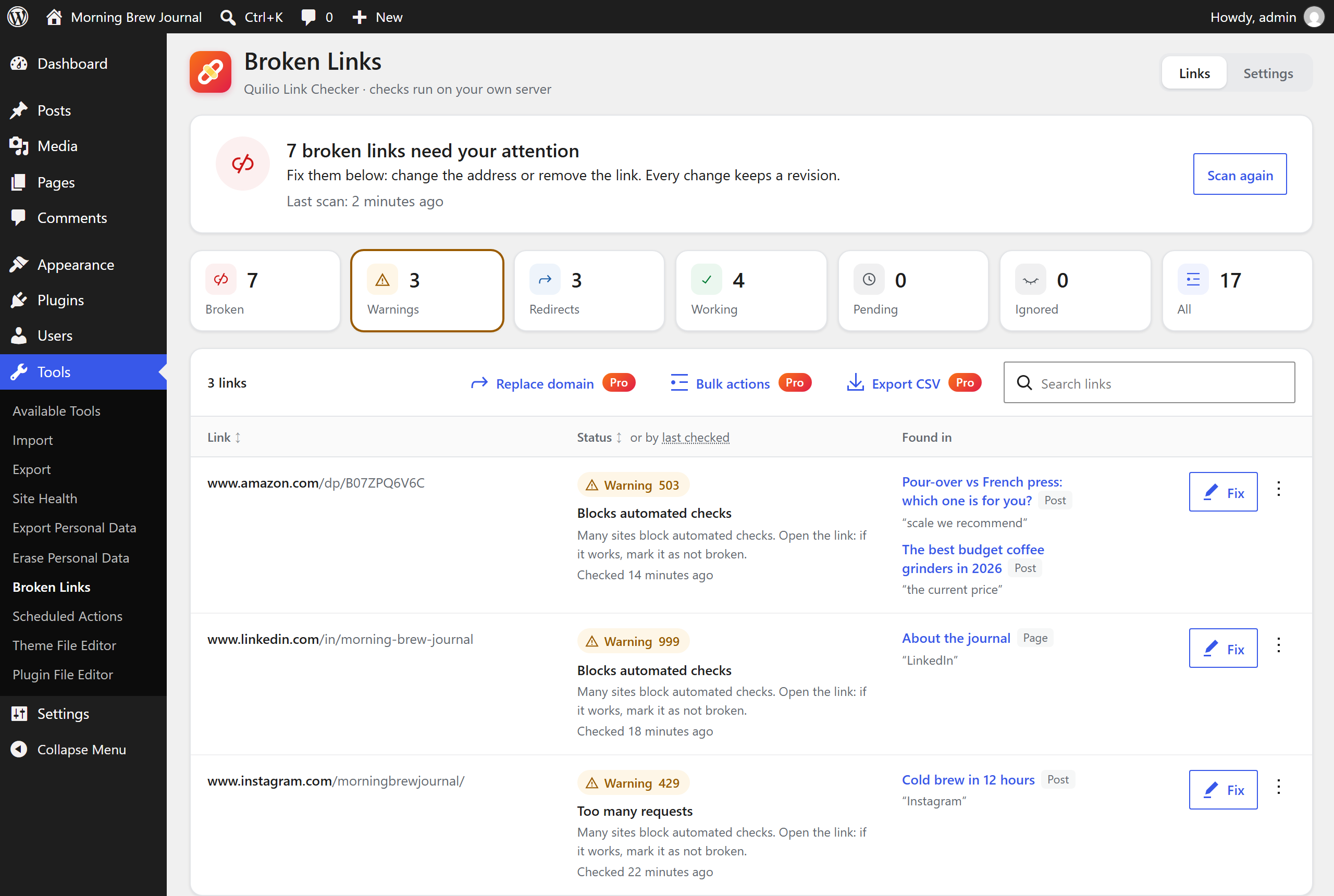
- No false alarms. A link is reported as broken only after a second failed check. Sites that block automated checks (LinkedIn, Amazon, social networks, Cloudflare challenges) are shown as warnings, not as broken links.
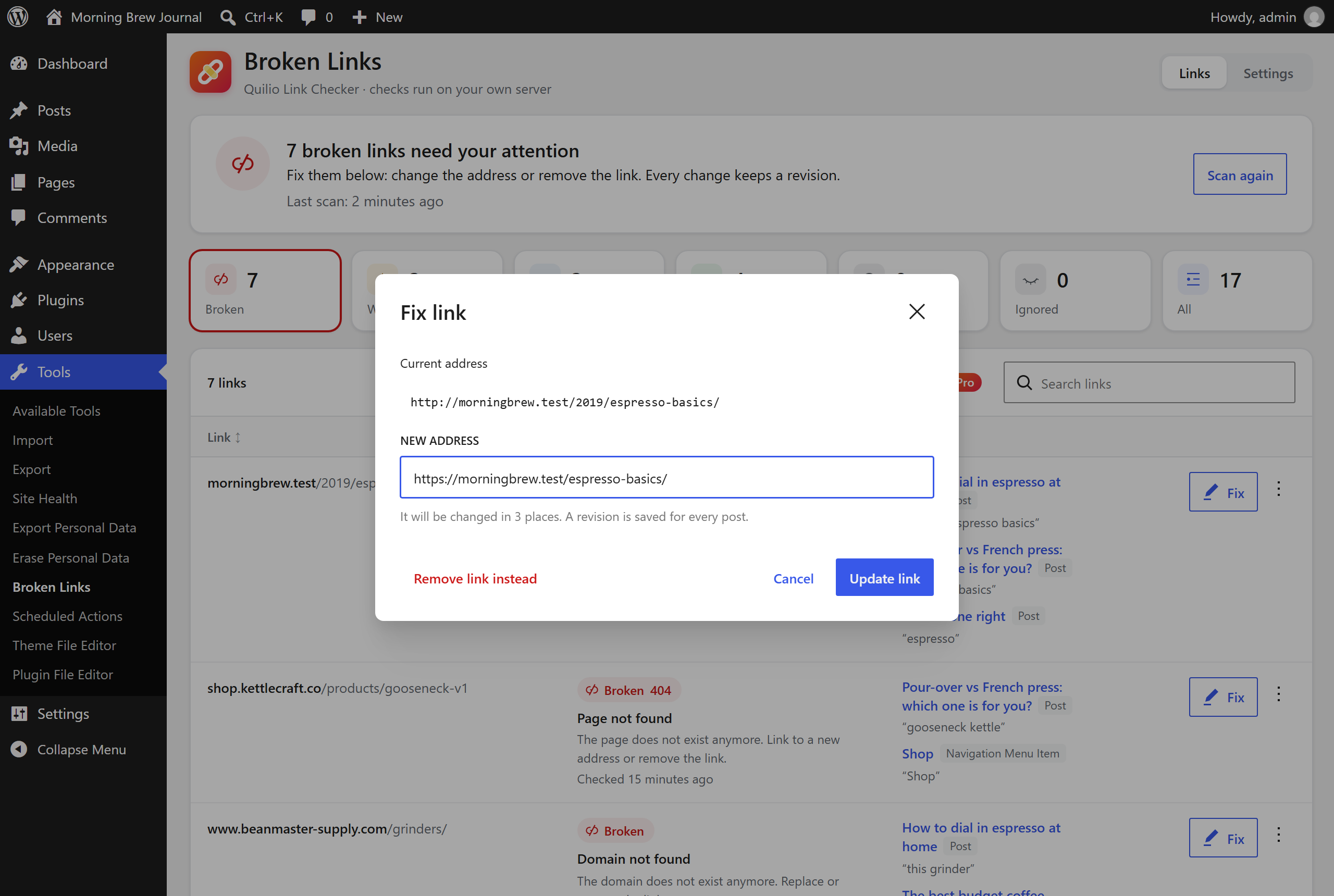
- Fix in one click. Change a URL, remove a link but keep its text, or replace a redirected link with its final address, everywhere it is used. Every change goes through the normal WordPress API, so a revision is saved.
- Quiet. No dashboard ads, no nagging banners.
Features
- Scans posts, pages, public custom post types, classic menus and navigation blocks (block themes).
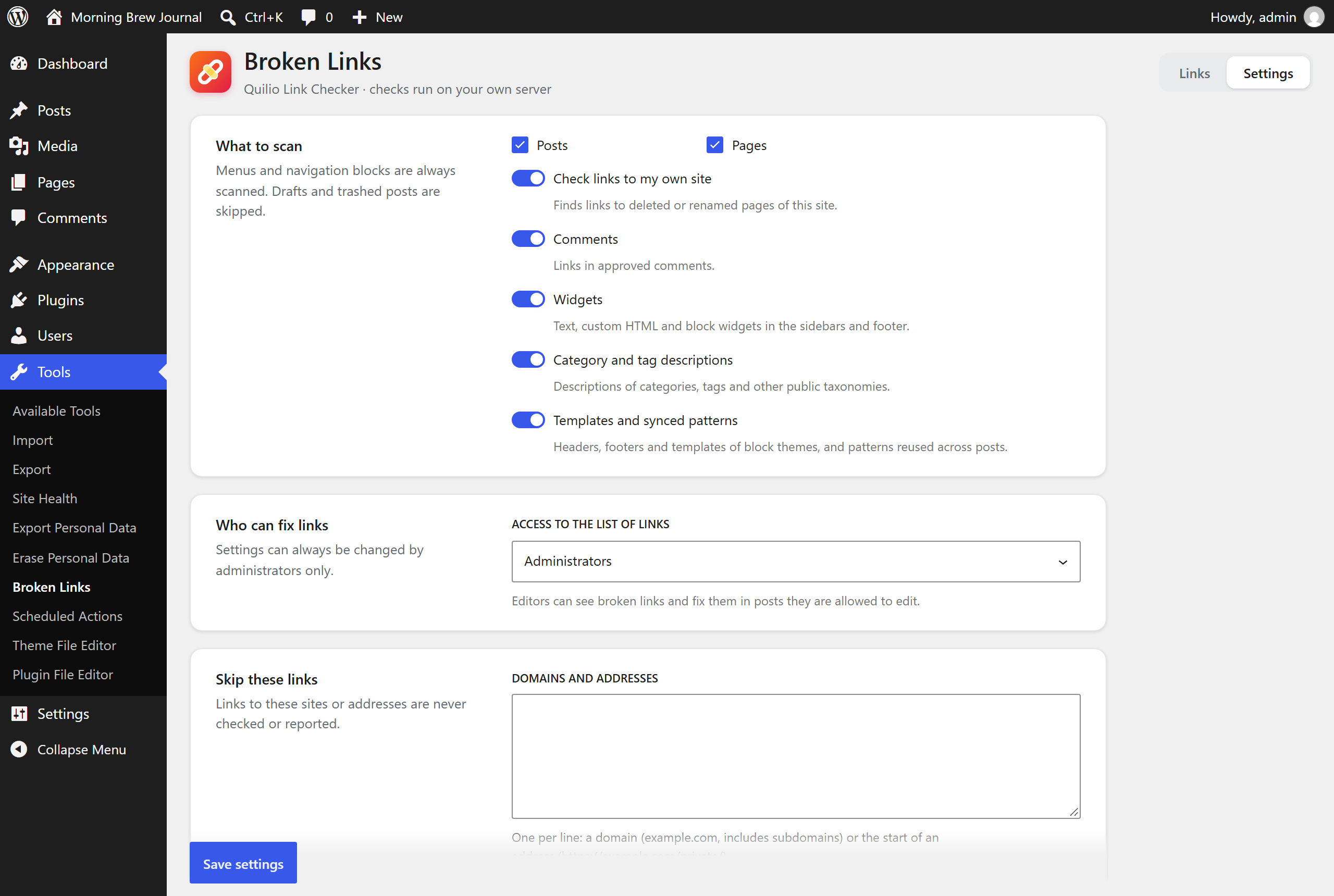
- Also scans approved comments, text and block widgets, category and tag descriptions, block theme templates and synced patterns.
- Checks the links of a post before you publish it, in the pre-publish panel of the block editor.
- Checks links to other sites and to your own site.
- Finds redirects and pages that redirect to the homepage (a sign of removed content).
- Finds expired domains that now show ads or a “domain for sale” page, and pages that answer “OK” but say “not found” (soft 404).
- Shows the links of the post you are editing in a “Link check” panel of the block editor.
- Reports broken links in Tools Site Health.
- WP-CLI commands:
wp quilio-links scan,status,listandrecheck. - Re-checks links when you update a post.
- Edit URL (and the link text), Unlink, Not broken, Recheck, Use final URL.
- Sort the list by address, status or date of the last check.
- Editors can be allowed to see and fix broken links; settings stay with administrators.
- Exclusion list by domain or URL prefix.
- Imports exclusions and dismissed links from the Broken Link Checker plugin.
- Works on multisite (each site has its own data).
- Ready for translation. The plugin follows your WordPress language, and each user can pick another installed language for the plugin in its settings.
Privacy
Quilio Link Checker does not send your data anywhere. To check a link it sends a normal HTTP request (HEAD, then GET when needed) to the linked address, identifying itself as QuilioLinkChecker. Addresses on private networks are never requested, except links to your own site.
Quilio Link Checker Pro
Everything above is free and stays free. The optional Pro version adds:
- Scheduled scans and alerts about new broken links by email, Telegram, Slack or webhook.
- Checks of images, removed YouTube and Vimeo videos, embeds, custom fields (ACF and others), WooCommerce product fields and page builders: Elementor, Beaver Builder, SiteOrigin, Divi, WPBakery and Avada.
- Suggests an archived copy of a dead page from the Internet Archive (Wayback Machine) as the new address.
- Updates every link to a post when you change its address (slug or parent).
- Redirects from old addresses and a log of pages not found (404) with a suggested new page. Import and export of redirects (CSV, Redirection plugin). Only the address, referring page and a counter are stored; no IP addresses.
- Bulk actions, replacing a domain in all links, CSV export, a printable client report (PDF) and a monthly report by email.
Pro comes with a 7-day money-back guarantee.
External services
Links you check. Checking a link sends an HTTP request to the address of that link. Only the address is requested; no data about your site, you or your visitors is sent.
Freemius (https://freemius.com) handles purchases and licenses of Quilio Link Checker Pro. The free version does not contact Freemius on its own: there is no opt-in screen and no usage tracking. Freemius is contacted only when you open the Pro pricing page, buy Pro or activate a license key. Then the data needed for the license is sent: site address, WordPress and plugin versions, the license key and the email address you enter. Terms: https://freemius.com/terms/ · Privacy policy: https://freemius.com/privacy/
Pro only: the alerts you set up are sent to the services you choose — Telegram (https://telegram.org/privacy), Slack (https://slack.com/trust/privacy/privacy-policy) or your own webhook address. They contain the site name and the broken links found.
Pro only: to tell whether a linked YouTube or Vimeo video still exists, its address is sent to the public oEmbed service of that site (https://www.youtube.com/oembed, https://vimeo.com/api/oembed.json) — the same request WordPress makes when you embed a video. YouTube terms: https://www.youtube.com/t/terms · Vimeo terms: https://vimeo.com/terms
Pro only: when you press “Find an archived copy in the Internet Archive” in the Fix link dialog, the address of that link is sent to the Wayback Machine of the Internet Archive (https://web.archive.org/cdx/search/cdx) to find its latest saved copy. Nothing is sent unless you press the button. Terms: https://archive.org/about/terms.php · Privacy policy: https://archive.org/about/terms.php
Source code
The admin interface is built from the React sources included in the plugin (assets/src) with @wordpress/scripts. To rebuild the scripts in build, run npm ci and npm run build in the plugin folder (package.json and babel.config.js are included).
Third-party libraries
- Action Scheduler by Automattic (GPLv3), https://actionscheduler.org/ — background processing.
- Freemius WordPress SDK (GPLv3), https://github.com/Freemius/wordpress-sdk — licensing of the Pro version.
Screenshot
Installazione
- Install and activate the plugin from Plugins Add New.
- Open Tools Broken Links.
- Click Start first scan. You can leave the page; the scan continues in the background.
FAQ
-
Do I need an account?
-
No. Everything runs inside your WordPress site.
-
Will it slow down my site?
-
No. Nothing runs when visitors open your pages (with Pro redirects turned on, only a request for a missing page is checked against your redirects). The scan works in small batches in the background, using the Action Scheduler library (also used by WooCommerce), and only one batch runs at a time.
-
Why is a link shown as a warning and not as broken?
-
Some sites answer automated requests with errors although the page works in a browser (for example LinkedIn returns code 999). Quilio Link Checker shows these as warnings so you can open the link and decide. If it works, click Not broken.
-
A link failed but it is not in the Broken list. Why?
-
A failed link is checked once more a few minutes later. It is reported as broken only if it fails again. This prevents false alarms caused by short outages.
-
Can I undo a change?
-
Yes. Quilio Link Checker saves posts through the WordPress API, so the previous version is available in the post’s revisions.
-
Does it work with page builders?
-
Links in content built with the block editor, the classic editor, Divi, WPBakery and Avada are fixed directly. Elementor, Beaver Builder, Bricks, Oxygen, Breakdance, SiteOrigin, Thrive Architect and Brizy keep their own copy of the page, so the free version finds those links but sends you to the builder to change them, instead of making a change the builder would undo. Quilio Link Checker Pro changes links inside Elementor, Beaver Builder and SiteOrigin layouts and in the settings of Divi, WPBakery and Avada modules (button links, for example).
-
Will it conflict with my other plugins?
-
Every release is tested with WooCommerce, Yoast SEO, Rank Math, All in One SEO, Redirection, Elementor, Beaver Builder, Wordfence, Solid Security, LiteSpeed Cache, WP Super Cache, Redis Object Cache, Polylang, Jetpack, Query Monitor and other popular plugins, on PHP 7.4 to 8.5, MySQL and MariaDB.
-
Can I check links from the command line?
-
Yes.
wp quilio-links scan --waitruns a full scan,wp quilio-links list --status=broken --format=csvlists the results. -
The scan does not progress.
-
Keep the Broken Links page open: it drives the scan itself, even when WP-Cron is disabled on your server.
-
What happens to my data when I delete the plugin?
-
All link data and settings are removed, unless you enable Keep data when the plugin is deleted in the settings.
Recensioni
Non ci sono recensioni per questo plugin.
Contributi e sviluppo
“Quilio Link Checker – Find and Fix Broken Links” è un software open source. Le persone che hanno contribuito allo sviluppo di questo plugin sono indicate di seguito.
Collaboratori
“Quilio Link Checker – Find and Fix Broken Links” è stato tradotto in 3 lingue. Grazie a chi traduce per il contributo.
Traduci “Quilio Link Checker – Find and Fix Broken Links” nella tua lingua.
Ti interessa lo sviluppo?
Esplora il codice segui il repository SVN, segui il log delle modifiche tramite RSS.
Changelog
0.3.0
- New: links in comments, widgets, category and tag descriptions, block theme templates and synced patterns.
- New: links are checked in the pre-publish panel, before a post goes live.
- New: change the link text together with the address; sort the list; let editors fix links.
- Pro: Beaver Builder, SiteOrigin, Divi, WPBakery and Avada; archived copies from the Wayback Machine; links follow a post to its new address; 404 log suggestions; import and export of redirects; monthly report by email.
0.2.0
- New: expired and parked domains are reported as broken; pages that say “not found” are shown as warnings.
- New: “Link check” panel in the block editor.
- New: Site Health test and WP-CLI commands.
- New: dismissed links are imported from Broken Link Checker.
- Pro: images, videos, embeds, custom fields, WooCommerce and Elementor; redirects and 404 log; bulk actions; client report.
0.1.0
- First release.