
Descrizione
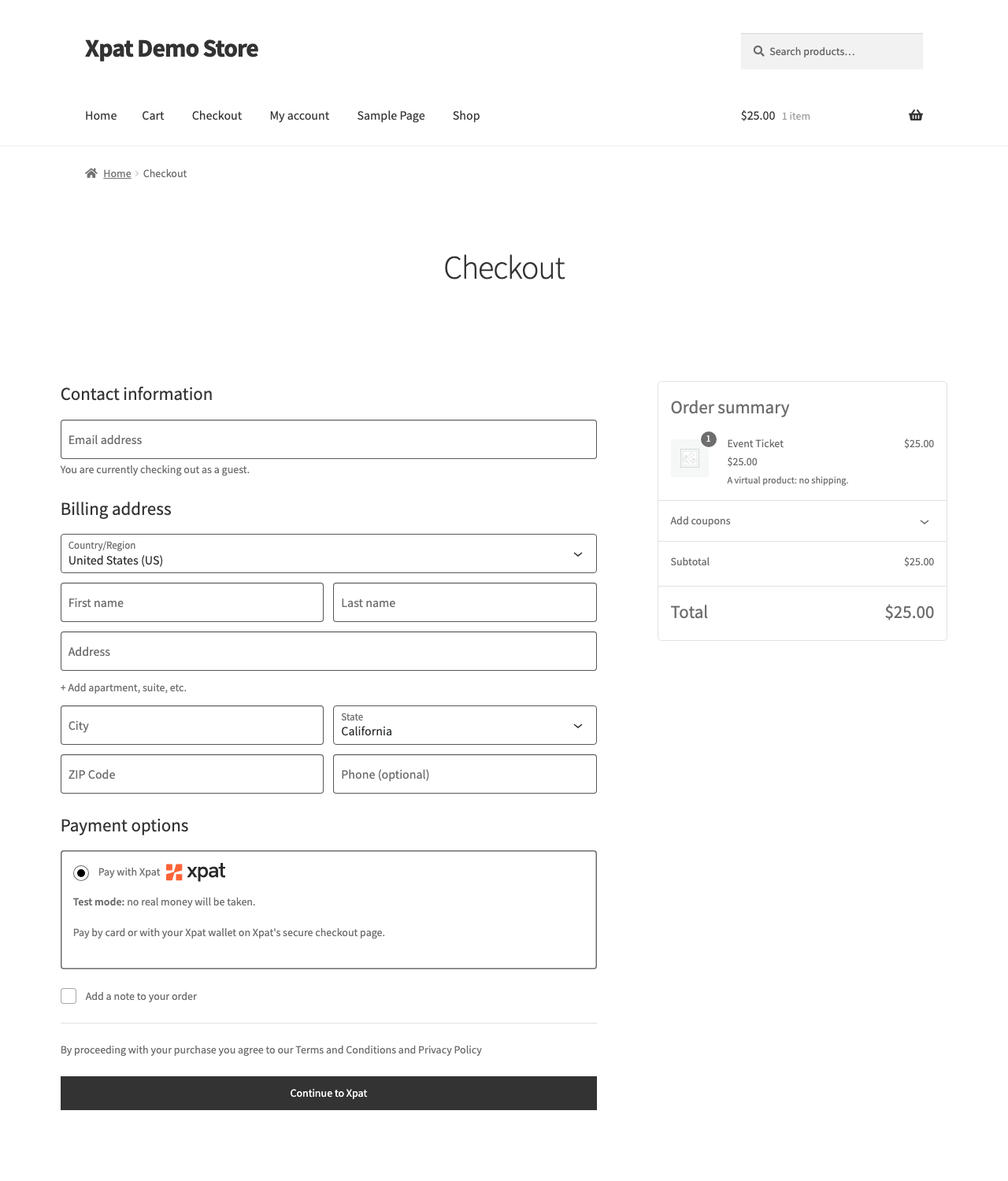
At checkout the buyer is sent to the hosted Pay with Xpat page, pays by card or Xpat wallet, and comes back to your store. The plugin confirms every payment with the Xpat API before it marks an order paid.
Set up in minutes
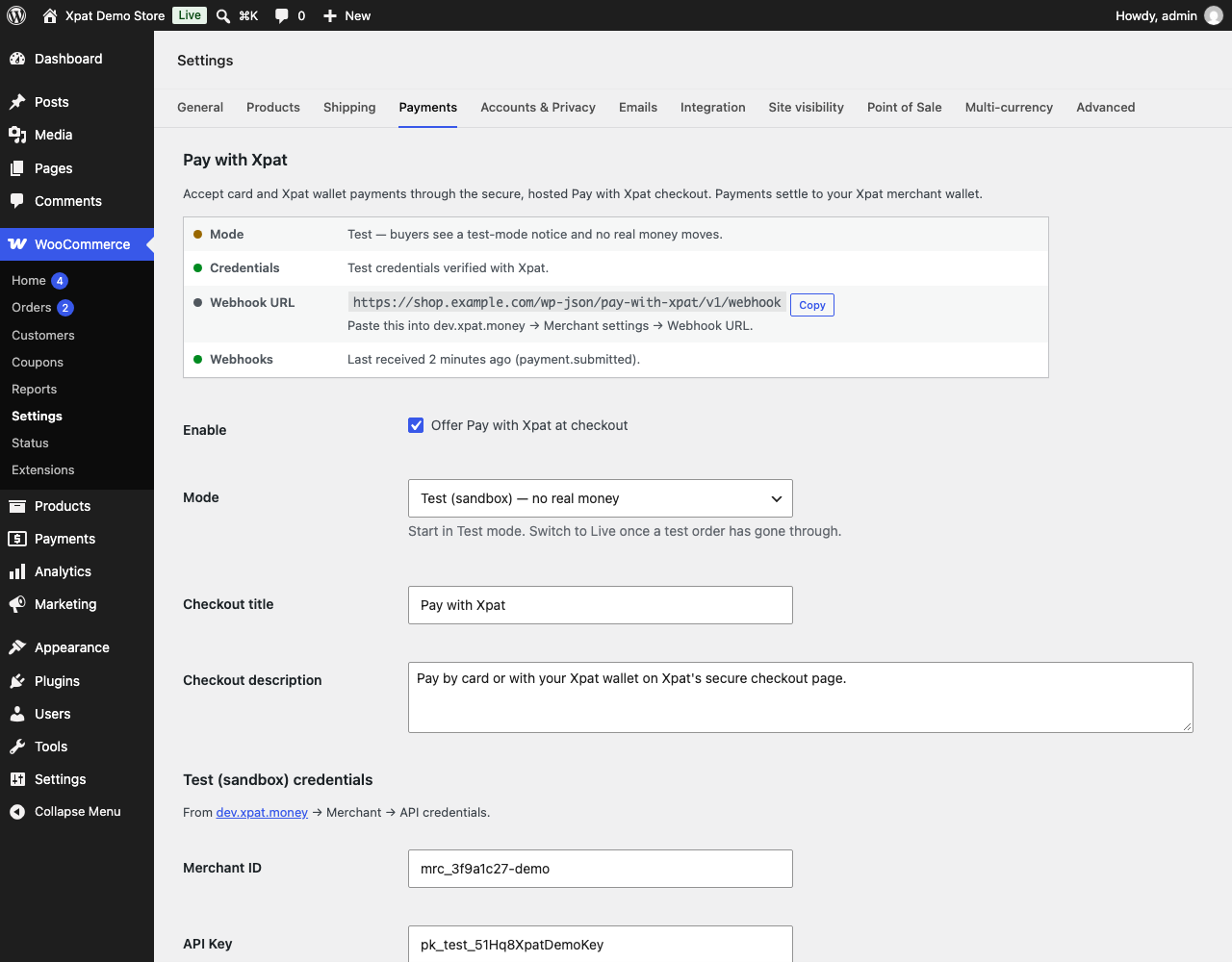
- Separate Test and Live credentials: test first, then flip one switch to go live.
- Credentials are checked against Xpat when you save, with plain-language fixes when something is wrong.
- A status panel shows your mode, whether the keys work, the webhook URL (one-click copy) and when the last webhook arrived.
- A “Test mode” notice at checkout so nobody mistakes a test store for a live one.
Built to never lose a payment
- Orders are marked paid only once Xpat accepts the payment; anything uncertain stays pending.
- Signed webhooks update orders instantly. Because a webhook can be missed, a reconcile job re-checks open orders every 15 minutes.
- A buyer retrying payment reuses their open Xpat session instead of opening a second one, so they can’t be charged twice.
- Sessions expire before WooCommerce cancels unpaid orders, and cancelling an order closes its Xpat session.
- A payment that arrives late, for the wrong amount, or is later reversed puts the order On hold with a note, instead of shipping by mistake.
Works with
- Classic checkout and the Cart & Checkout blocks.
- High-Performance Order Storage (HPOS).
External services
This plugin connects to the Pay with Xpat service, operated by Xpat, to take payments. It is required for the plugin to work.
- Xpat payments API (
api.remit2any.com, ordev.api.remit2any.comin Test mode). When a buyer chooses Pay with Xpat, the plugin sends the order number, order total and currency, the item names and quantities, the buyer’s name and email address, your site address and the return URLs. It also reads payment status for your orders, and checks your credentials when you save the settings. - Xpat hosted checkout (
xpat.money, ordev.xpat.moneyin Test mode). The buyer is redirected there to pay. Card and wallet details are entered on Xpat’s page and never reach your site. -
Webhooks from Xpat to your site’s
/wp-json/pay-with-xpat/v1/webhookendpoint tell the plugin when a payment’s status changes. -
Terms of service: https://xpat.money/service-terms
- Privacy policy: https://xpat.money/privacy
- All legal documents: https://xpat.money/legal
Developer hooks
pay_with_xpat_session_payload— filter the create-session payload ( $payload, $order ).pay_with_xpat_supported_currencies— filter allowed currencies.pay_with_xpat_session_lifetime_minutes— how long a payment session stays open (defaults to WooCommerce’s hold-stock time minus 5 minutes).pay_with_xpat_reconcile_batch— orders re-checked per reconcile run (default 100).pay_with_xpat_api_base_url— API host ( $url, $environment ).pay_with_xpat_checkout_host— hosted checkout host ( $url, $environment ).pay_with_xpat_checkout_path— hosted checkout path, default/pay/wallet-selection( $path, $environment ).pay_with_xpat_icon— checkout logo URL; return an empty string to hide it.
Screenshot
Installazione
- In WordPress go to Plugins Add New Upload Plugin, choose
xpat-payment-gateway.zip, then Install and Activate. WooCommerce must be active. - Go to WooCommerce Settings Payments Pay with Xpat.
- Leave Mode on Test. Paste the Test Merchant ID, API Key, API Secret and Webhook Secret from dev.xpat.money Merchant API credentials. Save: the status panel confirms the keys work.
- Copy the Webhook URL from the status panel into your Xpat dashboard.
- Place a test order.
- To go live, paste the Live credentials from xpat.money, set the live Webhook URL, and switch Mode to Live.
FAQ
-
Pay with Xpat doesn’t show at checkout
-
Open the plugin settings: the status panel says why. Usually the credentials for the current mode are missing, or the store currency isn’t supported.
-
Which currencies are supported?
-
USD. Developers can widen the list with the
pay_with_xpat_supported_currenciesfilter once Xpat enables more currencies on your account. -
When is an order marked paid?
-
When Xpat accepts the payment (session status PAYMENT_PROCESSING) or it settles (USED). While Xpat is still validating the payment the order is On hold. An expired or cancelled session marks the order Failed and releases its stock.
-
What does “Needs review” mean on an order?
-
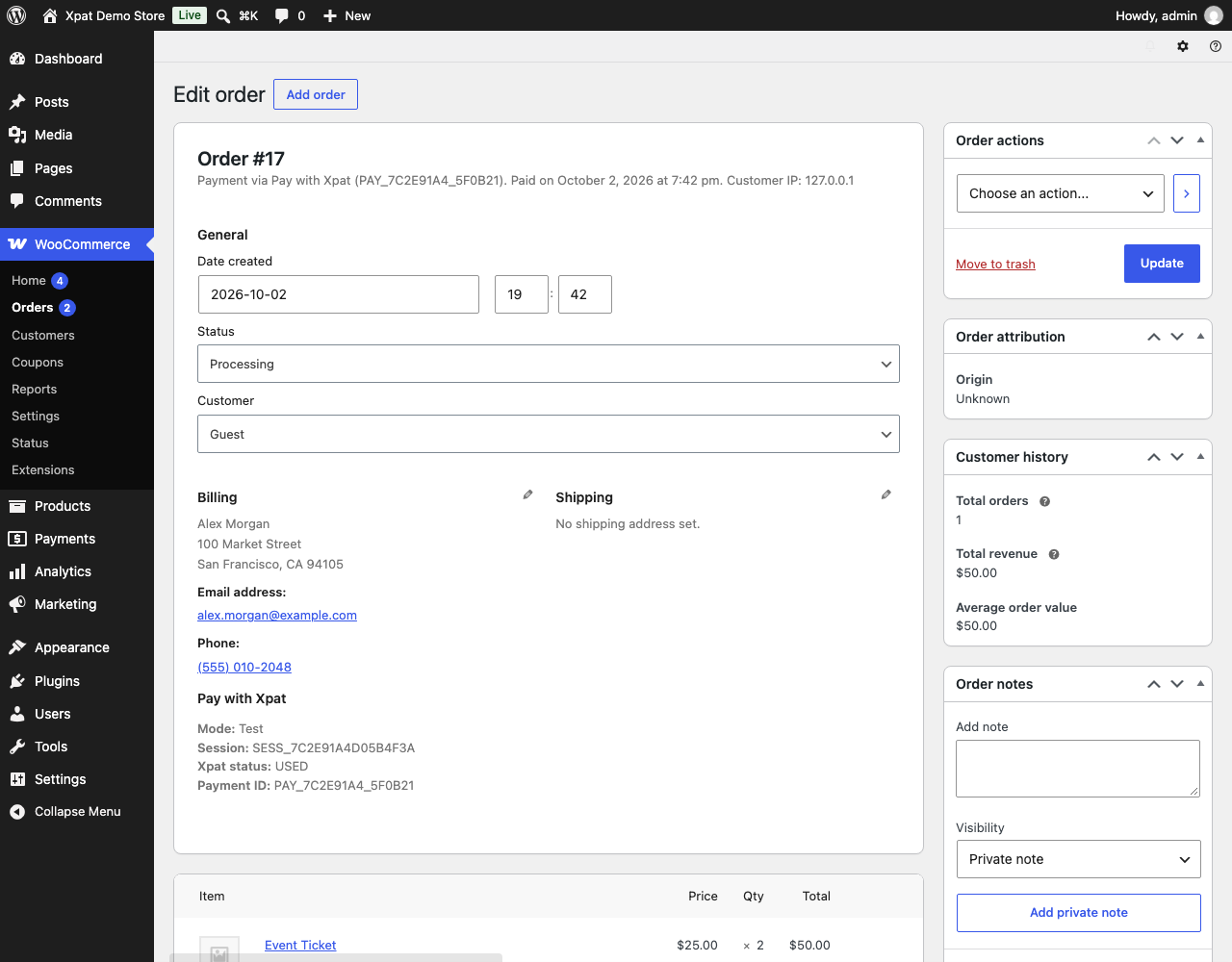
Xpat took a payment that the plugin won’t fulfil on its own: it arrived after the order was cancelled, the amount didn’t match, or the payment was later reversed. The order notes explain what happened.
-
Are refunds supported?
-
Not from WooCommerce yet. Contact Xpat support or use your Xpat merchant account to refund a payment.
-
Is WP-Cron required?
-
Webhooks do most of the work. The reconcile job runs on WP-Cron; on low-traffic sites, trigger wp-cron.php from a real cron so it runs on time.
Recensioni
Non ci sono recensioni per questo plugin.
Contributi e sviluppo
“Xpat Payment Gateway for WooCommerce” è un software open source. Le persone che hanno contribuito allo sviluppo di questo plugin sono indicate di seguito.
Collaboratori
Traduci “Xpat Payment Gateway for WooCommerce” nella tua lingua.
Ti interessa lo sviluppo?
Esplora il codice segui il repository SVN, segui il log delle modifiche tramite RSS.
Changelog
1.1.0
- Buyers are sent to Xpat’s wallet-selection page to choose card or Xpat wallet.
- Separate Test and Live credentials; existing settings move over automatically.
- Credentials are verified on save; a status panel shows connection and webhook health.
- A retry reuses the open Xpat session, so a buyer can’t pay twice for one order.
- Sessions expire before WooCommerce’s unpaid-order timeout; cancelling an order closes its session.
- Late, mismatched and reversed payments put the order On hold for review.
- Declined payments release stock and let the buyer retry.
- Per-order locking so a webhook and a returning buyer can’t complete an order twice.
- The reconcile job also watches bank payments until they settle and recently cancelled orders.
- Test-mode notice and “Continue to Xpat” button at checkout; clearer thank-you message while a payment is confirming.
- Xpat panel and “Re-check payment” action on the order screen; suggested privacy-policy text.
1.0.0
- Initial release.