

Descrizione
Zeshan Login 2FA adds real two-factor authentication (2FA) to your WordPress login. A password alone is no longer enough. Bots and leaked-password attacks target WordPress logins around the clock. With Zeshan Login 2FA, a second step (a 6-digit code from an authenticator app) stands between an attacker and your admin area.
It works with the authenticator apps you already know: Google Authenticator, Authy, Microsoft Authenticator, 1Password, and any other TOTP app.
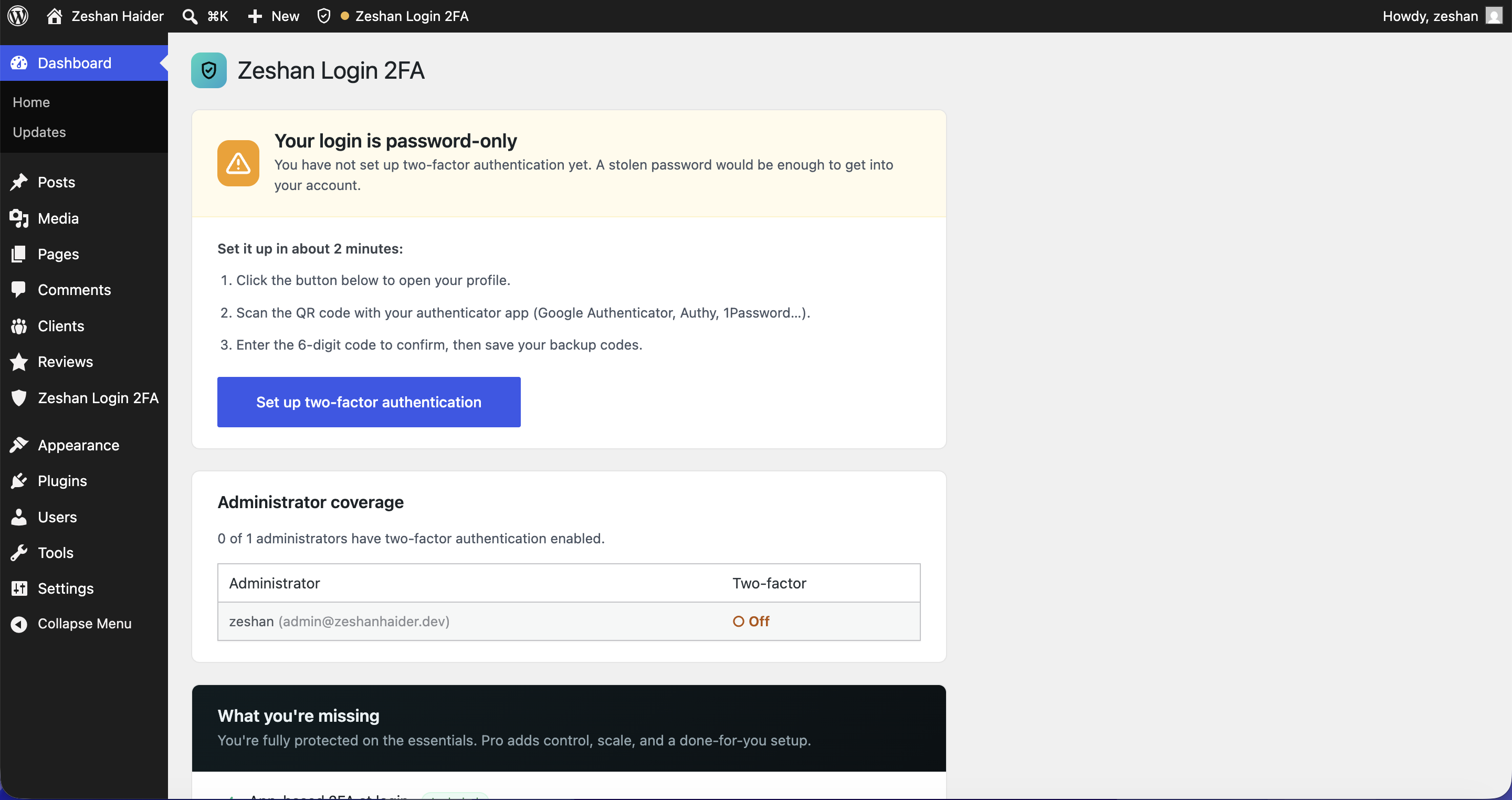
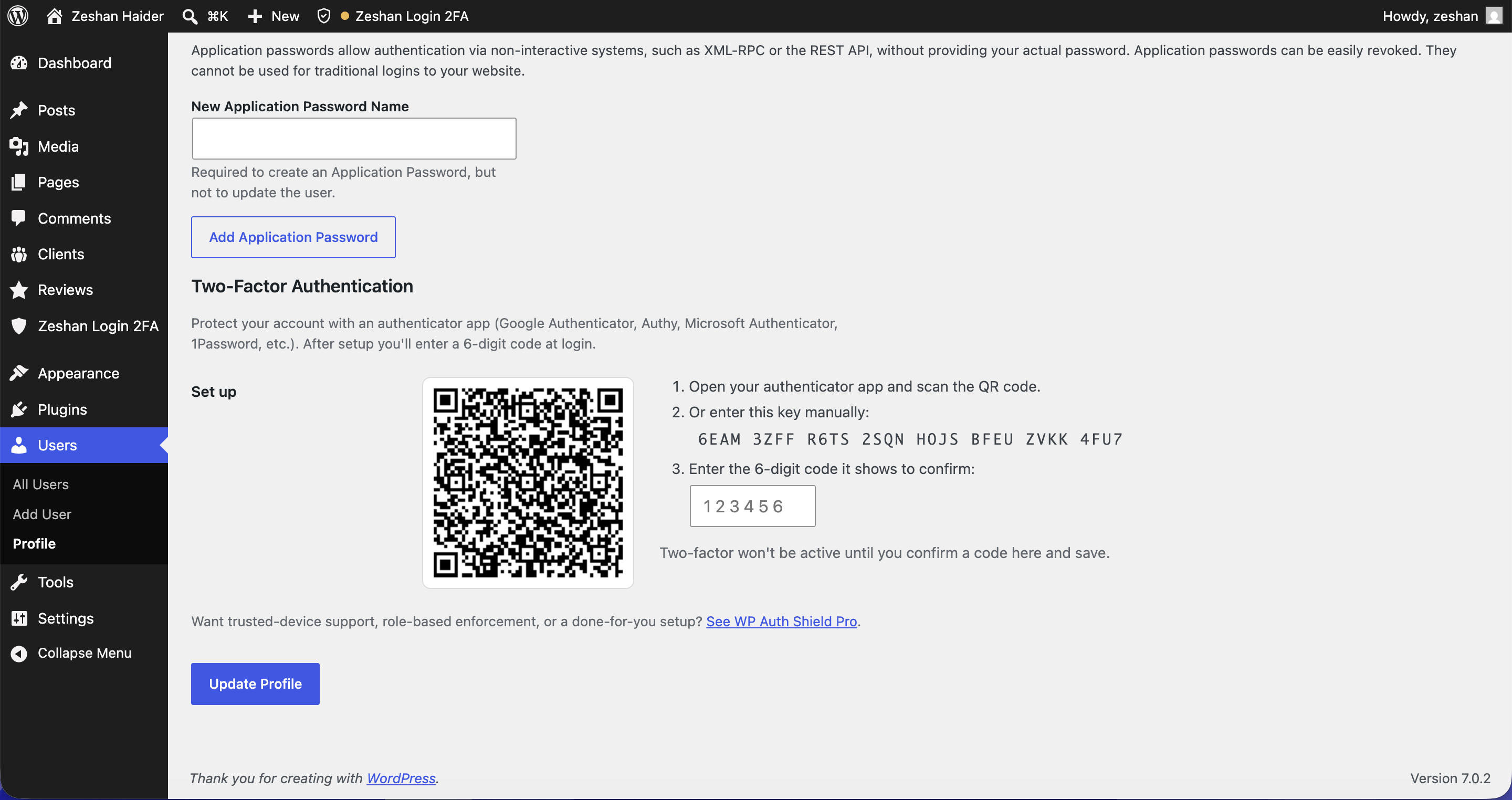
Setup takes about two minutes: open your profile, scan a QR code with your phone, confirm one code, and save your backup codes. That is it. Your login is protected.
What you get (free)
- App-based 2FA at login. Standard TOTP (RFC 6238), the same technology your bank uses.
- QR-code setup. Scan once from your user profile. Your secret is generated on your own server.
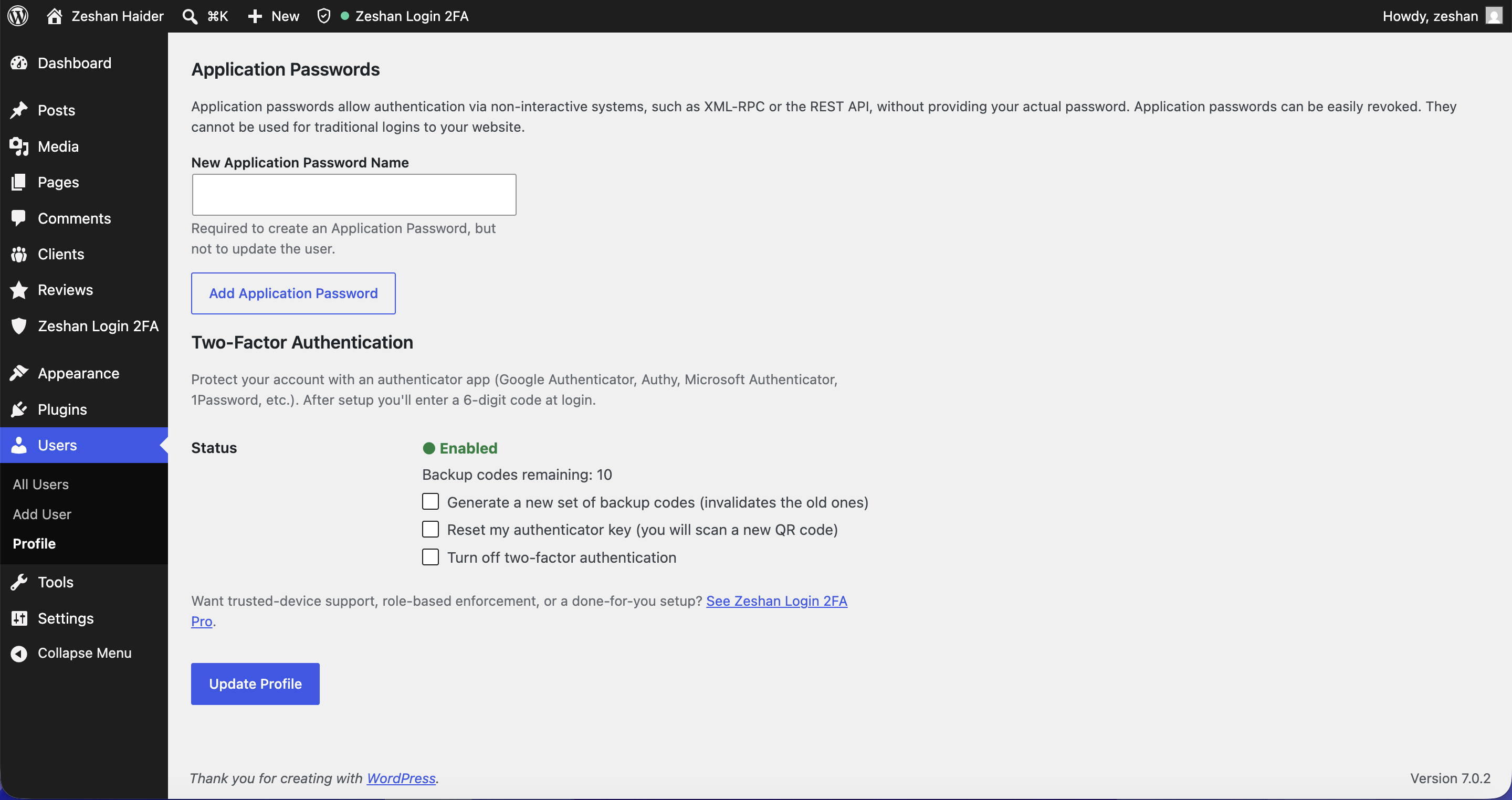
- 10 backup codes. One-time codes so you can always get in, even if you lose your phone.
- Enforced for Administrators by default. Protect the accounts that matter most.
- Lockout-safe. 2FA is only enforced for users who have finished setup, so enabling the plugin never locks anyone out before they opt in.
- Privacy-first. No accounts, no tracking, no phone-home. Everything stays on your site.
Why Zeshan Login 2FA
- Lightweight and focused. It does one thing (2FA) and does it well.
- No account, no signup, no external service required.
- Clean, standards-based TOTP that every authenticator app supports.
- Backup codes are stored hashed (never in plaintext) and are one-time use.
Going further (Pro & personal setup)
The free plugin fully protects your login on its own. If you want more control or a done-for-you setup, Zeshan Login 2FA Pro adds:
- Trusted-device management. Remember the devices you trust and skip the code for a set number of days.
- Role-based enforcement. Require 2FA for editors, authors, shop managers, or everyone, with an optional grace period.
- Malware attack shield. Brute-force login protection, malicious-request blocking, and file-editor lockdown.
- Personal setup and priority support. I set it up for you and help your team get onboarded.
Pro is a one-time purchase and includes personal setup. Learn more at zeshanhaider.dev/zeshan-login-2fa.
Credits & third-party libraries
This plugin bundles the following third-party library, used to draw the QR code in your browser:
- QRCode.js by Sangmin Shim (davidshimjs). Source: https://github.com/davidshimjs/qrcodejs (MIT License).
The library is included locally (not loaded from a third-party CDN) as required by the plugin directory guidelines. All other code is original work by the plugin author and licensed under GPLv2 or later.
Screenshot
Installazione
- In your WordPress admin, go to Plugins Add New and search for “Zeshan Login 2FA”, or upload the plugin ZIP under Plugins Add New Upload Plugin.
- Activate the plugin.
- Go to Users Your Profile (or Edit My Profile) and scroll to Two-Factor Authentication.
- Scan the QR code with your authenticator app (Google Authenticator, Authy, 1Password, etc.).
- Enter the 6-digit code to confirm, then click Update Profile.
- Save the backup codes shown to you. Store them somewhere safe.
From now on, administrators with 2FA set up will enter a code at login after their password.
FAQ
-
Which authenticator apps are supported?
-
Any app that supports standard TOTP: Google Authenticator, Authy, Microsoft Authenticator, 1Password, and others.
-
Will this lock me out of my site?
-
No. 2FA is only enforced for users who have completed setup. Enabling the plugin does nothing until you opt in by scanning the QR code and confirming. And if you ever lose your phone, your backup codes get you back in.
-
What if I lose my phone and my backup codes?
-
A site administrator can turn off 2FA for your account by editing your user profile. If you are the only administrator, you can remove the relevant user meta via your database or a tool like WP-CLI. Keep your backup codes safe to avoid this.
-
Does it work for all users or just admins?
-
By default, 2FA is enforced for Administrators. Requiring it for other roles (editors, authors, shop managers, everyone) is available in Zeshan Login 2FA Pro.
-
Does the plugin send my data anywhere?
-
No. There is no external service, no account, and no tracking. Your 2FA secret and backup codes stay on your own server.
-
Can I skip the code on my own computer?
-
“Trusted devices” (remember this device and skip the code for a set number of days) is a Pro feature.
-
Is this compatible with my other security plugins?
-
Zeshan Login 2FA only adds a second step at login and doesn’t modify your password flow, so it works alongside most security and login plugins. As always, test on a staging site if you run a complex setup.
Recensioni
Non ci sono recensioni per questo plugin.
Contributi e sviluppo
“Zeshan Login 2FA” è un software open source. Le persone che hanno contribuito allo sviluppo di questo plugin sono indicate di seguito.
Collaboratori
Traduci “Zeshan Login 2FA” nella tua lingua.
Ti interessa lo sviluppo?
Esplora il codice segui il repository SVN, segui il log delle modifiche tramite RSS.
Changelog
1.0.0
- Initial public release.
- App-based TOTP two-factor authentication at login (RFC 6238).
- QR-code setup on the user profile.
- 10 one-time backup codes.
- Reset your authenticator key to move 2FA to a new phone.
- Replay protection: a login code cannot be reused within its time window.
- Enforced for Administrators by default, lockout-safe.